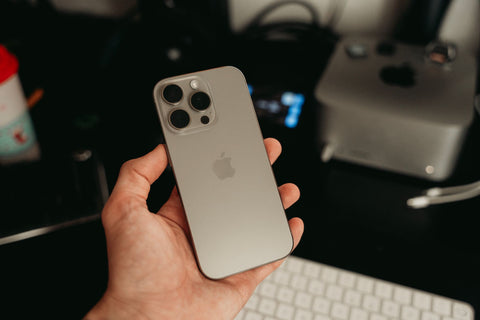
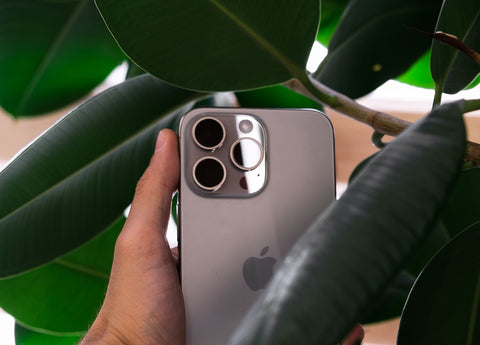
What is an eSIM and what does it have to do with the Honor Magic 7 Lite?
An eSIM is a digital chip integrated into the phone's board that replaces the physical card: it's activated by scanning a QR code and provides a ready data line in minutes. The Honor Magic 7 Lite comes with it factory-installed alongside a nano-SIM slot, so you can use both lines simultaneously.
It's not an exclusive feature of high-end phones or a technical whim: it's, above all, a way to solve a very specific problem when traveling. Instead of looking for a phone store as soon as you land, buying a physical card, and waiting for it to be activated, with eSIM you can have your destination's data line installed before leaving home. If you want to understand the concept from scratch, we explain what an eSIM is without assuming any prior knowledge.
Which Honor devices support eSIM?
Honor didn't add eSIM to its entire range all at once: it first added it to the Magic line (the brand's more premium models) and then to some of the foldable series and certain numbered Honor devices. Those that incorporate it include the Magic4 Pro, Magic5 Pro, Magic6 Pro, Magic7, Magic7 Pro, Magic7 Lite, the Magic V foldable family (V2, V3, Vs), and models like the Honor 90 or the Honor 200.
There's a nuance here that confuses many people: in Honor, a model having "Lite" in its name doesn't automatically mean that eSIM has been removed, unlike what happens with economic versions of other brands. The Magic 7 Lite is a direct example: it's a mid-range phone designed to last (large battery, wide screen) and yet it still retains the eSIM that its older siblings in the Magic series have.
How many SIMs does the Honor Magic 7 Lite have?
The Honor Magic 7 Lite works with two lines simultaneously: a physical nano-SIM card and an integrated eSIM. It's true dual SIM, but it's important to understand exactly what that means to avoid surprises.
The phone can store several different eSIM profiles (for example, one for each country you usually travel to), but only one can be active at a time. That is: you cannot have two eSIMs working simultaneously, but you can switch between stored profiles without having to rescan a QR code each time. The real working combination is always "one physical + one active digital," not "two digital."
How to check if your Honor Magic 7 Lite has eSIM?
The global technical specifications for the Honor Magic 7 Lite include eSIM, but there's an exception worth knowing before buying the phone, especially if you get it through a channel other than your country's official one: units intended for the mainland China, Hong Kong, and Macao markets do not have eSIM enabled, even if the model name is exactly the same.
If you bought the phone outside your country's official channel—imported, from a reseller, or brought back from another trip—confirm the EID before assuming that the eSIM will work. The commercial name is the same worldwide, but the hardware of the version intended for China is not.
Checking it is quick and requires no technical knowledge: dial *#06# as if you were making a call, or go to Settings > About phone. If a field called EID appears, your unit supports eSIM. If that field does not appear, your particular Magic 7 Lite only works with a physical card, regardless of what the model's advertising says.

How to activate eSIM on Honor?
The process is practically the same across the entire compatible Honor range, including the Magic 7 Lite, and you don't need to insert anything: it's done via software, with the phone connected to the internet.
- Connect the phone to a Wi-Fi network (you need it to download the profile).
- Go to Settings and tap Mobile network.
- Tap SIM management.
- Tap Add eSIM and confirm any permissions the system requests.
- Select Configure an eSIM.
- Point the camera at the QR code provided by your provider until it captures it.
- Follow the on-screen instructions until the profile is installed.
If you prefer to see it with step-by-step screenshots before attempting it, we have the complete guide in how to install an eSIM.
How to activate Dual SIM on the Honor Magic 7 Lite?
Once you have the physical nano-SIM inserted and at least one eSIM profile installed, the SIM Management menu itself lets you decide how to divide the work between the two. You can name each line (for example, "Personal" and "Travel"), choose which one uses mobile data by default, which receives calls, and which receives SMS, and activate or deactivate each one without having to remove any card.
For a trip, the configuration most often used by frequent travelers is to keep the home nano-SIM active only for calls and verification codes (avoiding data roaming, which is usually expensive), and set the destination's eSIM as the primary mobile data line. This way, WhatsApp, maps, and apps continue to work with the local data plan, while your usual number remains available for anyone who calls you.
Practical example: a real trip with eSIM on the Honor Magic 7 Lite
Imagine a ten-day trip from Mexico City with two stops: four days in Lima and six in Bogotá. Without an eSIM, the typical plan is to arrive at the airport, find a counter for a local company, queue, show your passport, buy a physical chip, and repeat the entire process when crossing into Colombia because the Peruvian card won't work there.
With the Magic 7 Lite, the order changes: before leaving home, with Wi-Fi and plenty of time, you install your destination's eSIM profile by following the steps in the previous section. Upon landing in Lima, your phone already has data without you having to do anything at the airport. When it's time to fly to Bogotá, if your plan covers both countries, you don't need to do anything else; if you bought separate plans per country, you switch eSIM profiles from SIM Management in the same amount of time it takes to check your email. Your physical nano-SIM from Mexico remains stored as a backup for calls, without you having to remove it or risk losing it during the journey.
If your next destination is Japan instead of South America, the logic is the same but with the country's own particularities (networks, coverage per area, recommended duration); we cover them separately in eSIM for 7 days in Japan.
eSIM vs Physical SIM on the Honor Magic 7 Lite
The Magic 7 Lite supports both options, so the real question isn't which "is better" in abstract, but which is more convenient depending on the type of trip. This table summarizes the most important differences when deciding:
| Criterion | eSIM | Physical SIM |
|---|---|---|
| How it's activated | Via software, by scanning a QR code | You need to get, insert, and await activation of a physical card |
| Risk of physical loss | None: there's no card to drop or bend | Can be lost, bent, or damaged when changing it |
| Changing countries on the same trip | You change profiles from the menu, without touching hardware | Requires getting and changing the physical card in each country |
| Coexistence with your local line | Nano-SIM and eSIM active simultaneously (true dual SIM) | You need to remove your usual chip to insert the new one, unless you use the eSIM slot anyway |
| Availability upon landing | Ready before leaving home | Depends on finding an open point of sale at the destination |
If you want to delve deeper into this comparison with more use cases, we fully develop it in eSIM vs physical SIM.

Honor Magic 7 Lite vs other Honor devices: eSIM compatibility
Before buying (or deciding if the one you already have is sufficient), it's useful to see where the Magic 7 Lite stands within Honor's catalog in terms of eSIM:
| Honor Model | SIM Type | Range |
|---|---|---|
| Magic 7 Lite | Nano-SIM + eSIM | Mid-range |
| Magic 7 | Nano-SIM + eSIM | High-end |
| Magic 7 Pro | Nano-SIM + eSIM | High-end |
| Magic 6 Pro | Nano-SIM + eSIM | High-end |
| Honor 200 | Nano-SIM + eSIM | Mid-to-high-end |
| Honor 90 | Nano-SIM + eSIM | Mid-range |
| Entry-level series (Honor X, for example) | Generally only two physical nano-SIMs, no eSIM | Entry-level |
The general pattern in Honor is that eSIM is reserved for the Magic line and some numbered mid-to-high-end models; in entry-level models, it's still rare to find it. If you have another brand or a different model and want to specifically confirm yours, in eSIM compatible phones we gather the overview by brand, not just Honor.
Common errors when using eSIM on the Honor Magic 7 Lite
Most eSIM problems on this phone are not hardware-related, they are process-related. The most frequent ones:
- Trying to scan the QR without Wi-Fi. The Magic 7 Lite needs to download the profile during installation; without data or Wi-Fi, the process gets stuck halfway.
- Scanning the same QR code twice. Most eSIM profiles are single-use: if you've already activated it on another device, the second attempt will fail.
- Deleting the profile without having deactivated it first. With some providers, deleting the profile directly (instead of deactivating it first) can invalidate it for reinstallation.
- Leaving the home nano-SIM as the default data line. If you don't manually change which line handles mobile data, the phone might continue to use your local chip on roaming without you realizing it.
- Not checking destination coverage before leaving. Not all profiles cover the same countries or networks; it's wise to confirm this calmly, not at the airport.
If you encountered any of these (or another not on the list), in common eSIM problems we review them one by one with solutions.
Frequently asked questions
Does the Honor Magic 7 Lite come with eSIM in all its versions?
In the global version, sold in Mexico, Colombia, Argentina, Chile, Peru, and the United States, yes. The exception is units intended for mainland China, Hong Kong, and Macao, which do not have it enabled even if the model name is the same.
Can I have two active eSIMs at the same time on the Honor Magic 7 Lite?
Not at the same time. You can store multiple eSIM profiles, but only one can be active at a time, always alongside the physical nano-SIM if you have it inserted.
Do I need to buy a model with more storage to use eSIM?
No, eSIM is a connectivity feature; it does not depend on the phone's memory. Any Honor Magic 7 Lite with factory-enabled eSIM can use it regardless of the storage capacity you have chosen.
What should I do if my Honor Magic 7 Lite does not show the "Add eSIM" option?
First, confirm the EID by dialing *#06# or checking Settings > About phone, as we saw earlier. If that field does not appear, your specific unit does not have eSIM enabled by hardware, and no software setting will change that.
Can I use eSIM only for data and nano-SIM only for calls?
Yes. From SIM Management, you can independently assign which line handles mobile data and which handles calls and SMS, without having to turn off either of them.
Does the Honor Magic 7 Lite eSIM work with any provider?
The phone is compatible with eSIM in general; whether a specific provider works at your destination depends on whether it covers that network and country, not on the phone. It's advisable to confirm this before purchasing the profile.
Do I lose the eSIM if I restart or factory reset the phone?
A factory reset can indeed delete installed eSIM profiles, just as it would delete any other system data. Before resetting the phone, confirm with your provider if the profile can be reinstalled or if you will need a new one.
Conclusion
The Honor Magic 7 Lite, in its global version, is a phone ready for travel without relying on phone stores in each country: it comes with nano-SIM and eSIM from the factory, supports both active simultaneously, and the installation process is done via Wi-Fi before leaving home. The only point worth checking is the EID if you bought the phone outside your country's official channel, to rule out that it's a unit of the variant that doesn't have eSIM.
If it's your first time installing one, the simplest order is: confirm the EID, follow the getting started guide in the previous section, and choose your plan according to your destination in the international eSIM collection, with coverage in over 200 destinations, 24/7 support in all languages by email and WhatsApp, and up to 180 days from purchase to activate it, so there's no need to sort everything out the night before traveling. For those who prefer to see the complete picture of how to plan a trip with eSIM, regardless of the phone they use, we have it organized in the definitive guide to eSIM for travel.