In short: the eSIM in Huawei for travel works exactly the same as in any other mobile: it's a chip integrated into the phone's system, separate from Google Play. If your model has an eSIM slot (especially P and Mate Pro series, and several watches), you can install the data profile from Settings in a minute, with or without AppGallery.
If you have a Huawei and are traveling, the big question is twofold: does my model support eSIM? and will it work if it doesn't have Google services? The short answer is that the eSIM works just as well on a Huawei as on any other mobile, because it's the phone's own technology and doesn't depend on Google. In this guide, we review which Huawei models are compatible, how to install the profile without the Play Store, the special case of watches, and how to activate everything before you leave.
Does your Huawei support an eSIM for travel?
Yes, as long as your model includes the eSIM chip. The eSIM is a module integrated into the mobile, so its operation does not depend on the App Store, Google Play, or any store: it is installed from the system settings. Many high-end Huawei models and several of their watches have it, although not all.
Here it is important to clarify a point that causes confusion. The fact that some recent Huawei models do not come with Google Mobile Services (due to the commercial veto they have faced for years) has nothing to do with the eSIM. One thing is the phone's app store, and a very different thing is connectivity. The eSIM goes through the mobile network settings of EMUI or HarmonyOS itself, not through Google.
Therefore, if your Huawei has the eSIM slot, you will be able to install a travel data plan and browse abroad exactly as you would with a physical SIM, but without plastic and without going to a store. What is advisable is to verify the specific model, because within the brand there are devices with eSIM and others that only accept nano-SIM.

Which Huawei models are compatible with eSIM
The list changes depending on the generation, but there's a useful rule: eSIMs primarily appear in premium ranges (P and Mate series) and watches. Entry-level and many mid-range models stick with the traditional nano-SIM. This table gives you an overview by family.
| Huawei Family | Usually has eSIM | Notes |
|---|---|---|
| P Series (P30 Pro, P40, etc.) | In several Pro models | Check the specific version; some variants are nano-SIM only |
| Mate Series (Mate 20/40/50 Pro) | In Pro models | Common in high-end |
| Watch series (GT, Watch 4/5) | Frequently | Requires operator that supports watch eSIM |
| Entry-level (Nova, Y) | Rarely | Usually nano-SIM only |
The most reliable way to find out is to open Settings > Mobile network and see if the option to "Add eSIM" or "Add data plan" appears. If it does, your Huawei supports it. If you want to understand exactly what this virtual chip is and how it differs from a physical card before taking the plunge, you can find this explanation of what a virtual eSIM is; and if you are wondering whether to take a physical international chip or switch to eSIM, compare options in international chip vs. eSIM.
eSIM on a Huawei without Google services
This is the most common fear and also the easiest to dispel. Huawei phones launched without Google Mobile Services use AppGallery instead of Play Store, but that only affects how you download apps, not the network. To install an eSIM, you don't need any app: it's done by scanning a QR from the settings or manually entering the activation code.
In other words, even if your Huawei doesn't have Gmail or Maps pre-installed, the eSIM installs and works without a hitch. And for the apps you use on your trip, many are available in AppGallery or can be opened from the browser. Another common concern for Huawei users without Google is connecting to public Wi-Fi networks in airports or cafes at your destination; if you're worried about the privacy of these open networks, take a look at this guide on VPNs and privacy while traveling.
Key fact: eSIM is 100% independent of Google. No Huawei phone is unable to browse abroad for not having the Play Store. Connectivity is managed by the phone's system, not the app store.

Huawei watches with eSIM: a special case
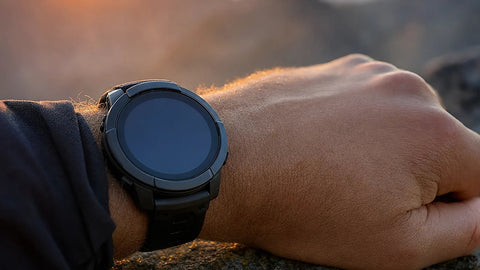
A good portion of searches for "eSIM Huawei" are not for phones, but for watches: the Watch GT, Watch 4, or Watch 5 in their connectivity version. Here it is important to understand something important for travel. The eSIM of the watch is not the same as the travel data eSIM you buy for your mobile.
Watches with eSIM use "shared number" technology (watch eSIM linked to your main line), and this function depends on your operator supporting it and is usually limited to your country. It is not a typical travel data profile. Therefore, to browse abroad, the practical thing is to put the data eSIM in the mobile and use the watch connected by Bluetooth to the phone.
If your plan is to have independent internet on your wrist abroad, check with your operator first if the watch's shared number works outside your country; often it doesn't. For typical traveler use, the watch + mobile combination with a data eSIM more than covers it, and thus you avoid relying on classic operator roaming, which is usually much more expensive; if you want to understand why, here we explain what data roaming is.
How to install and activate the eSIM on your Huawei
The process is quick and doesn't change due to not having Google. As soon as you purchase the plan, you receive a QR or an activation code by email, and the complete installation takes about 1 minute.
- Connect to your home Wi-Fi before traveling.
- Go to Settings > Mobile network > Add eSIM (the exact name varies depending on EMUI/HarmonyOS).
- Scan the QR or paste the manual activation code.
- Label the eSIM as "Travel" and choose it as the data line.
- Activate data roaming only on that profile and, upon arriving at your destination, you're all set.
Your usual nano-SIM stays in and remains active for calls and SMS with your number. If you prefer to see it in more detail before leaving, review the general eSIM installation guide.
Tips for traveling with your Huawei and eSIM
A couple of adjustments will help you avoid unpleasant surprises. First, deactivate the data on your Spanish nano-SIM while you're away so you don't accidentally incur roaming charges; only use data on your travel eSIM. Second, if you're sharing internet with your tablet or laptop, check that your plan allows hotspot before relying on it.
- One plan per region: choose your actual travel destination and adjust the GBs to your days.
- Hotspot: check if your eSIM allows sharing data with your tablet or laptop, and if you're tight on GBs, follow these tips to save data while traveling.
- Up-to-date AppGallery: download the travel apps you use at home, so you don't have to rely on finding them abroad.
With this, your Huawei travels just as connected as any iPhone or Samsung, with or without Google. eSIM levels the playing field.
Common myths and errors with eSIM in Huawei
There are quite a few common misconceptions that often appear in forums and groups for travelers with Huawei, and some of them can be costly if you don't clarify them before packing your bags.
Myth 1: "Travel eSIM" and "roaming" are the same. They are not, and the difference matters for your wallet. Roaming is your Spanish operator charging you for using networks outside your country with your same card; a travel eSIM is a local data profile that you buy separately and that replaces that roaming. If you have doubts about when one thing or another is convenient, we discuss it in depth in this comparison between eSIM and roaming.
Myth 2: "My Huawei is unlocked, so any eSIM works without issues." Not always. Some Huawei models imported into Spain from other markets come with the eSIM chip physically present but firmware-locked to a single operator or directly deactivated by region. If you go to Settings > Mobile network and don't find the "Add eSIM" option, even though your model should have it, it could be precisely that: a cut-down regional variant, not a fault of yours.
Myth 3: "I can scan the eSIM QR code at the airport, while I'm already on my way." This is where most people get upset. To install the profile, you need an internet connection (Wi-Fi or data), and many airports have limited free Wi-Fi or slow registration. Install and activate the eSIM calmly at home, with your usual Wi-Fi, and have it ready before leaving the house; that way, you just have to activate it when you land.
What almost no one tells you: if you've just switched Huawei phones—for example, from a P30 Pro to a P60 Pro—the old eSIM doesn't automatically transfer to the new device. Each eSIM is linked to the hardware it was installed on, so after a phone change, you need to request a new profile, not reinstall the same QR. And if you're traveling, for example, to the United States with your brand-new Huawei, it's advisable to purchase it a couple of days before your flight in case something needs to be reinstalled; you can see the specific plan for that destination in the eSIM for the United States.
Frequently asked questions
Can I use an eSIM on a Huawei that doesn't have Google?
Yes, without any problem. The eSIM is installed from the phone's network settings, not from the Play Store. Whether your Huawei uses AppGallery instead of Google does not affect connectivity: you scan the QR, activate the profile, and browse abroad with complete normality.
How do I know if my Huawei model supports eSIM?
Go to Settings > Mobile network and look for the option "Add eSIM" or "Add data plan." If it appears, your Huawei is compatible. It is usually found in high-end P and Mate series and in several watches; many entry-level models only accept nano-SIM.
Will my Huawei Watch eSIM work for travel?
Not as a travel data plan. The watch's eSIM uses "shared number" linked to your operator and usually only works in your country. To browse abroad, put the data eSIM in your mobile and use the watch connected via Bluetooth to the phone.
Do I need to download an app to install the eSIM on Huawei?
No. Installation is done from the system settings by scanning a QR or entering a code. It does not require any external application, which is very convenient precisely for Huawei phones that do not have Google Play pre-installed.
Can I keep my nano-SIM and eSIM simultaneously on my Huawei?
Yes. Huawei phones with eSIM work in dual mode: your Spanish nano-SIM remains active for calls and SMS with your number, and the eSIM handles only travel data. This way, you avoid expensive roaming without giving up your usual line.
How many eSIMs can I store on a Huawei at once?
It depends on the model, but it's common in the eSIM range to be able to store several downloaded profiles, although only one is active as a data line at any given time. You can have a previous trip's eSIM saved and add the new one without deleting the first, and choose which one to use from Settings > Mobile network.
If I change Huawei phones, will the eSIM transfer to the new mobile?
Not automatically. The eSIM is linked to the device it was installed on, so when you change Huawei phones, you need a new profile, not to reinstall the same QR. If you still have data days remaining on the old plan, it is advisable to check with the provider how to request it for the new device before traveling.
Conclusion
Having a Huawei, with or without Google, is no obstacle to staying connected while traveling: if your model has an eSIM chip, you can install it in a minute from the settings and browse just like any other mobile. Just remember that watches are a separate case and that the practical thing is to have the data eSIM on your phone. Choose your destination, adjust the GBs to your days, and prepare your eSIM before leaving home.