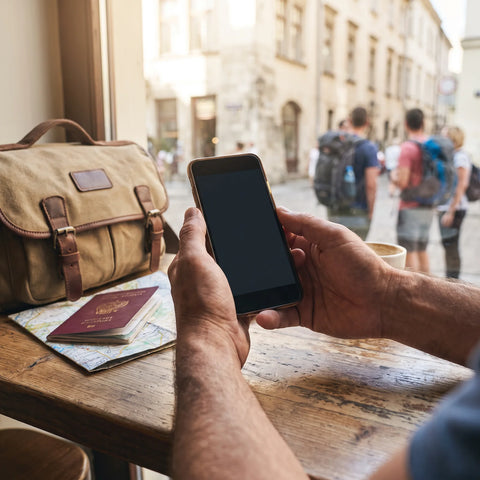
Does the Huawei Watch 5 have its own eSIM?
No. The Huawei Watch 5 does not come with its own eSIM or a physical SIM card slot: it pairs via Bluetooth with your phone and uses the phone's data connection for everything that requires internet. If you're going to travel, you need to activate an eSIM on your phone, not on the watch.
This applies equally to versions sold in Mexico, the United States, Colombia, Argentina, Chile, and Peru. This confusion is more common than it seems, because other brands do sell watch versions with independent mobile data (called "LTE" or "cellular"). Huawei also has these, but in different models and, almost always, for markets other than Latin America. That's why someone searching for "eSIM Huawei Watch 5" is usually actually looking for how to keep the watch connected during a trip, and that's the question that does have a practical answer.
What is an eSIM and how does it differ from the watch's connection?
An eSIM is a digital chip integrated into the phone that replaces the physical SIM card and allows you to activate a data plan without going to a store or waiting for a delivery. When you buy a travel eSIM, you install it by scanning a QR code and within minutes your phone has local data in the destination country, without relying on your usual carrier's roaming.
The Watch 5, on the other hand, does not participate in that activation. Its Bluetooth radio (and, in some models, WiFi) only communicates with the phone you have paired. When you check the weather, receive a notification, or sync a running route on the watch, it's actually your phone that's using data and the watch merely displays the result. That's why the eSIM that matters for travel is the one in your phone, and the watch simply benefits from it indirectly.
Which Huawei watches do include eSIM or LTE?
Over the years, Huawei has released some versions of its watches with an integrated mobile data chip (usually identified as "LTE" or "4G Version"), but these variants have been marketed mainly in China and, in some specific cases, in European markets. In Latin America and the United States, Huawei's official offering has focused on the Bluetooth/WiFi versions, which rely on the phone.
| Model | Main Connectivity | Does it have its own eSIM or SIM? | How it gets data when traveling |
|---|---|---|---|
| Huawei Watch 5 | Bluetooth / WiFi | No, in versions sold outside China | Through the paired phone's eSIM or plan |
| Huawei Watch 4 Pro | Bluetooth / WiFi (LTE version limited to certain markets) | Only in the LTE variant, rarely distributed outside China | Through the paired phone in most markets |
| Huawei Watch GT (series 3, 4, 5) | Bluetooth / WiFi | No | Through the paired phone |
| Huawei Watch 3 Pro | Bluetooth / WiFi (eSIM version limited to certain markets) | Only in the eSIM variant, rarely distributed outside China | Through the paired phone in most markets |
The practical conclusion is the same for almost anyone who bought their Watch 5 in Mexico, Colombia, Argentina, Chile, Peru, or the United States: the watch will not solve connectivity abroad on its own. The phone is what solves it.

How does the Huawei Watch 5 connect to the internet when traveling?
The Watch 5 maintains its Bluetooth link with your phone as long as both are within the typical range of a Bluetooth connection (which is reduced if there are walls in between). Within that range, any notification, message, or data that the phone receives via its data connection is reflected on the watch almost instantly. If you move away from your phone but remain within range of a known WiFi network, some models can keep certain functions active independently, although most of the smartwatch's "smart" features depend on the phone.
The most frequent error is not connectivity, it's expectation: people assume the watch has its own line, when in reality it's a satellite screen for the phone. Fixing the phone's connection almost always fixes the watch's.
This has a direct implication for travel: if your phone runs out of data because your local plan has no coverage or because roaming is deactivated, the Watch 5 becomes just as disconnected as the phone, even if the watch itself is powered on and has battery.
Real example: a trip to Colombia with the Watch 5 paired
Imagine you're traveling from Mexico City to Bogotá for a week and you have your Watch 5 on your wrist to count steps, receive WhatsApp notifications, and use the integrated GPS for a run in the north of the city. The watch's GPS works without data because it has its own chip that picks up satellite signals. But as soon as you want to see Bogotá's weather on the watch screen or receive a notification of a new message, your phone needs to have active data in Colombia.
If you install a travel eSIM for Colombia on your phone before you leave, the watch will function exactly the same as at home: it syncs via Bluetooth, displays notifications, and updates the weather, because your phone already has local data without relying on your Mexican carrier's international roaming. The watch doesn't need any additional configuration for this: it automatically inherits the phone's connection.
How to prepare your phone's eSIM before traveling with the Watch 5
The process does not involve the watch at any step; everything happens on the phone:
- Confirm that your phone is eSIM compatible (most mid-range and high-end models from recent years are).
- Purchase the eSIM for your destination before you leave, so you have time to install it comfortably with WiFi at home.
- Install the profile by scanning the QR code you receive via email; activation usually takes about a minute.
- Leave the eSIM in "not activated" mode until you reach your destination, if the plan allows, to avoid consuming validity days prematurely.
- Upon landing, activate the eSIM's data line and confirm that the Watch 5 still shows the active Bluetooth connection icon with the phone.
One detail almost no one mentions: when you switch the active data line on your phone (for example, when moving from your usual physical SIM to the newly installed eSIM), the Watch 5 doesn't always detect the change immediately because it caches the network status it had when it paired. If you notice that the watch stops receiving notifications right after activating the eSIM, it's not because the eSIM is failing: simply turn off and turn on the watch's Bluetooth again (or briefly reopen the Huawei Health app) for it to re-read the phone's updated data connection.
Travel eSIM vs. carrier roaming for your smartwatch
Since the Watch 5 is completely dependent on the phone, the real question isn't "what eSIM should I put in the watch" but "what's best for my phone so the watch doesn't run out of data abroad."
| Aspect | Travel eSIM on the phone | Carrier international roaming |
|---|---|---|
| Activation | Via QR code, in minutes, before or during the trip | Usually requires prior notification to the carrier or manual activation |
| Regular line | Remains active for calls and WhatsApp with your usual number | Remains active, but with extra charges for international use |
| Impact on the watch | The watch continues to see available data on the phone with no configuration changes | The watch continues to function the same, but the cost per MB can be higher |
| Validity | 180 days to activate from purchase, depending on the chosen plan | Depends on the plan contracted with the original carrier |
For someone who just wants their watch to show notifications and weather during a short trip, a data eSIM on their phone is usually the simplest option to set up, because it doesn't involve calls to the carrier or plan changes: it's installed once and is ready for the trip.

Which Huawei phones are compatible with a travel eSIM?
Not all Huawei phones come with eSIM: some models, especially those sold outside China, still only use physical SIMs due to market restrictions. Before buying a travel eSIM to go with your Watch 5, it's a good idea to check your phone's settings (generally in the mobile networks section) to see if the option to "add eSIM" or "add data plan" appears.
If your phone does not support eSIM, the alternative is a local data physical SIM or your carrier's roaming; the Watch 5 will continue to function the same with either, because for the watch, the only relevant thing is that the phone has active data, regardless of the line type. You can check which models are usually compatible in this guide to eSIM-compatible phones.
Common problems when using the Watch 5 with a travel eSIM
Most inconveniences that people attribute to the watch actually come from the phone or the Bluetooth pairing:
- The watch doesn't show new notifications: first check that the phone has active data with the eSIM, not the watch's Bluetooth.
- The weather doesn't update: this is usually due to the phone being in battery saving mode, which limits background apps, including Huawei Health.
- The watch's GPS seems to lose accuracy in another country: the GPS chip is independent of the eSIM, so check that the watch has a clear view of the sky, not the data connection.
- The watch desynchronizes when switching active lines on the phone: as explained earlier, sometimes it's enough to restart the watch's Bluetooth after activating the eSIM.
If the problem persists after confirming that the phone has working data, it is usually a general Bluetooth pairing issue and not something specific to traveling; you can review more cases in this guide to common eSIM problems.
Frequently Asked Questions
Which Huawei Watch has eSIM?
Huawei has sold LTE or eSIM versions of some models (like the Watch 3 Pro or Watch 4 Pro), but mainly in China and very limited in other markets. The Watch 5 sold in Latin America and the United States does not include this option.
Which Huawei phones are compatible with eSIM?
Among Huawei phones, eSIM compatibility depends on the model and the sales market; it's best to check in the phone's network settings. Among watches, compatibility has been almost exclusive to LTE versions distributed mainly in China.
How to get eSIM on Huawei?
If you're referring to the phone, it's installed from the mobile network settings by scanning the QR code provided by the eSIM provider. If you're referring to the Watch 5, it doesn't apply: the watch doesn't have its own eSIM slot and uses the one in the paired phone.
Which Huawei smartwatch supports a SIM card?
Models with their own mobile data have been special versions of the Pro series, distributed mostly in China. Standard models, including the Watch 5, work via Bluetooth and WiFi, relying on the phone for anything that requires data.
Do I need an eSIM for my Watch 5 if I already have data on my phone?
You don't need anything extra for the watch itself. What you should check before traveling is that your phone has active data at your destination, either with a travel eSIM or with roaming, because the watch relies entirely on that connection.
Does the Huawei Watch 5 work without the phone nearby?
It works partially: it can continue to count steps, monitor heart rate, and use GPS for routes, because those sensors are built into the watch. But notifications, weather, and any function that depends on the internet stop without the paired phone nearby or a known WiFi available.
Does the travel eSIM affect calls on the watch?
The Watch 5 does not make calls independently; it manages them through the paired phone via Bluetooth. If the phone has an active line (with eSIM, physical SIM, or roaming), calls will still come through and can be answered from the watch just like at home.
Conclusion
The Huawei Watch 5 does not need or support its own eSIM: it's your phone that handles connectivity when you travel, and the watch simply inherits that connection via Bluetooth. So, the useful question before a trip is not how to put an eSIM in the watch, but how to get your phone ready with data as soon as you land, without relying on your usual carrier's roaming.
If you want your Watch 5 to continue showing notifications, weather, and calls exactly as it does at home, the simplest thing to do before you leave is to install a data eSIM on your phone for your destination country: it activates in minutes, covers more than 200 destinations, and you have 24/7 support in all languages via email and WhatsApp if anything is unclear during the process. You can check available destinations and choose the plan that suits your trip in the international eSIM collection. If this is your first time using an eSIM, it's best to start by understanding what an eSIM is and follow the steps in this guide to installing an eSIM before your next trip.