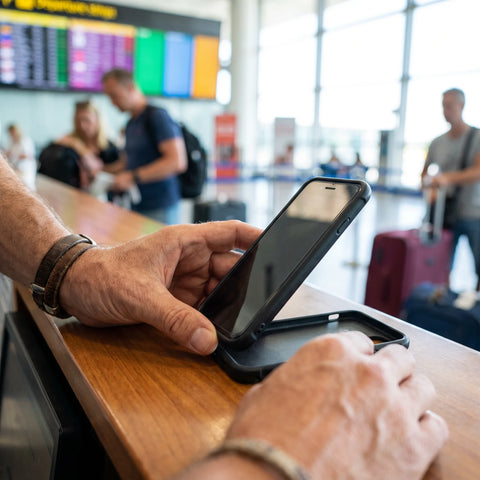
If you searched for "esim jetpack," you probably have two words circling in your head and aren't sure if they're the same, if they compete with each other, or if you need both for your next trip. You're not lost: these are two different ways to solve the same problem (having internet outside your country), and each has its moment. Here, we explain what each one is, how they truly differ, and how to decide without guessing.
What is a portable WiFi jetpack for travel?
A jetpack (also called a mifi or portable hotspot) is a small device that captures the cellular signal of the country you are in and converts it into its own WiFi network. You connect to that network from your cell phone, laptop, or tablet, just like a hotel's WiFi, except you carry the device in your backpack.
The idea was born to solve a very specific problem: traveling with multiple devices, or in a group, without having to insert a different SIM card into each phone. You buy or rent the jetpack, load it with data (a daily, weekly, or gigabyte plan), and as long as it has battery and is within coverage, everyone nearby can connect to the same network. Companies like Jetpac Travel, among others, are dedicated to renting these devices for international travel.
The key point to understand is that a jetpack is an additional device: something you buy or rent separately, that you have to carry, turn on, keep from getting wet or lost, and return or store at the end of the trip. That's the piece of context you need before comparing anything else.
What is an eSIM and how does it differ from a jetpack?
An eSIM is a digital profile that is installed directly on your cell phone and performs the same function as a physical SIM card, but without plastic to insert. If your phone is compatible, you can have your usual line and a travel data eSIM working at the same time, each with its own number or just with data, depending on the case.
The central difference with the jetpack is not just size, it's where the connection lives. The jetpack puts internet into a separate device that then distributes it via WiFi. The eSIM puts internet directly into your phone's cellular network, without an intermediary. That changes several practical things: there's no second device to carry, it doesn't depend on two devices staying connected via WiFi, and there's nothing physical to lose, break, or return.
If you've never used an eSIM and want to understand the complete technology before continuing, this article explains it from scratch: what an eSIM is and how it works. And if your question is whether your cell phone supports it, here is the reference list: eSIM-compatible cell phones.
eSIM vs. jetpack: direct comparison
Side by side, here's how the differences that really matter look when you're deciding what to pack for your trip.
| Feature | Jetpack / mifi | eSIM |
|---|---|---|
| What it is | Separate physical device | Digital profile inside your cell phone |
| What you need to carry | The device, its cable, and its charger | Nothing additional |
| Battery | Its own, separate from the cell phone's | Uses only the cell phone's battery |
| How many devices it connects | Several at once, sharing the same network | Only the cell phone where it is installed |
| If it's lost or broken | The entire group loses internet | Still works on your cell phone |
| Luggage risk | One more item to declare, carry, and not forget | None, it's inside the phone |
| Activation | Turn on, wait for signal, and connect via Wi-Fi | Scan a QR code, in approximately 1 minute |
If you also want to compare eSIM against traditional physical SIM (not the jetpack), that analysis is separate in eSIM vs. physical SIM, and if your doubt is against roaming activated by your local operator, the specific comparison is in eSIM vs. international roaming.

How much does a jetpack cost to use on a trip?
This is one of the most frequently searched questions, and the honest answer is that there's no single number: it depends on the provider, the country, whether you rent or buy the device, and how many gigabytes you need. What we can explain to you is the cost structure, so you know exactly what you're paying for.
With a jetpack, you normally pay separately for: the rental or purchase of the device, a security deposit that is returned (or not) upon return, the data plan per day or per gigabyte, and in some cases, the shipping of the device to your home before the trip and back afterward. If the rental period starts counting from when they ship it to you and not from when you first turn it on, you end up paying for transit days you never used.
With an eSIM, the scheme is simpler: you pay for a data plan for the destination and period you need, with no deposit and no return. To find out the cost of a plan for your specific destination, the most direct way is to check the international eSIM collection by country, where you can see the price of each plan before purchasing.
How do I activate an eSIM step-by-step?
The process is the same regardless of which provider you use, although menu names may vary slightly depending on the cell phone brand. In general, there are five steps: buy the plan, receive a QR code by email, go to the phone's network settings, scan the code, and activate the data line. From start to finish, when you have Wi-Fi available to scan the QR, it takes approximately 1 minute to complete the installation.
The part that often generates doubts is not the scanning itself, but when to activate it: most travel eSIMs can be installed before leaving home (with Wi-Fi) and left "asleep" until you land, at which point you activate the data and your plan begins. This avoids wasting days of your plan while you're still packing.
If you want the complete guide with screenshots for iPhone and Android, and what to do if something doesn't appear where it should, it's here: how to install an eSIM step-by-step.
Does the eSIM work in Mexico and the rest of Latin America?
Yes, as long as the provider has coverage in the country where you will use it, which should be verified before purchasing and not upon arrival at the airport. The coverage of an eSIM (like that of a jetpack) depends on which local cellular networks the provider has an agreement with, not on the country itself.
With PuraSIM, coverage extends to more than 200 destinations, including Mexico and the rest of the countries in Latin America, and you can check the exact plan for your destination before paying. If you are also going to cross several countries on the same trip, you should check if you need a regional eSIM or one per country; this decision and other frequent pitfalls are explained in common problems when using an eSIM.
What do travelers say about jetpacks and portable WiFi eSIMs?
Here, one must be careful with what is stated. You'll see specific searches like "reviews of Jetpac Travel's eSIM" because Jetpac Travel is one of the companies that rents jetpacks for travelers, and their specific experience (signal quality, customer service, device condition) varies depending on the model, country, and time, so we won't invent a rating that we cannot verify or date.
What can be said, in general and verifiable terms, is what kind of comments each format usually generates based on its construction. A jetpack depends on its own battery lasting all day and on the Wi-Fi connection between the device and your cell phone remaining stable; if one of the two fails, the connection for everyone sharing that network drops. An eSIM depends only on your cell phone's battery and local cellular coverage, without a second link in the chain.
Before deciding between a jetpack and an eSIM, the important question is not which is "better" in general, but which one allows you to stay connected to the internet if something goes wrong halfway through your trip.
To evaluate any provider, whether eSIM or jetpack, the three criteria you can check yourself before buying are: what support channels are offered if something goes wrong, how clear the activation process is, and whether the price includes hidden charges such as deposits or shipping. At PuraSIM, for example, support is available 24/7 in all languages via email and WhatsApp, without the need for a phone call.

A real trip: what it looks like to use an eSIM instead of a jetpack
Imagine you're going to Mexico City for ten days, only with your cell phone, no laptop, and you want to use maps to get around, order a ride through an app, and send photos via WhatsApp to your family. With a jetpack, you would have had to rent it in advance, wait for it to arrive by mail, charge it the night before you leave, put it in your backpack along with its cable, turn it on every time you want to use the internet, connect your cell phone to its network via Wi-Fi, and at the end of the trip, pack it up again and return it (or incur the cost of not returning it on time).
With an eSIM, the night before you fly, you install the plan using your home Wi-Fi, leave the line inactive, and as soon as you land and turn on your phone, you activate the data: approximately one minute and you already have internet on the same phone you're already holding. There's nothing extra to carry, nothing to return, and if you go to Oaxaca for two days during the same trip, the coverage follows you without you having to do anything different.
The difference is more noticeable when the trip is for a single person, with a single cell phone: there, the jetpack adds a step and an object without adding any benefit, because there is no one else to share that Wi-Fi network with.
When is a jetpack convenient and when is an eSIM convenient?
It's not that one is always better than the other: each format works well for a different type of trip. This table will help you identify yours.
| Type of trip | What's best | Why |
|---|---|---|
| Solo trip, with a single cell phone | eSIM | No one else to share a Wi-Fi network with; the jetpack only adds weight |
| Group or family trip sharing internet | Jetpack, or one eSIM per person | A jetpack distributes to several devices at once without installing anything on each cell phone |
| Work with a laptop without its own data | Jetpack (or eSIM + share data from cell phone) | The laptop needs Wi-Fi; a jetpack provides it directly without relying on the cell phone |
| Cell phone not compatible with eSIM | Jetpack or local physical SIM | Without eSIM support on the phone, eSIM is not an available option |
| Short trip of a few days, a single country | eSIM | Activation in approximately 1 minute, no shipping or return logistics |
| Long trip through several countries | eSIM | Can be ready 180 days in advance from purchase and activated destination by destination |
The most common mistake when choosing is not choosing incorrectly between the two options, but deciding without first checking if your cell phone supports eSIM: this automatically rules out one of the two routes before comparing price or convenience. Verify it first in the list of compatible cell phones and then compare.
Which physical network you actually connect to
A travel eSIM is not a network of its own: it roams on local operators. Which ones you get decides your real coverage, and almost no provider publishes it. These are the networks a PuraSIM eSIM uses, taken from our own carrier agreements and checked on 2 September 2026.
| Destination | Networks you roam on | Technology | Top-up |
|---|---|---|---|
| Japan | NTT docomo · Rakuten Mobile · KDDI/au · SoftBank | 5G | Yes |
| United States | T-Mobile · AT&T | 5G | Yes |
| Spain | Orange · Movistar | 5G | Yes |
| United Kingdom | O2 · EE · 3 | 4G/5G | Yes |
| Thailand | TrueMove H · DTAC | 5G | Yes |
| Mexico | Telcel · AT&T | 5G | Yes |
| Greece | Wind · Vodafone | 5G | Yes |
| Turkey | Vodafone | 5G | Yes |
Two questions are worth asking about any travel eSIM. First, how many networks you get in your destination: where a plan runs on a single operator you have no fallback if that operator is weak where you are staying. Second, whether the plan can be topped up — if it cannot, running out of data means buying and installing a second eSIM mid-trip.
We publish this table because it is the part of the comparison you can check yourself: land, open your phone settings and read the operator name on screen. PuraSIM covers more than 200 destinations, and the network partners are listed on each destination page.
Frequently asked questions
What exactly is a travel WiFi jetpack?
It is a portable physical device that captures local cellular signal and converts it into its own WiFi network, to which you can connect your cell phone, laptop, or tablet as long as you are near the device and it has battery and data available.
How does an eSIM differ from a jetpack or mifi?
An eSIM is a digital profile installed directly on your cell phone, without any additional device. A jetpack is a separate device that distributes internet via Wi-Fi to other devices. An eSIM depends only on your phone; a jetpack depends on itself and on the Wi-Fi connection between both remaining stable.
How much does a Jetpack cost compared to an eSIM?
There is no single figure as it varies by provider, country, and duration. With a jetpack, you normally pay for device rental or purchase, a security deposit, and data separately. With an eSIM, you only pay for the data plan, with no deposit or return. Compare the exact price for your destination before deciding.
How do I activate an eSIM on my cell phone?
You purchase the plan, receive a QR code by email, go to your phone's network settings, scan the code, and activate the data line. The entire process takes approximately 1 minute with Wi-Fi available.
Does the eSIM work in Mexico and the rest of Latin America?
Yes, as long as the provider has coverage there. PuraSIM covers more than 200 destinations, including Mexico and the rest of Latin American countries; check the plan for your specific destination before purchasing.
Do I need to unlock my cell phone to use eSIM?
Your cell phone needs to be unlocked (not carrier-locked) and its model needs to support eSIM. Both are independent: a cell phone can be eSIM compatible and still be locked to a single carrier, which would prevent installing a new line.
What happens if my cell phone is not compatible with eSIM?
Then eSIM is not an available option for that phone, and the alternatives are a jetpack, a local physical SIM, or your usual carrier's roaming. Check the list of compatible models before purchasing any eSIM plan.
Can I use eSIM and jetpack at the same time?
Yes, they are not mutually exclusive. It's common for group trips: everyone carries their eSIM for individual use, and a jetpack is also shared for the laptop or when it's convenient to have a single common network for everyone.
In summary: what to choose for your next trip
If you're traveling alone, with your cell phone as your only device, and your phone supports eSIM, you don't need to carry a jetpack: the eSIM solves the same problem without an additional device, without a separate battery, and without anything to return when you get home. If you're traveling in a group sharing internet among several devices, or carrying a laptop without its own data, then the jetpack still makes sense, and there's nothing to stop you from using both formats on the same trip.
The first step, no matter which you choose, is to confirm that your cell phone supports eSIM and check your destination's coverage before paying for anything. You can do both from the PuraSIM international eSIM collection, where you can see the plan and price per country. And if you want the complete guide before deciding, with all the steps from scratch, it's here: definitive eSIM guide for travel.