
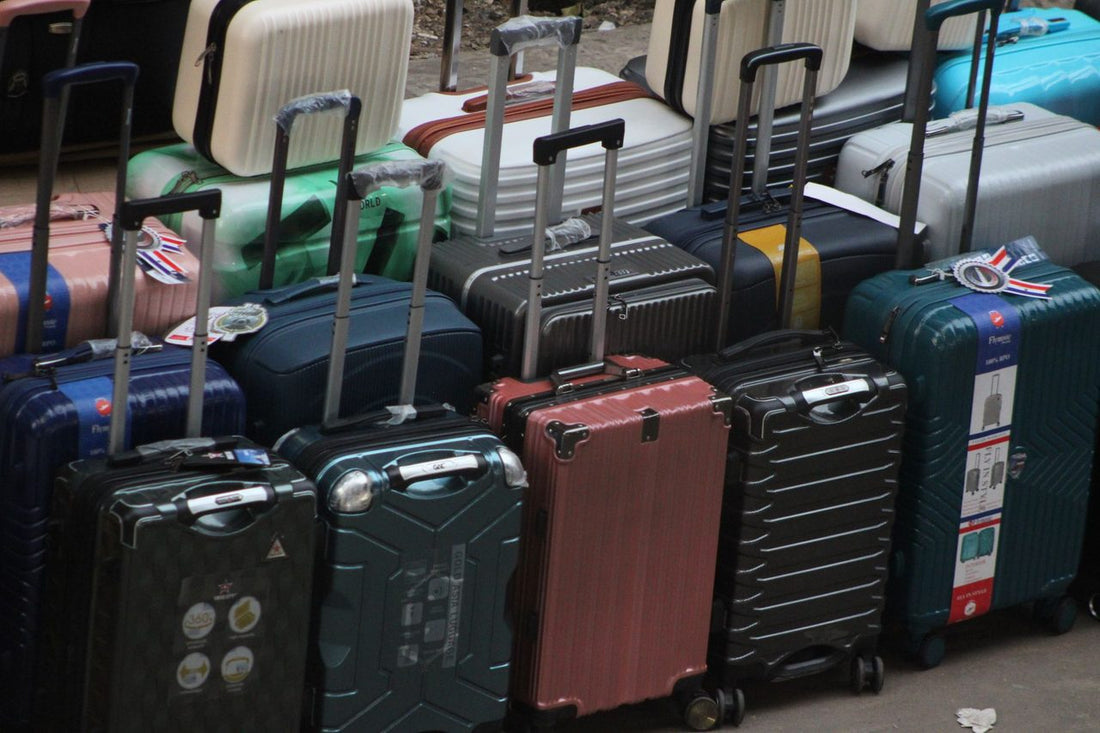
In short: managing an eSIM for families means giving each mobile or tablet its own travel data plan, while each member keeps their active Spanish number for emergency calls and SMS. It's installed at home before leaving, each person controls their own data usage from the app, and you avoid surprise roaming bills without relying on a single SIM shared among everyone.
The typical chaos of a family trip isn't the flight or the luggage; it's arriving at the destination airport and watching four phones fight for the hotel Wi-Fi while no one has data to open Google Maps on the street. If you're traveling as a family, the question isn't just "which eSIM should I buy," but "how do I organize connectivity for four or five different devices without it becoming an additional logistical problem on top of the trip itself." That's exactly what we're solving here.
What is an eSIM and why it's a better fit for family travel than a physical SIM
An eSIM is a digital SIM card, integrated into the mobile or tablet itself, activated by scanning a QR code instead of inserting a physical card. For a family, this changes several things practically:
- No cards to lose. If you travel with children, you know how hard it is to keep them from losing a piece of gum; imagine a SIM the size of a fingernail.
- It's activated before leaving home. No need to look for a phone store at the destination airport with jet lag and luggage in tow.
- Each device is independent. The father's phone, the mother's, the teenager's, and the little ones' tablet can have different plans, adjusted to what each one will actually consume.
- The phone remains locatable by its Spanish number. The eSIM is added as a second data line; it doesn't replace the physical card or the usual number, unless you decide otherwise.
If you have doubts about the concept itself, it's a good idea to first review what an virtual eSIM is and how it differs from a traditional SIM before deciding on a plan for each family member.
The setup that really works: dual SIM on every mobile
The configuration that solves one of the biggest fears of any parent—"what if my child gets lost and can't contact me?"—is simple and requires no technical tricks: dual SIM on each device.
- Physical Spanish line: kept active (even if data is turned off to avoid roaming charges) so that the number remains the usual one, the one the rest of the family already has saved, and the one used for emergency calls if something goes wrong with the data.
- Travel eSIM: handles all data consumption, WhatsApp, maps, photos, social media, without your Spanish operator's bill knowing you've left the country.
With this setup, each family member remains contactable by their usual number, and if a teenager decides to separate from the group for a while in Rome or Lisbon, you can still call them just like in Spain. The difference is that instead of paying roaming for every minute of data, data goes through the eSIM.
For young children: install it yourselves, don't delegate
For children under 12, the recommendation is simple: parents install the eSIM on the device before leaving home, not at the destination. A badly scanned QR with airport Wi-Fi and a queue behind you is the perfect recipe for unnecessary stress. Do it calmly, at home, with a stable connection, and check that the data line works before packing your bags.
For teenagers: give them autonomy, but with clear consumption limits
A teenager with their own eSIM and seemingly unlimited data will record and upload 4K video at the first sunset they see. If the plan has a specific data allowance, warn them beforehand how much they have and for what purpose, not halfway through the trip when they've already run out on the third day.
How to choose the plan based on family type and destination
There isn't a single "family" eSIM: what changes is how many devices you need to connect, how long you're away, and how each person will use it. An indicative reference table:
| Family Profile | Typical Duration | What to Prioritize When Choosing |
|---|---|---|
| Couple with young children | 3-7 day getaway | One plan per adult device, and a shared tablet acting as a hotspot for the little ones |
| Family with teenagers | 1-2 weeks | Individual plan per teenager (they consume more social media and video than adults) with a clear limit agreed upon before leaving |
| Multi-generational (grandparents included) | Variable | Installation simplicity above all: choose the least used mobile, check its eSIM compatibility before buying anything |
| Long trip or family sabbatical | +1 month | Plans with higher data volume or renewable plans, so you don't have to recharge every week |
For destinations within Europe, an eSIM makes sense especially if you're going to be there for several weeks or if your Spanish plan doesn't include roaming in that specific country (some low-cost plans exclude or limit it). If it's a short weekend trip to Italy, France, or Portugal with a normal Spanish plan, you probably don't need to buy anything: European roaming regulations already cover data roaming within the EU with your usual plan. First, check exactly what your plan includes: for this, it's important to understand what data roaming is and in which specific cases it's worth adding an eSIM even within the EU. If the destination is outside the European Union—the United States, most of Latin America, Asia, Oceania—the roaming charges from Spanish operators skyrocket, and in those cases, a family eSIM almost always pays off. You have the complete comparison in eSIM vs. roaming.
Before leaving home: the checklist that prevents scares
Installing a family eSIM takes five minutes per device, but there are details that make the difference between everything working on arrival or spending the first night of the trip trying to activate data from the hotel:
- Check the compatibility of each model before buying. Not all Android phones have eSIM, and some originally sold outside Europe have it blocked by the manufacturer or operator.
- Install with Wi-Fi at home, never at the airport just before boarding. If something goes wrong, you have time to resolve it at home; at the boarding gate, you don't.
- The eSIM usually activates when it detects a network at the destination, so installing it at home doesn't consume the plan, but check the specific conditions of the chosen plan.
- Save screenshots of the QR codes for each eSIM in a shared family folder, in case any need to be reinstalled after a device change or factory reset.
- Download offline maps of areas where you know coverage will fail: old city centers, rural areas, interiors of large museums, or the subway in cities without underground signal.
If this is the first time you're installing an eSIM for your family, follow the how to install an eSIM guide step-by-step with each mobile phone in front of you, before putting them in your suitcase.
During the trip: daily management with multiple devices
Once at the destination, family management of multiple eSIMs has its own logic:
- Shared hotspot for the little ones. No need for an independent eSIM for each child's tablet: an adult's mobile can share a Wi-Fi connection with small children, reserving individual eSIMs for those who genuinely move around alone.
- Monitor consumption from the app, especially with teenagers. It's better to check every couple of days than to discover on the last day that someone has run out of data just at the return airport.
- A family WhatsApp group with shared location reduces much of the anxiety of having several minors moving around an unfamiliar city, and it works the same with an eSIM as with the Spanish line.
- If you change countries halfway through the trip, you manage each line from the app without searching for physical stores or new SIMs at each border, something that on a multi-country route saves real vacation time.
What almost no one tells you: myths and common mistakes about family eSIMs
This is where most families mess up, not due to lack of foresight but because no one explains it to them before leaving:
- "I'll buy one large eSIM and share it among all phones." It doesn't work that way: each eSIM is linked to a specific device; it cannot be cloned or distributed among phones. You can, however, share a Wi-Fi connection from a device with an eSIM to others, which is different from "sharing the eSIM" itself.
- "If I install the eSIM at home, it's already using data." Installation doesn't consume the plan; consumption begins once the device detects a network at the destination. Still, check the specific conditions of the plan you purchase.
- "For a weekend in Europe, I absolutely need to buy something." Not necessarily. If your Spanish plan includes unrestricted roaming in the EU, for a short getaway within the European Union, you probably don't need to buy anything. Save the eSIM for destinations where roaming charges really skyrocket.
- "The more GB, the better, just in case." Buying too much "just in case" is a waste of money if you don't use it. It's more useful to calculate how much each member consumes (adults almost always less than teenagers) and adjust each plan separately.
- "Hotel Wi-Fi is enough, no need for an eSIM." It works in the room. As soon as you go out to explore, eat, or use public transport, you depend on public Wi-Fi (insecure and often saturated). Having your own data on the street is the difference between finding your way back without drama or not.
- If you're concerned about the privacy of minors on public Wi-Fi networks, combining an eSIM with an active VPN adds an extra layer of protection; you can find details in eSIM and VPN: how to use them together.
Tablets, smartwatches, and other family devices
Not everything you take on a trip is a mobile phone, and here it's good to be realistic about what works and what doesn't:
- Tablets with cellular connectivity ("WiFi + Cellular" iPad models, or the Android equivalent with an eSIM slot) can have their own eSIM. Useful for the car's back seat or for the child who needs their own entertainment without depending on an adult's phone.
- Wi-Fi only tablets cannot have their own eSIM: they depend on another device sharing a connection. Check this before paying for anything.
- Smartwatches with eSIM (some Apple Watches, some Galaxy Watches) usually require linking with the owner's main number, not with an independent travel data eSIM. Don't buy an eSIM thinking of your child's watch unless you've verified that model supports it.
- Laptops with integrated eSIM can also be used, useful if an adult needs to work during the trip without relying on the accommodation's Wi-Fi.
If you're still debating between buying a physical prepaid SIM at the destination or sorting everything out with an eSIM before leaving, the detailed comparison is in international chip vs. eSIM, with the real advantages of each option depending on the type of trip.
A real route case: family with teenagers across several countries
An example illustrating the logic: a family with two teenagers takes a two-week trip combining European cities. Each adult has their regional eSIM, the teenagers have their own with a pre-agreed limit, and the youngest uses the tablet by sharing connection from an adult's phone. To maximize the contracted data without running out on the last day, the tips on how to save data with an eSIM are useful when several teenagers are competing for the same family data volume.
Which product to choose depending on your destination
If the family trip is within Europe, a plan designed for the region covers all devices without having to manage countries separately within the continent: check the eSIM plan for Europe. If the specific destination is outside the European Union, a specific plan for that country is more suitable than a generic regional one, because coverage and operators change completely.
Frequently asked questions about eSIM for families
Can children manage the eSIM themselves?
From a certain age (approximately 12-13 years old, depending on the child), they can usually scan the QR and activate the eSIM without help. For younger children, it is recommended that an adult installs it at home before leaving, rather than delegating it or leaving it for the destination.
Can the same eSIM be used on two different devices?
No. Each eSIM is linked to a specific device and cannot be duplicated or transferred from one phone to another without reactivating it. What is possible is to share the data connection of a device with an eSIM to others via Wi-Fi, which is a different concept from sharing the eSIM itself.
What happens if a child loses their mobile phone during the trip?
The eSIM is linked to the device, not a physical card that someone can extract and use in another terminal. If the mobile is lost, the plan can be canceled or managed from the app without the risk of a third party using that data line on another device.
Can tablets also carry eSIMs?
Only models with cellular connectivity (the "WiFi + Cellular" variant in iPads, or the equivalent in Android tablets with an eSIM slot). Wi-Fi-only tablets cannot carry their own eSIM and rely on sharing a connection from another device.
Do children's smartwatches work with travel eSIMs?
Generally no. Most smartwatches with eSIM require direct linking with the main phone number of the line holder, not with an independent travel data eSIM. Check the specific model before assuming it will work.
Do we need to buy a different eSIM for each country if we are doing a multi-stop route?
It depends on the plan type. Regional plans cover several countries within the same geographical area without needing to change eSIMs at each border; for routes that combine very different regions (for example, Europe and then a destination on another continent), a specific plan for that segment of the trip may be more suitable.
How do we avoid running out of data on the last day of the trip?
Check data usage from the app every two or three days, not just at the end. Especially with teenagers, agreeing beforehand on how much they can use and for what purpose prevents the classic "I ran out of data at the return airport" when it's most needed to find the boarding gate or transport back home.








