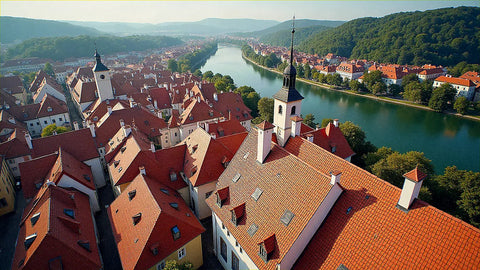
In short: to avoid roaming in Prague and overpaying, install an eSIM before you fly: you'll have automatic data upon landing at Václav Havel, 4G/5G coverage throughout the historic center, and 1-3 GB will cover an entire weekend without relying on hotel Wi-Fi.
Prague is the perfect weekend getaway: cheap, beautiful, and a short flight from most of Europe. But between finding the castle, booking a table at an Old Town brewery, and ordering a Bolt late at night, you'll be constantly using data. With an eSIM for Prague ready before you board, you'll have internet as soon as you land at Václav Havel Airport, without activating roaming or searching for hostel Wi-Fi. Here's the real coverage in the city, how many GB you'll need for a couple of days, and how to get everything set up in a minute.
Is an eSIM worth it for a weekend in Prague?
For a weekend in Prague, yes: it gives you data from the moment you land for a fixed price, with no surprises on your bill. Although EU roaming is included if you are a resident of a EU country, an eSIM avoids fair usage policy caps and ensures stable connection for maps, Bolt, and translating the Czech menu.
The beauty of Prague is getting lost in its alleys, and for that, your phone is your best ally: Google Maps to avoid ending up on the other side of town, the translator to decipher a Czech menu, and reviews to choose where to enjoy a proper pilsner. A short getaway is more enjoyable when you're not rationing data or constantly looking for an open and dubious Wi-Fi network. An eSIM gives you that peace of mind for very little, and since it's digital, you install it and forget about it. If you've never used one, start by understanding what a virtual eSIM is to get a clear picture.

Data from Václav Havel Airport
The critical moment of any trip is leaving the airport: you want to order transport to the city center without relying on the terminal's Wi-Fi. With the eSIM already installed, you automatically connect when you get off the plane at Václav Havel and can book a taxi, Bolt, or check bus 119 without losing a second.
Prague Airport is about 15-20 minutes from the city center, and you have several options to get there: public bus to the metro, the Airport Express, or a ride-hailing service. All require data to avoid going in circles. A tip for a smooth arrival:
Before leaving home, save your accommodation to Google Maps favorites and download the offline map of Prague. That way, even if it takes a minute to get a signal upon landing, you'll already have the route to your hotel marked and won't depend on anything.
If you're traveling with just hand luggage and want zero friction upon arrival, having your connection sorted beforehand makes the difference between starting your trip relaxed or stressed. Review what data roaming is to fully understand the difference between your usual roaming and an eSIM, and get everything ready the night before.
Coverage in the Old Town, castle, and metro
Prague has excellent mobile coverage throughout the tourist area. In Old Town Square, Charles Bridge, the Jewish Quarter, and the Castle, you'll have plenty of 4G/5G for stories, video calls, and maps. The eSIM connects to premium Czech networks without you having to choose an operator.
One point to note: the Prague metro is fast and very convenient, but like all subways, the signal can drop in the tunnels between stations. There is usually coverage on the platforms, but to move around smoothly, it's best to have your route downloaded. Above ground —Malá Strana, Nové Město, Petřín Lookout Tower— you'll have no problems. For daily use in the city, these tips for saving data while traveling help you stretch your plan without sacrificing anything.

How many GB for a 2-4 day getaway
For a short getaway to Prague, 1-3 GB is more than enough. A two-night weekend is covered with 1-2 GB if you use maps and messaging; if you're big on uploading stories, video calls, or sharing a hotspot, go for 3 GB. You don't need giant plans for such a compact city.
Guidance by duration so you have neither too much nor too little:
| Getaway | Days | Recommended GB | Profile |
|---|---|---|---|
| Express weekend | 2 days | 1-2 GB | Maps and messaging |
| Long weekend | 3-4 days | 3 GB | Stories and some videos |
| Week in Czechia | 5-7 days | 5 GB | Intense use + hotspot |
Note: almost all hotels, cafes, and breweries in Prague have Wi-Fi, so you can save heavy downloads (photos to the cloud, series for the flight back) for when you're connected to a fixed network. This makes a small plan go further than it seems.
Prague is Czechia: why your data plan covers the whole country
Here's the detail many people overlook: there isn't a "Prague eSIM" per se, because Prague is the capital of the Czech Republic and travel eSIMs are sold by country or region, not by individual city. The good news is that the plan you activate covers all of Czechia, so if you extend your trip to Kutná Hora, Český Krumlov, or Karlovy Vary, you'll remain connected without touching anything on your phone.
If your route stays within Prague and its surroundings, a plan tailored to the country is more than enough. But as soon as your itinerary crosses borders—very typical to combine Prague with Vienna, Berlin, or Krakow on a Central European getaway—it's more worthwhile to go directly for a regional plan: the Europe eSIM covers Czechia and the rest of the continent with a single profile, so you don't buy or activate anything new when crossing each border.
- Only Prague and Czechia: with a plan adjusted to the days you'll be in the country, you'll have plenty, without paying for coverage you won't use.
- Prague + Vienna, Krakow, Berlin…: it's better to go directly for the Europe plan and forget about borders throughout the trip.
For single-country routes, the adjusted plan is more cost-effective; for multi-country routes, the European plan almost always wins for convenience: one QR, one payment, and data at every border without touching anything.
Activate it in 1 minute from home
Installing the Prague eSIM takes 1 minute and is done at home with your Wi-Fi, not at the airport. You buy the plan, receive a QR by email, scan it in your phone's settings, and the profile is loaded. Upon landing in Prague, it connects automatically, without you having to configure anything else.
The steps, in order:
- Confirm that your phone supports eSIM (iPhone XS or later and most recent Androids).
- Purchase the Czech Republic data plan with the GB you've calculated.
- Scan the QR from Settings > Mobile Data > Add eSIM.
- Leave your existing line for calls and use the eSIM only for data, with roaming activated for that profile.
- In Prague, automatic connection. Zero steps at your destination.
If you get confused with the screenshots, you can find details on how to install an eSIM and 24/7 Spanish support if you need a hand while traveling.
Myths and what almost no one tells you before going to Prague
Myth 1: "EU roaming already covers me for free, I don't need anything else." It's true that if your Spanish operator is in the EU, using your data in Prague won't cost you extra by default... until you hit your plan's fair usage policy. Once that limit is exceeded, your operator can reduce your speed or start charging you separately. For a single weekend, you probably won't even notice, but if your plan is a tight one or you plan to share a hotspot with your laptop, you will. The difference between the two is clearly broken down in eSIM vs roaming: in short, an eSIM gives you a separate data buffer that isn't subject to your main line's policy.
Myth 2: "I'll buy a physical SIM at the airport and that's it." You can, but at Václav Havel, the queues at the operator counters upon arrival—especially if you land around midday, when several flights coincide—can easily eat up 20-30 minutes that you could be spending on your way to the hotel. Plus, you have to take out your Spanish SIM and store it somewhere where you won't lose it during your trip. If you want to compare the two options thoroughly before deciding, here's international chip vs eSIM with the pros and cons of each.
Hidden gem that almost no one talks about: during the changing of the guard at Prague Castle (exactly at noon), so many people gather to record with their phones held high that the network gets a bit saturated at that specific moment and in that particular corner. It's not a fault of your eSIM or your operator; it's the sheer number of people connected at once in a few square meters. Wait half a minute and reload the map. The same thing sometimes happens next to the Astronomical Clock on the hour, when everyone stops to record the chime.
And here's the honest part: if you're going to Prague for a single weekend and your Spanish plan already includes EU roaming with no low limits, that might be enough, and you won't need to buy anything. An eSIM clearly wins when you want to separate consumption from your main line, when your operator has a weak roaming plan, or when you're combining Prague with non-EU countries on the same trip.
Frequently asked questions
Is there an eSIM just for the city of Prague?
Not as such. Prague is the capital of the Czech Republic, so what you buy is a country plan that works throughout Czechia, including Prague and excursions like Český Krumlov or Karlovy Vary. With a single plan, your entire trip within the country is covered.
Do I have data as soon as I leave Václav Havel Airport?
Yes. If you installed the eSIM at home, the profile automatically connects to the Czech network upon picking up a signal after landing. You can order your Bolt, taxi, or check the bus to the city center without relying on terminal Wi-Fi or activating roaming.
How many GB do I need for a weekend in Prague?
For two nights, 1-2 GB is more than enough if you use maps and messaging. If you upload many stories, make video calls, or share your connection with a laptop, choose 3 GB. Prague is compact and has Wi-Fi in almost all hotels and cafes, so you don't need a large plan.
Does the eSIM work in the Prague metro?
There is usually coverage on the platforms, but in the tunnels between stations, the signal can cut out, as in any subway. It's best to download the offline map before going underground. Above ground, coverage throughout the tourist area is excellent.
Can I use the same eSIM if I also go to Vienna or Krakow?
A plan designed only for Czechia will not cover you in Austria or Poland. If your route crosses borders, choose a regional European plan that works in several countries without changing anything when crossing each one. It's the most convenient option for Central European routes.
Wasn't EU roaming already free? So why would I want an eSIM in Prague?
EU roaming has no extra cost by default, but it does have a fair use limit that depends on your plan: once that limit is exceeded, your operator may reduce your speed or start billing you separately. For a normal weekend, you almost never notice it, but if you share a hotspot with a laptop or your plan is a tight one, an eSIM gives you a separate data margin that isn't subject to that policy.
Is an eSIM or a physical SIM better for going to Prague?
For most trips, an eSIM wins: no queues at the airport counter, you don't remove your existing SIM from your phone, and you activate the profile before leaving home. A physical SIM makes sense if your phone doesn't support eSIM or you prefer to carry a physical backup card. In Prague, with the queues at Václav Havel upon arrival, an eSIM saves real time from minute one.
Conclusion
Prague is best enjoyed with your phone in hand and data that doesn't cut out: maps for the medieval labyrinth, Bolt to get back to the hotel, and the translator for the Czech menu. Buy the Czech Republic plan (which covers the entire city and nearby excursions), budget 1-3 GB for your getaway, and install it before boarding. Get your eSIM for Prague and start your weekend connected from landing.