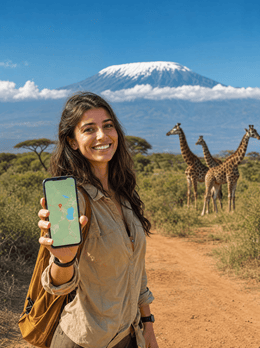
In short: With a PuraSIM Tanzania eSIM, you'll have local data from the moment you land, with no roaming, no physical SIM, and no surprises on your bill. For a typical 10-day trip between Dar es Salaam, Zanzibar, and the Serengeti, 5-7 GB is usually enough. View plans →
Traveling to Tanzania is an incredible experience, but arriving without data can ruin the first moments: no Google Maps to get out of the airport, no way to find your hotel, no way to contact whoever is waiting for you. The solution is simple and has been the standard among experienced travelers for years: an eSIM for Tanzania.
In this guide, we tell you everything you need to know before traveling to Tanzania: what coverage you can expect in Dar es Salaam, Zanzibar, and the Serengeti, how many GB you really need, how to activate your eSIM, and the best connectivity tips from those who have already traveled there.
Spoiler: with PuraSIM, you'll have local data from the moment the plane lands, with no contracts, no physical SIM, and no surprises on your bill.

Why do you need an eSIM for Tanzania?
International roaming from European and Latin American operators skyrockets in price in Tanzania: fixed daily rates that accumulate trip after trip, often with the signal capped at a much lower speed than you have at home. A local eSIM gives you data at a local price, with no absurd daily limits and with 4G or 5G speeds where the network allows.
The difference between using roaming and a PuraSIM eSIM is massive:
- Traditional roaming: fixed daily rate even if you barely use data, speed often limited to 3G, surprise bills upon return.
- PuraSIM eSIM for Tanzania: you only pay for what you contract, full local data at the maximum available speed, activation in 5 minutes from anywhere.
In addition, with an eSIM, you can keep your original phone number active to receive calls and SMS, as the eSIM operates in a separate virtual slot. You don't have to choose between local connectivity and your usual number.
For Tanzania, a country where the summit of Kilimanjaro has no signal and Zanzibar only offers reliable coverage in areas like Stone Town, having stable data from the first moment is especially important. Coverage in Dar es Salaam, Zanzibar, and the Serengeti is generally good, but there are areas where, without a well-configured local eSIM, you would be blind.
Data coverage in Tanzania: what to expect
Coverage in Tanzania varies quite a bit depending on the area. In major urban and tourist areas (Dar es Salaam, Zanzibar, and the Serengeti), you'll find 4G and in some cases 5G networks. The experience is comparable to what you would have at home.
However, as in any destination, there are areas where the signal is more limited:
- Main cities: stable 4G/5G, perfect for streaming, browsing, and video calls.
- Rural and natural areas: coverage may drop to 3G or even lose signal in remote spots.
- Transportation: trains, ferries, and intercity buses have variable coverage; generally good in cities.
Key tip: There is no signal at the summit of Kilimanjaro; Zanzibar has acceptable coverage in Stone Town.
To maximize coverage in Tanzania, PuraSIM uses the local networks with the best available infrastructure through local roaming agreements. This means your eSIM automatically connects to the network with the best signal at any given moment.

eSIM, local physical SIM, or roaming: what suits you best in Tanzania
Before choosing how many GB to buy, it's worth clarifying the three real ways to get data in Tanzania, because not all of them are equally good depending on how long your trip lasts.
Roaming from your usual operator is the most convenient option on paper: you don't touch anything, your usual SIM continues to work as soon as you land. It's also, almost always, the most expensive and the one with the worst speed, because European and Latin American operators have no incentive to offer you good conditions outside their network. If you want to understand why roaming prices skyrocket depending on the country, we explain it in detail in what data roaming is, and we compare both options face-to-face in eSIM vs roaming.
A local physical SIM (in Tanzania, mainly Vodacom, Airtel, or Tigo) is usually the cheapest on paper, but it has a hidden cost that almost no one mentions: you have to register it with your passport at an official point of sale, sometimes with a photo included, a process that can eat up part of an afternoon when you've just landed and are jet-lagged. If you're staying for more than three weeks, it might be worth it. For a safari getaway of one or two weeks, the queue usually isn't worth it. If you're interested in a complete comparison between international physical chip and eSIM beyond Tanzania, you can find it in international chip vs eSIM.
The eSIM is the middle ground: you activate it before leaving home, you land with data already working, and you don't visit any counter or queue with your passport. And here's the honest part: if your plan is a long weekend at a Zanzibar resort with decent Wi-Fi in the room and you don't plan to move much from the hotel, you probably don't need an eSIM with many GBs — use the Wi-Fi for heavy tasks (uploading photos, video calls) and save mobile data for moving around Stone Town or coordinating transport. It's not worth overbuying.
| Option | Cost | Process | Ideal for |
|---|---|---|---|
| Roaming from your usual operator | High and variable, usually skyrockets daily | None, it's already active | Short layovers or occasional emergencies |
| Local physical SIM (Vodacom, Airtel, Tigo) | Low on paper | Passport registration at store, queues | Long stays, 3 weeks or more |
| PuraSIM eSIM for Tanzania | Predictable, you only pay for what you contract | None, QR activation before leaving | Most safari and beach trips |
| Hotel or lodge Wi-Fi only | Free or included in the stay | None | Short stays at a single resort with good network |
How many GB do you need for a trip to Tanzania?
This is the million-dollar question. The short answer: 5-7 GB for 10 days. The long answer depends on how you use your phone during the trip.
Here's a guide to real consumption per type of daily use:
- Basic use (maps, messages, occasional queries): 300-500 MB/day
- Moderate use (social media, photos, continuous browsing): 800 MB-1.5 GB/day
- Intensive use (remote work, streaming, video calls): 2-4 GB/day
For a trip to Tanzania lasting 10 days, our recommendation is to contract 5-7 GB for 10 days. This is enough for most travelers with normal use: Google Maps constantly running, Instagram, WhatsApp, and some occasional searches.
If you're going to work remotely or plan to make frequent video calls, upgrade to the next plan. PuraSIM plans allow you to recharge data if you run out, so it's not a problem if you fall short: you won't suddenly lose coverage.
PuraSIM offers specific plans for Tanzania with different data and duration options. Check out the complete collection in our plans for Tanzania.
How to activate your eSIM for Tanzania step-by-step
Activating a PuraSIM eSIM is as simple as scanning a QR code. There's no need to go to a store, no need to wait for any shipment. The complete process takes less than 5 minutes:
- Purchase your plan on purasim.com for Tanzania. You will receive an email with the QR code.
- Install the eSIM: go to Settings → Mobile Data → Add Data Plan (on iPhone) or Settings → Connections → SIM Manager (on Android).
- Scan the QR code or manually enter the activation details.
- Configure mobile data: make sure to select the PuraSIM eSIM as the default data line.
- Activate data roaming in the PuraSIM eSIM settings (necessary for it to work on local networks).
You can install the eSIM before leaving home and configure it to activate automatically when you arrive in Tanzania, or activate it manually when you land.
Important: verify that your phone is eSIM compatible before purchasing. Most iPhones from XS, Samsung Galaxy from S20, and Google Pixel from 3 are compatible. Check the complete list on purasim.com.
Local connectivity tips for Tanzania
Beyond getting the right eSIM, there are a few tricks that make a difference in keeping you connected throughout your trip to Tanzania:
- Download offline maps before you leave. Google Maps and Maps.me allow you to download maps of all of Tanzania or specific cities. This way, you can navigate without using data when you're in areas with weak signal.
- Use airplane mode strategically. On long flights, trains, or ferries, activating airplane mode preserves battery and data. Connect to available WiFi if there is any.
- WhatsApp and Telegram over data. Calls through these apps consume much less than an international call. Configure them for high-quality calls only when you're on WiFi.
- Share connection carefully. Hotspot consumes data quickly, especially if other devices are connected (laptop, tablet). Use it only when necessary.
And the most important tip: There is no signal at the summit of Kilimanjaro; Zanzibar has acceptable coverage in Stone Town.
With these tricks and a good data plan from PuraSIM, your trip to Tanzania will have the connectivity you need without unnecessary expenses.
What almost no one tells you about connectivity in Tanzania
Beyond the theory of GBs and coverage, there are specific details that you only discover by traveling (or by asking someone who has already been) and that make a real difference in daily life:
- The border with Kenya does strange things with the signal. Near Namanga or in the Kilimanjaro (Arusha) airport area, it's not uncommon for your phone to pick up a Kenyan network for a few seconds before settling on the Tanzanian one. It's not a fault with your eSIM: it's the border terrain itself. If you see a different network warning for a minute, wait before restarting anything.
- On the Kilimanjaro ascent routes, the signal disappears almost as soon as you pass the park gate (whether through Machame, Lemosho, or Marangu). Guides usually carry a satellite phone for emergencies, but assume your phone will not have usable data for days. Download maps, music, and whatever you need before entering the park, not at the gate.
- The Ngorongoro Crater is a curious case: lodges on the rim of the crater usually have better coverage than the crater floor itself, where you go down for the game drive. If you're going to upload live content, do it from the lodge; don't wait until you're down among the animals.
- In the Serengeti, coverage is not uniform. The central Seronera area usually has a better signal than the western corridor or the Ndutu area (very popular during the great migration, between January and March). If your safari includes several areas of the park, don't assume you'll have data the entire journey.
- The ferry between Dar es Salaam and Zanzibar crosses a channel where the phone constantly switches antennas; it's normal to notice a couple of minutes of unstable connection halfway through the journey. It's not your eSIM, it's the sea.
- Battery life will let you down before data does. Many mid-range safari camps operate with a generator for only a few hours a day, not 24/7 power. If you're going to rely on your phone for maps and photos during the game drive, charge during those windows and don't assume you'll have an outlet available when you return in the early morning. A power bank is light and prevents more than one headache.
- Don't buy more GB "just in case." If your route only involves transfers between the airport and hotel and you're not leaving the resort, a small plan is more than enough. Adjust the plan to the actual itinerary, not to the fear of running out of data; if you run short, you can always recharge from the app in minutes.
One additional trick that does make a difference: if you want to make the most of your contracted GBs, we have a specific guide on how to save data while traveling with settings that most people never touch (background updates, photo upload quality, map cache).
If you're still not clear on what an eSIM is or how it differs from a traditional SIM, start here: what is a virtual eSIM.
Frequently asked questions
When should I activate the eSIM for Tanzania?
You can install it on your phone before leaving home. Most PuraSIM eSIMs for Tanzania can be configured days in advance and activated automatically upon arrival at your destination, or manually when you want to start using it.
Is my phone compatible with the eSIM for Tanzania?
Most smartphones manufactured since 2018-2019 are compatible: iPhone XS and newer, Samsung Galaxy S20 and newer, Google Pixel 3 and newer, and many more. Check in Settings → General → About that your device lists 'eSIM' among its options.
Can I keep my usual phone number while using the eSIM in Tanzania?
Yes. The eSIM works in a separate slot from your physical SIM. You can configure your local SIM for calls and the PuraSIM eSIM for data. You will continue to receive calls and SMS on your usual number.
What happens if I run out of data in Tanzania?
You won't suddenly lose coverage. You can buy a data top-up directly from the PuraSIM app or client panel. The top-up is applied in minutes, and you don't need to change your plan or buy a new eSIM.
Does PuraSIM's eSIM work throughout Tanzania?
The eSIM works through the local networks available in Tanzania. In major cities and tourist areas, coverage is excellent (4G/5G). In rural or remote areas, such as the summit of Kilimanjaro where there is no signal, the signal may be more limited. We recommend downloading offline maps for those areas.
Activate your eSIM before you leave and arrive connected from the very first moment.
View eSIM plans →