If you're planning a trip to Southern Africa and wondering how to get internet in Eswatini, the first thing to clarify is the name: Eswatini is the country that was called Swaziland until 2018. King Mswati III announced the official change on April 19, 2018, coinciding with the 50th anniversary of independence, and since then the international name is the Kingdom of Eswatini (eSwatini in English, "land of the Swazi"). Many people are still searching for "internet in Swaziland" and ending up on outdated guides, so here you'll find both: the context of the name change and, more importantly, how to actually get connected when you're there, with the real operators, prices in emalangeni, and places where your mobile will go silent.
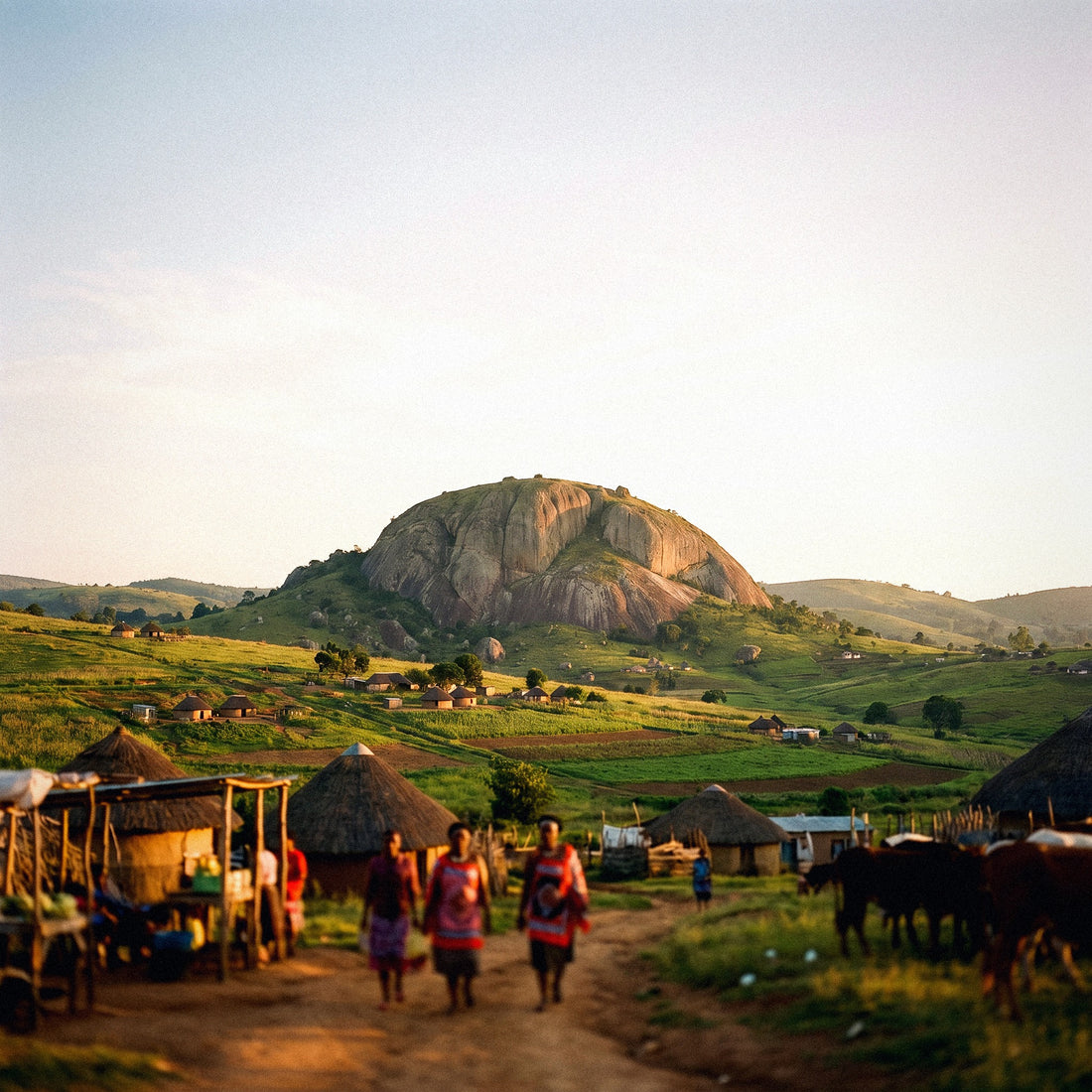
Eswatini, the country formerly known as Swaziland
To get connected in Eswatini, you have four options: roaming with your Spanish operator (expensive, as the country is not in the EU), hotel Wi-Fi (unreliable outside cities), a local SIM from MTN Eswatini or Eswatini Mobile, or an eSIM that you activate before leaving home. For a short trip, the eSIM is the most convenient option.
Let's start with the name, because it causes real confusion. On April 19, 2018, at Somhlolo Stadium and during the celebrations of the 50th anniversary of independence, King Mswati III announced that the country would officially be called the Kingdom of Eswatini. The reason he gave was twofold: to reclaim the Siswati name that the Swazi people themselves used and to avoid the permanent confusion with Switzerland (Swaziland / Switzerland) in international forums. The United Nations and other organizations updated their records that same year.
Why does this matter when you're looking for coverage? Because much of the information still circulated is indexed under "Swaziland," with data from years ago, and because the dominant operator itself is called MTN Eswatini (formerly MTN Swaziland). If you search for data plans with the old name, you'll find fossilized pages. The country's internet domain is still .sz and the telephone prefix is +268, with eight-digit numbers and no provincial prefixes.
Otherwise, everything you read about "Swaziland" is still the same place: a small, mountainous, and very green kingdom, nestled between South Africa and Mozambique, which most travelers add to a longer itinerary. And this condition of a stop within a larger trip is precisely what complicates connectivity, as you'll soon see.
Mobile networks: MTN Eswatini and Eswatini Mobile
Eswatini's mobile market has two players, and it's important to understand them because they determine whether you'll have signal in the valley or not.
- MTN Eswatini: the historical and dominant operator, a subsidiary of the pan-African MTN group. It has the most extensive network in the country, the best presence in rural areas, and its own stores in Mbabane, Manzini, Matsapha, the Ezulwini Valley, and several border posts.
- Eswatini Mobile: the second operator, which entered the market in 2017 to break the monopoly. It tends to be more aggressive on price, and its data bundles offer more data per gigabyte, but its network is more concentrated in the Mbabane–Manzini–Matsapha urban corridor and weakens faster in the countryside.
The dominant technology is 4G/LTE in cities and tourist hubs, with 3G and even 2G as backup in rural and mountainous areas. There are 5G deployments, but they are localized and urban: don't plan your trip counting on them. The practical reality is that in Mbabane, Manzini, and Ezulwini, you'll have good browsing, and as you move away from the main road, it drops to 3G or nothing.
My summary after reviewing the coverage maps: if you're only going to be in the Mbabane–Ezulwini–Manzini corridor, either operator will work for you. If your plan includes Hlane, Mkhaya, Malolotja, or secondary roads in Lubombo, you'll want to be on the network with more rural antennas, and that's MTN.
A not-so-minor detail: the network your data connection uses can switch automatically near borders, which happens more often than you think in such a small country. I'll elaborate on this in the section about network jumps.

Roaming with your Spanish operator: no European rates here
Let's start with the bad news, which is the most important part of this guide. Eswatini does not belong to the European Union or the European Economic Area, so the "Roam Like at Home" regulation does not apply at all. Your plan from Movistar, Vodafone, Orange, Yoigo, or whichever virtual operator you use will not behave as it does at home: the gigabytes from your Spanish plan do not travel with you.
In practice, Eswatini falls into the most expensive zones in Spanish catalogs (what operators call Zone 2, Zone 3, or "rest of the world," depending on the company). And there are two scenarios:
- Your operator has a daily or weekly bundle for the country: you'll pay several euros per day for a very limited amount of data, and these bundles usually renew automatically every 24 hours as long as you have active data.
- Your operator does not have a bundle for Eswatini: then you're billed per usage, and that's where the surprises appear. We're talking about rates that in some catalogs can reach several euros per megabyte. At those prices, watching a couple of videos without realizing it can lead to a three-figure bill.
If you're going to stick with roaming no matter what, do at least three things before you leave: check the exact zone your operator classifies Eswatini in (and also South Africa, if you're traveling through it), activate the consumption limit in your customer area, and disable background app updates. Here are two straightforward articles on how much this really costs: how much international roaming costs and a direct comparison between eSIM and roaming. With the numbers in front of you, the decision makes itself.
Hotel and lodge Wi-Fi: what to really expect
Free Wi-Fi exists in Eswatini, but its quality depends heavily on where you stay. It's worth separating it by type of accommodation, because the difference is huge.
In hotels and resorts in the Ezulwini Valley and Mbabane, Wi-Fi usually works reasonably well for checking email, sending photos via WhatsApp, and making a short video call. Don't expect European fiber: these are shared connections that get saturated in the evening, when all guests return from their excursions. In cafes, shopping centers, and restaurants in the Ezulwini–Manzini corridor, you'll also find open or password-protected Wi-Fi.
The problem arises in the reserves. In Mlilwane Wildlife Sanctuary, there's Wi-Fi in the common areas of the main camp, with modest speed. In Hlane Royal National Park, things get basic: the camps are deliberately rustic, and the connection, when available, is good for little more than text. And in Mkhaya, the rhino sanctuary, the accommodation (Stone Camp) is openly low-impact, with paraffin lamp lighting and no electricity in the rooms: you won't have hotel Wi-Fi or an outlet handy there. Bring a charged power bank.
The other downside of Wi-Fi is security: these are open, shared, and unencrypted networks, and you'll be using them on a trip where you'll be managing bookings and payments. If you're debating between public Wi-Fi, a rental portable router, and your own mobile data, this comparison will save you time: eSIM versus pocket Wi-Fi. My stance is that hotel Wi-Fi is a great complement and a terrible primary connection.
Local SIM: prices, where to buy, and required documents
Buying a local SIM in Eswatini is feasible and not particularly expensive, but it involves paperwork. The mandatory registration law is in force, so every SIM is registered in the name of a person with identification: for a foreigner, a passport. Some stores also ask for your accommodation details; the requirement varies by point of sale.
Where to buy it: MTN and Eswatini Mobile's own stores in Mbabane, Manzini, Matsapha, and Ezulwini (Gables, The Mall, shopping centers), as well as points at border crossings and King Mswati III International Airport. Pay attention to opening hours: many stores close early, almost nothing opens on Sundays, and some border crossings are not 24 hours.
| Item | Estimated price | Approx. equivalent |
|---|---|---|
| Prepaid SIM card (without credit) | 10–50 SZL | 0.50–2.50 € |
| MTN Tourist Pack (1 GB + 45 min national + 15 min international) | 99 SZL | ~5 € |
| Single 1 GB bundle | around 100 SZL | ~5 € |
| Large bundles (tens of GB, 30 days) | from 250 SZL upwards | from ~12 € |
Useful MTN tricks: bundles are activated by dialing *686*1# and credit is checked with *556# or *557#. Prices change without notice, so take them as an order of magnitude, not as official rates. And remember that your phone needs to be unlocked by your operator to insert a foreign SIM. If you want a breakdown of the pros and cons, here it is: eSIM versus local SIM.
eSIM: the option I recommend for a short trip
An eSIM is a digital SIM card that is already integrated into your phone: instead of a piece of plastic, you download a profile and activate it. If you're not clear on the concept, start here: what an eSIM is. For a country like Eswatini, where most travelers spend between two and five days as part of a longer itinerary, the advantage is clear.
These are the specific reasons, not brochure arguments:
- Zero registration procedures. You don't show your passport at a counter or fill out forms: the profile is purchased and activated from home.
- You arrive connected. You cross the Ngwenya border or land and you already have data for maps, transfers, and letting people know you've arrived, without having to find an open store.
- You keep your Spanish number. The eSIM works as a data line, and your physical SIM remains in place to receive bank SMS, which is appreciated on such a trip.
- Fixed price. You know what you're paying before you leave, with no billing surprises or top-ups in emalangeni.
- No plastic to lose. On a trip with safaris and transfers, a tiny SIM card stored in a case is a hassle.
Requirements: an eSIM-compatible phone (iPhone XS or later, Google Pixel 3 or later, Samsung Galaxy S20 onwards, and most recent high-end and mid-range models) and that it is unlocked by your operator. Check both things before buying anything, because once your phone is on the plane, there's no elegant solution. Details on plans, coverage, and activation for this destination can be found in the eSIM guide for Eswatini, with the complete step-by-step installation process.

The four options head-to-head
Putting it all together, here's the comparison for a typical short trip through the kingdom. The figures are indicative and serve to guide your decision, not as anyone's official rate.
| Option | Approximate cost | Paperwork | When it makes sense |
|---|---|---|---|
| Spanish roaming | Very high: daily bundle of several euros or per-MB billing outside of bundle | None, but you need to check zone and limits | Emergencies and stays of a few hours |
| Hotel/lodge Wi-Fi | Free | None | Complement at night, never as your only connection |
| Local SIM (MTN / Eswatini Mobile) | From 99 SZL (~5 €) for the tourist pack with 1 GB | Passport and in-store registration; unlocked phone | Long stays or if you need a local number to make calls |
| Travel eSIM | Fixed price before leaving | None: activated from home | Short trips and multi-country routes in Southern Africa |
There's a nuance that often determines the outcome and doesn't appear in the table: the itinerary. Almost no one travels only to Eswatini. The usual is to enter from Johannesburg or Kruger, spend two or three days, and then head to KwaZulu-Natal or Maputo. If that's your plan, a local Eswatini SIM will leave you stranded as soon as you cross the border, and a South African SIM will go into roaming when you enter. A regional eSIM covering several countries solves the entire problem at once.
My blunt recommendation: for a three-day transit, eSIM. For two weeks working from Mbabane, a local SIM with a large bundle. And in both cases, accommodation Wi-Fi as backup, never as plan A.
Coverage area by area: cities, Ezulwini, and reserves
Eswatini is small (just over 17,000 km², roughly the size of Navarre and Aragon combined) but very mountainous, and the terrain dictates the signal. This is the mental map you should carry.
- Mbabane (administrative capital) and Manzini: good 4G coverage, the best in the country along with the industrial area of Matsapha.
- Ezulwini Valley and Lobamba: this is the tourist hub, with hotels, a casino, the craft market, and the Mantenga Cultural Village. Solid 4G coverage at the bottom of the valley; on the slopes and viewpoints, it can drop to 3G.
- Mlilwane Wildlife Sanctuary: being close to Ezulwini, it has acceptable signal in the camp and on a good part of the trails, although with ups and downs due to the terrain.
- Hlane Royal National Park: lowveld plain, with rustic camps. The signal is irregular and drops to 3G or disappears depending on the location; don't count on stable data within the park.
- Mkhaya Game Reserve: here, isolation is part of the product. Irregular coverage, no electricity in the accommodation, and the collection vehicle as the only contact with the outside world. Assume you'll be disconnected.
- Malolotja Nature Reserve and the Piggs Peak area, to the northwest: pure mountains, with the signal coming and going depending on the valley you're in.
- Lubombo Region, towards Mozambique: uneven coverage outside the main centers.
I'll say it clearly, even if it doesn't suit me: no operator or eSIM will give you stable 4G inside Hlane or Mkhaya. No one can. What you can do is prepare: download offline maps of the area, save your bookings as PDFs, and let people at home know you'll be unreachable for a couple of days. Planning to disconnect is better than discovering it at seven in the evening in the middle of the park.
Network jump at the South African border
This is the warning that can save you the most money in the entire guide. Eswatini is surrounded by South Africa to the north, west, and south, and only touches Mozambique on a stretch of the northeast. The main crossings are Ngwenya–Oshoek (the one you use coming from Johannesburg), Lavumisa–Golela (towards KwaZulu-Natal and Durban), Mahamba, and Lomahasha–Namaacha (towards Maputo).
The problem is physical: antennas don't recognize borders. In many areas in the west and south of the country, your mobile phone will only pick up the South African signal from Vodacom, MTN South Africa, or Cell C, because it's stronger than the local one. And that's where the serious issue arises: South Africa and Eswatini are two different countries, with two different tariffs. Your Eswatini eSIM or SIM will go into roaming (or stop working altogether) and your Spanish roaming will be billed according to the South African zone, which might be different.
How to avoid it, in order of effectiveness:
- Manually fix the network. In Settings > Connections > Mobile Networks, disable automatic selection and manually choose MTN SZ or Eswatini Mobile. This is the most direct solution.
- Check the operator name in the status bar every time you approach the border or change regions.
- Deactivate data at border crossings while you complete formalities: these are long queues and your mobile will be jumping between networks.
- If you're traveling through several countries, purchase regional coverage instead of national and forget about the hassle.
And a warning that's not about telephony but falls into the same category: upon entering and exiting, you'll need to go through passport control, so have your documents handy and your mobile charged to show reservations if requested.
How many gigabytes do you need based on your trip
The million-dollar question. If you're coming from a Spanish plan with almost unlimited data, it's easy to overestimate or underestimate. These are my references, calculated for normal tourist use: maps, messaging, social media, uploading photos, and an occasional video call.
| Travel Profile | Duration | Recommended Data | What it Covers |
|---|---|---|---|
| Quick stop en route | 1–2 days | 1 GB | Maps, WhatsApp, reservations, a few photos |
| Classic circuit (Ezulwini + reserves) | 3–5 days | 3 GB | All of the above plus social media and daily browsing |
| Trip with many photos and videos | 5–7 days | 5 GB | Daily content uploads and short video calls |
| Long stay or remote work | 2 weeks or more | 10–20 GB | Email, video conferences, screen sharing |
| Multi-country route (South Africa + Eswatini + Mozambique) | 2–3 weeks | 10 regional GB | Continuous coverage without changing plans at each border |
Three ways to stretch your gigabytes that really work: download offline maps of the entire country before you leave (Eswatini is small, takes up very little space), set video playback to low quality, and disable automatic photo backup to the cloud, which silently consumes data while your phone is in your pocket.
Also, keep in mind that on safari days in Hlane or Mkhaya, you'll consume practically zero data because there's no network. This natural discount is real and means that medium plans perform better than they seem in this specific destination.
Festivals, crafts, and practical tips on the ground
A couple of things worth knowing before you land that affect mobile usage more than you might imagine.
Money. The currency is the lilangeni (plural: emalangeni, code SZL), and it is pegged at par with the South African rand, which circulates normally in the country. This means you can pay with rands in Eswatini, but emalangeni are not accepted in South Africa. Spend them or exchange them before crossing. Many operator stores accept cards, but for top-ups at kiosks and stalls, you'll need cash.
Plugs. Here, the type M is dominant, the South African one with three thick round pins, at 230 V. The standard European adapter won't fit: you need a specific one or you won't be able to charge your phone, rendering even the best eSIM useless. Some accommodations also have type G (British) outlets.
Festivals. The two major ones are the Umhlanga or Reed Dance, in late August or early September at the Ludzidzini royal residence, and the Incwala or first fruits ceremony, between December and January. These are royal ceremonies, not tourist shows: there are photography and video restrictions during certain phases, especially during the Incwala, and they are taken seriously. Always ask before taking out your phone. In May, the MTN Bushfire festival in Malkerns also fills the area with people and saturates local networks during the weekend.
And for crafts (Swazi Candles, Ngwenya Glass, the markets of Ezulwini and Manzini), bring data: comparing prices and calling a taxi back loaded with bags is much easier with your phone working.
Frequently asked questions
Are Eswatini and Swaziland the same country?
Yes, it's exactly the same country: only the name changed. On April 19, 2018, during the 50th anniversary of independence celebrations, King Mswati III announced that Swaziland would officially be renamed the Kingdom of Eswatini (eSwatini in English). The reason was to reclaim the name in Siswati, which means "land of the Swazi," and to avoid constant international confusion with Switzerland. The United Nations registered the change that same year. Nothing else changed: same borders, same monarchy, same prefix +268, same domain .sz, and the same operators, although MTN Swaziland was renamed MTN Eswatini. If you're looking for travel information using the old name, be careful: much of that information is outdated, especially regarding prices and coverage.
Will my South African SIM or eSIM work in Eswatini?
Not automatically: Eswatini is another country and is billed as roaming. This is the most common mistake for those arriving by road from Johannesburg or Kruger. A South African prepaid SIM from Vodacom, MTN SA, or Cell C will still connect near the border because it picks up a South African signal, but as soon as you go deeper into the country, it goes into international roaming with a different tariff, or it simply stops providing data. The same applies in reverse with an Eswatini SIM. If your route crosses borders, the clean solution is a regional plan that covers several Southern African countries instead of a national one for each stop.
Do I need a passport to buy a local SIM?
Yes, registration with a document is mandatory for all SIMs. As a foreigner, you will need to present your passport at an MTN Eswatini or Eswatini Mobile store, and the attendant will register the line in your name on the spot. Some points of sale also ask for your accommodation address in the country. The process is quick, a few minutes, but it depends on finding the store open: hours are short and most close on Sundays. This process is exactly what you save by activating the digital profile from home before traveling.
Is there coverage inside Hlane and Mkhaya?
Irregular in Hlane and practically null in Mkhaya. Hlane Royal National Park has signal intermittently depending on the part of the park, usually 3G and with frequent drops; the camps are rustic and Wi-Fi, when it exists, is barely enough for text. Mkhaya goes further: Stone Camp operates without electricity in the rooms, with paraffin lamps, so no Wi-Fi or charging outlets. Arrive with a charged power bank, download maps beforehand, and let your family know you'll be unreachable. It's part of the experience, not an operator failure.
How much can roaming cost me if I don't do anything?
A lot, because Eswatini is outside the EU and does not have a European tariff. Since the "Roam Like at Home" regulation does not apply, your Spanish operator classifies the country in one of its expensive zones. If it has a daily bundle, you will pay several euros per day for a few hundred megabytes, with automatic renewal every 24 hours. If it doesn't, it is billed per consumption, and there, the per-megabyte rates in distant zones turn any oversight into an unpleasant bill. Before you leave, check the exact zone for Eswatini in your tariff and activate the consumption limit in the customer area.
Do WhatsApp and video calls work?
Yes, WhatsApp, Telegram, Zoom, and Google Meet work normally. Eswatini does not block messaging or internet calling applications, so you can use WhatsApp to talk to family at home without international call costs. The limitation is not legal but network-related: in the Mbabane–Ezulwini–Manzini corridor, you'll have enough 4G for video calls, but in rural areas and reserves, the connection won't support video. Practical tip: schedule important video calls for when you're at your accommodation in the valley, not in the middle of a transfer on a secondary road.
Can I use the eSIM and my Spanish line simultaneously?
Yes, and that's precisely the beauty of the system. eSIM-enabled phones allow two profiles to be active at the same time: the data eSIM for browsing in Eswatini and your Spanish SIM to continue receiving calls and SMS from your usual number, including bank verification codes, which are essential on a long trip. The only important thing is to configure it correctly: in mobile data settings, select the eSIM as the data line and deactivate data roaming on the Spanish line. This way, you prevent your operator from billing you for roaming without you realizing it.
Conclusion
To summarize the essentials. Eswatini is the country formerly known as Swaziland: it changed its name in 2018 and remains the same small kingdom between South Africa and Mozambique. It is not in the EU, so roaming on your Spanish tariff is expensive and without a safety net. Hotel Wi-Fi works in Ezulwini and Mbabane but disappears in Hlane and Mkhaya. A local SIM from MTN Eswatini or Eswatini Mobile is cheap but requires a passport, an open store, and an unlocked phone. And always be mindful of the network jump at the South African border: it's another country and another tariff, even if you're five kilometers away.
If your plan is the usual one, two or three days in the Swazi kingdom as part of a larger itinerary, my advice is to sort it out before leaving home and dedicate your time to the rhinos of Mkhaya rather than looking for an operator store in Manzini. You can buy your eSIM for Eswatini here and arrive with data from the very first minute, without paperwork and with a fixed price. Have a great trip, and save battery for the sunset in Hlane.