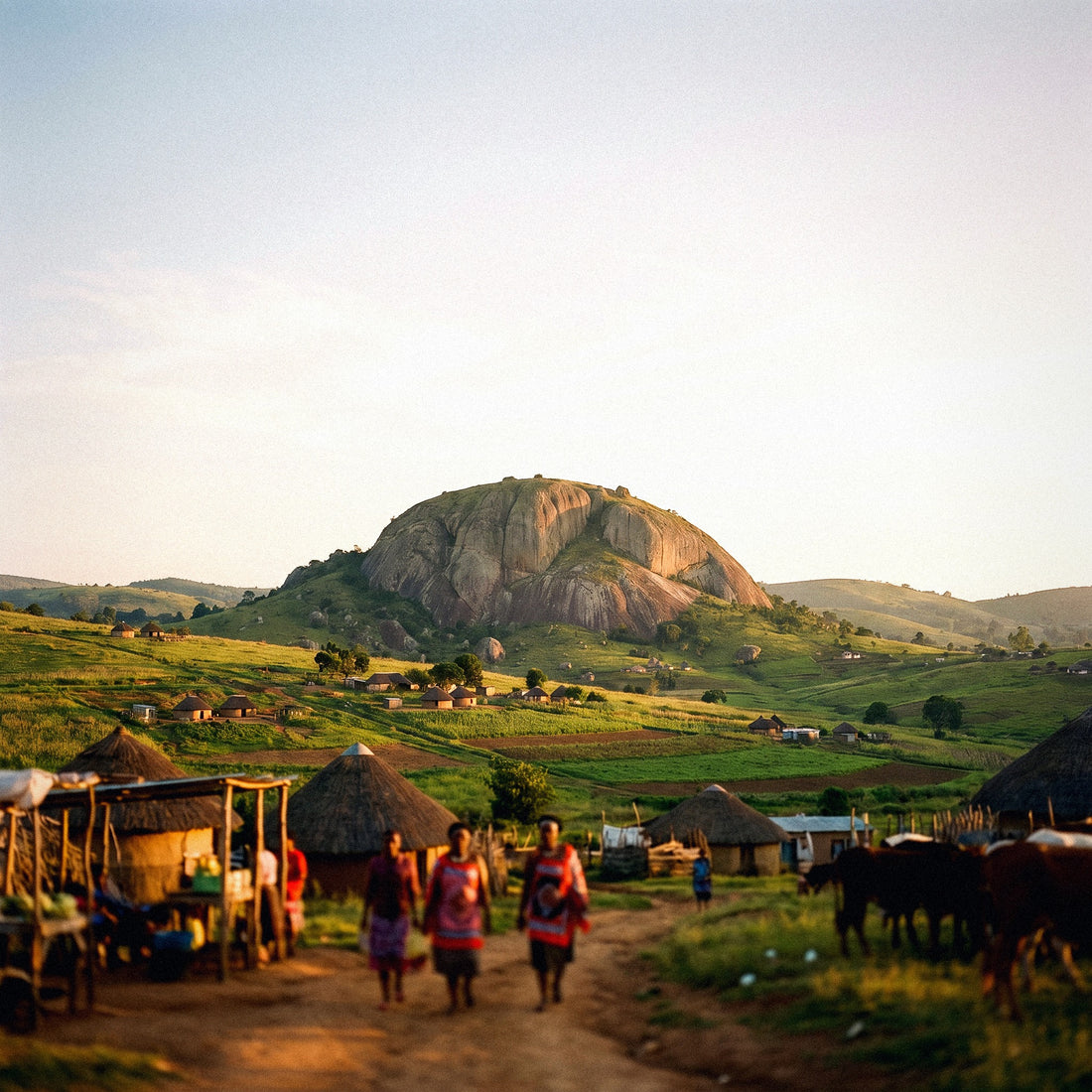
If you're wrapping up a route through Southern Africa and wondering how many GB you need for Eswatini, I'll tell you this: probably less than you think. Eswatini is the country that until 2018 was called Swaziland, it's small, and almost no one visits it as a sole destination: it's crossed as a two-to-four-day stop between South Africa and Mozambique. That completely changes the calculation, because you're not buying data for an entire trip, but for a short, very specific leg of your itinerary.
The short answer: the GB you need
For a 2 to 4-day stop in Eswatini, most people will have enough with 1 GB if they only use maps and WhatsApp, and with 2 or 3 GB if they upload photos and use social media. Only if you plan to work remotely does it make sense to buy 5 GB or more.
I'm telling you this plainly because it's the truth and because overselling does me no good: if you buy 10 GB for three days in Mbabane, you'll go home with 8 GB unused. Eswatini is not a high-consumption destination. The country is tiny (about 17,000 km², like a medium-sized Extremadura), distances are short, English is an official language alongside siSwati — so you won't burn data with a camera translator — and much of your time will be spent in reserves where there's no signal at all.
What is advisable is not to buy less than 1 GB. Although the actual daily consumption of a tourist using maps and messaging is around 150-250 MB per day, unexpected situations always arise: a lodge reservation that needs to be redone, a video of a rhino you want to send to your group, a map of the Hlane area you didn't download in time. With 1 GB, you have that buffer for three long days. And if you run short, recharging is a matter of minutes. If you want the general framework for the calculation, I detail it in the main guide on how much data you need for travel, which applies to any destination. Here, we'll go into detail for this specific country.
Eswatini or Swaziland: why the name affects your purchase
I'll start here because I get asked about it a lot, and it has a practical consequence. In April 2018, coinciding with the 50th anniversary of independence, King Mswati III announced that the country would officially be renamed the Kingdom of Eswatini (Eswatini in English, Umbuso weSwatini in siSwati). Swaziland was a hybrid name, half English, half siSwati, and led to confusion with Switzerland — Switzerland and Swaziland sound similar in international forums. Eswatini means, more or less, "land of the Swazi."
Eight years later, the old name is still very much alive. Many people search for it as Swaziland, many printed guides still call it that, and, crucially, many connectivity catalogs and search engines still list it as Swaziland. That's the detail that matters to you: if you're looking for coverage, rates, or plans and can't find the country, try both names. In English listings, it might appear as "Eswatini," "Swaziland," or even "Eswatini (Swaziland)."
The same applies to some map and booking apps, which retain the old toponym in addresses and labels. It's not a coverage issue; it's a naming issue. If you're still unclear on how a digital data card works, I'll provide the basic explanation of what an eSIM is before continuing; the rest of the article assumes you've already decided and just need to choose the right package size.
Important warning: crossing the border changes the country and the rate
This is the point that causes the most distress, and that's why I'm mentioning it early. A South African data plan does not cover Eswatini. They are two distinct countries, with distinct networks and distinct billing. When you cross at Ngwenya/Oshoek, Lavumisa/Golela, or any of the other crossings, your mobile connects to an Eswatini network, and your South African package stops providing service. The typical traveler's experience is exactly that: the connection worked perfectly in Mpumalanga, and shortly after the border control, it stares at the ceiling until you reach accommodation with Wi-Fi.
The same happens on departure, if you continue to Mozambique via Lomahasha/Namaacha en route to Maputo: third country, third rate. A classic Johannesburg–Kruger–Eswatini–Maputo route crosses three data jurisdictions in less than two weeks, and that's where people get confused.
| Route segment | Country for data purposes | What you need |
|---|---|---|
| Johannesburg, Kruger, Mpumalanga | South Africa | South Africa plan (or regional plan that includes it) |
| Ngwenya/Oshoek or Lavumisa/Golela crossing | Country change | The plan changes right here, not at the hotel |
| Mbabane, Ezulwini, Manzini, Hlane | Eswatini | Eswatini plan of 1-3 GB |
| Lomahasha/Namaacha crossing (07:00-22:00) | Country change | Third rate from here |
| Maputo and Mozambican coast | Mozambique | Mozambique plan |
You have two options: a regional plan that explicitly lists all three countries — check the details, country by country, don't assume anything — or three small packages, one per segment. For such short stays, the latter is usually cheaper and much easier to calculate.
How much each activity consumes, in numbers
Before choosing a number, see how much each thing actually consumes. The usual surprise is that what seems most daunting — maps — consumes the least, and what seems innocent — scrolling through social media while waiting in the lodge reception — is what devours your data package.
| Activity | Approximate consumption | On a typical day in Eswatini |
|---|---|---|
| Maps with turn-by-turn navigation | 3-5 MB/hour | 15-25 MB |
| Satellite view maps | 15-20 MB/hour | Avoid it: four times the consumption |
| WhatsApp text only and voice notes | 10-20 MB/day | 15 MB |
| WhatsApp voice call | 25-35 MB/hour | 30 MB |
| Video call | 200-350 MB/hour | One 20 min call: ~100 MB |
| Social media with video (reels, TikTok) | 500-900 MB/hour | 30 min: ~350 MB |
| Upload 20 high-quality photos to the cloud | 80-120 MB | Adds up quickly on safari |
| Streaming music, normal quality | 70-150 MB/hour | 2 h drive: ~200 MB |
| Streaming video at 480p | 0.7-1 GB/hour | Save it for Wi-Fi |
| Streaming video at 1080p | 3-6 GB/hour | Consumes the entire package |
| Email and web browsing | 10-25 MB/hour | 50-80 MB |
In simpler terms: you can navigate with maps for three full days and not even reach 100 MB. In contrast, half an hour of reels daily will put you at 1 GB in three days. If you want the detailed breakdown, with more apps and scenarios, I have it compiled in the data usage statistics by activity. For Eswatini, the rule is simple: video is king, and everything else is noise.
Actual coverage: central axis good, reserves weak
Eswatini has two main operators, MTN Eswatini and Eswatini Mobile, and a helpful topography: almost the entire population lives in the corridor running from the Ngwenya border to Manzini, passing through Mbabane and the Ezulwini Valley. There, 4G coverage is decent and functional. Outside that axis, coverage quickly thins out.
| Area | What you will find | Effect on your consumption |
|---|---|---|
| Mbabane, Manzini, Matsapha | Stable 4G | Normal consumption |
| Ezulwini Valley and Mlilwane | Mostly 4G, some gaps | Normal consumption |
| Main road Ngwenya-Manzini | Continuous 4G/3G | Low consumption: only maps |
| Hlane Royal National Park | Signal at gate and lodge, irregular inside | Almost zero during safari |
| Mkhaya Game Reserve | Very limited or nonexistent | Zero data, no exceptions |
| Malolotja and mountain areas | Intermittent | Zero during hikes |
| Lomahasha, border with Mozambique | Basic 3G/4G | Sufficient for messaging |
And here's the hidden good news: the hours you spend without coverage are hours you don't use data. If your itinerary includes a walking safari in Mkhaya and a horseback ride in Hlane, you're deducting half a day's consumption each time. That's one of the reasons why Eswatini calls for a small data package, not a large one.
The downside is clear: what you don't download beforehand, you won't have when you're there. Maps of the area, lodge reservations, guide's phone number, and park information—all offline before you leave Ezulwini. I detail how to connect and what options you have in the country in the guide to internet in Eswatini; this article focuses on the size of the package.
Master table: GB by profile and duration
This is the table you've been waiting for. Find your profile, find your days, and that's your number. I've added the 2-4 days column because that's the actual duration of most stops in Eswatini, although I also include longer durations in case you're combining countries or staying longer.
| Profile | 2-4 days | 5 days | 10 days | 15 days | 30 days |
|---|---|---|---|---|---|
| Maps and WhatsApp Tourist | 1 GB | 1 GB | 2 GB | 3 GB | 5 GB |
| Photos and Social Media User | 2-3 GB | 3 GB | 5 GB | 8 GB | 15 GB |
| Digital Nomad / Remote Worker | 5 GB | 10 GB | 20 GB | 30 GB | 50 GB or unlimited |
| Family sharing one phone | 3 GB | 5 GB | 10 GB | 15 GB | 25 GB |
A couple of nuances that are worth more than the table. If you're traveling as a couple and each has their own plan, don't double it blindly: in practice, one acts as the navigator and consumes data, and the other barely touches their phone. If you're going to share via hotspot, add them up and then add 20%, because secondary phones synchronize in the background without you noticing.
My rule for Eswatini: buy for the days you are in the country, not for the entire trip. Almost everyone buys too much because they think in weeks when the stop only lasts three days.
If you telecommute, the number goes up due to video calls, nothing else. One hour of daily meeting with camera is 200-350 MB per day just for that, plus what you spend normally. In that case, it is advisable to aim high and not get stuck in the middle of a call with the client on the other end.
How to check your own consumption before leaving
All the tables in the world are worth less than your own data. And you already have it on your mobile, free, without installing anything. On Android, go to Settings, Network & internet, SIM or Data usage, and check the consumption for the last full month. On iPhone, Settings, Mobile Data: you'll see the accumulated total for the period, and if you've never reset it, it will show a total since you've had the phone, so reset the statistics and let a normal week pass to get a clean reference.
Divide by the number of days in the period and you'll have your average daily consumption. Now adjust it for your trip with two honest corrections, one upwards and one downwards:
- Upwards: at home, you have Wi-Fi most of the day; when traveling, you don't. Multiply by 1.3 or 1.5.
- Downwards: in Eswatini, you'll spend hours in reserves without coverage and sleeping in lodges with Wi-Fi. Subtract 20-30%.
- Extra: if you watch series on your phone at home but won't do so on your trip, remove that entire consumption from the calculation.
Most people discover they use between 300 and 800 MB per day in their normal lives with mobile data, and significantly less when traveling in a small country. That personal number, with the two corrections, is infinitely more reliable than any internet average. And if the result gives you 600 MB for the entire stay, trust your own data and buy 1 GB, not 5. That's the difference between choosing and guessing.
Wi-Fi in lodges and accommodations: how much you can deduct
Wi-Fi in Eswatini exists and is quite widespread in accommodations, but it's inconsistent. In the Ezulwini Valley, in hotels and backpackers in the Mbabane and Manzini areas, and in the more touristy lodges, Wi-Fi is included and usually sufficient for messaging, email, and uploading a few photos. At the other extreme, in more isolated reserves, the connection can be so slow it reminds you of modems from twenty years ago, and in some Mkhaya camps, disconnection is part of the experience: it's a place designed for you to watch rhinos, not your screen.
How I translate that into GB: deduct 40-50% of your estimated consumption if you sleep in accommodations in the central corridor, because the bulk of photo uploads and backups will be done at night connected to the hotel's Wi-Fi. If you sleep inside reserves, don't deduct much, but you won't need it either: without coverage, you don't use data.
Two caveats. First, don't leave critical tasks for the accommodation's Wi-Fi: if your flight check-in or boarding pass download depends on that connection, have your own backup data. Second, on shared open networks, avoid banking and purchases, or use a VPN, keeping in mind that a VPN adds between 5% and 15% extra consumption due to encryption. It's not dramatic, but for a 1 GB package, that's about 100-150 MB that should be accounted for from the start.
Tips for extending data in Eswatini
With a small country and a small package, four actions taken before crossing the border will save you half of your data consumption. None of them cost money.
- Download offline maps for the entire country while you have Wi-Fi. All of Eswatini takes up little space and covers the Ngwenya-Mbabane-Manzini corridor plus the Hlane tracks, where the signal fails just when you need it.
- Activate system data saver and low-power mode for social media apps. That alone reduces video data usage by 30% to 50%.
- Disable automatic video playback on Instagram, TikTok, Facebook, and X. This is the number one drain, and it's silent.
- Backups only over Wi-Fi: Google Photos, iCloud, Drive, and automatic WhatsApp downloads. A safari generates hundreds of heavy photos and videos; if they upload automatically via data, say goodbye to your package.
- Lower video quality to 480p in apps that allow it. You won't notice the difference on a mobile screen, and the saving is several GB per hour.
- Download before you leave music, road trip podcasts, and park guides.
These are the basics applied to this destination; the complete repertoire, with adjustments for operating system and app, can be found in the tips for saving data while traveling. By applying them, a tourist who uses maps and messaging in Eswatini can get by on less than 100 MB per day without giving up anything important. And that is exactly why you should buy little in this country.
What happens if you run out (and why it's not a big deal)
Let's address the underlying fear: "What if I run out of data in the middle of nowhere?" The honest answer is that running short is a minor issue, and buying too much is wasted money that you won't get back. If you run out of data, you top up: it's done from your phone in a couple of minutes from anywhere with coverage or Wi-Fi, including the lodge reception. You don't have to go to a store, show your passport, or wait for business hours.
The economic difference is clear. Buying 1 GB and topping up another if needed means you pay exactly for what you use. Buying 10 GB for three days and returning with 8 GB unused is throwing money away, because data doesn't travel with you to the next destination: each country has a different plan, and the leftover GB from Eswatini won't work in Maputo.
Two sensible precautions that are worth taking:
- Activate your phone's data usage warning at 80% of the package so it doesn't catch you by surprise.
- Keep your payment method accessible and your accommodation booking saved offline, in case you need to top up in an area with weak signal.
And if you're traveling in a group, agree on who will act as a hotspot for each leg of the journey, so you don't end up with four half-used packages instead of one well-utilized one. With that, the real risk of being stranded without a connection in Eswatini is practically nil.
Frequently asked questions
Is Eswatini the same as Swaziland?
Yes, it is exactly the same country. In April 2018, King Mswati III announced the official change from Swaziland to the Kingdom of Eswatini, coinciding with 50 years of independence. Nothing else changed: same borders, same cities, same operators. If you're looking for information or data plans and can't find "Eswatini," try "Swaziland," because many international catalogs still use the old name.
Will my South African data plan work in Eswatini?
No. A South African plan does not cover Eswatini. When you cross the border, you change countries and networks, and your South African package will stop working practically at the border crossing itself. You need an Eswatini plan, or a regional one that explicitly lists the country in its coverage. Check it country by country before buying, and don't assume that "Southern Africa" includes Eswatini.
How many GB do I need for a 3-day stopover?
1 GB is plenty if you use maps, WhatsApp, and some web browsing. Go up to 2-3 GB if you're going to upload photos and videos from your safari to social media every day, and 5 GB if you have work video calls. Remember that in Hlane and Mkhaya you'll spend hours without coverage, so the actual consumption on those days is much less than you calculate.
Is there coverage in Hlane and Mkhaya during safaris?
Very little, and virtually none in Mkhaya. There is usually signal at the access gates and in the lodge areas, but within the safari tracks and on walking or horseback riding routes, the connection disappears or drops to intermittent 3G. Download maps, bookings, and contacts before entering. In the Mbabane-Ezulwini-Manzini axis, however, 4G works well.
Do I need data for a translator in Eswatini?
No, and that saves you a lot of data. English is an official language alongside SiSwati and is spoken normally in hotels, restaurants, craft markets, and park offices. You won't be using a camera translator all day, which is one of the biggest data devourers in other destinations. If anything, download the offline language pack and you're good to go.
What if I'm going to a cultural festival like Umhlanga or Incwala?
Allow an extra 2-3 GB if you plan to record and share. Large cultural events concentrate many people in one place, which saturates antennas and makes uploads slow and consume more retries. Record, but upload at night from your accommodation's Wi-Fi instead of doing it live: you save data and avoid the frustration of an upload that doesn't progress.
Is it better to buy a regional plan for the whole route or one per country?
For short stops, one per country is almost always better. A regional plan makes sense if you're going to spend weeks moving between South Africa, Eswatini, and Mozambique with high consumption. If your stay in Eswatini is three days, a small specific package is cheaper and easier to size. The important thing is to verify that the country is listed, whatever its name.
Can I buy data once I'm in the country or is it better to do it beforehand?
Better before crossing the border, while you still have a connection. Activating a plan requires an initial connection, and precisely when you enter Eswatini is when you lose your South African connection. Install it from home or from the last accommodation with Wi-Fi and activate it upon arrival. It's the difference between entering connected or waiting until the lodge reception to be able to do anything.
Conclusion
To summarize without embellishment: for the typical two-to-four-day stopover in Eswatini, 1 GB is enough for the map and WhatsApp traveler, 2-3 GB for those who live on photos and social media, and 5 GB for those with meetings. Buying more is a waste of money, because the country is small, there's Wi-Fi in accommodations in the central corridor, and safari hours in Hlane and Mkhaya are zero-consumption hours. The only thing you can't improvise is the border: the South African plan turns off when you cross, so have your Eswatini plan sorted before reaching the checkpoint.
If you're clear on that, PuraSIM's Eswatini data eSIM installs from home in minutes and activates when you set foot in the country, with no physical cards or searching for stores in Mbabane. Choose the small package, save offline maps before entering the reserves, and only top up if you really need to. And if you prefer to review how local connectivity works and what options you have on the ground, start with the eSIM for Eswatini guide and then come back to buy with the number you calculated here.