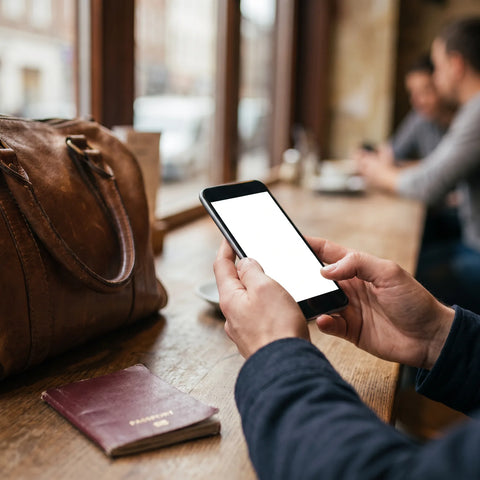
You're about to buy data for your next trip, you go to compare options and you find the word "eSIM" everywhere. But when you check your phone, something isn't right: you can't find the option to add it, or you plainly read that your model "is not compatible." Before assuming you're stuck without the most practical travel alternative, it's worth understanding what exactly this incompatibility means, why it happens, and what you can do about it.
What does it mean for a phone to be incompatible with eSIM?
When a phone "is not compatible with eSIM," it means its hardware does not have the eSIM (embedded SIM) chip integrated, which is the physical component that replaces the traditional SIM card. If that chip isn't factory-installed, no software update will add it: it's hardware, not a hidden feature that can be activated.
This is easily confused with two other problems that look similar but are different. One is that the phone does have the chip but is region-locked: some versions of the same model, sold in certain countries, have the eSIM function disabled by decision of the manufacturer or the operator that distributed it, even if the rest of the world uses that same model without a problem. The other is that the phone is carrier-locked: the hardware exists and works, but the phone's software only accepts lines from the company you bought it from, whether physical or eSIM. All three cases—no chip, region-locked, and carrier-locked—feel the same from the settings menu ("cannot add plan"), but only the first is a real and irreversible incompatibility.
Which phones are not compatible with eSIM?
eSIM became widely available in consumer phones between 2018 and 2020, so the quickest way to figure it out is by generation: almost anything released before those dates, with a few exceptions, does not have it. The following table summarizes what to look for by brand, without needing to memorize every model number.
| Brand | Generally compatible | Generally NOT compatible |
|---|---|---|
| Apple (iPhone) | iPhone XS, XR, and all models released afterwards (2018 onwards) | iPhone X, 8, and earlier models; also, many units originally sold in mainland China do not have eSIM even if the model supports it in other countries |
| Samsung | Galaxy S20 onwards, Galaxy Z Fold/Flip, Galaxy Note 20 | Galaxy S10 and earlier, most of the entry-level A series |
| Pixel 3 onwards (with nuances depending on software version and country) | Pixel 2 and earlier | |
| Motorola, Xiaomi, Huawei, and other Android brands | Some high-end models from 2021-2022 (it's advisable to confirm model by model) | Most mid-range and entry-level models, even recent ones |
If your phone is a mid-range or entry-level model, the probability that it doesn't have eSIM is high regardless of how new it is: manufacturers usually reserve this component for premium lines. For a more specific list by model, check our eSIM compatible phones guide.
How to check if your phone is compatible with eSIM?
There's no need to guess or rely solely on the table above: each operating system has a menu where the phone tells you, in its own words, whether it can use eSIM or not.
- On iPhone: Go to Settings → Cellular → Add eSIM. If this option does not appear, the device is not compatible or is region-locked.
- On Android: Go to Settings → Network & Internet (or Connections) → SIMs → Add eSIM or "Download an eSIM." The exact path changes slightly depending on the brand, but the option name is usually similar.
-
By dialing a code: On most devices, dialing
*#06#on the phone's keypad displays the EID number. If an EID appears, the phone has an eSIM chip. If nothing appears, it doesn't. - By checking if it's unlocked: Even if the phone has the chip, if it's still locked by the operator you bought it from, it may reject an eSIM from another provider until you request an unlock directly from that company.
These three steps—checking the menu, dialing the code, and confirming that the device is unlocked—cover almost all cases before purchasing any plan.

What happens if my phone is not compatible with eSIM?
Nothing dramatic: you can still connect to the internet at your destination, but you'll need a different method than eSIM. The most common options, from the most similar to an eSIM to the most traditional, are:
- Using a physical data SIM for travel. It works the same as an eSIM in terms of coverage and data, but requires a physical card to insert and, often, to remove your local SIM when the trip ends.
- Buying a physical SIM at your destination, at an airport or local store, with all the paperwork and language barriers that entails.
- Activating international roaming with your usual operator, which is usually the most expensive option if you haven't contracted a specific package before leaving.
- Renting or buying a portable WiFi router, especially useful if you're traveling in a group and want to share a single connection.
None of these alternatives are bad; it's simply better to choose one knowing beforehand that your phone isn't compatible with eSIM.
How to make your phone compatible with eSIM?
Let's be honest here: if the eSIM chip isn't integrated into the board, there's no software update, app, or setting that will add it. It's not like enabling a hidden feature; it's hardware that physically isn't there. Any result promising to "activate eSIM" on a model without that chip won't work, and you should be wary of tutorials that claim otherwise.
That said, there are two scenarios where you can solve the problem without changing your phone, because it's not a hardware incompatibility but a software restriction:
Many Android phones that do have the eSIM chip are sold with its use restricted to the original operator. The model may appear on any official list of "compatible" devices and still reject your eSIM until you request an unlock from that company, a process that usually takes a few days and that almost no one mentions when talking about compatibility.
- If the phone is region-locked: In some cases, changing the system region in the phone's general settings enables the eSIM option. It doesn't always work and depends on the manufacturer, but it's free and worth trying before ruling out the device.
- If the phone is carrier-locked: Request an unlock directly from the company you bought it from. Once unlocked, it should accept eSIMs from any provider, provided the chip exists.
If neither of these applies and your device simply doesn't have the component, the realistic solution is to use one of the alternatives from the previous section for that trip, and consider an eSIM-compatible phone the next time you upgrade your device.
A concrete example: checking compatibility before traveling
Imagine you have a trip to Peru in three weeks and you want to sort out your phone's data connection before you leave, without relying on hotel WiFi. The first thing to do is dial *#06# on your phone: if an EID number appears, you know the chip is there. If, in addition, the settings menu allows you to reach the "add eSIM" option, your device is ready, and all you need to do is buy the plan for your destination.
Now, if the phone is a mid-range model from three or four years ago and none of those steps appear, you'll know — with three weeks' notice, not at the airport — that you need another solution: book a physical travel SIM, check your operator's roaming options, or decide if you want to buy a new device before your trip if you travel frequently. The difference between finding this out weeks in advance or discovering it in the immigration line is enormous, and the only cost of checking beforehand is a couple of minutes looking at your phone.
eSIM vs. physical SIM: what's best if your phone isn't compatible
If your device doesn't support eSIM, the relevant comparison is no longer "eSIM versus physical SIM" in general, but rather "how good an alternative is a physical travel SIM for your specific case." The following table compares the most important points when traveling.
| Criterion | eSIM | Physical travel SIM |
|---|---|---|
| Requires specific hardware | Yes, the phone must have the chip | No, any phone with a SIM slot accepts it |
| Activation | Scanning a QR code, without moving | Physically inserting the card |
| Risk of loss | None: it's digital | The physical card can be lost or damaged |
| Dual line (personal + travel) | Easy: you keep your usual line active | Depends on whether the phone has a dual SIM slot |
| Available upon landing | Yes, if you already bought it before leaving | Only if you bought it before; otherwise, you have to find it at the destination |
If your phone is not eSIM compatible, a physical travel SIM replicates almost all the practical advantages—buying it before you leave, having it ready upon arrival—with the only difference being that you have to physically insert it instead of scanning a code.

Alternatives when eSIM is not available for your trip
Beyond the physical SIM, there are other ways to arrange your connection at your destination. Each has a better and worse scenario depending on how you travel.
| Alternative | Best for | Things to consider |
|---|---|---|
| Physical travel SIM (purchased beforehand) | Travelers who prefer to arrive with data already set up | You have to insert it and, almost always, remove your usual SIM while using it |
| Physical SIM purchased at destination | Long trips where cost per GB outweighs convenience | Requires finding a store, completing paperwork, and sometimes a local ID document |
| Roaming from your usual operator | Very short trips where convenience matters more than cost | Usually the most expensive option if a specific package is not activated |
| Portable WiFi router | Groups or families sharing a single connection | It's another device to carry and look after, with its own battery |
No alternative "wins" in all cases: the best one depends on whether you're traveling alone or with others, how long the trip lasts, and how much you value not having to find a store upon arrival.
Common mistakes when checking eSIM compatibility
Most problems with eSIMs don't come from an incompatible phone, but from incorrectly checking compatibility before purchasing. These are the most frequent pitfalls:
-
Relying solely on the year or model name, without dialing
*#06#to confirm if an EID appears. - Buying in one country and checking compatibility with information from another, forgetting that some regional versions of the same model do not have the chip, as is the case with certain iPhones originally sold in mainland China.
- Assuming that "compatible" means "ready to use" without checking if the device is still locked by the original operator.
- Leaving it until the last minute, when there's no time left to find an alternative if the phone turns out to be incompatible.
- Not checking if the phone has space for more than one active eSIM or SIM, which is important if you want to keep your personal line active along with your travel line.
As we've already seen in the steps section, checking the settings menu and the *#06# code resolves almost all these errors in less than two minutes, before spending money on a plan that the phone won't be able to use.
Frequently Asked Questions
What exactly is an eSIM?
It's a digital SIM card integrated into the phone's board, which replaces the physical plastic SIM and is activated by scanning a QR code instead of inserting a card. You can find full details in our guide on what an eSIM is.
Can I install an eSIM on an unlocked phone if it's old?
Being unlocked (not carrier-locked) is not the same as having an eSIM chip. A phone can be completely unlocked and still not be compatible if it's a model older than 2018-2020 or an entry-level model, simply because the hardware isn't there.
Do Chinese or lesser-known brand phones come with eSIM?
It depends on the model and the year. More and more brands are including the chip in their high-end devices, but it's still uncommon in mid-range and entry-level models. The most reliable way is to dial *#06# and check if an EID number appears.
Is a phone with a dual physical SIM slot already compatible with eSIM?
Not necessarily. A dual physical SIM slot is a different component from the eSIM chip; there are phones with two physical slots and no eSIM, and vice versa.
How do I know if my phone is carrier-locked and not incompatible due to lack of eSIM?
If you dial *#06# and an EID number does appear, the chip exists: the problem is a lock, not hardware. In that case, request an unlock from the company you bought the device from.
Can I use eSIM and physical SIM at the same time?
In compatible models, yes: it's the most common configuration for travel, because you keep your personal line active on the physical SIM while using the eSIM only for data at your destination.
What happens if I buy an eSIM and then it turns out my phone isn't compatible?
That's why it's a good idea to check the settings menu and the *#06# code before buying any plan, not afterwards. If you have doubts about common errors when installing an eSIM, you can check our guide to common eSIM problems.
Conclusion
If your phone isn't compatible with eSIM, there's nothing to "activate" or any hidden setting to resolve it when the chip simply isn't on the board. What you can control is checking it in advance — with the settings menu and the *#06# code — and, depending on the result, calmly decide whether a physical travel SIM, your operator's roaming, or a portable router is best for that particular trip.
And if your device is compatible, an eSIM is still the simplest option so you don't have to look for a store when you arrive at your destination: you buy it before you leave, activate it in about 1 minute, and it allows you to keep your personal line active along with your travel data. Since you have 180 days from purchase to activate it, you can get it calmly as soon as you confirm your itinerary, without last-minute rush. You can start with the getting started guide to installing an eSIM and, when you're ready, review the plans available by country —for over 200 destinations— in the international eSIM collection. If something is not clear during the purchase or installation, email and WhatsApp support is available 24/7 in several languages. If you prefer to compare thoroughly before deciding, the comparison between eSIM and physical SIM and the comparison between eSIM and roaming cover the same criteria we use in this article, applied to other travel scenarios. You can also check the ultimate guide to traveling with eSIM if you want the complete picture before your next trip.