What is an eSIM and what changes if you travel to the United States with an iPhone
An eSIM is a digital chip integrated within the iPhone that replaces the physical card: instead of inserting a chip upon arrival in the United States, you install a profile (via QR code or automatically) and the phone gets local mobile data, without changing your number or visiting a store.
For someone who has never used it, the practical difference is this: today, if you fly to Miami, New York, or Los Angeles, it's normal to land without data until you find Wi-Fi at the airport or wait in line at a counter to buy a chip. With eSIM, that step disappears because the profile is already installed before leaving home, and you only need to activate it when the plane touches down. It's not magic or a technology exclusive to travelers: it's the same format that most recent iPhones already come with, but almost no one checks that it's there until they need it.
In the following sections, you'll see if your specific iPhone has it, how to get one for the United States, a real travel example to make it clear how it's used in practice, how it differs from buying a physical chip or activating your carrier's roaming, and how to install it step-by-step.
Do iPhones sold in the United States use eSIM?
Yes. Apple removed the physical SIM card tray from iPhones sold in the United States starting with the iPhone 14, so any recent iPhone purchased there works exclusively with eSIM on iPhone: it doesn't have a slot for a physical chip even if you wanted one. If you bought the device in Mexico, Colombia, Argentina, Chile, or Peru, it's different: most of those same models retain the physical tray in addition to the eSIM, and both options coexist without conflict on the same phone.
This matters for your trip for two reasons. First, if you buy or borrow an iPhone while in the United States, you will depend on eSIM no matter what. Second, if you travel with your own iPhone purchased in Latin America, you will likely have both options available, giving you room to decide: use your physical line for calls from home and an eSIM for data in the United States, for example, without having to choose between one or the other.
How to check if your iPhone is compatible with eSIM?
The most reliable way to confirm this is not by guessing your model year, but by checking directly on the device: go to Settings, then Mobile Data (or Cellular), and look for the "Add eSIM" or "Convert to eSIM" option. If it appears, your iPhone supports it. Another way is to dial *#06# from the phone: if an EID appears among the codes shown, in addition to the IMEI, the device has an integrated eSIM chip.
Generally, models released from 2018 onwards usually include this feature, but there are nuances depending on the country where the device was purchased and whether it is unlocked or tied to a specific carrier, so confirming it in Settings avoids surprises. For the complete list of models and regional exceptions, we have a dedicated guide on eSIM compatible phones that is worth reviewing before purchasing any plan.
How do you get an eSIM for the United States?
The process is different from that of a physical SIM because you don't depend on finding a store upon arrival. Generally, there are four steps: choose a data plan designed for the United States, purchase it online (ideally before traveling, although it can be done even at the destination airport if there's Wi-Fi), receive the installation profile by email, and install it on the iPhone connected to a Wi-Fi network. The activation itself—the moment the plan begins consuming your days of validity—is controlled by you, so you can install it in advance and only activate it when the plane lands.
Two practical tips so you don't lose the plan by mistake: most eSIM providers give several months' grace period between purchase and activation (in PuraSIM's case, it's 180 days from purchase), and the activation process itself usually takes about a minute once you have a signal. This means you can buy the eSIM weeks in advance without rushing, knowing that the data plan's validity clock doesn't start until you decide to activate it.
Simple rule before traveling: buy the eSIM when you have your flight date confirmed, but only activate it when you land in the United States. That way, you don't waste plan validity days while you're still packing at home.

Real example: 9 days from New York to Miami with eSIM only
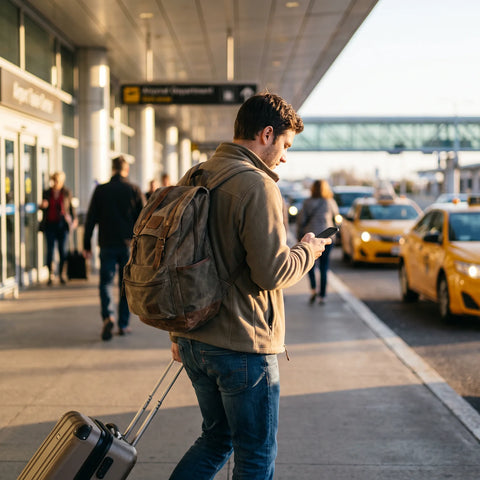
To make it clear how it's used in practice, imagine a typical trip: 9 days, four in New York and five in Miami, with an internal flight in between. Before leaving home, with Wi-Fi, the eSIM profile is installed on the iPhone and left inactive. At the origin airport, already in airplane mode, there's no need to touch anything else.
Upon landing at JFK, airplane mode is deactivated and the eSIM line is activated from Settings. In less than a couple of minutes, the phone already has local mobile data: enough to order a ride via an app from the airport, locate the hotel on the map, and confirm check-in without looking for the terminal's Wi-Fi password. During the days in New York, the eSIM works just like any local line: maps, transport apps, messaging, social media.
When the internal flight to Miami arrives, nothing different needs to be done: the same eSIM continues to work because the plan covers the country, not a specific city. The only adjustment worth checking is how much of the contracted data package remains, which can be checked from the app or the provider's portal, to decide whether to extend the plan before it runs out.
eSIM vs physical SIM purchased upon arrival in the United States
The biggest difference between the two options is not technical, it's timing: one is resolved before traveling and the other depends on finding a physical store already on US soil, often with a queue and limited hours.
| Aspect | eSIM for the United States | Physical SIM purchased upon arrival |
|---|---|---|
| When you can activate it | Installed before leaving home and activated upon landing | Only after finding a point of sale in the United States |
| Airport process | None: already installed | Find a store or kiosk, sometimes with a queue |
| Your home line (WhatsApp, calls) | Remains active if the iPhone has a physical tray in addition to eSIM | Lost if the physical chip occupies the only slot in the device |
| If you lose the chip or device | Not applicable: no physical chip to lose | You have to go back to the store to buy another one |
| Required documentation at the point of sale | None, the purchase is made online | Some points of sale require ID at the counter |
Neither option is inherently bad: if you like to figure things out as you go and don't mind spending an hour looking for a store, a physical SIM works. But if you prefer to arrive with your phone already working from the moment you leave the plane, eSIM vs. physical SIM wins by eliminating that entire step. You can review the full comparison in that guide if you want the technical details.
Local eSIM for the US vs. international roaming from your carrier
The other usual alternative is simply to leave your home carrier's international roaming active and not buy anything additional. It works, but it's worth understanding how it differs from a local eSIM specifically designed for the United States.
| Aspect | Local eSIM for the US | Home carrier roaming |
|---|---|---|
| Who sets the plan price | You choose it in advance, before traveling | Your carrier sets it, according to their agreement with networks in the United States |
| Bill surprises | No: you pay for the plan before traveling | Frequent if you didn't activate or didn't understand the roaming package well |
| What network it uses in the United States | Connects to local networks just like a US chip | Depends on your carrier's roaming agreement with local networks |
| What you need to do before traveling | Install the eSIM profile with Wi-Fi | Activate the roaming package or confirm it's still active by default |
The complete comparison, including cases where it is advisable to stick with your carrier's roaming (for example, if your home plan already includes it at no extra cost), is in the guide on eSIM vs. roaming.
Which eSIM is right for your trip to the United States?
There isn't one correct answer because it depends on how long you're traveling, how many countries you visit on the same itinerary, and how much data you use. But there are objective criteria you can review before buying any plan, instead of deciding solely on the first price you see.
| Criterion | Why it matters | What to ask before buying |
|---|---|---|
| Declared coverage | Not all providers cover the same countries if your trip includes more than one | Does the plan cover only the United States or also Canada and Mexico if you visit them? |
| Validity for activation | If you buy weeks in advance, you need time before it expires without being used | How many days do you have from purchase to activate the eSIM? |
| What happens if data runs out | Some plans cut the connection, others reduce speed | Can I buy an additional package from the same phone if I run out of data? |
| Support if something goes wrong | Installing an eSIM profile sometimes requires specific help, especially the first time | Through which channel can I ask for help and in what language? |
| Confirmed compatibility | Buying a plan for a device that doesn't support eSIM is wasted money | Have I already confirmed in Settings that my specific iPhone supports it? |
Regarding support: it's advisable to avoid any provider that only offers a contact form without a clear response about turnaround times. At PuraSIM, for example, support is available 24/7 in all languages via email and WhatsApp, which is worth looking for in any provider you choose, not just ours, precisely because installing an eSIM profile for the first time is when most questions tend to arise.

How to install the eSIM on your iPhone for use in the United States?
The process is the same regardless of which provider you buy the plan from, because the iPhone's own system manages it. These are the steps, in the order that avoids the most errors:
- Connect to Wi-Fi before installing anything; the eSIM profile doesn't install well with unstable mobile data.
- Open the email or provider app where the QR code or direct installation link arrived.
- Go to Settings, then Mobile Data (or Cellular), and tap "Add eSIM."
- Scan the QR code with the camera, or tap the direct installation link if the provider gave it to you that way.
- When the iPhone asks which line to use as primary for data, choose the newly installed eSIM while you are in the United States.
- Leave your physical line active only for calls and SMS messages, with no mobile data assigned to it.
- Do not activate the eSIM yet if you haven't traveled: you only do that upon landing, from the same Mobile Data menu.
Steps 5 and 6 are the ones most people skip, and that's precisely where the least obvious detail of the entire process lies: the iPhone allows you to use the eSIM for data in the United States while your physical home line continues to receive calls and text messages completely normally. This means you won't miss a bank SMS verification code or an important call while browsing with American data, because both lines coexist actively at the same time, each doing its part. Most installation guides don't mention this because they assume that only "internet working" matters, but for someone who depends on bank verification messages while traveling, it's the difference between resolving a transaction on the spot or getting stuck.
The complete guide with screenshots for each step is in how to install an eSIM, especially useful if it's your first time doing so.
Common mistakes when using eSIM in the United States (and how to avoid them)
Most problems are not with the technology itself, but with the order in which things are done. The most frequent ones:
- Activating the eSIM before traveling out of curiosity. If the plan has a limited number of usage days, each day that passes before the trip is one less day available in the United States.
- Installing the profile with mobile data instead of Wi-Fi. The installation process can fail or be incomplete if the connection is unstable; it's always best to do it with stable Wi-Fi, ideally at home.
- Not configuring which line uses data. If the iPhone continues to use the physical line for data (with expensive roaming activated) instead of the newly installed eSIM, you end up paying twice without realizing it.
- Leaving airplane mode activated after landing. It sounds obvious, but it's the simplest cause of "the eSIM is not working" when it is actually installed correctly.
- Buying the plan without confirming compatibility first. Checking Settings before paying avoids buying something the device cannot use.
The complete list of typical failures, with step-by-step solutions for each, is in common eSIM problems.
Frequently asked questions
Do I need Wi-Fi to install the eSIM already in the United States?
Not necessarily, but it's much simpler if you install it before traveling with your home Wi-Fi. If you arrive without installing it, you can use the airport or hotel Wi-Fi to do it in the United States; the process is the same, just with an additional step of finding that network.
Can I have two active eSIMs at the same time on my iPhone?
You can have several eSIMs saved on the device, but you can only use mobile data from one at a time (or from the physical line and one eSIM simultaneously, if your model has both). You can change which one uses data from Settings without having to reinstall anything.
Does an unlocked iPhone work the same as one tied to a carrier?
An unlocked iPhone has no restrictions on installing eSIMs from any provider. One tied to a specific carrier sometimes has blocks that prevent adding lines from other providers, so it's advisable to confirm this before buying a plan if you are unsure of your device's status.
Does the eSIM start working as soon as I land at any airport in the United States?
Yes, as long as you have already installed it beforehand and activate it from Settings when you deactivate airplane mode. It does not depend on the specific airport, but on there being a signal from the mobile networks that the plan uses in the country.
Do I lose my WhatsApp number if I use an eSIM in the United States?
No. WhatsApp is associated with your phone number, not which data line you are currently using. As long as you have an internet connection, either via the eSIM or Wi-Fi, WhatsApp will continue to work with your same old number.
Can I use the eSIM for calls and SMS messages, or only for data?
It depends on the plan you purchase: some are data-only, intended to be used alongside your physical line for calls, while others include a local number. For most short trips, the eSIM data with physical line for calls setup is usually the simplest.
Does the eSIM work if my trip includes Canada or Mexico in addition to the United States?
It depends on the plan: some cover only the United States, and others include several North American countries in the same package. Before purchasing, confirm if your itinerary crosses borders and choose a plan that already includes those countries, instead of buying a new one at each crossing.
Conclusion
If you're traveling to the United States with your iPhone, the summary is short: confirm in Settings that your device supports eSIM, purchase the plan in advance but activate it only upon landing, install the profile with Wi-Fi before leaving home, and leave your physical line (if you have one) only for calls and SMS while the eSIM handles data. With that sorted, your phone will be working from the moment you step off the plane, without having to look for a store or Wi-Fi password at the terminal.
If it's your first time, it's a good idea to consult the getting started guide before buying any plan: it explains the complete installation process with every screen. And if you've already confirmed that your iPhone is compatible and just need to choose a plan, you can directly check the international eSIM collection to see the available options for your destination.