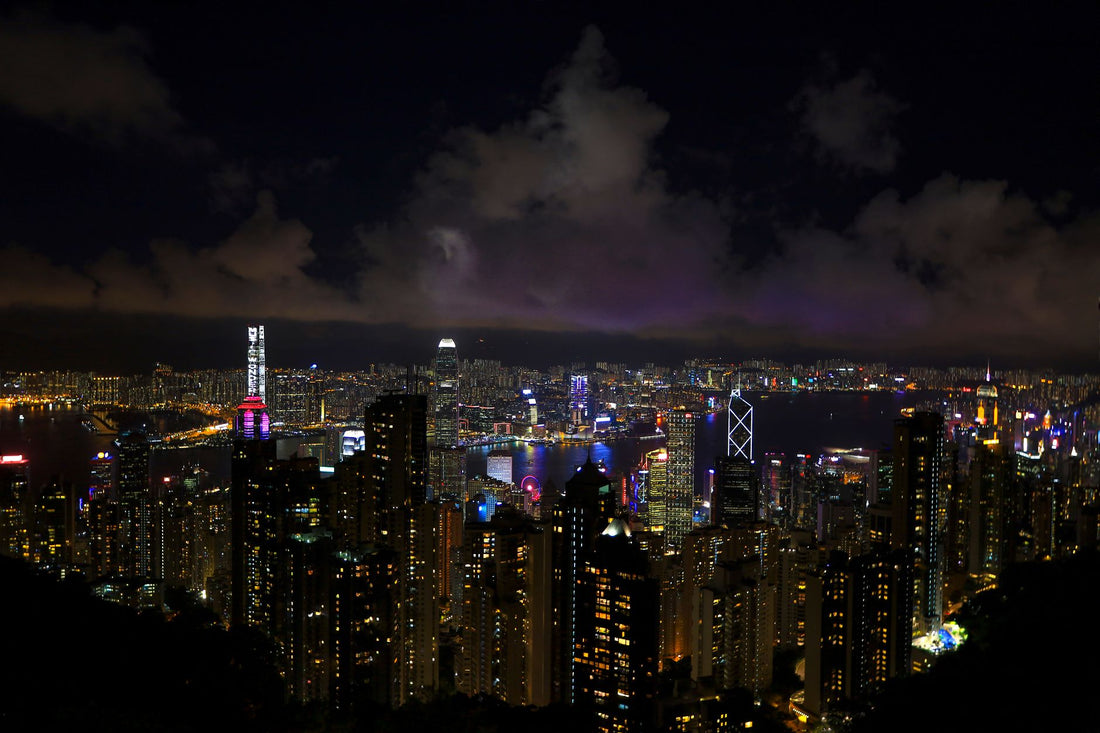
Hong Kong is a city that literally never sleeps. From the skyscrapers of Central to the night markets of Mong Kok, the temples of Wong Tai Sin and the views from Victoria Peak, every corner of this Asian metropolis deserves to be explored, photographed and shared.
But here's the thing: to enjoy Hong Kong to the fullest, you need to be connected. Google Maps is essential for navigating the maze of streets and the complex MTR system, you need WhatsApp to coordinate with your travel companions, and you'll definitely want to upload those skyline photos to Instagram before the day ends. The good news is that Hong Kong has one of the best telecommunications infrastructures in the world, and with an eSIM, you can take advantage of it from the moment you land.
In this guide, I'll tell you everything you need to know to stay connected in Hong Kong: how much data you need, how coverage works, which operators are best, and why an eSIM is probably your best option compared to international roaming or physical SIMs from the airport.

Why use eSIM in Hong Kong
If you've ever traveled to Asia, you know that one of the first missions upon arrival is to get a local SIM. At Hong Kong airport there are several booths selling SIM cards, and although the process is relatively quick, it involves queuing, communicating in English (or trying to do so in Cantonese), paying in cash or by card, and manipulating your phone to change the physical SIM. All this after a long flight, with jet lag and probably wanting to get to your hotel as soon as possible.
The eSIM completely eliminates this process. You buy your plan online before traveling, install the profile with WiFi at home or at your origin airport, and when you land in Hong Kong you simply activate mobile data. In less than a minute you are connected and can order your Uber, open Google Maps or let your family know you arrived safely. No queues, no complicated communication, no risk of losing your original SIM.
Furthermore, Hong Kong is a city where connectivity makes a difference in your experience. The public transportation system is incredibly efficient but also complex: the MTR has multiple lines, buses have routes that only locals understand, and ferries operate on specific schedules. Google Maps becomes your best friend, but only if you have data. The same applies to finding those hidden restaurants in Sheung Wan, locating the best angle to photograph the Giant Buddha on Lantau, or simply translating menus that are only in Chinese.
The eSIM also gives you flexibility. If you are traveling only to Hong Kong for a few days, you can buy a specific plan. If your trip includes other Asian cities like Bangkok, Singapore or Tokyo, you can opt for a regional plan that covers multiple countries. And if you run out of data, you can top up or buy a new plan without having to look for a physical store, all from your phone.
Coverage and operators in Hong Kong
Hong Kong has one of the best telecommunications infrastructures in the world. It is a small but densely populated territory, and operators have invested heavily in 4G and 5G coverage. The main local operators are CSL, China Mobile Hong Kong, SmarTone and 3 Hong Kong, all with practically total coverage in the territory.
When you buy an eSIM for Hong Kong, your provider connects to one of these operators (generally CSL or China Mobile, which have the most robust networks). Coverage is excellent throughout Hong Kong Island, Kowloon and the New Territories. Even in less touristy areas like Sai Kung or the hiking trails of the Country Parks, the signal is surprisingly good.
An important point: MTR coverage is perfect. All stations and tunnels have full signal, which is a blessing because you'll spend a lot of time underground moving around the city. The same applies to the Star Ferry and those going to the outlying islands: water coverage is excellent. This contrasts with other cities where the subway is a connectivity black hole.
In terms of speeds, Hong Kong boasts some of the fastest mobile connections in the world. With 4G, you regularly get speeds of 50-100 Mbps, and if your plan includes 5G (increasingly common), you can see peaks of 300-500 Mbps in central areas. This means you can make video calls without interruptions, upload videos to social media in seconds, and use Google Maps with the fluidity of being on WiFi.
The places where you might have limited coverage are very specific: inside some old buildings with very thick walls, in certain sections of the Peak Tram, or in some very remote areas of the outlying islands like parts of Lamma or Cheung Chau. But even in these cases, the signal returns quickly. For 99% of your tourist trip, coverage will be impeccable.

How many GB do you really need?
This is probably the most common question, and the answer depends on how you use your phone while traveling. Based on the experience of thousands of travelers, here is the realistic recommendation for Hong Kong.
For a typical week (5-7 days), with moderate social media use, constant Google Maps, WhatsApp messaging, Google searches, and sharing photos on Instagram, you need between 5 and 8 GB. This assumes you're not streaming Netflix on the MTR or downloading movies, but you are actively using your phone as a travel tool. Google Maps consumes surprisingly little (about 5-10 MB per hour of active navigation), but Instagram and TikTok can devour data if you're not careful.
If you're a heavy user, make a lot of WhatsApp or FaceTime video calls, upload long videos to social media, or work remotely from cafes using your mobile connection as backup, consider 10-15 GB for a week. Hong Kong has free WiFi in many places (malls, cafes, the airport), but the convenience of having unlimited or abundant data means you don't have to constantly hunt for WiFi networks.
For shorter trips (2-3 days), a 3-5 GB plan is usually sufficient. And if your trip is two weeks or more, or if you're traveling in a group and sharing your connection as a hotspot, look at plans of 20 GB or more. Some eSIM providers offer "unlimited" data plans (with a speed limit after a certain consumption), which can be ideal if you don't want to monitor your usage.
An important tip: Hong Kong is a city where you will walk a lot and use Google Maps constantly. Street names can be confusing, many buildings have multiple entrances, and the numbering system is not always logical. Having reliable data for navigation is not a luxury, it's a necessity. You'll also want data to use useful local apps like MTR Mobile (for planning subway routes) or OpenRice (Hong Kong's "Yelp" for finding restaurants).
How to activate your eSIM in Hong Kong
The eSIM activation process is surprisingly simple, though it may seem intimidating if it's your first time. Here's a step-by-step explanation of the process, which is practically identical no matter which provider you use.
First, before buying, check that your phone is eSIM compatible. Most iPhones from XS onwards are, as are Google Pixel from 3, Samsung Galaxy from S20, and most mid-to-high-end smartphones released after 2020. In your phone's settings, look for the "Mobile Data" or "SIM" section: if you see an option to "Add Mobile Plan" or "Add eSIM", your device is compatible.
Once you purchase your eSIM plan (ideally a few days before traveling), you'll receive a QR code by email. This code contains all the necessary information to install the eSIM profile on your phone. Here's the crucial point: you can install the profile before you travel using Wi-Fi at home, but the plan doesn't activate until you arrive in Hong Kong and turn on mobile data. This means you don't "waste" days of your plan by installing it in advance.
To install: open your phone's camera, scan the QR code you received by email, and follow the on-screen instructions. Your phone will ask if you want to add this mobile plan, confirm it, and in a few seconds the eSIM profile will be installed. On iPhone, it will appear as a second plan in Settings > Mobile Data. On Android, the process is similar but the exact location varies by brand.
When you land in Hong Kong, activate airplane mode for a few seconds and then deactivate it. Go to mobile data settings, select your eSIM as the active plan for data, and turn on data roaming (yes, even if it's a local eSIM, you sometimes need to have this option enabled). In less than a minute you should see the signal bars appear and the 4G or 5G indicator. Open the browser or WhatsApp to confirm you have a connection, and presto: you're connected.
A practical tip: keep your original physical SIM as the main plan for calls and SMS (in case you need to receive bank verification codes), but set the eSIM as the data plan. This allows you to keep your original number active without paying roaming for data. Most modern phones handle this perfectly and you can set it up in seconds.
Roaming vs eSIM: cost comparison
Let's talk money, because this is where the eSIM really shines compared to international roaming. If you travel from Spain or Latin America to Hong Kong, activating your operator's roaming can be very expensive, and often you don't even realize it until you receive your bill the following month.
Spanish operators like Movistar, Vodafone and Orange offer roaming packages for Asia that cost around 6-10 euros per day with data limits (usually 500 MB to 1 GB daily). For a week in Hong Kong, we're talking about 42-70 euros, and that's assuming you don't exceed the daily limit. If you do, additional charges can be 6-12 euros for every 100 MB extra. It's easy to spend 100 euros or more in a week without realizing it.
In Latin America the situation is similar or worse. Operators like Claro, Movistar and Telcel charge between 10-15 dollars per day for roaming in Asia, with very restrictive data limits. A week can easily cost you 70-100 dollars, and speeds are not always the best because you are using roaming agreements that prioritize local users.
Now compare this with an eSIM: an 8 GB plan for a week in Hong Kong typically costs between 15-25 euros/dollars. It's a fraction of the roaming price, with more data, better speeds, and no surprises on the bill. Plus, you know exactly how much you're spending because it's a one-time upfront payment, not a daily charge that accumulates automatically.
Some operators offer "free roaming" on certain premium plans, but read the fine print: they usually have speed limits after a certain amount of GB, or only include specific countries (Hong Kong is not always on the list), or require very expensive plans that are not worth it just for roaming. For most occasional travelers, the eSIM is simply more economical and transparent.
Another advantage of the eSIM: you can top up or buy additional data if you run short, all from your phone without having to contact your original operator or look for a physical store in Hong Kong. With roaming, if you exceed the limit, charges skyrocket automatically without you being able to do much about it until you return home.
Frequently asked questions
How many GB do I need for a week in Hong Kong?
For a week in Hong Kong we recommend between 5 and 8 GB. This covers social media use, Google Maps, instant messaging, and occasional searches. If you plan to make frequent video calls or upload many videos to Instagram, consider a plan of 10 GB or more. Hong Kong has excellent WiFi coverage in shopping malls and cafes, but having your own data gives you total freedom to move around without relying on public networks.
Does the eSIM work on the Hong Kong MTR?
Yes, coverage on the MTR (Hong Kong subway) is excellent. All major operators have full signal in all stations and tunnels of the system. You'll be able to use Google Maps to plan your routes, check real-time schedules with the MTR Mobile app, and browse social media without interruptions during your journeys. This is a great advantage compared to subways in other cities where the signal is nonexistent underground.
When should I activate my eSIM for Hong Kong?
You can install the eSIM profile before traveling using Wi-Fi at home, but activation and data consumption begins when you arrive in Hong Kong and activate mobile data. We recommend installing it 1-2 days in advance to avoid last-minute problems at the airport. Once in Hong Kong, simply activate airplane mode for a few seconds, deactivate it, select the eSIM as your data plan, and in less than a minute you'll be connected.
Can I use my eSIM in Macao with a Hong Kong plan?
It depends on the specific plan you purchase. Some regional Asian plans include both Hong Kong and Macao in their coverage, but Hong Kong-specific plans usually do not cover Macao (they are separate administrative territories). If you plan to visit Macao during your trip, check before purchasing that your plan includes both territories, or consider a regional Asian plan that covers multiple destinations. Otherwise, you could incur roaming charges when crossing the border.
Is it better to buy a physical SIM at the airport or use an eSIM?
The eSIM is more convenient in almost every aspect: you buy and activate it before you travel, you arrive connected from the moment you land, and you don't need to queue at the airport after a long flight. Physical SIMs at Hong Kong airport may be slightly cheaper (by 1-2 euros difference), but you lose valuable travel time and run the risk of them selling out during peak hours. Additionally, with an eSIM you don't lose your original SIM or need to store it somewhere safe.
Activate your eSIM before you leave and arrive connected from the very first moment.
View eSIM plans →