
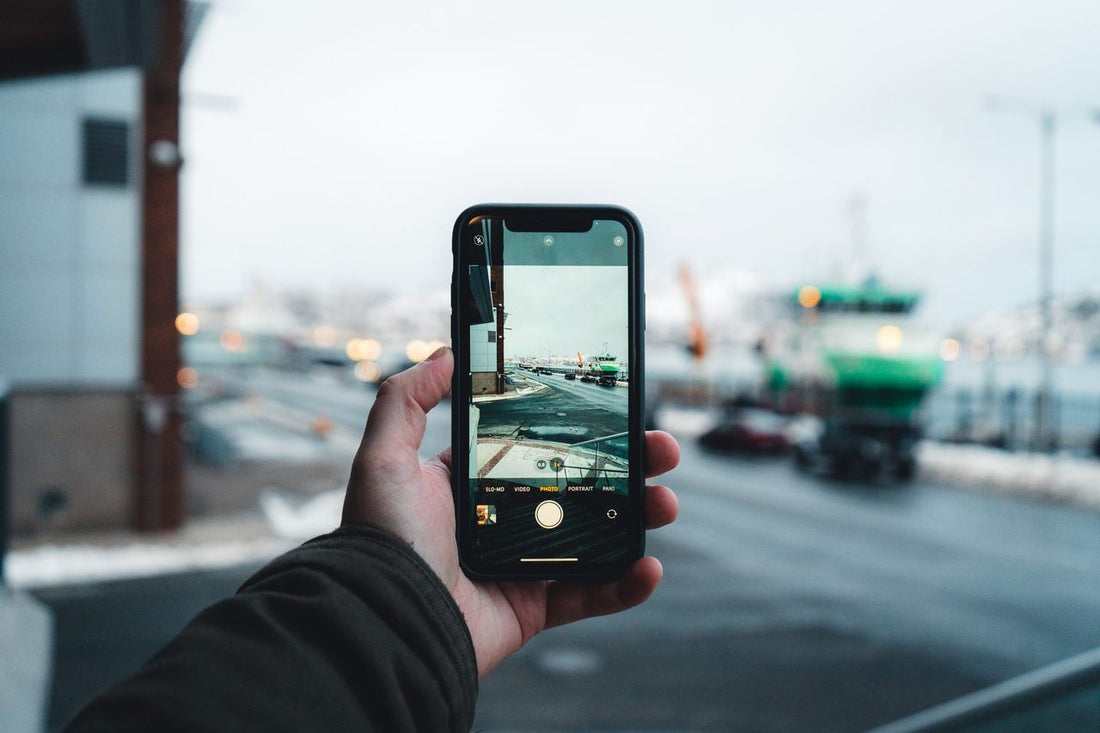
In short: The iPhone 14 US eSIM is the first mass-market smartphone without a physical SIM slot: models sold in the US work only with eSIM and support up to two active profiles at once. If you have one and travel to Spain or Europe, any travel eSIM works without adapters: you land with internet, no roaming, and no stress.
In 2022, Apple did something that had been rumored in the industry for years but no one dared to launch en masse: it completely eliminated the SIM card tray. Not in all models, mind you, only in the iPhone 14s sold within the United States. The result was a wave of questions among travelers who bought their phone in New York or Miami and, upon returning home, wondered how on earth they were going to insert a card that no longer fits anywhere. This guide clarifies everything, step by step and without unnecessary jargon.
What changed with the iPhone 14 in the United States
The iPhone 14 marked a before and after in the history of mobile connectivity. US models were the first high-volume smartphones in the world to be 100% eSIM: zero slots, zero trays, zero pins to eject anything. All line management happens via software.
The key to understanding the confusion is that "iPhone 14" is a commercial name that hides two distinct hardware configurations depending on the region where the device was sold. The US model has no slot. The rest of the world's model does. Same exterior design except for that detail, same screen, same cameras, but inside, SIM management is different.
If you've never used this technology, it would be good to first read what an eSIM is for context: it's basically a chip soldered to the phone's board that is "filled" with an operator's profile digitally, without physical plastic.
iPhone 14 US vs. rest of the world
| Feature | iPhone 14 (US) | iPhone 14 (rest of the world) |
|---|---|---|
| Physical SIM slot | Does not exist | Yes, 1 nano SIM slot |
| eSIM | Up to 2 active eSIMs at once | 1 eSIM + 1 physical SIM |
| Saved eSIM profiles | Eight or more stored | Eight or more stored |
| Dual SIM mode | 2 simultaneous eSIMs | 1 eSIM + 1 physical |
| Travel eSIM compatibility | Full | Full |
| Buy local SIM at a kiosk | Impossible without adapter | Possible |
| 5G mmWave bands | Yes (primary use in US) | No |
At a technical identification level, the US model corresponds to reference A2649 (eSIM only, with added mmWave 5G bands), while the European, Asian, and Latin American model is A2882 (nano SIM + eSIM, without mmWave). If you bought your iPhone in the US or someone brought it from there, you almost certainly have the model without a physical slot.
How to tell if your iPhone 14 has a slot or not
Before you go crazy looking for the tray with the pin, there are three quick ways to find out for sure:
- Look at the edge of the phone. On iPhone 14s, the slot, if it exists, is on the right side. If that edge is smooth and continuous, without the very thin line of the tray, you have the eSIM-only model.
- Check the settings. Go to Settings > General > About and look for the "Model" line. If it says A2649, it's the US model.
- Think about where it was purchased. Purchased within the United States = no slot. Purchased in Spain, Europe, Mexico, or other markets = with slot.
It doesn't matter which of the two you have for what really matters when traveling: both support travel eSIMs without any problem. The difference only matters if your plan was to buy a local plastic card, something you won't be able to do with the American model.
How to activate an eSIM on iPhone 14 step-by-step
The process is identical on both iPhone 14 models, whether they have a slot or not. It's best to do it before leaving home, using your usual Wi-Fi, so you arrive at your destination with data already working. If you're unsure about the timing, we explain it in detail here: should the eSIM be activated before or after traveling?
- Open Settings > Cellular > Add eSIM (or "Add Cellular Plan," depending on the iOS version).
- Scan the QR code your provider sends you, or choose the option to enter the data manually.
- Give the new line a clear label, for example, "Travel," so you don't confuse it with your usual number.
- Under Cellular Data, select the eSIM line as your data line.
- Activate Data Roaming only for that line. It sounds contradictory, but it's normal for a travel eSIM and doesn't incur charges from your home carrier.
That last point scares a lot of people, and rightly so, because for years "roaming" was synonymous with a surprise bill. The difference here is that roaming applies to the destination eSIM line, not your Spanish plan. If you want to understand the distinction thoroughly, we recommend eSIM vs. roaming. If the general step-by-step is difficult for you, the complete guide on how to install an eSIM breaks it down even further.
I have a US iPhone 14 and I'm traveling to Spain or Europe
This is, by far, the most frequently asked question. The short answer is reassuring: it works perfectly. A US iPhone 14 is a band-unlocked phone and compatible with European networks. There is no region lock for data connectivity.
- An eSIM from any European provider installs and works without adapters or gadgets.
- eSIMs for Spain, for Europe or for Latin America are fully compatible with the American model.
- You don't need anything special: you install the plan and that's it.
- The only thing you won't be able to do is buy a local physical SIM at an airport kiosk, because there's nowhere to put it. And honestly, with a travel eSIM, you don't need it anyway.
The inverse case also works: if you live in Spain and travel to the United States, your European iPhone 14 (with slot) can install an eSIM for the United States without problem. The technology is the same in both directions.
Real advantages of an eSIM-only mobile for travel
It may sound like a limitation, but a phone without a slot has specific advantages when you're moving around the world:
- Nothing to lose. There's no tiny tray or plastic card to fall between the seats of a night train.
- Double line without juggling. You can keep your Spanish number receiving calls and use the destination eSIM for data, all at once.
- Instant change. You cross from one country to another and activate another profile in seconds, without looking for a physical store.
- More security. If your phone is stolen, a thief cannot remove the SIM to bypass tracking; in an eSIM-only model, that's much more difficult.
- Less plastic, less waste. Doing without the physical card also means a more sustainable format: no trays or wrappers ending up in the trash every time you change your plan.
- Setup from the couch. You contract the plan online, scan the QR, and you're connected without visiting a store or waiting in line at the airport right after landing from a long flight.
What almost no one tells you
Here are the details that rarely appear in generic guides and that will save you some headaches:
- Buy the plan before deleting anything. The most common mistake is wanting to "make space" by deleting old eSIM profiles before a trip. It's not necessary: the iPhone 14 stores several profiles, even if only two are active. Delete one only when you are sure you won't use it again, because recovering it may require a new QR from the operator.
- Verification SMS can get tangled. With two active lines, your bank or WhatsApp codes arrive at the corresponding number. If you are expecting an important SMS, check which line it is associated with. We explain it here: eSIM and SMS verification codes.
- The hotspot works the same. Many fear that sharing internet from an eSIM won't work. It works perfectly on the iPhone 14; just make sure to share from the correct data line and that personal hotspot is activated in the settings.
- Keep your QR in a safe place. If you need to restore your phone or change models, some profiles require rescanning. A screenshot of the QR in your email can save you from trouble.
- mmWave is not a problem outside the US. The American iPhone 14 adds 5G mmWave bands that are not used in Spain, but this does not reduce coverage: the main 4G and 5G bands are the same and work normally.
- Verify compatibility if you doubt the model. If the phone is second-hand or you don't know its origin, check in Settings > General > About that the reference matches an iPhone 14 before buying a plan.
Common eSIM errors on iPhone 14
| Frequent error | What happens | Solution |
|---|---|---|
| Not activating data roaming | eSIM installed but no data connection | Activate "Data Roaming" only on the eSIM line |
| Leaving your Spanish line as the data line | You incur roaming charges from your home carrier | Select the travel eSIM as the mobile data line |
| Scanning the QR already at the destination without Wi-Fi | You cannot download the profile without internet | Install it before leaving with your home Wi-Fi |
| Deleting an old profile by mistake | You lose access to the plan | Save the QR; delete only profiles you won't reuse |
| Confusing the two active lines | Calls or SMS on the wrong line | Label each line with a clear name |
Frequently Asked Questions
Can I use a US iPhone 14 with Spanish operators?
Yes. The main Spanish operators offer eSIM and are compatible with the American model. You can also use a PuraSIM travel eSIM without relying on registering with a local operator. The phone is not region-locked for data.
Does the US iPhone 14 have worse coverage in Spain?
Not noticeably. The main 4G and 5G frequency bands are the same. The American model adds mmWave bands that are not used here, but this does not reduce coverage or signal quality on European networks.
Can I have two active eSIMs at once on the slot-less iPhone 14?
Yes. The US iPhone 14 allows up to two eSIMs to be active simultaneously. You could keep your usual number on one line and use a destination data eSIM on the other, or combine two different plans depending on your needs.
What do I do if I can't find the SIM slot on my iPhone 14?
You probably have the US model, which doesn't have one. It's not broken or missing anything: it simply manages everything via eSIM. Go to Settings > Cellular > Add eSIM to install a digital plan.
Is the slot-less iPhone 14 more water-resistant?
Apple has not officially confirmed it, but eliminating the slot removes a potential entry point for dust and moisture. The iPhone 14 maintains its IP68 rating on all models, with or without a tray.
Do I need a different eSIM for each country on a trip to Europe?
Not necessarily. Regional plans exist that cover several countries with a single profile, ideal if you're moving through more than one destination. You can review the options for Europe eSIM and choose the one that fits your route.
Will my eSIM work in countries with limited local eSIM availability?
Yes. The travel eSIM is installed before you leave, not at the destination, so you don't depend on that country selling local eSIMs. Once the profile is downloaded, it works in any country covered by the plan.
Conclusion
The iPhone 14, and especially the US version without a slot, is probably one of the most travel-ready phones on the market: two active eSIMs at once, no plastic to lose, and full compatibility with providers worldwide. If you have this model, a travel eSIM is not just an option, it's the natural way to connect. You install the plan before you leave and land with internet, no roaming, and no stress.






