
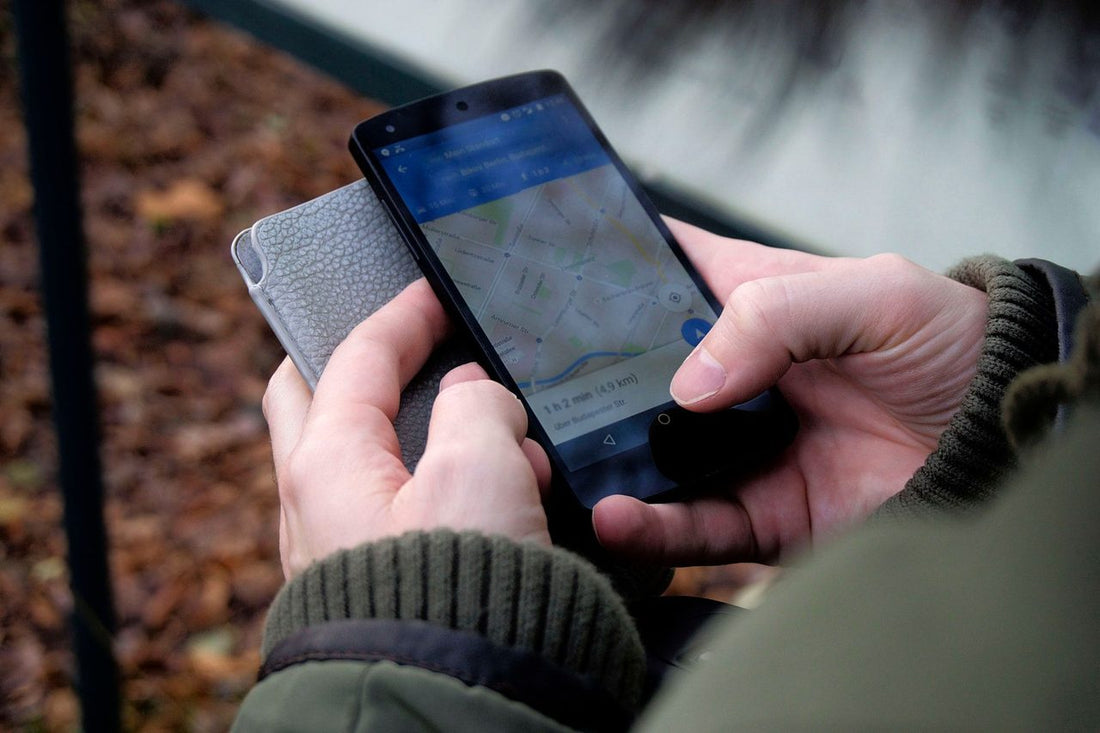
In short: an eSIM for remote work abroad gives you local mobile data from the moment you land, without roaming or relying on accommodation Wi-Fi. Choose a generous plan based on how many video calls you make per day, check 4G/5G coverage at your destination, and always have your mobile hotspot as a backup plan to avoid missing any meetings.
Working remotely from abroad for a few weeks, a sabbatical month, or permanently is no longer an exception: it's the daily reality for many professionals who depend on a busy meeting schedule and, above all, a connection that doesn't fail at the worst possible moment. The problem isn't finding a nice place to work, but rather that the Wi-Fi in a tourist apartment or a newly opened co-working space might drop just when you're screen-sharing with a client. This is where the eSIM comes in: not as a traveler's whim, but as the piece of infrastructure that supports your workday thousands of miles from your usual operator.
This article talks about work: how many gigabytes you really need to avoid interruptions during a video call, what speed and latency each task requires, how to set up a backup system that doesn't rely on luck, and the mistakes almost everyone makes when they start teleworking from abroad without thinking it through.
What you need to work remotely without losing connection
Before looking at data plans, it's important to understand the role each piece plays. It's not just "buy an eSIM and that's it": it's about building a system with redundancy, because remotely, a single point of failure, like the Airbnb's Wi-Fi, for example, can leave you out of a meeting with a client who pays your bills.
The eSIM is a digital SIM installed by software on your mobile, without a physical card, and connects you to a local data network in minutes, usually before you leave home: you land with active internet, without looking for a kiosk at the airport. The difference compared to traditional roaming from your Spanish operator is twofold: you avoid surcharges, which in many destinations outside the EU can exceed several euros a day, and you usually have more data available to work without aggressive speed restrictions.
The minimum viable setup for a remote worker settling outside of Spain, whether for ten days or three months, relies on four elements:
| Element | Purpose | Essential? |
|---|---|---|
| Data eSIM (PuraSIM) | Local 4G/5G connection independent of accommodation Wi-Fi | Yes, it's the foundation of everything |
| Active Spanish number | Receive bank SMS, work calls, or two-step verifications | Yes, almost always |
| Corporate VPN | Securely access servers, CRM, or internal company tools | If your company requires it |
| Mobile hotspot to laptop | Immediate backup plan when the Wi-Fi where you work fails | Yes, always as a backup |
Note the order: the eSIM does not replace the accommodation or co-working Wi-Fi, it backs it up. The logic of a serious remote worker is to always have two paths to the internet, because a single connection point is, sooner or later, a guaranteed problem.
How to choose the right data plan for teleworking outside Spain
This is where most people make a mistake: they buy the cheapest plan thinking "just for the basics" and halfway through the month they run out of data on the day of an important deadline. The data plan for remote work must be sized according to your actual workday, not according to "I'm sure I won't use much."
How many GB do you need based on your daily routine?
There's no single magic number, but there is a sensible way to estimate it. A typical remote office day combines email, cloud documents, messaging, and the big data consumer, video calls. As a general technical guideline (not a promise of exact consumption, because each application compresses differently):
- Low-consumption work (email, documents, Slack, browsing): a few hundred MB per day. 10-15 GB per month will be more than enough.
- Work with occasional video calls (1-2 daily meetings of 30-60 minutes): estimate between 20 and 40 GB per month.
- Work with a busy video call schedule (several daily meetings, screen sharing, recordings): between 30 and 80 GB per month is a realistic range, and if you also frequently upload or download heavy files, it's better to go for the higher end of that range.
The practical recommendation: if in doubt between two plans, choose the one with more data. The cost of losing connection in the middle of a client meeting is much higher than the price difference between one plan and the next. And if you want to stretch the data you already have, in this guide on how to save data with an eSIM you'll find specific tips that also apply to workdays, not just tourism.
eSIM vs. physical SIM vs. roaming: what's best for work
Not all ways of connecting outside of Spain are equally suitable for a serious workflow. Here it is worth comparing with a clear head, not out of habit.
| Option | Activation | Cost | Recommended for work |
|---|---|---|---|
| Spanish operator's roaming | Automatic, you already have it | Can skyrocket outside the EU; it's advisable to check rates with your operator | Only as occasional backup |
| Local physical SIM | Must be purchased and swapped upon arrival, with varying paperwork depending on the country | Usually economical, but you lose your active Spanish number while using it | If you're staying for months in a single country |
| Travel eSIM (PuraSIM) | Activated by software before leaving or immediately upon landing | Plans by destination and duration, check current price on each product page | Yes, ideal for remote work in one or several countries |
If you're still undecided between options for your specific case, especially if your remote work route includes several countries in a row, it's worth comparing calmly before making a decision.
Speed and latency: what really matters in a video call
There's a very common misconception here: only looking at the GB in the plan and not the quality of the network. You can have 100 GB available and still have a video call cut out if the coverage where you are is poor. Speed and latency matter as much, if not more, than the amount of data.
| Work Task | Indicative Speed | Works well with 4G? |
|---|---|---|
| Email, documents, messaging | Very low, almost any connection will do | No problem |
| Individual video call (Zoom, Meet) | Moderate | Yes, with good coverage |
| Group video call in HD | Medium-high | Generally good, depends on the area |
| Screen sharing while talking | Medium-high | Good in most cases |
| Uploading heavy files (video, design) | High upload speed | May take longer than usual |
| Access to corporate VPN | Moderate, and sensitive to latency | Good in general |
One detail almost no one considers: latency, the time it takes for data to travel back and forth, affects the "fluidity" of a call more than raw download speed. You can have high speed and still notice an echo or cuts in the conversation if latency is high, which is typical in areas with limited backbone fiber infrastructure. Before setting up to work in a new destination, it's a good idea to look for recent information on the actual quality of the mobile network in that specific area, not just the country in general.
How to set up your connectivity so you don't miss a single meeting
Activating the eSIM is just the first step: scanning the QR code or installing the profile from the link, letting the phone register on the local network, and activating data just before your first important meeting. You can find the step-by-step guide in this eSIM installation guide, especially useful if you're going to repeat the process in several countries during your work trip.
The hotspot as a backup plan: the piece nobody configures until they need it
Here's the tip that makes the difference between a relaxed remote worker and one who suffers every time the Wi-Fi fails: configure your mobile personal hotspot BEFORE you need it, not in a panic moment when the Wi-Fi drops two minutes before entering a call. Test the password and make sure your laptop connects smoothly. These are thirty seconds of prior configuration that save you an unpleasant moment in front of a client.
If your company requires a corporate VPN, it works the same over mobile data as over Wi-Fi: the eSIM gives you internet access and the VPN is set up on top to encrypt traffic. The only thing worth checking is if the destination has any network restrictions affecting VPNs, which is rare in very few countries, and confirming it with IT before traveling. More details in this eSIM and VPN guide.
Common destinations for remote work and what to expect from their coverage
Not all countries offer the same network experience, and that weighs as much as the cost of living when choosing where to set up your workspace.
| Destination | General 4G/5G Coverage | Why it's chosen for work |
|---|---|---|
| Lisbon / Porto (Portugal) | Very good in cities | Convenient time zone with Spain, good community of teleworkers |
| Medellin (Colombia) | Good in urban areas | Low cost of living, stable climate, growing remote community |
| US Cities (East/West Coast) | Very good, though varies by rural area | Frequent for meetings with American clients or headquarters |
| Central European Capitals | Very good in general | Almost complete overlap of working hours with Spain |
If your route passes through Colombia, in this guide to Medellin, Bogota, and Cartagena you'll find details by city. If you're traveling through Europe with several stops, the Europe eSIM covers several destinations with a single plan, without having to activate a different eSIM at each border.
Common mistakes and what almost no one tells you
There are recurring patterns among those who work remotely from abroad. These are the ones that most often cause trouble:
Buying just enough, not what you really need. A common mistake. Consumption is calculated based on a normal day, forgetting that some weeks have twice as many meetings or deliveries with heavy files. Always leave a 20-30% margin over your initial estimate.
Not testing the eSIM before the first day of work. Activate it the day before, not the morning of your first important meeting, to detect any problems with time to react.
Thinking that "good country coverage" means good coverage in your neighborhood. Mobile coverage varies greatly within the same city. An apartment in a building with thick walls may have poor signal even if the area generally has good coverage. If you can, test the signal at the accommodation before committing to staying for several weeks.
Forgetting your Spanish SIM. Many banks and government services still send verification codes via SMS to your usual number. Keep that line active, even with a minimum plan, and use the eSIM for data.
Not checking consumption until it's too late. Most providers, including PuraSIM, offer an app or panel where you can see how much data you have left in real time. Checking it every few days avoids the shock of running out of data in the middle of a busy workday afternoon.
How much it really costs to connect for work outside of Spain
The exact cost depends on the destination, duration, and the local operator each eSIM works with, so any specific figure should be taken with caution and checked at the time of purchase. What can be fairly compared is the order of magnitude between options.
| Connectivity Option | Typical Cost Level | Risk of Bill Surprise |
|---|---|---|
| Spanish operator's roaming outside the EU | High, can skyrocket with work data consumption | High if daily consumption is not controlled |
| Physical SIM purchased at destination | Low, but variable by country | Low, though you lose your number while using it |
| Travel eSIM with ample data plan | Medium, depending on GB and duration chosen | Low, price is known before purchase |
That's why so many professionals have swapped automatic roaming for a pre-contracted eSIM: the price is known from the outset, with no surprises at the end of the month on the operator's bill.
Frequently asked questions about eSIM for remote work abroad
Is an eSIM enough to work without Wi-Fi for a whole day?
It depends on the type of work. For email, documents, and messaging, yes, without any problem. For a full day with several HD video calls, you can consume several GB just that day, so it's advisable to have a plan with some margin if you know that day's Wi-Fi is not reliable.
Can I use the eSIM hotspot to connect my laptop?
Yes. Activate the personal hotspot on your mobile and connect your laptop as you would to any Wi-Fi network. The speed will depend on the 4G/5G coverage of your location, so test it before you need it for a real meeting.
How many GB do I need to work remotely for a whole month?
Between 30 and 80 GB per month covers most profiles with frequent video calls. If your work is mainly text and email, 15-20 GB may be enough, depending on how many meetings you have or if you usually share your screen or upload heavy files.
Does the eSIM work well with my company's corporate VPN?
Yes. The eSIM provides the internet connection, and the VPN works on top of it, just like over Wi-Fi. It's only advisable to check before traveling if the destination has any network restrictions that affect VPNs, which happens in very few countries.
What happens if I run out of data in the middle of a meeting?
The connection cuts off, it's that simple. That's why it's advisable to check data consumption frequently from the provider's app and recharge before you run out, not when the alarm is already sounding. Most plans allow you to instantly top up data from the app itself.
Do I need to keep my Spanish SIM active if I work from abroad?
It's highly recommended, even with the minimum plan. Many Spanish services (banking, administration, two-step verification) still rely on your usual number to send you confirmation SMS. The eSIM handles data; your Spanish line remains your identity.
Can I use a work eSIM in several countries consecutively if my route includes multiple stops?
Yes, there are regional plans designed precisely for this, covering several countries with a single data profile instead of having to activate a different eSIM at each border. This is the most convenient option if your remote work involves moving from country to country every few weeks instead of settling in one place.
Ultimately, an eSIM for remote work abroad isn't a connected traveler's whim: it's the piece that allows you to land with internet, without roaming, and without relying on the luck of whatever Wi-Fi is available. Properly size your GB, test the hotspot before you need it, and work from wherever you want with the peace of mind that your connection won't be the reason you miss a meeting.








