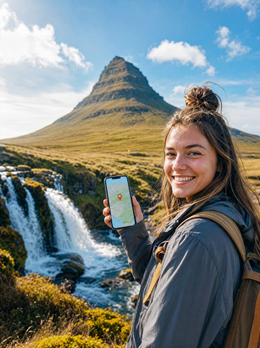
In short: to have internet in Reykjavik you need an eSIM for Reykjavik, which in practice is an eSIM for Europe, because Iceland is not sold as an isolated destination: it is activated by continental zone. You install it before you leave, activate it when you land in Keflavík, and you'll have data in less than a minute. For a 3 to 5-day getaway, 3-5 GB will be more than enough.
Internet immediately upon landing at Keflavík Airport
Reykjavik's airport is Keflavík (KEF), about 50 km from the city center, and that distance is precisely why arriving with active data is so important. You get off the plane, turn on your phone, and if you have the eSIM installed, you just need to activate its data: internet in less than a minute, without queues at a carrier's counter or relying on the airport's Wi-Fi.
That free Wi-Fi at Keflavík exists, yes, but at peak times — when several transatlantic flights coincide — it's slow and sometimes requires you to register with your email. With the eSIM already ready, you don't care: you activate data, order the Flybus to the center from the app or website (the ticket is validated on your phone, not on paper) and you can already announce that you've landed without looking for a connection point. The journey from Keflavík to Reykjavik crosses the lava landscape of the Reykjanes peninsula, so take the opportunity to take photos and share them along the way, something that only makes sense if you already have data.

Coverage in Reykjavik and the rest of Iceland
Reykjavik has excellent 4G and 5G coverage. Iceland, despite its small population, is a very connected country, and in the capital and its metropolitan area —Kópavogur, Hafnarfjörður, Garðabær— you won't notice any difference from having data in any large European city. In the center (Laugavegur, Skólavörðustígur, the old harbor area) the signal reaches inside old stone buildings, and even inside geothermal pools like Sundhöllin.
Outside the capital, coverage remains good on the Ring Road (Route 1) and in the southern towns—Selfoss, Vík, Höfn—though there might be occasional gaps of a couple of minutes on gravel sections of the interior or in unpopulated highland areas. This isn't an eSIM failure: a local Icelandic SIM wouldn't have coverage there either, because there's no antenna. For a trip focused on Reykjavik and day trips like the Golden Circle or the Blue Lagoon, coverage is more than sufficient throughout the entire route.
| Area | Typical Coverage | What to Expect |
|---|---|---|
| Reykjavik city center and metropolitan area | Stable 4G/5G | No interruptions, even indoors |
| Keflavík and Reykjanes | Stable 4G/5G | Good signal throughout the airport journey |
| Golden Circle (Þingvellir, Geysir, Gullfoss) | 4G in most areas | Occasional brief gaps in park areas |
| Ring Road (south, Vík, Jökulsárlón) | Continuous 3G/4G with occasional gaps | Brief cuts on gravel sections or inland |
| Highlands and unpopulated interior | Irregular coverage | Download offline maps before entering |
How many GB you need for a Reykjavik getaway
A getaway to Reykjavik usually lasts 3 to 5 days, and typical usage includes maps, social media, looking for restaurants, and uploading photos of auroras or waterfalls. For this profile, 3 to 5 GB will be more than enough. If you plan to stream, make long video calls home, or share internet with your laptop from the hotel, increase to 8-10 GB so you don't have to check your data usage every evening.
| Duration | Normal Use | Recommended GB |
|---|---|---|
| Weekend (3 days) | Maps, social media, photos | 3 GB |
| Getaway (5 days) | Normal use + constant GPS navigation | 5 GB |
| Week (7 days) | Video, occasional hotspot | 8-10 GB |
A unique point for Iceland: you'll use GPS quite a bit to navigate between points and check the weather, which changes every hour and truly impacts the day's plan. Navigation and weather use little data, but it's worth considering if you're very tight on GB. If you want to refine the calculation with your own usage pattern, check the guide on how to save data while traveling, with tips that apply here as much as anywhere else.
Real advice, not from a manual: download the Reykjavik area in Google Maps offline before your trip, and also the south of the island if you're doing the Golden Circle. It's not because you're going to run out of data, but because on some gravel sections the signal takes a few seconds to return, and the offline map won't be "loading" at that moment.

Why you buy a Europe eSIM and not an "Iceland" one
Here's a nuance that's worth clarifying before paying: when you search for "eSIM for Reykjavik," what you'll actually be buying is a Europe eSIM, because Iceland is covered within the European zone and not as a separate country in the catalog. This isn't a problem; it's simply how plans are packaged: coverage is contracted by zone, and that zone includes Iceland in addition to much of the continent.
This offers a practical advantage if your trip isn't limited to Reykjavik: if you continue your route through another European country after Iceland, you won't need to buy a second eSIM; the same one covers the jump. If, on the other hand, your trip is exclusively to Iceland and you want to better understand how data roaming by zone works before deciding how many GB to buy, take a look at what data roaming is; it will help you avoid buying too much or too little.
The PuraSIM Europe eSIM is what you need for your Reykjavik getaway: it connects to local Icelandic operators just like a physical SIM bought there would, with the difference that you activate it from home and don't have to find a store upon arrival.
How to install and activate the eSIM before flying
The process is done at home, calmly, before packing your suitcase. You buy the Europe plan, receive a QR code by email, scan it from your phone's settings, and the eSIM is saved as a second data line. Keeping data turned off until landing in Keflavík is important: this way, you don't start using validity or GB while still at the departure airport in your home country.
Upon landing, go to settings, activate the eSIM's mobile data, and in less than a minute you'll have internet. Keep your home SIM active to receive SMS or calls if needed, but with data roaming deactivated to avoid unexpected costs: this is the most common mistake, leaving both lines with data on at the same time. If this is your first time with this type of connection, the step-by-step guide on how to install an eSIM covers iPhone and Android with screenshots; the only real requirement is that your phone is eSIM compatible, which applies to virtually all mid-range and high-end models from recent years.
If you have never used an eSIM and are still wondering between this and a physical SIM bought at the airport or a kiosk in Reykjavik, you might be interested in reading international chip vs eSIM before deciding: the practical difference is that you cannot lose or break an eSIM, and you don't have to store the original physical card in a pocket you'll later forget about.
Errors and myths: what almost no one tells you about traveling with data to Iceland
There are several circulating ideas about Iceland and mobile data that should be debunked before they complicate your trip.
"The hotel Wi-Fi is enough for me." In Reykjavik, most accommodations have good Wi-Fi, true, but as soon as you step outside—which is where you'll spend most of your day—you'll depend on your data. And on excursions to the Golden Circle or the Blue Lagoon, hotel Wi-Fi is irrelevant.
"With my home mobile plan's roaming, I have enough." This highly depends on your operator and your plan, and many plans limit or charge separately for roaming outside the EU, and although Iceland is part of the European Economic Area, some contracts still apply different conditions or extra charges. Don't assume your current roaming covers you the same as at home: check it before you leave, not upon arrival. You can find details on when each option is worthwhile in eSIM vs roaming.
"Blue Lagoon and Sky Lagoon can be visited without prior booking." This isn't a mobile data myth, but it's very related: both geothermal pools require online time slot reservations, and if you arrive without one during high season, you might be turned away. You book from your phone, so without data, you can't sort it out on the fly if your plans change.
"If I lose coverage in some sections, something is wrong with the eSIM." Not necessarily. In some gravel sections of the interior or high-altitude areas, coverage is irregular for any operator, local or travel-related. It's due to the terrain, not the card. What is advisable is to avoid leaving the hotel or tour booking app without having tested it before leaving the coverage area.
"My phone's weather app is good enough." For Iceland, the hourly forecast from the Icelandic Meteorological Office (vedur.is) is usually more accurate than generic apps, especially for sudden wind and rain, something that literally changes in minutes in Iceland and can force you to rethink an excursion.
What to do with internet in Reykjavik
Having data in Reykjavik is more useful than it seems at first glance. The city is small and very walkable — you can cross the center from end to end in 20 minutes — but the internet helps you truly make the most of it: book the Blue Lagoon or Sky Lagoon with exact times, check the northern lights (KP) index in real-time, find where to eat the classic Bæjarins Beztu hot dog or a lamb soup, and get around with the Strætó city bus or call a taxi when the cold bites.
- Auroras: Apps that alert you to the KP index and cloud cover to know when it's worth going out to look at the sky, instead of waiting blindly.
- Weather: Icelandic weather changes very quickly; checking vedur.is before an excursion can save your day.
- Reservations: Blue Lagoon, Sky Lagoon, Golden Circle tours, and many popular downtown restaurants operate with online reservations, not by phone.
- Transportation: The Flybus and the Strætó city bus have their own apps that replace paper tickets.
In summary, connectivity isn't a luxury in Reykjavik: it's what allows you to adapt to the changing weather and not miss an aurora because you didn't check the app in time, or be locked out of a geothermal pool because you hadn't booked.
When you DON'T need to buy an eSIM for Reykjavik
It's worth stating clearly, even if it doesn't benefit our sales: if your time in Iceland is a short stopover without leaving the airport — many transatlantic routes lay over in Keflavík — you don't need to buy anything. The airport's free Wi-Fi is enough to check your boarding gate and pass a few hours.
It also doesn't make much sense if your Spanish plan explicitly includes Iceland without limits or surcharges — check with your operator before assuming it does — because then you're already covered without extra cost. Where it clearly pays off is in any other case: a multi-day getaway, a road trip around the island, or simply wanting to avoid surprises on your bill when you return.
Frequently asked questions
How do I get internet immediately upon landing at Keflavík airport?
Install the eSIM before leaving home, and upon landing in Keflavík, activate its mobile data from your settings. In less than a minute, you'll have internet, without searching for Wi-Fi or buying a SIM at a counter. Enough to order the Flybus or open the map to Reykjavik.
Is there good coverage in Reykjavik?
Yes, excellent. Iceland is very connected, and in Reykjavik and its metropolitan area, you'll have 4G and 5G without a problem, even indoors. Travel eSIMs use local operators, so you'll browse just like a resident in the capital and nearby tourist spots.
How many GB do I need for a getaway to Reykjavik?
For 3-5 days with maps, social media, and photos, 3-5 GB will be more than enough. If you stream, make long video calls, or share internet with your laptop, increase to 8-10 GB. Keep in mind that you'll use GPS a lot to get around and check the weather.
Why is the eSIM for Reykjavik actually for Europe and not just Iceland?
Because the catalog packages coverage by continental zone, and Iceland falls within the European zone rather than being sold as an isolated country. The Europe eSIM connects to local Icelandic operators just as a SIM bought there would, and it also works if your route continues to another European country.
Does the eSIM work throughout Iceland or just in Reykjavik?
It works throughout the island, including the Ring Road and the south, although there may be occasional coverage gaps on gravel sections of the interior or in unpopulated highland areas, which is also normal with a local Icelandic SIM.
Do I need internet to see the Northern Lights in Reykjavik?
Not to see them, but it helps a lot: with data, you can check real-time apps for the KP index and cloud cover forecast to know when it's worth going out. In Iceland, the weather changes every hour, so having a connection prevents you from missing a good night because you didn't check it in time.
Is my phone compatible with eSIM?
The vast majority of mid-range and high-end smartphones from recent years are, both iPhone and Android. You can check this in your phone's settings by searching for "eSIM" or "digital SIM" before purchasing, so you don't get a surprise upon arrival.
Conclusion
For Reykjavik, what you need is a Europe eSIM: it gives you internet from the moment you land in Keflavík, plenty of coverage in the capital and nearby excursions, and the freedom to adapt to changing weather and auroras without depending on random Wi-Fi. Choose your GB according to your itinerary, deactivate roaming on your home line, and if your trip continues to another European country, the same eSIM will continue to serve you. PuraSIM has more than 200 destinations in its catalog and 24/7 support in all languages via email and WhatsApp in case you need help activating it from the airport; get connected in less than a minute upon landing and enjoy Reykjavik without worrying about the bill when you return.