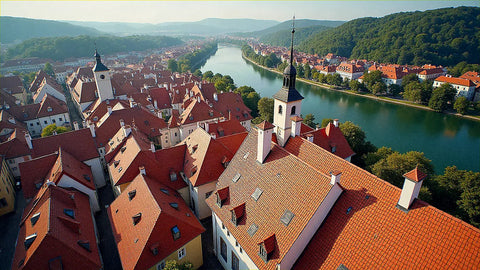
The Czech Republic is one of those European destinations that combines medieval history, stunning architecture, and a modern quality of life that surprises any traveler. Prague welcomes you with its Charles Bridge and Astronomical Clock, while cities like Brno and Karlovy Vary offer completely different experiences: a vibrant university in one and historic spas in the other.
But to truly enjoy your trip, you need to stay connected. From checking tram schedules in real-time to finding that hidden restaurant serving the best goulash, or simply sharing photos of Prague Castle with your family, mobile data has become an essential tool for any modern traveler.
This is where the eSIM comes in: a solution that allows you to arrive in the Czech Republic with internet from the very first moment, without searching for phone stores, without dealing with tiny physical cards, and above all, without paying abusive international roaming charges. In this guide, we explain everything you need to know to choose your data plan and move around Bohemia completely connected.

Why use eSIM in the Czech Republic
The eSIM has revolutionized the way travelers connect when they arrive in a new country. Instead of looking for a phone store when you land at Prague airport (probably tired after the flight), you install your eSIM from home, before you leave. You arrive at Václav Havel airport, your phone automatically connects to the local network, and you already have internet to order your Uber or Bolt to the city center.
The Czech Republic is a country perfectly prepared for mobile connectivity. Local operators like O2 Czech Republic, T-Mobile CZ, and Vodafone offer 4G coverage throughout almost the entire country, including rural areas and small towns. This means your eSIM will work just as well in the historic center of Prague as it will at Karlštejn Castle or in the forests of Bohemia.
Another point in its favor: the Czech Republic is part of the European Union, which means that regional European eSIM plans work perfectly here. You don't need a specific plan just for this country; you can use the same plan if you're combining your visit with Austria, Germany, or Poland. This makes planning much simpler if you're doing a Central European tour.
The most obvious practical advantage is being able to use public transport apps like PID Lítačka (Prague's official transport app) or simply Google Maps to plan your tram routes. Prague's tram system is one of the most efficient in Europe, but it can also be confusing if you don't have data to check schedules and connections in real-time. With mobile internet, getting around the city is infinitely easier.
Finally, there's the issue of digital security. By using an eSIM, you keep your main number active to receive bank verification codes or important messages, while using the eSIM's data to browse. You don't need to change physical SIMs or lose your usual number, which is especially important if you use two-factor authentication for your banking or work apps.
Mobile coverage in Prague, Brno, and Karlovy Vary
Prague has a first-class telecommunications infrastructure. The entire historic center (Staré Město, Malá Strana, Hradčany) has excellent 4G coverage. You can be in Old Town Square, climbing the Town Hall tower, crossing Charles Bridge, or exploring Prague Castle, and your connection will be perfect. Even inside historic buildings, the signal remains stable.
The Prague metro deserves special mention: all three main lines (A, B, and C) have full coverage in stations and tunnels. This is not common in all European cities, but in Prague, you can continue using maps, answering messages, or checking information during your underground journeys. It's especially useful when you need to transfer and want to verify connections in real-time.
Brno, the country's second-largest city, also has excellent coverage. The historic center around Liberty Square, Špilberk Castle, and the entire university area have stable 4G. Brno is known for its youthful and technological atmosphere, so the mobile infrastructure is very well developed. If you visit Villa Tugendhat (a UNESCO World Heritage site), you'll also have a good signal to research its modernist architecture.
Karlovy Vary, the famous spa town, maintains good coverage throughout the thermal center and main colonnades. You can walk along the promenade by the Teplá River, visit the various thermal springs, and climb to the Diana Observation Tower without losing connection. The area is more mountainous, but operators have ensured coverage in all major tourist areas.
Outside these main cities, coverage remains surprisingly good. Popular tourist destinations like Český Krumlov, Kutná Hora, Karlštejn Castle, or the Bohemian Switzerland region have reliable 4G coverage. Even in small towns and rural areas, 3G signal is available. The Czech Republic has invested significantly in telecommunications infrastructure, and it shows when you travel through the country.

How many GB you need according to your trip
For a standard week in the Czech Republic, between 5 and 7 GB is the most balanced recommendation. This perfectly covers typical traveler usage: consulting Google Maps or Maps.me several times a day, using public transport applications, checking social media, searching for restaurants and attractions, and sharing photos on Instagram or WhatsApp. With this consumption, you'll be able to stay connected all day without worrying about running out of data.
If your trip is shorter (3-4 days concentrated in Prague), you can manage with 3-4 GB. The city is relatively compact, and once you become familiar with the main tram and metro lines, you'll need to consult maps less frequently. However, consider that the first 48 hours of any trip usually consume more data: you're orienting yourself, constantly searching for options, and probably sharing more content because everything is new.
For trips of two weeks or more, especially if you plan to visit several cities and rural areas, consider 10-15 GB. This range gives you the freedom to use data without restrictions: you can make occasional video calls with your family, use Spotify during train journeys, watch short videos, or even work remotely from Czech cafes if you need to. The peace of mind of not having to ration consumption is worth it.
There are situations that significantly increase data consumption. If you're traveling with children and using tablets with streaming content to entertain them during long journeys, you'll need a lot more. The same applies if you work while traveling: work video calls, uploading files to the cloud, or using collaborative tools can consume several GB per day. In these cases, consider plans of 20 GB or more.
A practical tip: download offline maps of Prague and other cities you'll visit before you leave or using hotel WiFi. Google Maps allows you to download entire areas for offline use. This not only reduces data consumption but also saves you in those specific moments where the signal might be weak. Also download travel guides or tourist information in PDF to consult them without spending data.
The PID Lítačka application, essential for public transport in Prague, consumes very little data once installed. You can buy digital tickets and check schedules with minimal consumption. The same applies to museum apps or audio guides that you download: once installed, they work with very little or no additional data.
How to activate your eSIM in the Czech Republic
The process of activating an eSIM for the Czech Republic is surprisingly simple, but there are a few steps worth following to avoid problems. The first thing is to verify that your phone is eSIM compatible. Most iPhones from XS onwards, Samsung Galaxy from S20, Google Pixel from 3, and many other modern models support this technology. You can check this in your phone settings by looking for the "Add data plan" or "eSIM" option.
Once you purchase your eSIM plan, you'll receive a QR code via email. This code contains all the necessary information to install the data profile on your device. The ideal is to install this profile before you leave for your trip, while you still have stable WiFi at home. Go to Settings > Mobile Data > Add Data Plan (the exact path varies depending on the model), scan the QR, and the profile will be installed in seconds.
Important: installing the profile does NOT activate your plan or start counting the validity period. The eSIM only activates when your phone connects to the mobile network in the Czech Republic. You can travel peacefully with the profile installed; it will activate automatically upon landing. This means you don't "waste" days of your plan by installing it in advance.
Upon arriving in the Czech Republic, make sure data roaming is enabled on your phone (although it sounds contradictory, the eSIM needs this option enabled to function). Also, verify that your eSIM is selected as the primary line for mobile data. Your phone should automatically connect to one of the local operators (O2, T-Mobile, or Vodafone) within minutes.
If after 5-10 minutes you don't have a connection, try these steps: restart your phone, enable and disable airplane mode, or manually select an operator instead of leaving it on automatic. In 99% of cases, one of these steps solves any initial connection problem. If nothing works, verify that you have correctly installed the profile by scanning the QR code again.
A useful tip: take a screenshot of the QR code before you travel. If for some reason you lose access to email or need to reinstall the profile, you'll have the code saved in your photo gallery. You can also save the installation instructions offline in case you need to consult them without internet.
International roaming vs. eSIM: price comparison
International roaming charges can ruin your travel budget if you don't pay attention. Although regulations have improved in some cases, costs are still significantly higher than using a local eSIM. Let's look at concrete examples from Latin American and Spanish operators to understand the real difference in your pocket.
If you're traveling from Spain with Movistar, their roaming rate in the Czech Republic (outside the EU in some old plans, or with limits on basic plans) can cost around 6-12 euros per day with limited data. For a week, we're talking about 42-84 euros. Vodafone Spain offers roaming packages of approximately 10 euros for 100 MB daily, which is insufficient for normal use. Orange Spain has similar options that cost around 6-8 euros daily.
From Mexico, operators like Telcel charge approximately 12-15 USD per day for roaming in Europe, with data limits that can be as low as 100-200 MB daily. For a week, this means 84-105 USD, and you'll probably run out of data by mid-afternoon. Movistar Mexico has roaming packages that cost around 10 USD daily with similar limits.
In Argentina, Personal and Movistar charge between 8-12 USD daily for roaming in Europe, with very restrictive data limits. Claro Argentina has weekly packages of approximately 60-70 USD, but with data caps that rarely exceed 1-2 GB total. For a week-long trip, you could easily pay 70-85 USD with limited connection.
From Colombia, operators like Claro and Movistar charge approximately 10-15 USD daily for European roaming. Tigo Colombia offers weekly packages close to 60 USD, but again with data limits that force you to constantly ration consumption. It's common to hear stories of travelers returning with bills of 100-150 USD for a week of "moderate" use.
In contrast, an eSIM for the Czech Republic with 5-7 GB for a week typically costs between 15-25 USD depending on the provider. This gives you real data, without artificial daily limits, without worrying about unexpected consumption, and with the peace of mind of knowing exactly how much you'll pay. The economic difference is evident: you save between 50-80 USD compared to traditional roaming.
In addition to direct savings, consider the value of peace of mind. With roaming, you constantly wonder if you should open that map, if it's worth looking for that restaurant, or if you can afford to share that photo. With a prepaid eSIM, you know exactly how much data you have and can use it freely without surprises on your phone bill when you return home.
Frequently asked questions
How many GB do I need for a week in the Czech Republic?
For a typical week in the Czech Republic, we recommend between 5 and 7 GB. This covers map usage, social media, public transport planning, and occasional searches. If you plan to make frequent video calls or upload many videos, consider 10 GB or more. Actual consumption depends on your habits, but this range is sufficient for most travelers who use data normally throughout the day.
Does the eSIM work on the Prague metro?
Yes, mobile coverage on the Prague metro is excellent. All main lines (A, B, and C) have 4G coverage in stations and tunnels, allowing you to use maps, check schedules, and stay connected during your journeys. This is not common in all European cities, but Prague has invested in underground infrastructure. You can safely use your eSIM to browse, respond to messages, or check connections while traveling on the metro.
When does the eSIM activate in the Czech Republic?
The eSIM automatically activates when your phone connects to the local network in the Czech Republic. You can install the profile before traveling, but the validity period only begins when you arrive in the country and the eSIM detects the Czech network. This means you don't "waste" days by installing it in advance. Upon landing in Prague, your phone will automatically search for the network and activate the service within a few minutes.
Can I use the eSIM in castles outside Prague?
Yes, mobile coverage in the Czech Republic is excellent even in rural areas. Popular castles like Karlštejn, Český Krumlov, and Kutná Hora have good 4G signal, allowing you to share photos and look up information during your visit. The country's telecommunications infrastructure is very robust, and operators have prioritized coverage in tourist destinations. Even in forested or mountainous areas, you will generally have at least functional 3G signal.
Is an eSIM better than buying a local SIM in the Czech Republic?
For short stays (up to 2 weeks), an eSIM is more convenient: you activate it before you travel, you don't need to look for stores upon arrival, and you keep your WhatsApp number. Local SIMs might be cheaper for longer stays of more than a month, but they require finding a phone store, presenting documentation, and physically swapping cards. For typical tourism, an eSIM offers a better balance of price, convenience, and functionality.
Activate your eSIM before you leave and arrive connected from the very first moment.
View eSIM plans →