

In short: an eSIM for Zoom and Teams video calls works just like a local SIM: with a stable 4G connection, you'll have more than enough for normal quality video, and a one-hour meeting uses between 500 MB and 2.7 GB depending on the platform and resolution. For a week of remote work with one daily meeting, plan for around 10 GB.
Making a Zoom or Teams video call from abroad can be daunting: you're afraid of being cut off from an important meeting due to a bad connection. The good news is that an eSIM can perfectly handle a video call if you choose the right amount of GB and a provider with good 4G/5G coverage. In this guide, you'll see how much data each platform uses, which plan is right for you, and how to avoid disconnections during a live call.
Is an eSIM suitable for video calls?
Yes. An eSIM uses the exact same mobile network as a physical SIM from the country, so it supports Zoom, Teams, Google Meet, or FaceTime without issue. What makes the difference is not the eSIM itself, but the coverage of the local operator it connects to and the GB you purchase. With stable 4G, you'll have more than enough for standard quality video.
The advantage over traditional roaming is twofold: you don't depend on your Spanish operator properly activating roaming or what they might charge you outside the EU, and you also don't depend on hotel Wi-Fi, which often works poorly when you need it most. With an eSIM, you carry your own connection. If you want to understand how it differs from traditional roaming before deciding, you might want to review eSIM vs. roaming and assess which plan suits you best.

How much data a video call uses
A video call in standard quality (480-720p definition) uses an average of 500 MB to 1.2 GB per hour. In HD, it increases to 1.5-2.7 GB/hour, and a group meeting with many cameras on can reach 2.5 GB/hour. Audio-only calls use around 30-60 MB per hour, which is almost nothing.
This means a typical 45-minute work meeting in normal quality costs less than 1 GB. Consumption soars when you use your camera in HD, share your screen with video, or have ten people with webcams activated. That's when it's wise to have a generous data allowance. You can fine-tune this with these tricks to save data with an eSIM on a trip, especially useful if you'll be screen sharing a lot.
Zoom, Teams, Meet, and WhatsApp compared
Not all platforms consume the same amount of data. Zoom and Google Meet tend to be the most efficient; Teams is a bit heavier for long meetings with screen sharing, and a group video call on WhatsApp is surprisingly light. This table gives you an approximate reference per hour of use.
| Platform | Standard quality | High definition | Audio only |
|---|---|---|---|
| Zoom (1 to 1) | ~600-800 MB | ~1.5-2.4 GB | ~40 MB |
| Microsoft Teams | ~700 MB-1 GB | ~1.8-2.7 GB | ~55 MB |
| Google Meet | ~500-900 MB | ~1.5-2.2 GB | ~45 MB |
| WhatsApp / FaceTime | ~300-500 MB | ~700 MB-1.2 GB | ~30 MB |
The practical takeaway: if your meetings are short and in standard quality, you use much less than you think. If you spend hours on Teams sharing your screen, plan for more GB.
Useful tip: lowering your camera to standard resolution (instead of HD) can cut consumption almost in half without the other person noticing much difference. It's the setting that saves the most data.
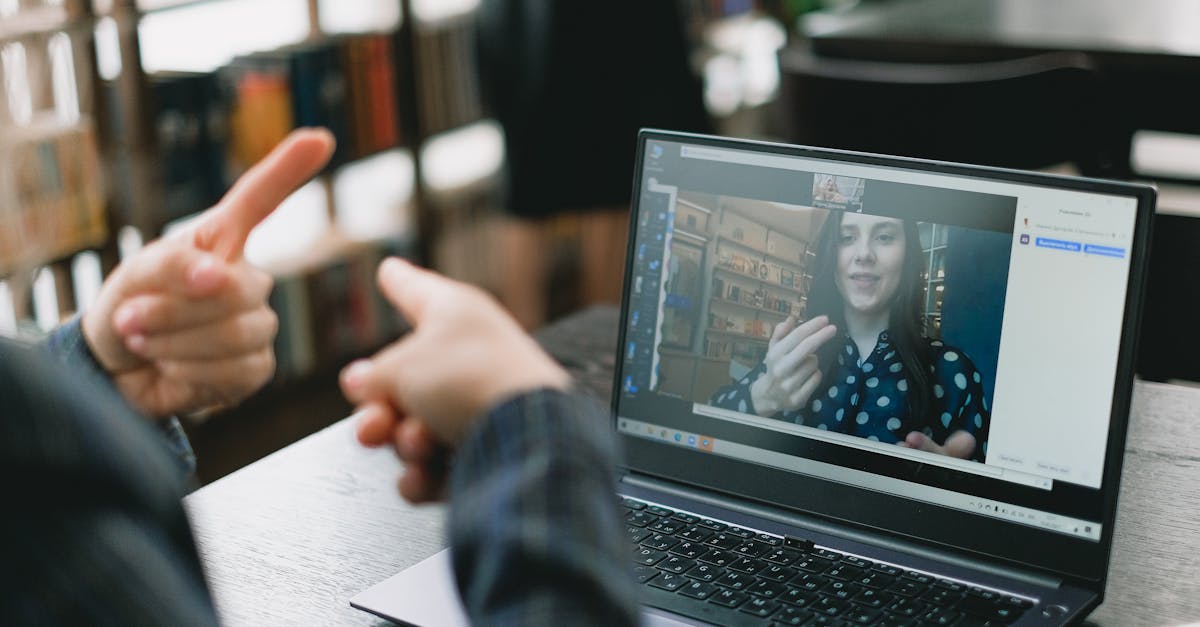
Which GB plan to choose based on your meetings
Choosing a plan is simple if you estimate your video hours per week. Multiply hours by ~1 GB (standard quality) and add a margin for browsing, maps, and messaging. As a reference, these are common profiles of travelers who work remotely:
- Occasional (1-2 short video calls/week): 3-5 GB is enough for a one-week trip.
- Light remote work (1 daily meeting): aim for 10 GB for 7-10 days.
- Intensive meetings or live streams: 15-20 GB or a high data plan per month.
If you're going to be abroad for weeks working remotely in Europe, check out the eSIM for Europe plan, designed for long stays with multi-country coverage. And if your route takes you outside the EU at some point, review what data roaming is beforehand so that a network change doesn't catch you off guard during a live stream.
Stability: latency, 5G, and disconnections
For video, connection stability is more important than raw speed. A stable 4G network with low latency provides better video calls than a 5G that comes and goes. Disconnections are usually caused by switching between antennas when you move, an area with weak coverage, or network congestion during peak hours.
A quality eSIM relies on the best network operators in the destination country, so in cities and tourist areas, the signal is solid. In trains, mountains, or rural areas, micro-cuts may occur: for a crucial meeting, it's better to do it from a fixed location with good coverage than on the move. If you notice the connection failing just as the meeting starts, first check that the eSIM installation is correct and the data line is activated: this is the easiest cause to fix in two minutes, before blaming the coverage.
Tips to prevent your call from dropping
With a few adjustments, you significantly reduce the risk of being disconnected in the middle of a meeting. These are the ones that work best in the field:
- Do a 2-minute test before the important meeting to confirm the signal holds.
- If the connection is weak, turn off your camera and leave only audio: it uses almost no data and rarely disconnects.
- Close background apps that consume data (updates, cloud, streaming).
- Position yourself near a window or in a high area if you're indoors; thick walls kill the signal.
- Have a backup plan: if your laptop doesn't get a network signal, share data via hotspot from your phone to avoid depending on the accommodation's Wi-Fi.
With these tips, a work video call from Bangkok or a café in Lisbon will perform almost the same as at home. An extra tip that helps a lot: let others know you're traveling. That way, if you have to turn off your camera for a moment due to a bad coverage area, no one will be surprised and the meeting can continue. The perfect connection doesn't exist even in the office, but with enough data and a good signal, you can get as close as possible.
Myths and what almost no one tells you
Here are the details that don't appear in the plan's technical specifications, but that you'll encounter in practice as soon as you start working while traveling.
Myth: The more GB you contract, the better the video call. This is not true. GB only determine how long you can last before running out of data; what makes the call fluid is the stability of the network at that moment and place, not the contracted amount. You can have plenty of data and the call can still cut out if you're in a train car or a basement with no coverage.
Myth: You need 5G for video calls to work well. Sometimes it's the opposite: 5G has less indoor range, and if your phone constantly jumps between 4G and 5G looking for the best signal, those jumps are what momentarily cut your call. For an important meeting, try to manually force 4G mode in your network settings: you lose peak speed that you don't need for video, but you gain stability.
What no one tells you about battery saving: if your phone goes into power-saving mode during the call (easy to happen if you've been out all day without charging), the system limits data usage in the background and lowers video resolution without warning you. If you suddenly notice the image looks worse, check the battery before blaming the coverage.
What really boosts consumption: it's not the camera, it's screen sharing with video inside. Showing a demo, a video, or a presentation with animations during screen sharing consumes significantly more than the video call itself. If you're low on GB, warn before sharing anything with movement and consider only using audio for that part.
If your company requires a corporate VPN for meetings: expect consumption to increase. The VPN encrypts each data packet and adds its own layer on top of video traffic, so the same meeting with a VPN weighs a bit more than without it. If you always work connected to your company's VPN, don't skimp on GB and check out the privacy and VPN tips for travel before you leave.
When you DON'T need to buy an eSIM for this: if you travel within the European Union with a Spanish line, the EU roaming regulations already allow you to use your contracted data at no extra cost in the rest of the EU. For a weekend business trip to Amsterdam or Berlin, you don't need anything additional: your Spanish tariff already covers you. Save the eSIM for when you travel outside the EU, which is where it really makes a difference.
Video calls from specific destinations
The theory changes depending on where you are. Here are real examples of places where remote work with meetings behaves differently:
- Seoul: one of the fastest mobile networks in the world, but in the subway (which you'll use a lot) you lose signal underground. If you have a meeting while commuting, go to the surface before connecting. Full coverage in eSIM for South Korea (Seoul and Busan).
- Cusco and Machu Picchu: coverage on the trekking route is irregular due to the mountain topography. If you have a meeting you can't miss, do it from Cusco city before going up; don't count on having a signal halfway through the route. More details in eSIM for Peru and Machu Picchu.
- Medellín, Bogotá, and Cartagena: generally solid urban coverage; the problem is usually more about saturated hotel Wi-Fi than the mobile network, so here the eSIM usually works better than Wi-Fi for an important meeting.
- Australia and New Zealand: distances are huge, and on the road outside cities, coverage can disappear for long stretches. Don't plan a key meeting in the middle of a road trip: save it for when you arrive at your destination.
The pattern repeats in all cases: in the city, the eSIM perfectly handles any video call; the real risk is in the subway, mountains, or empty roads, not in the technology itself.
Frequently asked questions
How much data does a one-hour video call use?
In standard quality, between 500 MB and 1.2 GB per hour depending on the platform. In high definition or in a group with several cameras on, it can go up to 2-2.7 GB per hour. Audio-only barely uses 30-60 MB, so it's your safety net if you're low on data.
Can I use Zoom or Teams with an eSIM abroad?
Yes, without any special configuration. The eSIM provides mobile data like any local SIM, so Zoom, Teams, Meet, or WhatsApp work the same. You only need stable 4G or 5G coverage and enough GB for the hours of video you plan to make.
Can an eSIM handle a long meeting without disconnecting?
In cities and areas with good coverage, yes. Disconnections usually come from moving between antennas, rural areas, or congestion during peak hours. For important meetings, hold them from a fixed location with a good signal and with the camera in standard quality to be on the safe side.
Is hotel Wi-Fi or an eSIM better for video calls?
It depends, but often the eSIM wins. Hotel and café Wi-Fi is often saturated and has high latency during peak hours. With an eSIM and good coverage, you have your own connection and don't share bandwidth with anyone. Have both and use whichever works best at any given moment.
How many GB do I need if I work remotely while traveling?
For one daily meeting during a week, aim for about 10 GB; if they are intensive video calls or live streams, 15-20 GB or a high monthly data plan is better. Always add a margin for maps, browsing, and messaging in addition to video.
Do I need an eSIM for video calls if I travel within the European Union?
Normally no. With a Spanish line, roaming within the EU already allows you to use your contracted data at no extra cost in other EU countries. An eSIM makes sense especially when you travel outside the EU, which is where roaming costs soar or you simply don't have data coverage.
Does screen sharing use more data than just having the camera on in Zoom or Teams?
Yes, and significantly more if what you're sharing includes video or animations. Sharing a static presentation uses little data, but showing a video, an interactive demo, or a tutorial within the shared screen drastically increases consumption beyond what the video call itself uses. If you're low on GB, warn before sharing content with movement.
Conclusion
An eSIM supports your Zoom and Teams video calls without issues: the key is to calculate the GB based on your video hours and rely on a provider with good coverage. With your camera in standard quality and a small data margin, you can work from anywhere as if you were in the office. Take the leap and always carry your meeting connection with a travel eSIM.






