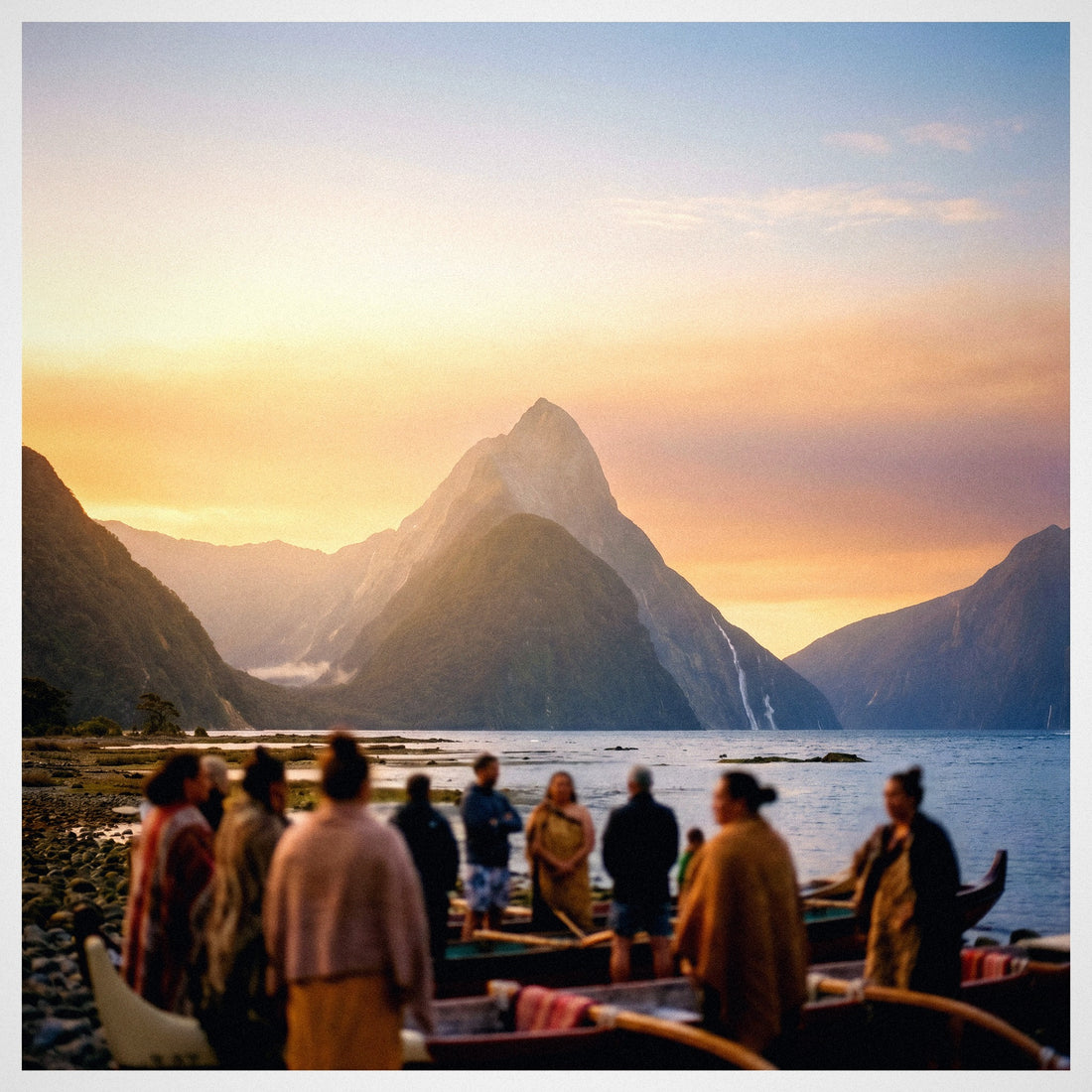
Every time someone tells me they're going to tour New Zealand by car or motorhome, the first question I ask isn't where they're going, but how they plan to stay connected. That's because internet in New Zealand has a trick: cities and tourist routes are great, but the country is mostly remote wilderness, and there the signal comes and goes. In this guide, I compare all the real options before you embark—roaming, Wi-Fi, local SIM card, and eSIM—with updated coverage data and prices, so you can choose knowing where you won't have even a single bar.
How the New Zealand mobile network works
To connect in New Zealand, you have four options: roaming with your Spanish carrier (convenient but expensive), hotel and i-SITE Wi-Fi (limited), local SIM card with passport (cheap, but requires paperwork), or a travel eSIM (instant activation). For most tourists, an eSIM on the network with the best rural reach is the best combination.
New Zealand has three actual mobile networks: Spark, One NZ (formerly Vodafone), and 2degrees. Everything else—Skinny, Warehouse Mobile, and co.—are brands that lease one of these three networks. What really matters isn't the logo, but which physical network you're on, because once you leave the cities, the differences between them become very noticeable.
There's a technical detail to be aware of before flying: New Zealand completely shut down 3G in early 2026. 2degrees closed its 3G network on February 2, 2026, and the rest completed the process throughout March. There is no longer an old backup network. As a result, to make and receive calls, you need a mobile phone with VoLTE (Voice over 4G) activated; in rural areas, which use low bands, some old devices cannot make calls even if they have data.
The good news: any smartphone sold in Spain in recent years is compatible with New Zealand's bands, so the problem is never the frequencies, it's VoLTE. And for the interior, there's the Rural Connectivity Group, a 4G network shared by the three operators that covers many remote roads, though with significant gaps that we'll see later.
Option 1: Roaming with your Spanish carrier
Let's start with the obvious: New Zealand is not in the European Zone 1. For Movistar, Orange, Vodafone, or Yoigo, it's "rest of the world," the most expensive tier on their charts. And that completely changes the arithmetic of a trip that, from Spain, is never short.
Without contracting any add-on, browsing with your Spanish plan can cost you up to €25 per GB—that's literally what Yoigo charges, which also has roaming data deactivated by default in New Zealand due to its high cost—with calls costing over €3 per minute. The alternative is daily passes: Movistar offers around €15 per day for 2 GB, and Orange offers weekly add-ons of around €20 for 1 GB. This is where distance turns into money: no one flies 24 hours to Auckland to stay four days, and on a typical two or three-week trip, these passes easily exceed €200.
So, is roaming useful at all? Yes, for one specific thing: keeping your Spanish number active and receiving bank SMS or an urgent call. As a primary data source on a long trip, it's the worst value for money of the four. I've broken down the numbers in how much international roaming costs and a thorough comparison in eSIM vs roaming, because it's worth checking the fine print of your plan before assuming it's included.

Option 2: Hotel Wi-Fi, i-SITE, and cafe
New Zealand has good infrastructure and Wi-Fi everywhere: hotels, hostels, the holiday parks where almost everyone traveling by motorhome stays, municipal libraries, coffee chains, and, very useful for travelers, the i-SITE tourist information centers located throughout the country. Sounds sufficient. It's not.
The first problem is quality: many hostels and holiday parks limit speed per guest, and a video call at nine at night with the entire campsite connected is an exercise in patience. The second is more fundamental: Wi-Fi is where you aren't. In New Zealand, the journey happens on the road, on the inter-island ferry, on the trail, at a fjord viewpoint. Just when you need Google Maps, the status of a mountain road, or the tour number, there's no Wi-Fi nearby.
And security doesn't help either: on open networks at airports and cafes, avoid logging into your bank or use a VPN. My verdict is clear: Wi-Fi is an excellent complement—for downloading maps, backing up photos, and watching series at night—but it should never be your main connection plan. If you're debating between this and renting a portable router, I clarify it in eSIM vs pocket Wi-Fi.
Option 3: Local New Zealand SIM (Spark, One NZ, 2degrees)
Buying a New Zealand prepaid card is entirely legitimate and, if you're going for several months on a work visa, it's probably the best option. You can find them at Auckland airport, in supermarkets, in operator stores, and at many i-SITEs. You'll need your passport to register it: the law requires associating each SIM with your name and passport number, so set aside a few minutes for the process.
Indicative prices for tourist packages, in New Zealand dollars, are as follows:
| Operator | Typical Tourist Plan | Approx. Price (NZD) | Note |
|---|---|---|---|
| Spark | Basic Pack ~4 GB | ~30 NZD | Best rural coverage in the country |
| Spark | 40 GB + unlimited calls | ~80 NZD | Lots of data and best reach |
| One NZ | ~3 GB / 30-day plan | ~30 NZD | Good urban network, weak in remote areas |
| 2degrees | Packs from 150 MB to 10 GB | 13-49 NZD | Cheap and good in the city, weak outside |
Here's what almost no one tells you. The coverage difference between the three isn't a nuance, it's on another level. Spark has the best reach in rural areas and tourist destinations, with coverage for about 98% of the population and much better performance in remote sections where the others falter. 2degrees shines in the city and on price, but loses steam in the countryside, and One NZ offers decent national coverage with inconsistent quality in remote areas. If you're driving through the deep South Island, Spark is the serious answer. The downsides are the usual: you lose your Spanish number, you queue after an endless flight, and you arrive disconnected until you buy it. I compare it in depth in eSIM vs local SIM.
Option 4: Travel eSIM, the one I recommend
An eSIM is the same as a SIM card, but digital: it's downloaded to your phone with a QR code and coexists with your Spanish line without removing anything. If you've never used one, start here: what is an eSIM. For a trip to New Zealand, it instantly solves the three previous problems.
You buy it from home, activate it upon landing, and have data before leaving the Auckland terminal, just when you need to order a transfer, announce your arrival, or load the map to your accommodation. You keep your Spanish number active for bank SMS. And you don't depend on the airport shop being open or having stock of the plan you want after 24 hours of flying. For tourists with fixed flights and itineraries, it's by far the most convenient option.
The key is the network it relies on. An eSIM connects to the local operator's network with which it has an agreement, and that's where you need to read the fine print before buying: if the plan only routes through an urban network, you'll have a great experience in Auckland and a frustrating experience in Haast Pass. That's why, for New Zealand, a plan that prioritizes the network with the best rural coverage is desirable. And the pocket Wi-Fi rented at some airports? It was a good idea ten years ago; today it's another device to carry, with its battery dying by mid-afternoon and its return.
Comparison: The four options head-to-head
With everything on the table, here's the landscape for a Spanish tourist traveling two or three weeks across both islands:
| Option | Typical Cost (3 weeks) | Activation | Keeps your number | Coverage | For whom |
|---|---|---|---|---|---|
| Roaming (daily pass) | €200-300 | Immediate | Yes | Assigned network | Short layovers or business travel |
| Roaming (no add-on) | Up to €25/GB | Immediate | Yes | Same | No one, honestly |
| Hotel / i-SITE Wi-Fi | €0 | Immediate | Yes | Interiors only | Complement, never primary plan |
| Local SIM | 30-80 NZD (depending on GB) | Queue + passport | No (unless dual SIM) | Excellent if you choose Spark | Long stays, working holiday |
| Travel eSIM | From ~€15-30 | Before flying | Yes | Depends on plan: check network | Tourist with fixed flight and itinerary |
You'll see that the decision is rarely a technical tie. If your trip is the classic one—North and South Island, between 12 and 25 days of road tripping—the digital option wins by a landslide: it costs a fraction of the daily pass, doesn't force you to queue with jet lag, and keeps your home number active. If you're settling in for half a year, the local card with a monthly plan is more worthwhile, and I don't dispute that. The Spanish operator's daily pass only makes sense for a two-day layover or a business trip. The step-by-step activation guide for this destination is separate in eSIM New Zealand.

Real coverage: Auckland, Wellington, Queenstown, South Island
This is the section that really matters. New Zealand concentrates its population in a few cities, and coverage follows exactly that map: excellent where people live, patchy where nature begins. In Auckland and Wellington, you have fast 5G with all three networks and you won't miss anything. The same applies to Christchurch, Dunedin, and Queenstown, which, as the major tourist hub of the South Island, has very good urban coverage.
| Area | What to Expect |
|---|---|
| Auckland, Wellington, Christchurch | Excellent 5G with all three networks. No problems. |
| Queenstown, Wanaka, Rotorua, Taupo | Good 4G/5G coverage in town and surrounding areas. |
| Main roads (State Highway 1) | Solid 4G in towns and populated stretches; gaps between them. |
| West Coast and glaciers (Franz Josef, Fox) | Signal in town; cuts out on access roads and trails. |
| Mountain passes (Arthur's Pass, Haast Pass) | Long dead zones between populated areas. |
| Te Anau | Good coverage, even 5G with Spark. Last reliable point before Milford. |
| Fiordland and Milford Sound | No coverage with any network. The entire park is a dead zone. |
Translated into practice: if your trip is urban and along main routes, any network will do; if you're going to drive through the deep South Island, Spark isn't "the best," it's the one that will accompany you the most, and even then, you'll go through entire stretches without a bar. The difference from a European trip is that here, dead zones aren't just a small town with a bad antenna: they're entire national parks and mountain passes spanning dozens of kilometers.
The South Island road trip: Fiordland, Milford, and the glaciers
If you're going to tour the South Island, this is the section that matters most to you, and one that almost no guide writes about honestly. You will lose signal: it's not a possibility, it's a certainty as soon as you enter the remote wilderness, which is precisely why you've flown to the other side of the world.
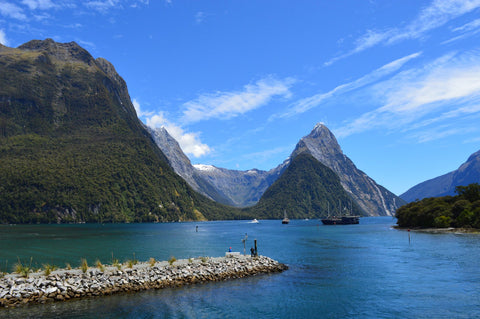
The extreme case is Fiordland. The road from Te Anau to Milford Sound goes in and out of coverage without warning, and Milford Sound itself—just like the entire Fiordland National Park—is a dead zone for all three operators. Not Spark, not One NZ, not 2degrees: there is no internet for anyone there. The same applies to the approaches to the Franz Josef and Fox glaciers, much of the mountain passes like Haast or Arthur's Pass, and stretches of the rural roads in the Catlins. Here, connection ceases to be a convenience and becomes a matter of logistics and safety: it's not just about not being able to check Instagram, it's about not being able to call if you get a flat tire 50 km from the nearest town.
My rule for the South Island: download offline maps of your entire route before leaving Te Anau or Queenstown, jot down 111 (New Zealand emergencies), and don't count on having signal in the fiords or passes. An offline map and a charged battery will get you out of more than one tight spot.
No type of connection solves this for you, so the key isn't just what you contract, but traveling prepared: choose the network with the best rural reach, carry downloaded maps, and check road conditions before isolating yourself. With that, New Zealand is as safe as it is spectacular.
How much data you actually need
The million-dollar question, and where most people go overboard buying 50 GB plans they'll never touch. An average tourist, using their phone as a GPS, camera, and search engine, consumes much less than they think, because a good part of the day they're walking, sailing through fjords, or looking out the window. And there's a New Zealand factor in your favor: since you'll be out of coverage on many journeys, your actual consumption drops compared to a trip in Europe.
| Profile | Daily Consumption | For 2-3 weeks |
|---|---|---|
| Basic: maps, WhatsApp, some Instagram | ~300-500 MB | 10 GB |
| Standard: previous + stories, short videos, browser | ~700 MB - 1 GB | 15-20 GB |
| Intensive: open cloud, daily video calls, streaming | 1.5-2 GB | 25-30 GB |
| Digital nomad / remote work | 2-3 GB+ | 40 GB or unlimited |
My honest recommendation for two or three weeks: between 10 and 20 GB comfortably covers 80% of travelers. And to stretch your data, two tips that are doubly valuable in New Zealand. First, download offline maps of your entire route before leaving your accommodation: Google Maps allows you to save entire regions, and here it's not a saving trick, it's a safety measure for the fjords and passes. Second, deactivate automatic photo and video backup over mobile data; on a trip as photogenic as this, that's what eats up your data plan without you realizing it. Take advantage of the holiday park's Wi-Fi at night for heavy tasks and save your data for the day's route.
Frequently asked questions
Will my Spanish mobile work in New Zealand?
Yes, as long as it's a smartphone from the last few years and has VoLTE activated. New Zealand switched off 3G at the beginning of 2026, so calls now go via 4G. Bands are not an issue: any mobile sold in Spain is compatible.
What is the best mobile network in New Zealand?
Spark, without a doubt, if you're going outside the cities: it has the best coverage in rural areas and tourist destinations, covering about 98% of the population. In Auckland, Wellington, or Queenstown, all three work wonderfully, and the difference is irrelevant.
Is there coverage on the South Island and in Fiordland?
In the cities and towns of the South Island (Christchurch, Queenstown, Te Anau), there is good signal. But in Fiordland and Milford Sound there is no coverage with any network: the entire park is a dead zone. Download offline maps before entering.
How many GB do I need for two weeks in New Zealand?
For normal tourist use —maps, messaging, social media, and some browsing— 10-15 GB will be plenty. If you make daily video calls or upload many videos, increase to 20-30 GB. Remember that you will pass through areas without network coverage on the road, so you will use less than you think.
How much does roaming in New Zealand cost with a Spanish operator?
Expensive. New Zealand is in the "rest of the world" zone: without a bundle, it can reach €25 per GB and over €3 per minute. Daily passes are around €15 per day, which easily exceeds €200 in three weeks.
Is it worth buying a SIM at the airport upon arrival?
Only if you are staying for months. For a tourist trip, you lose time and your Spanish number, you arrive incommunicado after 24 hours of flight, and you need your passport to register it. Getting it sorted before flying with an eSIM is more convenient and queue-free.
Can I make calls and use WhatsApp with a data eSIM?
WhatsApp, Telegram, and video calls work perfectly because they use data. For normal phone calls, you keep your Spanish line active in parallel, so you can receive SMS and regular calls while browsing with the eSIM's data.
Conclusion
New Zealand is a two-speed destination. In cities and main routes, connecting is as easy as in Barcelona: fast 5G, and any operator will do. But as soon as you turn the wheel towards Fiordland, the glaciers, or the South Island mountain passes, the country reminds you of its nature, and connection goes from convenience to a matter of logistics and safety.
That's why my advice is twofold. One: choose by coverage, not by price per gigabyte, and ensure your plan relies on the network with the best rural reach. Two: arrive with everything sorted —active data, downloaded maps, verified VoLTE— because jet lag is not a good advisor for setting anything up after a 24-hour flight.
If you want to leave Auckland airport already connected, without queues, without a passport in hand, and without bill surprises, that's exactly the solution we've prepared: activate your New Zealand eSIM before you fly and relax. See you on the other side of the world.