If you ask me how many GB I need for New Zealand, I'll tell you the same thing I tell everyone who goes for three weeks to tour the two islands: almost certainly less than you think. New Zealand is the destination where most people overbuy, because the trip is long, done by car or motorhome, and it feels like a month on the road eats up a ton of data. The reality is different: you'll spend entire days in places where your phone literally has no one to talk to, and that completely changes the calculation.
The number, so you don't have to read everything
For a 15-day road trip through New Zealand, most people will find 3 GB sufficient if they only use maps and WhatsApp, and 7 or 8 GB if they upload photos and videos daily. Only those who telework from their campervan or watch series at night will exceed 15 GB.
That's the short answer, and I believe it enough to put it right at the top. If you go for three or four weeks, which is common in New Zealand, the reasonable range is between 5 and 12 GB depending on your travel style. And yes, I know it sounds little for a month away from home.
The reason is that a New Zealand road trip has a very unusual consumption structure compared to, say, two weeks in Thailand or Italy. You spend the day driving through spectacular and empty places, with your phone on the mount showing a road line, and many nights you sleep in a campsite where there's either Wi-Fi or simply nothing. The peak consumption isn't daily: it's in the two moments you sit down to upload photos. First of all, if you're still deciding which plan size fits your general travel style, here's the generic data calculation for travel. Here I'll focus on New Zealand specifics, which is what really moves the needle.
Why the calculation here is not linear
This is the part almost no guide explains and it's the one that saves you the most money. The temptation is to use a rule of three: "I spend 300 MB a day, I'm going for 28 days, I need 8.4 GB." In New Zealand, that calculation is almost always too high.
There are three reasons, and all three push in the same direction:
- Days with zero or near-zero consumption. In a typical two-island itinerary, there are between 4 and 8 days in areas with no real coverage. It's not that you save data: it's that you can't use it even if you want to.
- The novelty wears off. The first three days you upload everything. By day 18, with 4,000 photos on your camera roll, you only upload a selection on Sundays. I've seen this on my own long trips and in my phone's consumption data: the curve just drops.
- Wi-Fi accumulates. The more nights you spend in holiday parks, hostels, and cafes, the more large transfers happen outside your plan.
The result is that your daily average decreases as the trip lengthens. Someone who spends 200 MB/day over 5 days will be down to 150-170 MB/day over 30 days. That's why my table below doesn't multiply: the thirtieth GB is more efficient than the first.
In New Zealand, you don't buy data for 30 days: you buy data for the 20-22 days when you'll actually have a signal and want to use it.
How much each activity you'll do actually consumes
Let's look at the numbers. These are the figures I use for my calculations, measured under normal phone conditions and with the default quality of each app. If you want a detailed breakdown of all apps, I have it in the article on mobile data usage statistics by activity.
| Activity | Approximate Consumption | On a NZ road trip |
|---|---|---|
| Google Maps navigating (standard map) | 5-10 MB per hour | Most important, least data-consuming |
| Google Maps satellite view | 120-150 MB per hour | Avoid it: it's 15 times more expensive |
| WhatsApp (text, audio, some photos) | 10-25 MB per day | Negligible, don't even count it |
| WhatsApp video call | ~440 MB per hour | Save it for campsite Wi-Fi |
| Instagram or TikTok scrolling | 600-800 MB per hour | The black hole of your plan |
| Uploading 20 photos from camera roll | 60-90 MB | Manageable daily |
| Uploading a 1-minute 4K video | 300-400 MB | One a day and you'll eat up 10 GB a month |
| Spotify or Apple Music streaming | 70-150 MB per hour | Deadly on 5-hour journeys |
| YouTube or Netflix (medium quality) | 0.5-1.5 GB per hour | Only over Wi-Fi |
| Checking campsites, weather, and roads | 20-40 MB per day | Daily essential, very cheap |
Notice the contrast: navigating for six straight hours costs less than browsing Instagram for ten minutes. It's counterintuitive and it's the key to everything that follows.
Hours and hours of maps: the expense everyone overestimates
The number one fear for anyone going to New Zealand is GPS. It's logical: you'll be driving between 2,500 and 4,000 kilometers, with legs of 4, 5, and even 7 hours if you do the entire South Island. It sounds like the navigator will eat up your plan.
It doesn't. A very long driving day, with the map open for six hours and recalculating routes, will cost you 30-60 MB. A 25-day trip with almost daily driving will only use less than 1.5 GB just for navigation. It's one of the most efficient things a phone does.
That said, in New Zealand, offline maps are not optional, and not because of data, but because of coverage:
- Download both islands completely on Google Maps or Maps.me at home, over Wi-Fi. They take about 400 MB to 1 GB, and you don't want to pay for that with your travel plan.
- Update them once you're there, in a café or library in Christchurch or Auckland, not in the middle of the road.
- Have your day's route pre-loaded before you start. If you lose signal halfway, the map will still work; what you'll lose is live traffic, which isn't a huge deal in New Zealand anyway.
The expensive mistake isn't navigating: it's using satellite view to see the landscape from above. Then yes, in a couple of journeys, you'll burn half a gigabyte. Flat map and you're good to go. If you also want to understand how the network works in the country before deciding anything, I dissected it in the guide to internet in New Zealand.
Fiords and national parks: where you'll spend nothing
This is where people get it wrong, and that's why I say it clearly and without adornment: in much of the most beautiful parts of New Zealand, you will not have coverage. Not with the local operator, not with the best SIM card, not with anything. There's no antenna. Period.
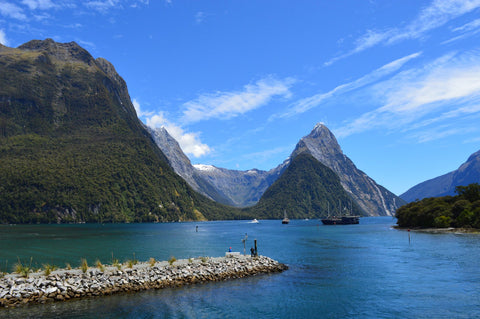
The road from Te Anau to Milford Sound is the textbook example: it's a good two-hour drive through Fiordland National Park, and, apart from isolated stretches, there's no signal the entire way, nor in the fiord itself. Not to call, not to book a cruise, not to say you'll be late. Plan ahead or don't plan at all.
| Area | Realistic Coverage | What it implies |
|---|---|---|
| Milford Road and Milford Sound | Virtually none | Book and download EVERYTHING in Te Anau |
| Interior of Fiordland and Doubtful Sound | None | Entire days with zero data usage |
| Tongariro Alpine Crossing | Very patchy, almost none on the trail | Have the trail map downloaded |
| Aoraki/Mount Cook | Some in the village, none in the valleys | Hooker and Tasman, disconnected |
| The Catlins and southeast coast | Patchy | You'll constantly lose and regain it |
| Haast Pass, Arthur's Pass, west coast | Very scarce between towns | Stretches of 1-2 hours with nothing |
| East Cape and Forgotten World Highway | Scarce | Classic "no signal" zone |
| DOC campsites | Often none | Neither data nor Wi-Fi, by design |
This has two interpretations. The bad: you cannot rely on your phone for anything critical while inside a national park. The good, and this is what concerns us here: on those days your consumption is zero, and on a three-week itinerary, that can be a quarter of the trip.
Holiday park Wi-Fi: paid and capped
This is the detail that almost no one tells you, and I wish I had known it beforehand: Wi-Fi at New Zealand campsites is usually neither free nor unlimited. We come from Europe, where campsite Wi-Fi is an acquired right, but it works differently there.
Typically, a holiday park will offer paid Wi-Fi by volume or by time, around 5 New Zealand dollars for 1 GB or for 24 hours (about 3 euros), managed by a captive portal. Some parks provide it for free, and others offer a small free trial before charging. The speed, when thirty campervans are connected at nine at night, is exactly what you'd expect.
| Where you sleep or stop | Wi-Fi | What to expect |
|---|---|---|
| Holiday park (TOP 10, Kiwi, independents) | Almost always paid | ~5 NZD for 1 GB or 24 hrs, slow at peak times |
| DOC campsites | None | No Wi-Fi or coverage in many |
| Hostels and motels | Free, with data cap | Enough for messages and email |
| i-SITE, public libraries | Free | Best for uploading photo backups |
| Cafes and fast food chains | Free | Fast, but requires registration |
| Airports and large supermarkets | Free and limited | Good for updating maps |
Practical conclusion: don't plan your trip counting on campsite Wi-Fi. I say this because many people buy a tiny plan thinking "I'll just connect at night," and then find themselves paying 5 dollars here and 5 dollars there, which over three weeks is more expensive than buying the gigabytes upfront.
Landscape photos and videos: the expense that slips away
If your plan falls short in New Zealand, it'll be because of this. It's the country where people take the most photos per day of travel, by far. You get out of the car every twenty minutes because there's a turquoise lake, a waterfall, sheep, a glacier, or all three at once. A normal day will see you take 150-300 photos and several videos.
The problem isn't the photos: it's automatic backup. Google Photos or iCloud, if left with mobile data active, will start uploading a full day's worth of shots as soon as they get a signal. And there we're not talking megabytes:
- 200 photos at 12 MP: between 600 MB and 1 GB.
- Three 30-second 4K clips: another 500-600 MB.
- Just one day of a road trip with automatic backup on: 1-2 GB.
Repeat that for twenty days and you'll hit 30 GB without having watched a single YouTube video. This is the difference between spending 5 GB or 40 GB on the same trip, doing exactly the same things.
The solution takes two minutes, and I always do it as soon as I land: go into your photo app settings and set backup to Wi-Fi only. Then, once or twice a week, you let it upload while you're having dinner somewhere with decent Wi-Fi. Just doing that will divide your consumption by five, and you'll still have your memories safe.
Master table: GB by profile and duration
Here is the core of the article. These figures already incorporate the non-linear effect I mentioned earlier: days without coverage, the natural decrease in consumption on long trips, and some Wi-Fi usage. Find your profile, find your number of days, and that's your figure.
| Traveler Profile | 5 days | 10 days | 15 days | 30 days |
|---|---|---|---|---|
| Maps, WhatsApp, and little else | 1 GB | 2 GB | 3 GB | 5 GB |
| Daily photos and social media (stories, reels) | 3 GB | 5 GB | 7 GB | 12 GB |
| Family sharing one phone | 4 GB | 7 GB | 9 GB | 15 GB |
| Digital nomad or remote worker | 5 GB | 9 GB | 12 GB | 20 GB |
A couple of nuances that make these figures work:
- The maps and WhatsApp profile is the most common in New Zealand and the one that surprises most people: yes, you can do a month-long road trip with 5 GB. I'm not going to tell you to buy 20 just because we sell large packages.
- The family profile assumes sharing the connection with one or two other devices for specific moments, not for kids to watch cartoons on a tablet four hours a day. If it's that, move up to the next tier.
- The remote work profile assumes short video calls and email, not full days of meetings from the campervan. With daily two-hour meetings, count 1.5 GB/day and adjust.
If in doubt between two rows, choose the lower one only if you're heavily into video. In all other cases, the upper one will suffice. Once you're clear on the figure, in the New Zealand eSIM guide you'll find what each plan covers and how to activate it.
If you combine New Zealand with Australia
It's a classic combination: no one flies 24 hours just to see one country. Typically, it's one or two weeks in Australia and two or three in New Zealand, or vice versa, with a short hop between Sydney or Melbourne and Auckland or Christchurch.
For data calculation, this matters for one reason: Australia consumes more per day than New Zealand. And not because the network is worse, but because the trip is different. In Australia, you spend more time in big cities, using your phone for public transport, more booking apps, more restaurants you look up on the fly, and much better coverage on the east coast, so you're connected almost always. In New Zealand, you're on the road and in the mountains.
My quick rule for a combined trip:
- Count about 300-400 MB per Australian day and 150-250 MB per New Zealand day for the average traveler.
- For 10 days in Australia + 20 in New Zealand, that's 7-9 GB total if you take photos and use social media moderately.
- Check if your plan covers both countries or if you need one per country. A regional Oceania plan avoids the hassle of managing two activations.
What I don't recommend is buying a single giant "just in case" package for the entire trip. It's more expensive than two tailored plans, and if you have data left over, no one will refund you.
How to know your actual data consumption before leaving home
All of the above are averages. Your actual number is already in your pocket and can be checked in two minutes. This is the only honest method I know to avoid buying blindly.
On Android: Settings → Network & internet → Mobile data usage. On iPhone: Settings → Mobile Data, then scroll down to the app breakdown. Look at the consumption for the last full month and note the total.
Now you need to translate that to your trip, because at home you have Wi-Fi at work and on the couch, but not when traveling:
- Divide your monthly total by 30. That's your "everyday" daily consumption, without Wi-Fi.
- Multiply it by 1.5. When traveling, you use more maps, more search engines, and more translators. This is the tourist supplement.
- Multiply it by 0.7 in New Zealand. This is the discount for days without coverage and nights with Wi-Fi. It's specific to this destination.
- Multiply by your number of days and round down to the next lower plan if the result falls exactly between two.
Real example: if you use 6 GB per month, your everyday daily usage is 200 MB. Multiplied by 1.5, that's 300 MB; multiplied by 0.7, it's 210 MB per day. For a 21-day road trip: 4.4 GB. With a 5 GB plan, you'll have plenty.
This calculation is worth more than any generic table, including mine, because it uses your data and not that of an average traveler who doesn't exist.
How to stretch your GBs and what to do if you run short
With four adjustments made on the first day, a medium plan will last a long month. These are the ones that really move the needle, ordered by impact:
- Photo backups only via Wi-Fi. The usual. This accounts for 60% of savings.
- Offline maps of both islands downloaded at home. Saves data and saves you in Fiordland.
- Downloaded music and podcasts before leaving. Five hours of driving with Spotify streaming is 500 MB wasted.
- Auto-play video disabled on Instagram, TikTok, X, and Facebook. One click, many megabytes saved.
- System data saver mode activated, which cuts background traffic from apps you're not looking at.
- App and system updates, Wi-Fi only. An iOS update in the middle of your trip can eat several gigabytes.
I have the details for each setting, screen by screen, in the tips for saving data while traveling.
And what if you run short? Absolutely nothing happens: you recharge from your mobile in two minutes and continue. That's why my advice is always to underestimate and recharge rather than overestimating: what you don't use isn't refunded, and in New Zealand, overbuying is the most expensive and most common mistake. Buy for the trip you're going to take, not for the fear you have. Of course, if you're going to be in an area without signal for days, recharge before you go in, not when you're already inside the park.
Frequently Asked Questions
Will I be without internet in Milford Sound?
Yes, and that's normal. Neither the road from Te Anau nor the fiord have useful coverage. Make reservations, download tickets, and load an offline map before leaving Te Anau. And fill up your tank there, as there are no gas stations either.
How much data does Google Maps use in a day of driving in New Zealand?
Between 30 and 60 MB on a long driving day. It's much less than people think. The only mode that significantly increases the figure is satellite view, which goes up to 120-150 MB per hour. With the normal map, six hours of navigation cost you less than a couple of minutes of video.
Is it worth paying for Wi-Fi at holiday parks?
Only for large transfers. Paying around 5 New Zealand dollars for 1 GB makes sense on the night you want to upload a week's worth of photo backups. For messaging and maps, it's much cheaper to use your own data, and it's faster too.
Do I need more data on the South Island than on the North Island?
Less, actually. The South Island has much more area without coverage (Fiordland, the West Coast, mountain passes), so even if you spend more days there, your daily consumption goes down. The North Island, with Auckland, Wellington, and Rotorua, will keep you connected for more hours.
Can I use the same plan in New Zealand and Australia?
It depends on the plan: there are regional Oceania plans that cover both and single-country plans. If you're going to combine both destinations, check the coverage before buying. And if you're not sure how this works, start with what an eSIM is.
What happens if I run out of data halfway through the road trip?
You recharge from your mobile in a couple of minutes. The only thing to keep in mind is that you need a connection to do it, so don't leave it until you're in the middle of a national park. Recharge in the last town with a signal.
How many GB for three weeks exploring both islands?
5 GB if you use maps and WhatsApp, 8-10 GB if you upload photos and videos almost daily. This is the most frequent itinerary, and the range holds up very well. With 15 GB, you'll have plenty unless you work from the road.
Does sharing the connection with my family use much more data?
It multiplies by 1.5 or 2, not by the number of people. On a road trip, everyone looks at the same things: the map, the weather, and where to sleep. The big jump comes if someone watches video on a tablet during long journeys; then yes, count one gigabyte per hour.
Conclusion
If I take away one idea from all this, it's that New Zealand is the destination where it's least necessary to overbuy. A three or four-week road trip through both islands, with hours of maps each day, can be managed with 5 GB if you're a maps and messaging user, and with 8-12 GB if you like to upload photos and videos of the scenery. Fiord and national park days don't use data because there's no antenna, and campground Wi-Fi, even if paid, absorbs large downloads.
Do the three things that really matter: offline maps of both islands downloaded at home, photo backups only via Wi-Fi, and satellite view turned off. With that, the number in the table will be more than enough.
Once you have your figure, get your eSIM for New Zealand and have it installed before you fly: you'll land in Auckland with data from the first minute and save yourself the queue at the counter with jet lag. If you run short, you can recharge in two minutes. Better that than paying for gigabytes that will go unused.