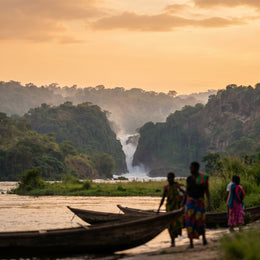
If you're planning a trip to Uganda — a safari in Murchison, gorilla trekking in Bwindi, or a few days between Kampala and Entebbe — sooner or later you'll wonder how to get internet in Uganda without breaking the bank or being cut off in the middle of the savannah. I'll tell you from my first-hand experience, no fluff: here I compare all the ways to connect, with real prices from MTN, Airtel and travel SIMs, and I'll warn you about something almost no guide mentions: coverage in the parks is a very different story from that in the city.
Your options for connecting in Uganda
In Uganda you have four options: roaming from your Spanish operator (the most expensive), hotel and lodge Wi-Fi ( patchy outside the city), a local MTN or Airtel SIM (cheap, but with mandatory biometric registration), and a travel eSIM (the most convenient). Each suits a different type of traveler.
I'm one of those who prefer to arrive with my phone already working the moment I step onto the baggage carousel, so I'll be honest about what works and what doesn't. Uganda is not part of the European Union, so no "surf like at home" rates apply here: your bill starts ticking from the first megabyte. That rules out, for most, the idea of sticking with their usual operator without checking.
The real decision comes down to three alternatives: local SIM, occasional Wi-Fi, and a digital card you activate before you fly. My advice is to decide at home, calmly, and not to improvise at Entebbe airport late at night. In the following sections, I break down each option with real numbers so you can choose based on data, not intuition.
Roaming from Spain: why the bill hurts
I'll start with the option I almost always advise against. As Uganda is outside the European Union, it falls into what most Spanish operators call Zone 3, and prices there skyrocket. With Movistar, for example, a single megabyte can cost €12.10 per MB: a couple of photos uploaded to Instagram are enough to spend more than your entire local SIM for your trip.
There are bundles, yes, but they don't pay off either. Movistar offers packages of 150 MB for €60.50, 500 MB for €169, or 1 GB for €290. For a safari, where you use maps, photos, and some videos, that gigabyte vanishes in two days. It's an option with the peace of mind of not changing your number, but without a clear spending limit to protect you from a nasty surprise.
If you want to see a detailed comparison, I elaborate on it in my guide to eSIM vs. roaming and on how much international roaming costs. Summary: for sub-Saharan Africa, classic roaming is by far the most expensive option, and I only save it for those whose companies are paying for it.

Hotel and lodge Wi-Fi: useful in the city, scarce on safari
Wi-Fi is tempting because it's usually "free," but it's important to understand where it works and where it doesn't. In Kampala and Entebbe, you'll find reasonable Wi-Fi in hotels, cafes, and restaurants: enough for video calls and some work. The problem arises when you leave the city for the parks.
In safari lodges, many advertise Wi-Fi, but the reality is that the connection comes from the same local mobile network, is shared among all guests, and speeds drop sharply. During peak season, with a full dining room, sending a WhatsApp audio message can be a challenge. That's why my rule is to download everything important before leaving: offline maps, booking confirmations, tickets, and travel music.
Golden rule of safari: treat lodge Wi-Fi as an extra that sometimes works, never as your primary connection. If you rely on it for something important, you'll have a problem precisely on the day you need it.
I compare this option with data cards in my article on eSIM vs. pocket Wi-Fi, as many travelers hesitate between relying on accommodation or carrying their own connection.
Local Ugandan SIM: mandatory registration with passport
A local SIM is the cheapest option and, if you know what you're doing, very valid. The two main operators are MTN and Airtel, and a physical card costs next to nothing: between 2,000 and 5,000 UGX (less than €1.50). What most people don't know is that in Uganda, registration is mandatory and it's not enough to buy it at any random kiosk.
To activate it, you need to present yourself with your passport in hand at an official MTN or Airtel center, where they take your fingerprints, a photo, and your data. The process takes between 20 and 40 minutes and is only done at official stores, not by street vendors. MTN even offers a free Tourist SIM upon presentation of passport and visa. At Entebbe airport, there are counters for both operators in the arrivals area.
Regarding data, to give you an idea of real prices:
- Airtel: 3 GB/30 days for 10,000 UGX (~$2.70); 12 GB for 30,000 UGX (~$8).
- MTN: tourist bundle of 10 GB for 30,000 UGX (~$8); 30 GB for 85,000 UGX (~$23).
If you like the hands-on process, this is your route; I compare it in depth in eSIM vs. local SIM.
The eSIM: my recommendation for a short trip
This is my favorite for most travelers, especially if you're only going for a few days or want to be connected as soon as you land. An eSIM card is a digital SIM that you install on your phone by scanning a QR code, without plastic and without waiting in any queue. If you're not clear on the concept, I explain it step by step in what an eSIM is.
The great advantage for Uganda is convenience: you buy it from your sofa, you can activate it before takeoff, and as soon as you land, you're online. You don't hand your passport to anyone, you don't do the in-person biometric registration, and you keep your Spanish number active to receive messages from your bank. Internally, it uses the same networks as MTN and Airtel, so the coverage is the same as you would have with a local card.
The price? It's slightly higher than a bare local SIM — a travel card costs around $15-25 for several gigabytes — but you save yourself the hassle, the queues, and the risk of ending up with a poorly registered card. To plan how much data to contract based on your route, you have my specific eSIM guide for Uganda.
Real coverage: Kampala and Entebbe vs. the parks
This is the key point of the article and where most people are surprised. Mobile coverage in Uganda is very good... until you leave the cities. In Kampala, Entebbe, and Jinja, as well as hubs like Fort Portal, Mbarara, or Kabale, you'll have solid 3G and 4G with no problems for browsing, mapping, and making video calls.
The situation changes on safari. In the large parks —Queen Elizabeth, Murchison Falls, and Lake Mburo— there's decent signal near the entrance gates, ranger posts, and lodges, but it becomes intermittent as you go deeper. And in Bwindi, the gorilla trekking forest, coverage is very irregular: you usually only get 2G or 3G at the lodge, ranger post, or by climbing a hill.
The mental image I want you to take away: the signal fades within the forest. During the gorilla trekking itself, among trees and ravines, assume you'll be disconnected for several hours. 5G, by the way, only exists in a limited way in Kampala with MTN; in safari destinations, don't even look for it.

MTN or Airtel: who covers each area best
If you opt for local data — whether physical SIM or an eSIM that uses these networks — it's worth knowing how they divide the territory. MTN is the largest operator in the country and boasts the widest coverage, including remote areas like Kidepo Valley, Murchison Falls, and Bwindi itself. It's my choice if you're going on long routes or heading north.
Airtel, on the other hand, usually offers a better price per gigabyte and, according to field tests by other travelers, remains more stable within Bwindi, precisely where the signal fails most. For gorilla trekking on a tight budget, it's a very serious contender. The choice, ultimately, depends on the route you take.
| Network | Strong point | Best for |
|---|---|---|
| MTN | Widest coverage, including remote areas | Long routes, north of the country, Murchison and Kidepo |
| Airtel | Better price per GB, more stable in Bwindi | Gorilla trekking and tight budget |
Many travel eSIMs automatically route through the best of the two, so you won't have to choose manually.
How much data you really need
The million-dollar question: how many gigabytes should I contract? It depends on how glued you are to your phone, but for a typical safari trip, between maps, WhatsApp, and photos, most people are comfortable with 5 to 10 GB for one or two weeks. If you're going to upload daily safari videos or work remotely, increase it to 15-20 GB.
Here's a reference for consumption by activity so you can calculate your data with a margin and not run out precisely on the day of the excursion:
| Activity | Approximate consumption |
|---|---|
| WhatsApp and messaging (text and audio) | 50-100 MB per day |
| Maps and GPS navigation | 100-200 MB per day |
| Social media with photos | 300-500 MB per day |
| Video call | ~300 MB every 30 minutes |
| Uploading safari photos and videos | 1-2 GB per day |
My trick: contract a little more than you think you'll need. The price difference between 5 and 10 GB is minimal, and running out of data halfway through your trip in a place with few official stores is an annoyance that costs dearly in time. Better to have too much than too little.
Comparison of options and prices
To see everything in a single table, here are the four options compared by approximate price, registration, coverage, and convenience. The amounts are approximate and vary by operator and promotion, but they serve to give you a real idea of the order of magnitude of each.
| Option | Approximate price | Registration | Coverage | Convenience |
|---|---|---|---|---|
| Spanish roaming | Up to €12.10/MB (Movistar) | No | Local network | High, but very expensive |
| Hotel/lodge Wi-Fi | Included / variable | No | Only at accommodation | Low outside the city |
| Local MTN/Airtel SIM | From ~10,000 UGX (~$2.70) for 3 GB | Yes, biometric | Very wide | Medium (queues and process) |
| Travel eSIM | ~$15-25 for several GB | No | Wide (uses MTN/Airtel) | Very high |
As you can see, the local SIM wins on raw price and the eSIM wins on convenience and speed. Wi-Fi is a complement, not a solution, and classic roaming is only justified for very short stays or when you're not paying for it yourself. Choose based on what you value most: every euro or every minute of your time.
How to prepare before flying
Let's finish with the practical stuff. Before boarding the plane, spend ten minutes getting everything ready so you don't have to rely on luck when you land. Here's a quick list of what I always check for every trip to destinations with patchy coverage like this one.
- Check that your mobile supports eSIM (almost all mid-to-high range phones from recent years).
- If you choose an eSIM, buy it and have the QR installed before taking off; the final activation is done upon arrival.
- Download offline maps for your safari areas on Google Maps or Maps.me.
- Save offline bookings, park tickets, and lodge confirmations.
- Activate photo backup only over Wi-Fi to avoid unintentional data usage.
- Notify your bank and have your Spanish number handy in case they send you SMS codes.
With this covered, you'll arrive in Entebbe without drama: browsing from the first minute in the city and with maps already downloaded for when the signal disappears in Bwindi or Murchison. Connectivity shouldn't be on your mind during the trip; that's what preparation is for.
Frequently asked questions
Here I gather the most common questions I receive about connectivity in Uganda, with direct, to-the-point answers.
Does my Spanish operator's roaming work in Uganda?
Yes, but it's very expensive. Uganda is in Zone 3, outside the European Union, so "roam like at home" does not apply. With Movistar, a megabyte can cost up to €12.10, and bundles are around €290 for 1 GB. I only recommend it for very short stays.
Do I need my passport to buy a local SIM?
Yes, it's mandatory. In Uganda, registration is biometric: you'll need your passport, fingerprints, and a photo at an official MTN or Airtel store. The process takes 20 to 40 minutes and is not done by street vendors, only by official centers.
Is there coverage during gorilla trekking in Bwindi?
Very little. Deep in the forest, among trees and ravines, assume you'll be without signal for several hours. At most, you'll get 2G or 3G at the lodge, ranger post, or by climbing a hill. Download everything important before entering.
MTN or Airtel for safari?
MTN has the widest coverage, including remote areas like Murchison or Kidepo, ideal for long routes. Airtel offers a better price per GB and is somewhat more stable in Bwindi. Many travel eSIMs automatically use the best of the two.
How many gigabytes do I need for one or two weeks?
For a typical safari trip, with maps, WhatsApp, and photos, most people are comfortable with 5 to 10 GB. If you're going to upload daily videos or work remotely, increase it to 15-20 GB. It's better to contract a little more than to run out.
Can I buy a SIM at Entebbe airport?
Yes. Both MTN and Airtel have official counters in the arrivals area of Entebbe airport, with the same prices as in the city. They usually stay open until late at night, so you can register as soon as you land.
Does an eSIM have the same coverage as a local SIM?
Yes. Internally, it uses the same MTN and Airtel networks, so the coverage is identical to what you would have with a physical card. The difference is in convenience: you activate it before you fly and don't need in-person registration.
Is there 5G in Uganda?
Very limited. 5G only exists sporadically in Kampala with MTN. In safari destinations, you won't find it; there, 4G is normal near cities and lodges, and 2G/3G in the more remote areas of the parks.
Conclusion
Connecting in Uganda is easy if you sort it out before you leave. In the city, you'll have good signal with any option; the challenge is the safari, where coverage becomes patchy and lodge Wi-Fi is unreliable. Therefore, unless you have plenty of time to spare for biometric registration, my recommendation for most is clear: arrive with a data card already set up and download offline maps.
If you want to arrive connected from day one, without queues or handing over your passport, take a look at the PuraSIM eSIM for Uganda: activate it before you fly, use MTN and Airtel networks, and forget about the hassle. Set up your connection at home and dedicate your trip to what matters: gorillas, the savannah, and sunsets over the Nile.