In short: a South Africa eSIM gives you local mobile data from the moment you land in Cape Town, Johannesburg, or Durban, without roaming or a physical SIM. For a typical 10-day trip covering a city, the Garden Route, and a safari, 8-10 GB is usually enough. It activates in minutes by scanning a QR code, even before you leave home.
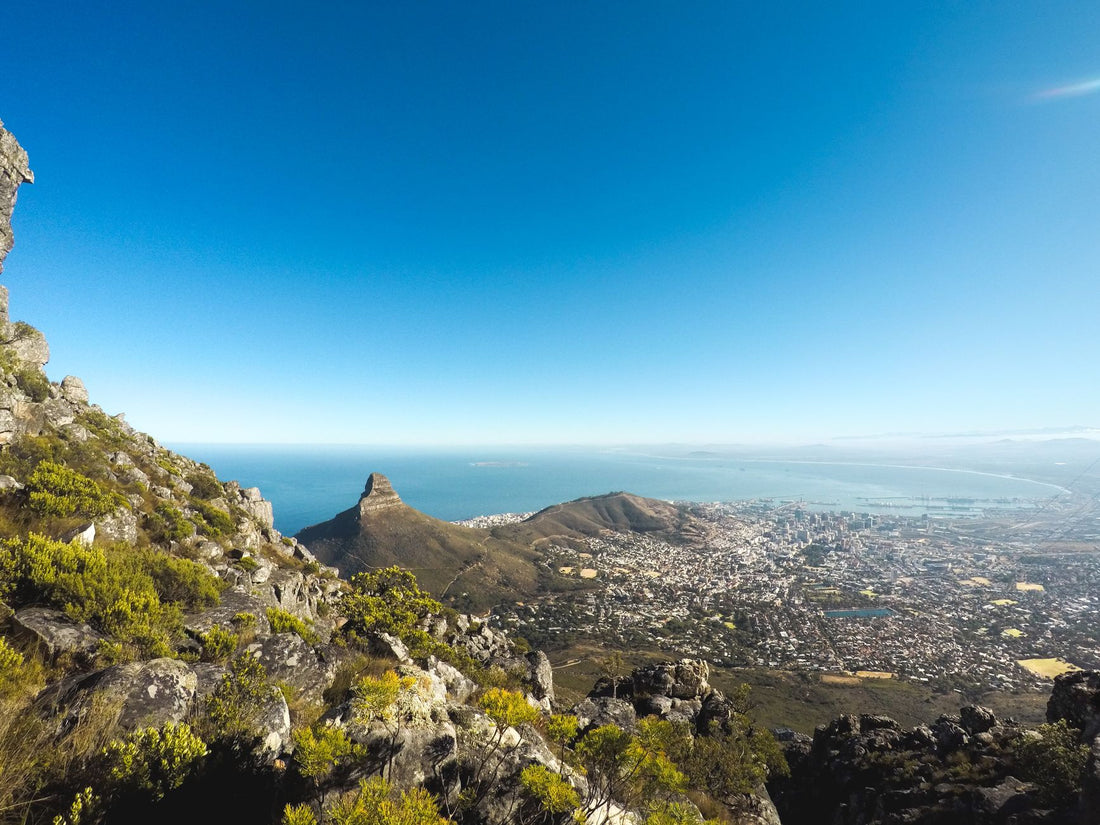
South Africa is no ordinary destination. On a single trip, you can go from the streets of Cape Town, with Table Mountain in the background, to the vineyards of Stellenbosch, the Garden Route coast, and the plains of Kruger looking for a lion's roar in the distance. It's a huge country, with long distances between points of interest, and that means something very specific for travelers: you'll rely on your mobile more than you think. Maps to navigate Cape Town, last-minute safari bookings, and the banking app to pay without cash at every gas station on the N2.
Arriving without data is, quite simply, starting your trip with the handbrake on. That's why more and more travelers are sorting out their connectivity before boarding the plane with an eSIM for South Africa: you land with internet, no roaming, no stress, no need to look for a phone store as soon as you leave the terminal.
In this guide, we review what coverage you can expect in each area of the country, how many GB you really need according to your itinerary, how to activate the eSIM step by step, and the details that almost no one tells you about staying connected in South Africa: from scheduled power outages to why Kruger Park is an island of digital silence that needs careful planning.
Why use an eSIM for travel to South Africa?
International roaming from European and Latin American operators in South Africa is usually expensive: daily rates that activate whether you use 10 MB or 2 GB, and in many contracts, speed limits that turn 4G into a last-decade experience. If you want to understand exactly how that roaming works and why your home operator charges what it does, we explain it in detail in our guide on what data roaming is.
With a local eSIM, the logic changes completely:
- Home operator roaming: fixed daily rate regardless of usage, often limited speed, surprise bill upon returning home.
- PuraSIM eSIM for South Africa: you pay for the data you contract, no surprises, with the best local network available at all times and activation in minutes from anywhere with Wi-Fi.
If you're still undecided between the two options, we did a complete comparison in eSIM vs. roaming with the numbers and nuances of each case.
An often-overlooked advantage: with an active eSIM, your usual phone number continues to work in parallel, as it occupies a virtual slot independent of your physical SIM. You still receive calls and SMS from home while using local data for everything else. It's not one or the other.
Data coverage in South Africa: Cape Town, Johannesburg, Kruger, and Garden Route
South Africa has a fairly developed telecommunications infrastructure for African standards, with several local operators competing for coverage in urban areas. But the country is huge—larger than Spain and France combined—and coverage is far from uniform.
Cape Town and surroundings
Solid 4G coverage throughout the city, Table Mountain, Camps Bay, the Waterfront, and Stellenbosch. This is one of the areas with the best signal in the country, so you won't have any scares here: streaming, video calls, and browsing are fluid.
Johannesburg and Pretoria
The country's largest metropolitan area has 4G coverage and even stretches of 5G in commercial zones. Outside the city center, in townships and peripheries, the signal is still acceptable for normal map and messaging use.
Kruger Park and safari reserves
Here's the exception that really matters. Within the Kruger camps, there is usually reasonable coverage, as many have antennas or their own Wi-Fi. But as soon as you go on a game drive on the park's tracks, the signal can disappear easily for hours. This is the nature of the place: the less human infrastructure, the better for wildlife, the worse for your coverage bar. Download offline maps of the park before entering; it's the only advice that really makes a difference here.
Garden Route
The coastal road between Cape Town and Port Elizabeth passes through towns with good coverage (Mossel Bay, Knysna, Plettenberg Bay) and stretches of road with weaker signal. Generally sufficient for navigation with Google Maps, although it's advisable to have the route downloaded as a backup.
| Zone | Typical coverage | What to expect |
|---|---|---|
| Cape Town | 4G / 5G in commercial areas | Excellent, no restrictions for streaming or video calls |
| Johannesburg / Pretoria | 4G, 5G stretches | Very good in the center, acceptable in the periphery |
| Kruger Park (camps) | Sporadic 3G/4G | Variable depending on the camp, not guaranteed |
| Kruger Park (game drives) | No usual coverage | Bring offline maps and notify your route |
| Garden Route | 4G in urban centers | Good in towns, irregular on open roads |
| Rural areas / interior KwaZulu-Natal | 3G or intermittent | Sufficient for messaging, not for streaming |
To maximize coverage, PuraSIM connects your eSIM to the local networks with the best available infrastructure in each area through local roaming agreements, so you don't depend on a single operator if another one provides a better signal on your specific route.

How many GB do you need for your trip to South Africa?
The short answer: 8-10 GB for a trip of about 10 days covers most travelers with normal usage (constant maps, WhatsApp, Instagram, occasional searches). The long answer depends on your itinerary and how much remote work or streaming you do along the way.
| Type of use | Approximate daily consumption | For 10 days |
|---|---|---|
| Basic (maps, messages, occasional searches) | 300-500 MB | 3-5 GB |
| Moderate (social media, photos, continuous browsing) | 800 MB - 1.5 GB | 8-15 GB |
| Intensive (remote work, streaming, video calls) | 2-4 GB | 20-40 GB |
A nuance for South Africa specifically: since part of the trip takes place in areas with limited coverage (Kruger, stretches of the Garden Route), your actual consumption is usually somewhat lower than in a 100% urban country, because there are hours without a network where your mobile cannot use data. This works in your favor when calculating GB.
If you're going to make work video calls or do a lot of streaming in the city, upgrade to the next plan. And if you run short, PuraSIM top-ups are applied in minutes without having to install a new eSIM or change your plan in the middle of your trip. Consult the complete collection of options in our eSIM plans for South Africa.
How to activate your eSIM for South Africa step by step
Activating a PuraSIM eSIM is as simple as scanning a QR code. There's no physical store, no waiting for shipping, no queuing at the airport. The entire process takes less than 5 minutes:
- Purchase your plan at purasim.com for South Africa. You'll receive an email with the QR code instantly.
- Install the eSIM: on iPhone, Settings → Cellular → Add Data Plan; on Android, Settings → Connections → SIM Manager (the exact menu varies slightly by manufacturer).
- Scan the QR code or manually enter the activation details if your device prompts you.
- Select the PuraSIM eSIM as your default data line, leaving your physical SIM for calls if you wish to keep it active.
- Activate data roaming within the PuraSIM line settings; without this step, the eSIM will not connect to local networks even if installed.
You can install it days before traveling and leave it ready to activate automatically upon detecting South Africa, or activate it manually upon landing. If it's your first time with an eSIM, we have a detailed guide with screenshots on how to install an eSIM that resolves typical first-time user questions.
Important: check that your phone supports eSIM before purchasing. Most iPhones from XS onwards, Samsung Galaxy from S20 onwards, and Google Pixel from 3 onwards are compatible. You can check in Settings → General → About: if your device lists "eSIM" among its data, you're ready. Many mobiles also allow you to have two eSIMs or one eSIM and one physical SIM active at the same time, although the limit of simultaneous lines varies by model and it's worth checking before leaving home.
eSIM vs. physical SIM vs. roaming in South Africa: what suits you best
Not all connectivity options are equal, and in a country as large as South Africa, the difference is especially noticeable in lost time and cost.
| Option | Activation | Cost | Drawbacks |
|---|---|---|---|
| Home operator roaming | Automatic upon landing | Can exceed several euros or dollars per day | Limited speed in many contracts, unpredictable bill |
| Local physical SIM (Vodacom, MTN...) | Requires store, queue, and sometimes passport registration | Local price, variable by operator | Lose your original number while using it, need to find a store and physically change the SIM |
| PuraSIM eSIM | Before leaving or upon landing, via QR | Fixed price for contracted data plan | Requires an eSIM-compatible mobile |
The eSIM wins primarily in two areas: time (you don't waste your first day looking for a phone store in Cape Town) and spending predictability. A physical SIM can be economical if you're staying for a long time, but the registration process and temporary loss of your number make it less convenient for a standard vacation trip.
Common mistakes and what almost no one tells you about connectivity in South Africa
There are a series of details that are not covered in classic tourism guides but that change the real experience on the ground.
Load shedding affects you more than you think
South Africa has a system known as load shedding: scheduled power outages by zone to relieve the national electricity grid, a public and widely documented phenomenon in the country. Although your eSIM continues to work normally because it relies on operator antennas (which usually have backup), your mobile will run out of battery just like in any power outage. Always carry a charged power bank and check local load shedding schedule apps if you are staying in the same area for several days; it saves you unnecessary scares.
Kruger is not "no coverage," it's "island coverage"
The idea that the entire park is disconnected is an oversimplification. The reality is that there are pockets of signal near the camps and virtually nothing on the tracks between them. The strategy that works best: download the complete offline map of the park, mark the coordinates of your accommodation, and don't rely on real-time GPS for the journey between park gates.
Booking a game drive or a restaurant on the same day can be more difficult than it seems
Many last-minute bookings in safari areas are managed via WhatsApp or direct call, not through an app. Having stable data at the camp allows you to sort this out without relying on the lodge's Wi-Fi, which is sometimes slower than the website promises.
Shared hotspot consumes much more than you imagine
If you're traveling in a group and sharing the connection of a single eSIM with a laptop and tablet in addition to your mobile, consumption skyrockets. If there are several of you, consider one eSIM per person or a plan with more GB directly, instead of trying to stretch a plan designed for individual use. Here are some general data saving tips for travel that we compiled in how to save data with your eSIM.
Be careful with public Wi-Fi networks in tourist areas
Airports, malls, and some lodges offer open Wi-Fi that should be treated with caution if you're going to do banking or access sensitive accounts. Having your own mobile data frees you from relying on those networks, and if you still use public Wi-Fi, a VPN adds an extra layer of privacy; we explain this in detail in eSIM and VPN: privacy while traveling.
If your route continues to Europe, prepare your next eSIM in advance
It's common to combine South Africa with a layover or a few days in Europe before returning home. If this is your case, pre-contract your eSIM for Europe and activate it as soon as you land in the next country, without having to search for Wi-Fi at the connection airport. If the trip is for work—there are increasing numbers of corporate events in Cape Town and Johannesburg—take a look at our guide on eSIM for business travel, with recommendations for maintaining stable video calls outside the office.

Frequently asked questions
When should I activate the eSIM for South Africa?
You can install it on your phone before leaving home. Most PuraSIM eSIMs for South Africa can be configured days in advance and activate automatically upon arrival at the destination, or manually when you wish to start using them.
Is my phone compatible with the eSIM for South Africa?
Most smartphones manufactured since 2018-2019 are: iPhone XS onwards, Samsung Galaxy S20 onwards, Google Pixel 3 onwards, and many more. Check in Settings → General → About; if the "eSIM" option appears, your device is compatible.
Is there data coverage in Kruger National Park?
Within the camps, the signal is usually acceptable, but on game drives and tracks between camps, coverage often disappears for hours. Download the offline map of the park before entering and do not rely on real-time GPS for navigating the tracks.
Can I keep my usual phone number while using the eSIM in South Africa?
Yes. The eSIM occupies a slot independent of your physical SIM, so you can keep your usual line active for calls and SMS while using the PuraSIM eSIM only for data.
What happens if I run out of data during my trip?
You won't suddenly lose coverage. You can buy a data top-up from the PuraSIM app or client panel, which is applied in minutes without needing to install a new eSIM or change your plan.
Does load shedding affect my eSIM?
The mobile network usually continues to work during scheduled power outages because operator antennas have backup systems, but your phone will run out of battery just like in any blackout. Always carry a charged power bank if you plan to spend several days in the same area.
How many GB do I need for 10 days between Cape Town, Kruger, and the Garden Route?
For moderate use (maps, social media, messaging) with that itinerary, 8-10 GB is usually sufficient. As part of the journey takes place in areas with limited coverage, your actual consumption may even be lower than what you would spend in a fully urban destination.
Activate your eSIM before you leave and arrive connected from the very first moment.
See eSIM plans for South Africa →