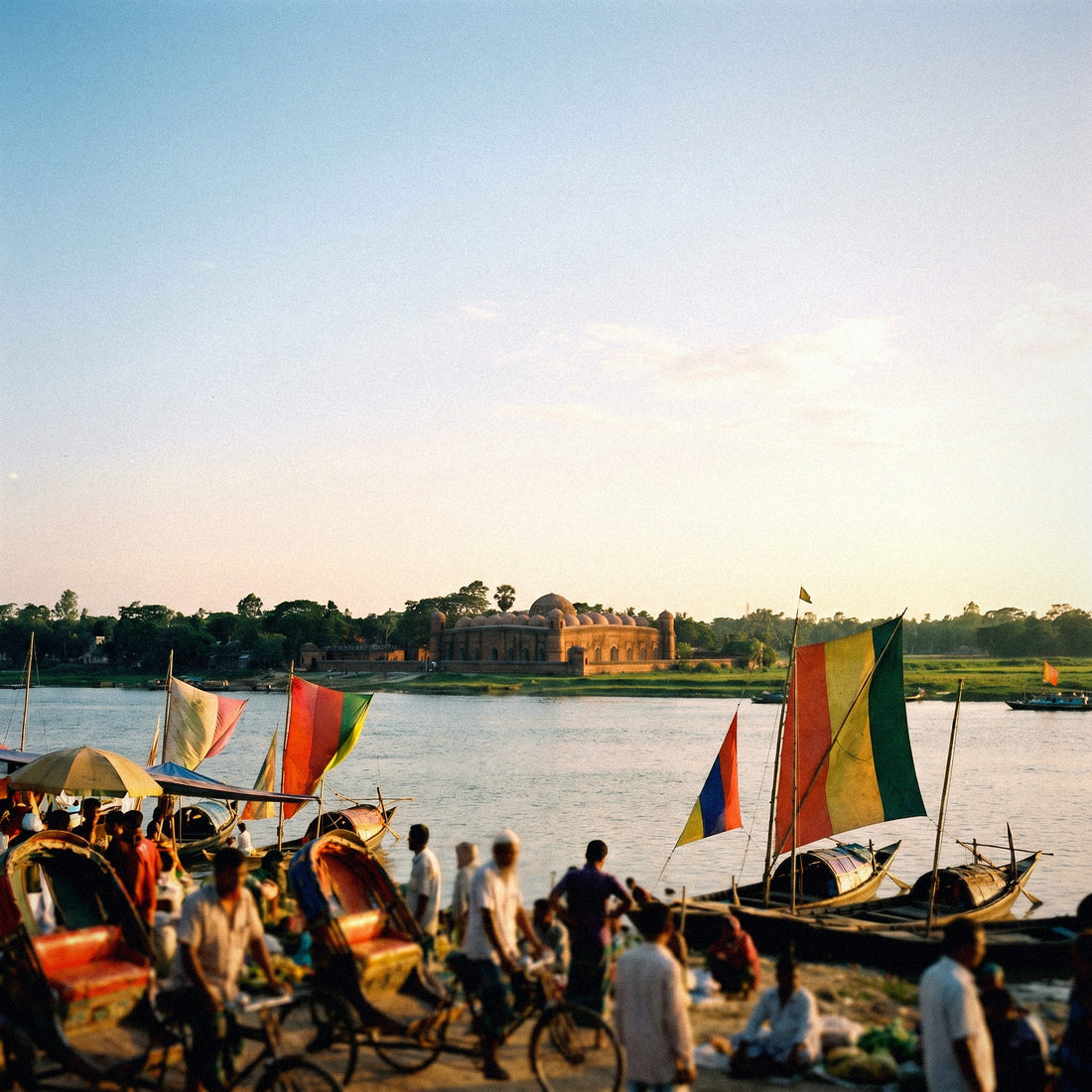
If you've made it this far, one thing is clear: you want data for your trip to Bangladesh and you just need to decide on the amount. Here, I answer how many GB I need for Bangladesh based on your travel style, without overwhelming you again with carrier comparisons. I'll give you a well-reasoned figure and a table so you can clear up any doubts in two minutes.
The quick answer for Bangladesh
For 10 days in Bangladesh, most people will find 7 GB to be plenty: navigating with maps in Dhaka's traffic and WhatsApp with family consume little data, and in the Sundarbans, there's no coverage to consume anyway. If you upload many photos or work remotely, aim for 12-15 GB.
That's the short answer. The long one has nuances, but none will drastically increase the number, because Bangladesh is a destination where basic data consumption is less than you might think. A one-week cultural trip with maps, messaging, and a bit of social media typically falls between 4 and 7 GB; there's no need to overbuy.
The number does go up when video is involved: long video calls home, endless Reels, or remote work with meetings. Then we're talking about 1.5-2 GB per day, and it's advisable to have a comfortable buffer. My honest advice is to buy for your actual daily usage and not for the worst imaginable day: recharging is easy, and running short is almost never a drama. If you want the complete framework for estimating data for any trip, you can find it in the master guide to travel data.
Why Bangladesh changes the calculation
Each country moves the needle for different reasons, and Bangladesh has its own. The first is Dhaka: its traffic is legendary, and you'll spend many hours in a car or rickshaw using maps, transportation apps, and data to stay connected even when not moving. This, surprisingly, consumes little data: navigation uses cents of a gigabyte.
The second is geography. In the Sundarbans, amidst mangroves and tigers, there's directly no coverage; on many river routes and rural areas, the signal comes and goes. Where there's no network, there's no consumption: those hours work in your favor and lower your daily average. Cox's Bazar, the world's longest beach, does have decent 4G for uploading photos.
The third is quality. Bangladesh has extensive 4G and very cheap data, but of irregular quality: sometimes it flies, sometimes it crawls. This doesn't change how many GB you need, but it does change how you perceive them. And the fourth reason is purely procedural: buying a local SIM requires a passport and biometric registration with fingerprints, and for foreigners, the process is slow. That's why many people arrange their connection before flying; if you want the full overview of options, read about internet in Bangladesh.
How much data each activity consumes
Before choosing a package, it's worth seeing what really eats up gigabytes. The usual surprise is that what you use most (maps and messaging) consumes hardly any data, while high-quality video is what drains your allowance. These are real figures per hour of use, rounded for easy mental calculation:
| Activity | Approximate Consumption | Comment |
|---|---|---|
| Maps and GPS navigation | 5-10 MB/hour | Cheap; downloaded maps consume even less |
| WhatsApp (text and voice notes) | 10-20 MB/hour | Almost negligible |
| Video call (WhatsApp/Zoom) | 200-400 MB/hour | The heaviest daily consumer |
| Social media (feed and stories) | 100-150 MB/hour | Increases significantly with autoplay active |
| Reels and continuous vertical video | 600 MB-1 GB/hour | The silent data hog |
| Upload 20 photos to cloud or social media | ~80 MB | Do this over Wi-Fi when possible |
| Music streaming | 60-150 MB/hour | Lower quality or download playlists |
| Video (YouTube/Netflix) in SD | 500-700 MB/hour | In HD, exceeds 1 GB/hour |
If you want the detailed breakdown by app, I have it developed in the mobile data usage statistics by activity. The practical conclusion is simple: monitor video and video calls, and you'll barely notice the rest in your data allowance.
Recommendation by profile and duration
This table will help you make your purchase. It cross-references your mobile usage habits with the number of travel days and gives you a direct figure. Typical durations in Bangladesh are one to two weeks, so focus primarily on the 10- and 15-day columns. They include a sensible margin:
| Profile | 5 days | 10 days | 15 days | 30 days |
|---|---|---|---|---|
| Tourist using maps and WhatsApp | 3 GB | 5 GB | 7 GB | 12-15 GB |
| Photos and social media | 5 GB | 10 GB | 15 GB | 25-30 GB |
| Digital nomad / remote work | 8-10 GB | 15-20 GB | 25-30 GB | 50 GB or unlimited |
| Family sharing (2-3 mobiles) | 10-12 GB | 20-25 GB | 30-40 GB | unlimited or top-ups |
How do you read this? If you're traveling solo, visiting temples and markets, relying on Google Maps and WhatsApp, you're in the first row and 5-7 GB will see you through a long week comfortably. If you document everything on Instagram, jump to the second. If you work from Dhaka with video meetings, the third is for you, and the safety margin is appreciated there. The fourth is for when you share a connection: multiply, because each phone adds up. When in doubt between two rows, go for the higher one: topping up in Bangladesh is quick and cheap.
The three typical travelers to Bangladesh
Bangladesh doesn't receive the typical postcard tourist; it mainly receives three very specific profiles, and each has its own data needs. Identify yourself and adjust the previous table to your real case:
| Traveler | Typical Use | GB for 10-14 days |
|---|---|---|
| Business (textile / RMG sector) | Dhaka, meetings, email, maps, occasional video calls | 15-20 GB |
| Diaspora / family visit | Constant WhatsApp, long video calls, photos | 15-25 GB |
| Adventure (Sundarbans, Cox's Bazar) | Offline maps, many areas without signal, photos via Wi-Fi | 7-10 GB |
The business traveler in the textile industry spends their day between factories and hotels in Dhaka: email, maps, and occasional video calls with headquarters. With 15-20 GB per fortnight, they'll be fine, though if video meetings are daily, it's advisable to increase it. The diaspora returning to visit family is the one that consumes the most without realizing it, because video calls with those who stayed behind accumulate; a wide margin helps here. And the adventure traveler is the cheapest of all: between mangroves without coverage and river routes, they spend hours disconnected, and their daily average plummets. If you're still unsure which technology to use, start by understanding what an eSIM is and why it fits so well with a destination with slow procedures like this one.
How to calculate your own consumption
Tables are a good starting point, but you already have the most reliable data in your pocket: your own history. Before traveling, check how much data you use per month at home, and you'll have an honest baseline to work with, better than any invented average.
- On Android: Settings → Network & internet → SIM/data usage. You'll see the last month's consumption and a breakdown by app.
- On iPhone: Settings → Mobile Data, scroll down to see the total and a list of apps sorted by usage.
Take your monthly consumption, divide it by 30, and you have your daily Wi-Fi + data usage. Something curious happens when traveling: you use fewer background apps but more maps and camera, so the number usually looks similar. Now, adjust downwards for Bangladesh: you'll subtract hours spent in the Sundarbans and on river routes without coverage, where you won't use any data. If at home you use 3 GB a month (about 100 MB/day), on a 10-day cultural trip, you'll hardly exceed 5-6 GB. If you're someone who uses 15-20 GB a month watching video, you already know your profile requires a large package. This thirty-second calculation is worth more than any generic recommendation, because it's based on how you use your phone, not a stranger.
How to stretch your data on the ground
With four basic adjustments, a modest package performs like a large one. None of them take anything important away from your trip; they just cut the invisible spending that goes to things you don't even look at:
- Offline maps. Download Dhaka, Cox's Bazar, and your routes on Google Maps via Wi-Fi before you leave. Navigation will still work, and you'll spend almost nothing.
- Lower video quality. Set YouTube and Instagram to 480p and disable autoplay: this is where most of your allowance leaks without you enjoying it.
- Backups only via Wi-Fi. Photos, iCloud, and Google Photos should upload only at the hotel; don't let your package be used up by background backups.
- Data Saver mode. Activate it in the system and in each heavy app; it stops background updates.
Golden rule: 80% of savings come from two actions: downloaded maps and low-quality video. With that, a normal traveler turns 5 GB into a very comfortable week.
You have the complete list of tricks, with screenshots and some less obvious adjustments, in how to save data while traveling. Applied from minute one, you'll notice that your allowance depletes slowly and you'll reach the end of your trip with plenty of margin.
What happens if you run short
Here's the part almost no one tells you, and which I find to be the most important: running short is not a serious problem, and it's certainly better than having too much. If you run out of data, you can top up in a couple of taps from your phone, without looking for a store, without a passport, and without repeating the biometric registration. You'll be connected again in minutes.
Having too much, on the other hand, is money you don't recover: you've paid for gigabytes that go unused when the trip ends. That's why my recommendation is to buy an amount adjusted to your actual average usage and only top up if necessary, instead of overprotecting yourself with a huge package out of fear.
The only caveat specific to Bangladesh is to plan ahead, not to leave topping up until the last gasp of data. Why? Because if you run out of data exactly when you're out of coverage or in the middle of a long transfer, you won't be able to top up until you regain signal. The solution is simple: monitor your data usage and top up when you have 15-20% of your allowance left, with a margin, and not when you're already in the red. This way, you'll never find yourself without a connection at an inconvenient moment, and you still haven't paid extra for gigabytes you might not have needed.
The warning: don't depend on a single connection
This point isn't about gigabytes, but it's honest to include. Bangladesh has experienced internet shutdowns decreed by authorities during periods of political tension: during the July and August 2024 uprising, there were mobile internet restrictions and social media blocks that lasted for days. This is not typical for a normal trip, but it's good to know.
What does this mean for your data? That having a network doesn't just depend on your package: if the country shuts down mobile internet, no card will prevent it. The practical lesson is not to buy more gigabytes, but not to put all your eggs in one basket. Have a reasonable backup plan:
- Keep your hotel's Wi-Fi handy, as it sometimes holds up when mobile service drops.
- Download maps, tickets, reservations, and important documents in advance.
- Save phone numbers and addresses offline, not just in the cloud.
That said, for 99% of trips, the connection works normally, and these warnings are just a precaution. The advantage of sorting out your data before flying is twofold: you avoid the slow biometric process for foreigners and arrive connected from the airport. If you're going for it, check out the eSIM options for Bangladesh and choose the one that fits your profile from the table.
Frequently Asked Questions
How many GB do I need for 7 days in Bangladesh?
5 GB is plenty for a week of tourism with maps and WhatsApp. If you upload photos and use social media daily, increase to 7-10 GB; if you work remotely with video, estimate 10-14 GB for those seven days.
Is mobile data expensive in Bangladesh?
No, it's among the cheapest in the world. The problem is not the price, but the irregular quality of 4G and the slow process for a foreigner to register a local SIM with a passport and fingerprint. That's why many resolve their connection before arriving.
Is there coverage in the Sundarbans and on river routes?
Practically not. In the mangroves and many rural areas, the signal disappears or is very weak. This is good news for your data allowance: you won't use any data during those hours, so your daily average drops, and you need fewer GBs than you might think.
Do I need more data due to Dhaka's traffic?
No, contrary to what it seems. You'll spend a lot of time in the car using maps and transport apps, but GPS navigation only consumes 5-10 MB per hour. Even if you're stuck in traffic for hours, that consumption is minimal.
Which consumes more battery and data, maps or video?
Video, by far. Maps consume cents of a gigabyte; an hour of Reels or HD video can eat up more than 1 GB. If you control video and video calls, you control 80% of your data usage.
What if I run out of data halfway through my trip?
You can top up in a couple of taps from your phone, without repeating procedures. It's quick and cheap. The only advice is to top up when you have 15-20% of your allowance left, not when you're at zero, in case you find yourself without coverage during a long transfer.
Should I worry about internet outages?
For a normal trip, no, but it's wise to have a backup plan. There have been mobile internet shutdowns during periods of political tension. Download maps and documents in advance and don't rely on a single connection; that way, you're covered no matter what happens.
Should I buy for the entire trip or top up as I go?
Buy an amount adjusted to your daily average and only top up if necessary. It's better to run short and top up than to pay for gigabytes you don't use. In Bangladesh, topping up is cheap and takes minutes, so there's no point in over-securing yourself.
Conclusion
To summarize without beating around the bush: for a one or two-week trip to Bangladesh, a tourist using maps and WhatsApp will manage with 5-7 GB, someone uploading photos and using social media with 10-15 GB, and someone working remotely or visiting family with 15-25 GB. The Sundarbans and routes without coverage give you hours of no consumption, so don't inflate the figure out of fear: topping up is quick, cheap, and hassle-free. Identify your profile in the table, subtract the areas without signal, and buy what you'll actually use.
And the most valuable advice from the article: don't rely on a single connection and carry downloaded maps and documents. If you want to arrive connected from the airport, without the biometric registration queue, take a look at our eSIM for Bangladesh and choose the size that fits your row in the table. Have a good trip.