If you've already decided to take data and just need to choose the size, this guide tells you how many GB you need for Ecuador without getting bogged down in comparisons. Ecuador is a small country with three very different connection realities—the Andean highlands, the Amazon, and Galápagos—and that changes the number more than it seems. Here's my recommendation by profile, the real consumption figures for each app, and where you'll truly spend data and where you won't spend any at all.
The number, straight to the point
For a typical 10-day trip to Ecuador—Quito, Baños, Cuenca, and a few days in Galápagos or the Amazon—most people will be fine with 5 GB. If you mostly use maps and WhatsApp, 3 GB will suffice; if you upload wildlife videos daily, aim for 10 GB.
That's the short answer, and I won't hide it until the end of the article. Now for the explanation, because the number depends on two things: what you do with your phone and how many days you'll actually be connected.
And that's the peculiarity of Ecuador: a good part of your itinerary takes place in areas without signal. An Amazon lodge, a journey between islands, a páramo at 4,000 meters. On those days, your consumption is zero even if your plan is active. That's why people who buy data thinking "an entire country, 15 days" often end up with half their gigabytes untouched.
- Long weekend (5 days) in Quito and surroundings: 1-3 GB.
- Classic tour (10 days) highlands + Galápagos: 3-5 GB.
- Full trip (15 days) including coast and Amazon: 5-8 GB.
- One month or working remotely from Cuenca: 20-40 GB.
If you want the general framework before delving into the specifics of Ecuador, in the guide on how much data I need for travel, I explain the method I use for any destination. Here, I'll focus on the specifics.
Why Ecuador changes the number: three worlds in a small country
Ecuador fits into less than half of Spain, yet it forces you to think about connectivity in three separate blocks. This isn't brochure exaggeration: these are three distinct coverage regimes, and each consumes data differently.
The Andean highlands (Quito, Otavalo, Baños, Riobamba, Cuenca) are the easy part: decent 4G in cities and on the Pan-American Highway, with 5G only in specific areas of large urban centers. Here you'll spend data like at home. The coast (Guayaquil, Manta, Montañita) is similar. The Amazon has signal in towns like Tena or Coca but loses it a few kilometers out. And Galápagos is an entirely different story, with coverage only in the towns on three inhabited islands.
There's a detail that works in your favor and almost no one mentions: Spanish is spoken in Ecuador. You won't be pulling out a camera translator every time you read a menu or a sign, which is what consumes the most data in destinations like Japan or Morocco. And since the currency is the US dollar, you won't be opening a currency converter twenty times a day. These are small megabytes, but they add up.
| Area | What to expect | Real consumption you'll have |
|---|---|---|
| Quito, Guayaquil, Cuenca | Solid 4G, 5G in specific areas | High: this is where your data goes |
| Baños, Otavalo, Riobamba | 4G in town, patchy on routes | Medium |
| Pan-American Highway | Reasonable coverage with gaps | Medium, especially music and maps |
| Amazon (Tena, Coca) | Signal in town | Low |
| Amazon lodge | No coverage or reliable Wi-Fi | Zero |
| Galápagos (towns) | Slow 4G in Puerto Ayora, Puerto Baquerizo and Puerto Villamil | Low by necessity |
| Galápagos (cruise, uninhabited islands) | No mobile signal | Zero |
How much each app really consumes
Most people overestimate how much data they consume using their phone as a tourist. Maps and WhatsApp, which you use the most, consume the least. What eats up your plan is video: watching it and, especially, uploading it.
| Activity | Approximate consumption | Translation to your trip |
|---|---|---|
| Google Maps navigating | About 5 MB per hour | A whole week of routes: considerably less than 500 MB |
| Maps with downloaded map | Practically 0 | Free, only location |
| WhatsApp (text and voice notes) | About 10-20 MB per day | A month of chatting: less than 1 GB |
| WhatsApp video call | 5-12 MB per minute (about 440 MB/h) | 15 min a day for 10 days: almost 1 GB |
| Instagram scrolling | Up to about 720 MB per hour | Half an hour a day, 10 days: about 3.5 GB |
| TikTok | Up to about 840 MB per hour | The biggest phone data hog |
| Uploading 30 phone photos | 100-150 MB | A whole day in Galápagos |
| Uploading a 1-minute video in high quality | 100-200 MB | Five videos a day: 1 GB daily |
| Streaming music | About 150 MB per hour | A Quito-Cuenca bus ride: almost 1.5 GB |
| Streaming video (Netflix, YouTube) | 1-3 GB per hour depending on quality | Avoid it with data, simple as that |
If you're into numbers, I have an expanded table with more apps and scenarios in the mobile data usage statistics by activity. The key takeaway here: a normal tourist, without video, will consume between 200 and 400 MB per day. Ten days is 2-4 GB. That's the realistic baseline.
Galápagos: a separate chapter
This is where people make mistakes when buying. Galápagos does have mobile coverage, yes, but only in the towns on the inhabited islands: Puerto Ayora on Santa Cruz, Puerto Baquerizo Moreno on San Cristóbal, and Puerto Villamil on Isabela. Outside of these—which is where you'll spend your day, on excursions and uninhabited islands—there's no network. As soon as the boat leaves port, you lose signal.
Hotel Wi-Fi exists, but don't count on it for anything heavy. The internet on the archipelago is noticeably slower than on the mainland, and connections often drop. It's good for sending a message, not for uploading the day's camera roll. And on multi-day cruises between islands, unless the boat has paid satellite Wi-Fi, you'll be practically incommunicado.
My honest advice about Galápagos: embrace disconnection and plan for it. Let people at home know you'll be out of signal, download everything before you fly, and enjoy. It's one of the few places in the world where being disconnected is part of the experience.
The problem is wildlife video. You'll record giant tortoises, blue-footed boobies, sea lions three feet away. And you'll want to upload it. If you insist on uploading it every night, each minute of high-quality video is 100-200 MB: five clips daily for four days in Galápagos means 2-4 GB just for that, at a tortoise's pace (no pun intended). The sensible thing is to upload one photo a day and save the videos for Wi-Fi in Quito or Guayaquil upon your return. If you still absolutely want to publish from the islands, add 3-4 GB to your calculation.
The Amazon: days when you won't spend anything
The Ecuadorian Amazon works in reverse of the rest of the trip: these are zero-consumption days. In Tena, Coca, or Puyo, there's reasonable 4G signal, but as soon as you enter the jungle towards a lodge—two hours by canoe up the Napo, for example—coverage disappears and doesn't return until you leave. Many lodges don't have Wi-Fi, and those that do usually offer it via satellite in the common area, and intermittently.
This has two practical consequences. First: deduct those days from your calculation. If 3 of your 12 days are spent at an Amazon lodge, you're actually buying data for 9. Second, and more importantly: download everything before leaving Quito or Coca, because you won't be able to search for anything there.
- Offline maps of the area, including the road route.
- Lodge reservations, tickets, and confirmations in PDF.
- Travel insurance and emergency numbers in a local note.
- Music and a few podcast episodes for long journeys.
- A wildlife guide or bird identification app, if you use one.
Journeys in Ecuador are long even though the country is small: Quito-Coca is a few hours of mountain road, Quito-Cuenca can take eight to ten hours by bus. If you're going to kill that time with streaming music, that's where you'll spend data: about 150 MB per hour. Downloading playlists via Wi-Fi the night before saves you more data than any other trick in this article.
Quito, Cuenca, Baños and Mitad del Mundo
Cities are where you truly use up gigabytes, because that's where you have good signal and downtime: the cable car queue, after-dinner conversation, the time before bed. In Quito, Guayaquil, and Cuenca, 4G is excellent, and there's Wi-Fi in most cafes and hotels, so you can rely heavily on it.
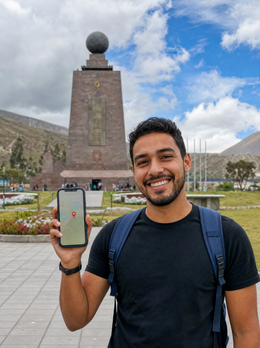
Baños de Agua Santa is the place where you'll take the most photos and videos per minute: the Casa del Árbol, the swing at the end of the world, the waterfalls on the Route. There's coverage in the town, though it comes and goes at viewpoints and on the bike route. Mitad del Mundo, half an hour from Quito, is a short, very "photo-op" stop: the real expense is uploading them, not taking them. Cuenca, with its historic center, is the city where most people end up teleworking for a few days, and there, the calculation changes completely.
A useful note: since the currency is the US dollar, prices are straightforward, and you don't need to constantly check the exchange rate. And for getting around, WhatsApp and taxi apps consume very little compared to what you might think: calling a car uses only a few MB. What consumes data is the video you watch while waiting.
If you also want to understand how the connection works in the country operator by operator, you can find it broken down in the guide to internet in Ecuador. Here, we'll continue with gigabytes.
How many GB depending on your profile and the number of days you're staying
This table summarizes all of the above. Find your profile, cross-reference it with the number of days you're staying, and you'll have your number. It's calculated assuming that you use hotel Wi-Fi for backups and large downloads, and that a couple of days of your trip will be spent without coverage (Amazon or sailing in Galápagos). If you don't plan to use Wi-Fi at all, go up one tier.
| Profile | 5 days | 10 days | 15 days | 30 days |
|---|---|---|---|---|
| Maps and WhatsApp tourist | 1 GB | 3 GB | 5 GB | 8 GB |
| Photo and social media user (uploads daily) | 3 GB | 5 GB | 10 GB | 20 GB |
| Content creator (lots of video) | 5 GB | 10 GB | 15 GB | 30 GB |
| Digital nomad / remote work | 8 GB | 15 GB | 20 GB | 40 GB or unlimited |
| Family sharing (2 adults + children) | 5 GB | 10 GB | 15 GB | 30 GB |
Two honest nuances. First: if your trip is mostly Galápagos and the Amazon, go down an entire tier, because you'll be disconnected half the time. An 8-day trip with 4 days on a cruise through the islands can easily be covered with 3 GB. Second: if you work, don't skimp. A one-hour work video call is about 440 MB, and two a day in a week will already consume 6 GB. In that case, a larger plan isn't a luxury; it's what prevents you from being stranded in the middle of a meeting.
And if you share a connection with another phone or with your laptop, remember to count that person too: a realistic family plan is the sum of the profiles, not just the one that uses the most.
Calculate your real consumption before leaving home
All of the above are averages. You have the good data in your pocket, and it costs nothing to check: how much you've spent in the last month with your usual phone. It's the best predictor available, much better than any table.
On an iPhone: Settings > Mobile Data, and at the bottom you'll find the breakdown by app for the current period (it's a good idea to reset the statistics on the 1st of the month for it to be useful). On Android: Settings > Network & Internet > SIM > App data usage, with the month selectable. Note the total monthly amount and divide it by 30. That's your real daily consumption at home.
Now adjust it for your trip with three simple corrections:
- Subtract home and work Wi-Fi. When traveling, you spend more hours outdoors, so increase your daily usage by 20-30%.
- Add photos. As a tourist, you take and share many more photos than on a normal day.
- Subtract days without coverage. This is where Ecuador gives you free gigabytes: each day at a lodge or on a cruise is zero consumption.
Example with numbers: if you use 6 GB per month at home, that's 200 MB per day. Increase it to 300 MB for the trip, multiply it by the 8 days you'll have coverage out of your 11, and you get 2.4 GB. Buy 3 GB and you'll be fine. This back-of-the-napkin calculation is more accurate than intuition, and it saves you from paying for gigabytes you won't touch.
How to make your data last in Ecuador
With four adjustments made before flying, the same plan can last almost twice as long. None of them force you to give up anything important.
| Trick | What it saves you |
|---|---|
| Download offline maps of Ecuador and Galápagos | Almost all navigation consumption |
| Set photo backups to Wi-Fi only | Hundreds of MB per day, the most expensive mistake |
| Disable auto-play on Instagram, TikTok, and X | Up to 700-800 MB per hour of scrolling |
| Activate Data Saver mode on your phone | 20-30% of the total |
| Lower video quality to 480p | From 3 GB/h to less than 1 GB/h |
| Download music and podcasts before long journeys | About 150 MB per hour of bus travel |
| Upload good quality video from Quito hotel Wi-Fi | The GB that save your trip |
Automatic backup is the silent killer: if you have Google Photos or iCloud uploading via mobile data, a day in Galápagos with 200 photos and several videos can easily exceed 1 GB without you realizing it. Check it before you leave, not after. I have more ideas like this in the tips for saving data while traveling, but these seven are more than enough.
An extra tip that applies especially here: in the towns of Galápagos, the network is slow. Trying to upload a large video not only consumes data, but also keeps you glued to your phone for twenty minutes in a place where marine iguanas are three feet away. A bad investment.
What happens if you run out
Not much, really. And that's why I always recommend erring on the side of too little rather than too much. When you run out of data, the connection simply stops: there's no surprise bill or overage charges. You still have hotel Wi-Fi, and in a minute, you can top up from your phone without changing anything on your device.
Undershooting costs five minutes and a few dollars. Overshooting costs double the plan, and you don't get back what you don't spend. Between the two, the choice is easy.
The only caveat: recharge when you still have some balance or are on Wi-Fi, not when you're already at zero in the middle of nowhere. If you're going to an Amazon lodge or a cruise, check your balance before leaving the coverage area, because you might want to announce that you're still alive when you return.
That margin is precisely the advantage of having the connection on your own phone instead of looking for a store: you can extend it from wherever you are, at any time. If you've never used this technology and want to understand how it works before buying, I'll explain it in simple terms in what an eSIM is. And if you already understand it and just want to see the plans and coverage for the country, the full details are in the eSIM for Ecuador guide.
Frequently asked questions
How many GB do I need for 10 days in Ecuador?
5 GB is enough for most people for 10 days. If you stick to maps, WhatsApp, and a few photos, 3 GB is sufficient; if you upload video daily or work remotely, aim for 10-15 GB. Remember to deduct the days at the lodge or on a cruise, during which you won't consume anything.
Does data work in the Galapagos Islands?
Yes, but only in the towns on the inhabited islands. There is a signal in Puerto Ayora (Santa Cruz), Puerto Baquerizo Moreno (San Cristóbal), and Puerto Villamil (Isabela). On excursions, on uninhabited islands, and while sailing between islands, there is no mobile coverage from any operator.
Do I need more gigabytes if I go to the Galapagos?
On the contrary: you usually need less. You will spend many hours without a signal, so your consumption decreases. The calculation only increases if you insist on uploading wildlife videos every night from the hotel, and even then, the slow network will make it difficult. Add 3-4 GB in that case.
Is there Wi-Fi in the Amazon lodges?
Many do not have it, and those that do provide a limited satellite connection in the common area. Assume you'll be disconnected from the moment you leave Tena or Coca until you return. Download maps, reservations, and documents before entering the jungle.
How much data does Google Maps use on a trip to Ecuador?
About 5 MB per hour when navigating, and virtually nothing if you have the map downloaded. Even in two weeks of routes through the highlands, you won't reach half a gigabyte. Maps are not the problem: the problem is video, both what you watch and what you upload.
Can I use the same plan on the mainland and in the Galapagos?
Yes, Galapagos is a province of Ecuador and uses the same national networks. You don't need anything separate for the archipelago. What changes is not the contracted coverage, but the available coverage: there are fewer antennas, and the speed is noticeably slower than on the mainland.
What happens if I run out of gigabytes halfway through my trip?
The connection stops, and you can recharge in a couple of minutes, with no extra charges for overuse. There are no penalties or surprise bills. That's why it's better to start with a modest plan and extend if needed, rather than paying in advance for gigabytes you might not use.
How many gigabytes does a video call home use?
Between 5 and 12 MB per minute, or about 440 MB per hour. Fifteen minutes daily for ten days is around 1 GB. If you plan to make long video calls daily, do them from your hotel's Wi-Fi or add that amount to your plan without hesitation.
Conclusion
In summary, what I would do: for ten days in Ecuador, buy 5 GB and adjust from there. Go down to 3 GB if your trip involves a lot of Galapagos cruising or Amazon lodge stays, because you won't use data on those days. Only go up to 10-15 GB if you work remotely or upload videos daily. It's a cheap data destination: Spanish is spoken, you don't need a translator, there's decent Wi-Fi in cities, and much of the itinerary takes place without a signal.
And the advice that will save you the most gigabytes costs nothing: only back up photos on Wi-Fi and download maps before you fly. With that, almost everyone undershoots their consumption, not their plan. Once you've decided, activate your eSIM for Ecuador before leaving home and land in Quito with data from the very first minute.