
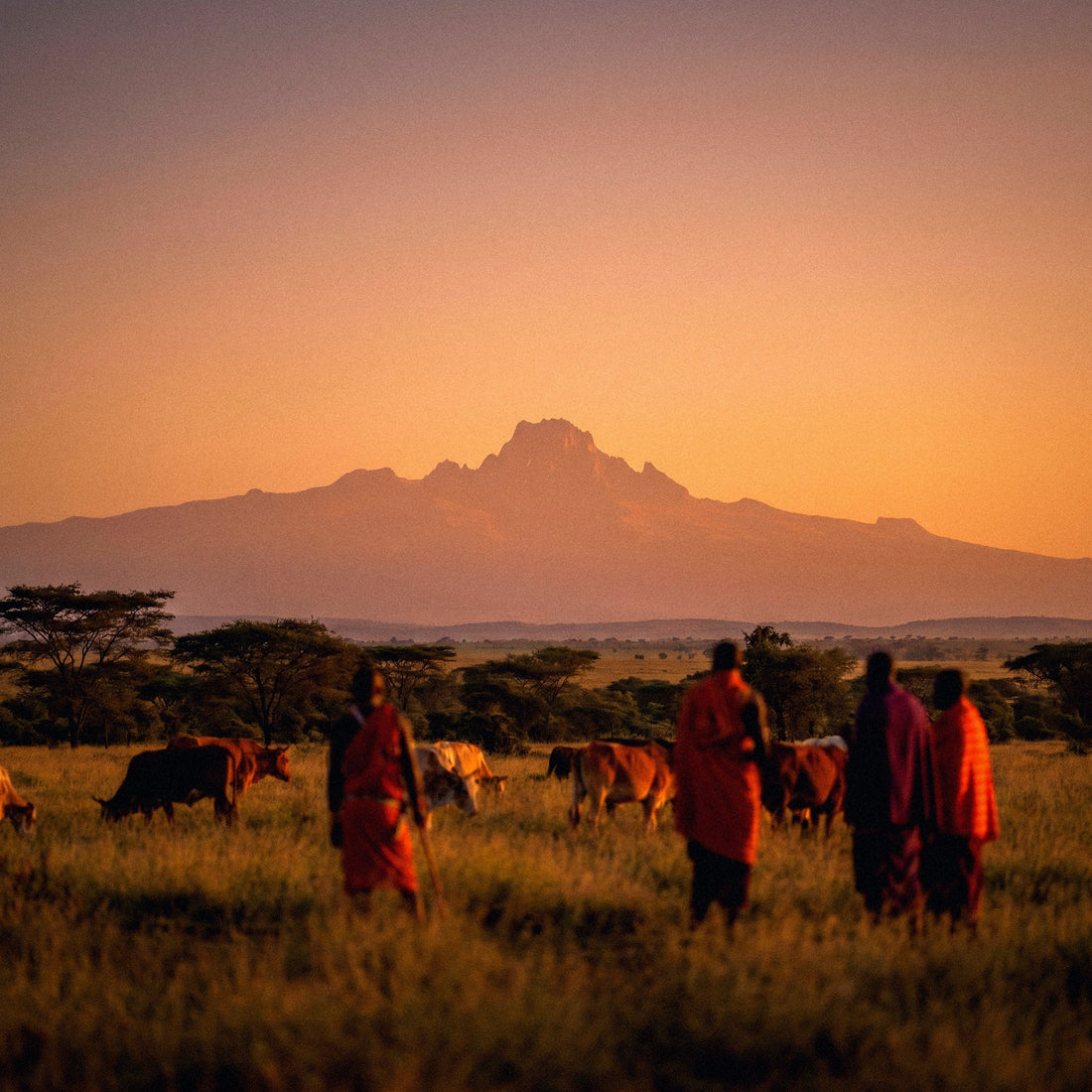
If you already have your flight to Nairobi and safari booked, the remaining question is small but uncomfortable: how many GB to buy for Kenya without running out of data or paying for data you won't use. I'll tell you as I would a friend, with figures and without inflating the number to sell more. And I'll tell you something almost no one says: in Kenya, the safari works in your favor, because the days in the park are precisely when you use the least data. If you want the general overview for any destination, you can find it in the guide on how much data you need for travel.
The direct figure: how many GB for Kenya
For a 10-day safari in Kenya, most people will be fine with 5 GB: on park days, you hardly use data because there's no coverage and the lodge provides Wi-Fi. If you only use maps and WhatsApp, 3 GB will suffice; if you upload videos daily, go for 10 GB.
That's the short answer, and I believe it, because a typical trip to Kenya isn't about being glued to your phone. It's a trip of early mornings, hours in a 4x4 with the roof open, and nights in a camp where connectivity is an extra, not the main plan. The recurring pattern is always the same: two or three very connected days and the rest on a data diet.
The connected days are those in Nairobi (arrival, departure, a city day) and the beach days if you extend to the coast. That's when you use data: Bolt or Uber to get around, maps, messages home, a few calls. Between 400 and 900 MB per day, depending on how hooked you are to social media.
Park days are a different story. You leave at 6 in the morning, spend nine hours filming lions and elephants, and half the time your phone doesn't even have a signal. Recording video doesn't consume data: it consumes battery and memory. You only use data when you upload something, and you'll do that at night, with the lodge's Wi-Fi or with a bit of 4G if the camp gets it.
Why Kenya changes the calculation (great coverage, except in the parks)
Kenya has one of the best mobile networks in East Africa, and it's not just marketing: Safaricom, the dominant operator, claims 97% population coverage for 2G, 3G, and 4G, and has rolled out 5G to all 47 counties, with over 1,000 sites by 2024 and further expansion. In Nairobi and Mombasa, you'll have plenty of speed.
But population coverage is not territory coverage, and there's the catch. National parks are enormous, with very few inhabitants and very few antennas. The Kenyan exception is precisely the places you're going: in Maasai Mara, there's signal on the main tracks and in most camps, but it drops in inner areas of the reserve, especially towards the Tanzanian border. The same happens in Amboseli and Tsavo: it's intermittent, better near the entrance gates and in higher areas.
| Area | What you'll find | Effect on your GB |
|---|---|---|
| Nairobi | Solid 4G and 5G in a good part of the city | High: where you'll consume the most |
| Mombasa, Diani, Watamu | Good 4G and decent hotel Wi-Fi | Medium |
| Maasai Mara (tracks and camps) | Irregular signal, gaps towards the south | Low |
| Amboseli and Tsavo | Intermittent, better near the gates | Very low |
| Lodges and tented camps | Satellite Wi-Fi, slow and shared | Reduces your plan consumption |
| Nairobi–Naivasha–Narok route | Reasonable coverage on main road | Medium |
If you want details on which operators are available, what speeds to expect, and how to connect, I break it down in the guide to internet in Kenya. Here we continue with gigabytes.
How much each app really consumes
Before choosing a number, it's good to know what consumes data. People tend to think they use much more than they actually do, associating "using the phone" with "consuming data." Messages, maps, and email are negligible. What's expensive is video, in any form: watching it, uploading it, or making video calls.
| Activity | Approximate Consumption | A normal day in Kenya |
|---|---|---|
| WhatsApp (text, audio, some photos) | 1-5 MB per hour of use | 20-40 MB |
| WhatsApp voice call | ~1 MB per minute | 30 min = 30 MB |
| Video call | 5-12 MB per minute | 15 min = 75-180 MB |
| Google Maps navigating | 2-5 MB per hour | 20-30 MB |
| Instagram or TikTok (reels) | ~250 MB per hour | 20 min = 80 MB |
| Upload 10 safari photos | 3-5 MB each | 30-50 MB |
| Upload a 1-minute video | 50-100 MB | One per day = 50-100 MB |
| YouTube at 360p | ~150 MB per hour | Occasional |
| HD Video (1080p) | 1-1.5 GB per hour | Avoid with data |
| Music streaming | 40-70 MB per hour | 1 hour = 50 MB |
| Email and web browsing | 10-20 MB per hour | 30-60 MB |
Notice the difference in scale: a full day of maps and messages fits into a quarter hour of video calling. That's why generic recommendations of "20 GB for two weeks" are almost always smoke, unless you work remotely. If you like to see the numbers in black and white, I have a more extensive breakdown in the mobile data usage statistics by activity.
Recommendation by profile and duration
This is the table that really matters. It's designed for trips that mix safari and city, which is 90% of what's done in Kenya. If your trip is only beach, move up a tier, because in Diani and Watamu you'll be on your phone more and spend fewer hours in a car.
| Profile | Daily Consumption | 5 days | 10 days | 15 days | 30 days |
|---|---|---|---|---|---|
| Maps and WhatsApp Tourist | 200-300 MB | 2 GB | 3 GB | 5 GB | 10 GB |
| Photo and Social Media (uploads daily) | 600-900 MB | 3 GB | 5 GB | 10 GB | 20 GB |
| Digital Nomad or Remote Work | 1.5-2.5 GB | 10 GB | 20 GB | 30 GB | 50 GB |
| Family or Couple Sharing | 1-1.5 GB | 5 GB | 10 GB | 15 GB | 30 GB |
The numbers aren't the exact sum of daily consumption, and that's on purpose: they include a buffer of between 30% and 50%. This margin covers the day the lodge Wi-Fi doesn't work, the unexpected birthday video call, and the two hours at the Nairobi airport waiting for your return flight.
If you're torn between two tiers, choose the smaller one. It's cheaper to recharge 3 GB midway through your trip than to waste 10 GB unused. And be careful with the "family" profile: if there are four of you and each has their own plan, don't multiply the above number by four; children usually consume data at the hotel, with Wi-Fi, not in the 4x4.
Safari days: you consume less than you think
A safari day in Maasai Mara goes like this: breakfast before dawn, heading out into the park, eight or ten hours on dusty tracks, a picnic lunch under an acacia tree, and returning to camp at sunset. During all that time, your phone does three things: takes photos, records video, and searches for a signal. The first two don't consume a single megabyte of data. The third drains your battery.
Recording two hours of video of the Great Migration doesn't use data. Uploading two minutes of that video to Instagram does. That's the entire difference between spending 100 MB a day and spending 1 GB.
What does change consumption is the season. Between July and October, with the wildebeest migration crossing the Mara River, the reserve fills with vehicles and people wanting to upload the same video at the same time. The antennas in the area aren't sized for that, and 4G struggles exactly when you want it most. It's not that you use more gigabytes; it's that it takes longer to use them, and you get frustrated.
| Type of Day | Typical Consumption | Why |
|---|---|---|
| Full Safari Day | 80-250 MB | Low coverage and lodge Wi-Fi at night |
| Day in Nairobi | 400-800 MB | Bolt, maps, social media, and good 4G/5G network |
| Beach Day in Diani | 300-600 MB | Good hotel Wi-Fi, but more phone time |
| Travel Day or Small Plane | 150-400 MB | Connected during waits, flight in airplane mode |
Nairobi, M-Pesa, and mobile as a wallet
Nairobi is a technologically advanced city, and it shows on the streets. M-Pesa, the mobile payment system used for everything in Kenya—taxis, market fruit, guide tips, electricity bills—was born here. Seeing someone pay for a bunch of cilantro with their phone is completely normal.
Now for the honest part, because there's a lot of confusion: M-Pesa is linked to a Kenyan number. You need a local SIM registered with your passport to open a wallet. A travel data plan gives you internet, not a Kenyan number, so you won't be able to pay with M-Pesa. If anyone tells you otherwise, they're selling you a story. Don't panic: with a card, some cash in shillings, and taxi apps, you'll manage perfectly as a tourist.
And those taxi apps are the main reason you do want data in Nairobi. Uber and Bolt work in Nairobi and Mombasa, and they only need a connection: a pre-set fare, visible route, and no haggling over the price through the window. It's the recommended way to get around the city and consumes very little, about 30-50 MB per day between ordering cars and following the route on the map.
If you've never used this type of digital line, I explain how it works internally in what an eSIM is, without complex technical jargon.
Diani and Watamu: the beach where Wi-Fi actually works
Many people end their trip with four or five days on the Indian Ocean coast, and there the approach changes completely. Diani and Watamu are established tourist areas, with hotels and resorts that have real landline connections, not satellite. The Wi-Fi works, reaches rooms in most places, and can sustain a video call without cutting out.
This has two consequences for your calculation. The first is good: leave all heavy tasks for the beach. Photo backups, the twenty-minute video you want to send to your family, the movie for the return flight, the mobile update you've been postponing. With the hotel Wi-Fi, it doesn't cost you a single megabyte from your plan.
The second is less good: at the beach, one is more relaxed, and the phone comes out more. Hammock afternoons, social media scrolling, music while swimming. A beach day consumes more than a safari day, even though it seems the opposite, because you have coverage, time, and desire. If your trip is half parks and half coast, count beach days as city days.
Outside the resorts, in beach bars and villages, 4G coverage is good. You can navigate with maps, find restaurants, and order a tuk-tuk without problems. The pace only slows down if you go towards rural areas inland from the coast, where there are again gaps.
Small planes, transfers, and downtime
Kenya can be traveled in two ways: by road, with many hours on dusty tracks, or by small plane from Wilson Airport in Nairobi to the dirt airstrips in the parks. Both affect your data, and in different ways.
The small plane is fast but cuts off the connection: there's no onboard Wi-Fi, and the flight is in airplane mode. The times that do count are the waits beforehand, in the waiting rooms, where you kill time with your phone. On the road, the opposite happens: it's five or six hours where there's good coverage on the main routes, and you end up with your phone in hand, listening to music or sending audio messages. Downtime is the silent enemy of your plan, more so than the safari itself.
Two practical tips. One: download music and podcasts before leaving home, or with the hotel Wi-Fi. Six hours of Spotify streaming is about 300 MB; downloaded, zero. Two: keep your documents offline, not in the cloud. The electronic travel authorization you process before flying, insurance, and lodge vouchers, save them as downloaded PDFs. Looking for them in your email with one bar of coverage and a plane waiting is a situation easily avoided.
And if you're flying with limited luggage — small planes usually require soft bags and few kilos — a small external charger is better than an extra router. Here, the bottleneck is battery, not gigabytes.
Calculate your own consumption before flying
All of the above are averages, and averages lie when applied to any specific person. The serious way to get it right is to check your own data, which you already have in your pocket and costs nothing.
On Android, go to Settings, Network & internet, Mobile data usage. On iPhone, Settings, Mobile Data, and scroll down to the app list. You'll see how many GB you've used in the last billing cycle and, even better, which app used it. That number is your real starting point. Divide it by 30, and you'll have your daily consumption when you're at home.
Now adjust it for your trip with three honest corrections:
- Subtract home and office Wi-Fi. In Spain, you rely heavily on Wi-Fi without realizing it; in Kenya, you'll also have Wi-Fi in hotels and lodges, so this factor more or less balances out.
- Subtract park days. Count them at 30% of your normal day. No coverage means no consumption.
- Add an extra for being a tourist. Maps, occasional translator, looking up places, sending more photos than usual: between 100 and 200 MB per connected day.
A real example: if you use 6 GB per month at home, that's 200 MB per day. Ten days in Kenya with four park days comes out to about 1.6 GB, plus the tourist extra, about 2.8 GB. Buy 3 GB, and you'll be fine. This calculation, done in five minutes, is more accurate than any table, including mine.
How to stretch your data in Kenya
With four simple adjustments that you make once and forget, the same plan can last almost twice as long. It's not about being stingy: it's that on a trip like this, gigabytes are spent on things that don't even benefit you.
- Offline maps, essential. Download the areas of Nairobi, Maasai Mara, Amboseli, and the coast on Google Maps before leaving. They take up little space and work without coverage, which is exactly what you need in a park.
- Backups only via Wi-Fi. Google Photos and iCloud can upload every safari video as soon as you record it. Just one day of recording can amount to several GB. Deactivate it or set it to "Wi-Fi only" before landing.
- Data Saver Mode. This is in your phone settings and limits what apps do in the background. Complement it with the saver mode within Instagram, TikTok, and YouTube.
- Turn off video autoplay on social media and WhatsApp. This is probably the setting that saves the most: you stop downloading videos you weren't even going to watch.
- Lower video quality to 480p when watching something with data. A phone won't let you notice the difference, and you go from 1 GB to 200 MB per hour.
Order matters: do this at the departure airport, not when you're already on the savannah struggling with a single bar of reception. I have the complete list of settings, app by app, in the guide to tricks to save data while traveling.
What happens if you run out
Running out of data in Kenya is not a drama, and I want you to understand that because it underpins my recommendation to buy a bit less than you think you need. If you run out of data, your line stops browsing, but you don't lose anything: you still have hotel Wi-Fi, you still have your downloaded maps, and you can top up in five minutes from that same Wi-Fi connection.
Compare the two possible errors. If you buy too much, you wasted money on gigabytes that expire and no one will refund you. If you run out, you pay for a top-up that probably would have cost you the same if you had bought it initially, and you find out one afternoon at the lodge. The cost of making a mistake by buying too little is almost zero; the cost of making a mistake by buying too much is fixed and certain.
A couple of things that help manage it well:
- Activate the phone's consumption alert at 80% of the plan, so it doesn't catch you by surprise.
- Top up from the lodge or hotel Wi-Fi; never wait until you're completely out of data in the middle of the park.
- If you're going to be in the Mara for four consecutive days, the top-up can wait: you'll barely use any data there.
And if you want to see directly what sizes are available and at what price for this destination, you can find it broken down on the eSIM for Kenya page, with options ordered from smallest to largest.
Frequently asked questions
How many GB do I need for a 7-day safari in Kenya?
3 GB is more than enough for a week-long safari. If the trip is only parks and lodges, even 2 GB might suffice, because between the lack of coverage and camp Wi-Fi, you'll hardly consume any data. Increase to 5 GB if you plan to upload videos to social media daily.
Is there mobile coverage in the Maasai Mara?
Yes, but it's inconsistent. Safaricom provides signal on the main tracks and in most camps, although there are gaps within the reserve, especially towards the border with Tanzania. Expect to be disconnected for a good part of the day and consider it a benefit for your wallet.
Can I use M-Pesa with a travel data plan?
No, M-Pesa requires a Kenyan number. The mobile wallet is opened with a local SIM card registered with a passport. A data plan gives you internet, not a local line. As a tourist, you can easily manage with a card, some cash, and taxi apps, which only need a connection.
Is lodge Wi-Fi suitable for work?
For email and messages, yes; for video calls, don't count on it. Most camps in the Mara connect via satellite, with limited speed shared among all guests. During peak hours, it crawls. If you work remotely, plan to use your own data and get a large plan.
How much data does it take to upload safari photos and videos?
About 30-50 MB for every ten photos and 50-100 MB for every minute of video. Recording consumes nothing; uploading does. If you're going to make many videos, upload only the best ones using data and save the full backup for the hotel Wi-Fi on the coast.
Do I need more GB if I travel during the Great Migration?
More GB, no; more patience, yes. Between July and October, the reserve fills with vehicles, and the local network gets saturated because many people are uploading content at the same time. Total consumption doesn't change, but uploads take longer. Do them at night, when fewer people are connected.
Is Kenya a good country for coverage compared to the region?
It's one of the best in East Africa. Safaricom claims to cover 97% of the population with 2G, 3G, and 4G, and has already deployed 5G in all 47 counties. The downside is geographical: national parks, with very few inhabitants, are not included in that picture.
Is an unlimited plan for Kenya worth it?
Only if you work remotely or are staying for more than three weeks. For a classic safari of one or two weeks, it's a waste of money: actual consumption falls far below. Unlimited makes sense if you make daily video calls or share your connection with multiple devices.
Conclusion
To summarize without embellishments: for a typical 10-day trip to Kenya with a safari and a couple of city days, 5 GB is a comfortable amount and 3 GB is sufficient if you only use maps and WhatsApp. Increase to 10-20 GB only if you work remotely, share the connection with multiple devices, or will be staying for more than three weeks.
Kenya is one of the few destinations where I can tell you, hand on heart, to buy less than you thought you needed. The country has an excellent network for the region, lodges provide Wi-Fi for basic needs, and the parks, where you'll spend half your trip, simply don't allow you to spend much data. I'd rather sell you 3 GB and have you come back than give you 20 GB and make you feel foolish when you return home with 16 GB unused.
If you're clear now, choose your size on PuraSIM's eSIM for Kenya, activate it before you leave home, and land in Nairobi with data from minute one. And if you run out in the middle of your trip, top up from the lodge Wi-Fi, and you're all set. Enjoy your safari.







