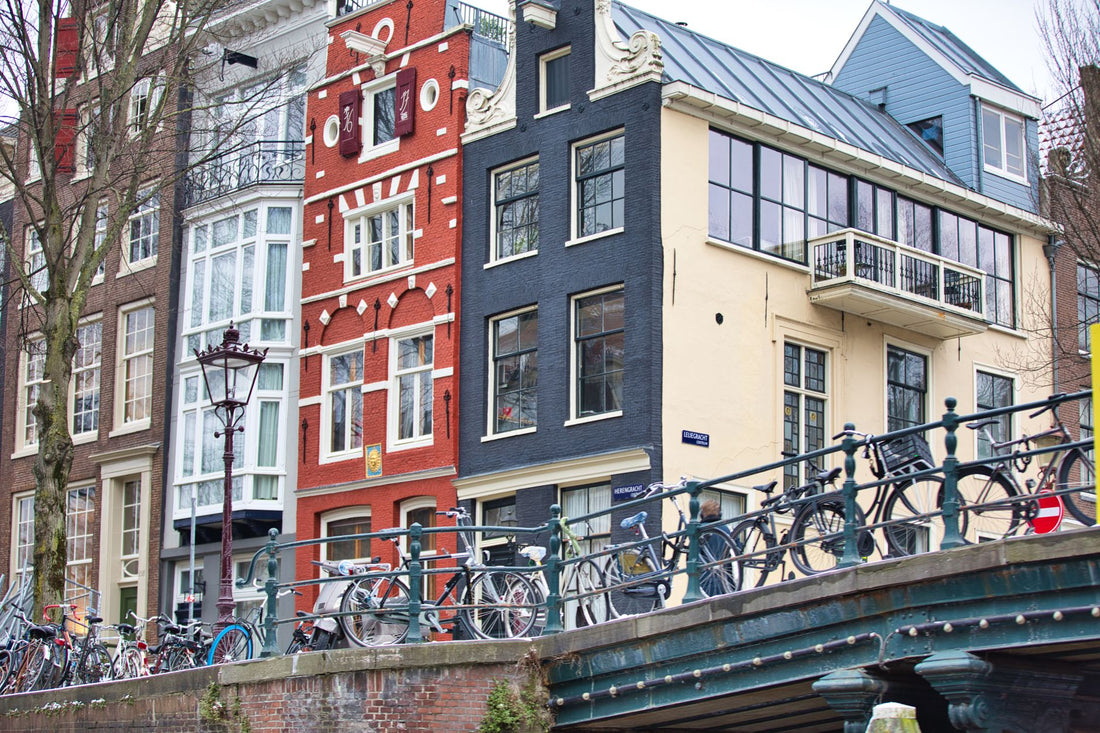
In short: if you are traveling from another EU country, your rate already includes free roaming in Amsterdam and you don't need to buy anything. If you are coming from outside the EU or prefer independence from your usual line, an eSIM for Amsterdam gives you 4G/5G data as soon as you land at Schiphol, with no queues or physical cards.
Do you even need an eSIM for Amsterdam?
Let's start with the basics, even if it doesn't benefit us as a store: if your line is from an operator in a European Union country, the European Economic Area, or countries with an equivalent agreement, the "roaming like at home" regulation means you use your data, minutes, and SMS in the Netherlands just like at home, without surcharges and without activating anything. For a weekend in Amsterdam with a Spanish, Italian, German, or any other EU country rate, don't buy anything: open your phone at Schiphol and you'll already have coverage with your own line.
That said, there are real situations where a separate eSIM is worthwhile. If you are coming from the United Kingdom, the United States, Latin America, Asia, or any country outside that European umbrella, roaming with your original operator in the Netherlands is usually very expensive or simply non-existent without activating a specific package. It also makes sense if you want to separate work data from personal data during the trip, if your main line has very few GB and you don't want to use them all in four days of canals, or if you simply prefer not to touch your operator's physical card while traveling. In any of these cases, the eSIM solves the problem in a minute and without relying on hotel Wi-Fi.
What an eSIM is and how it works in Amsterdam
An eSIM is a digital SIM card that is installed by scanning a QR code, without a physical slot or plastic to insert. In Amsterdam, it connects to the same Dutch networks that a physical SIM from a local operator would use: same antennas, same 4G and 5G coverage, same service. The difference is in the logistics, not in the signal quality. If you want to understand the technology in more detail, we have a complete explanation of what a virtual eSIM is and how it differs from a traditional card.
The beauty of the eSIM compared to traditional roaming is that you don't depend on your original operator having an agreement with a Dutch one or on their roaming rates. If you want to understand this difference well before deciding what suits you, read what data roaming is and compare options in our eSIM vs. roaming comparison.

Data from Schiphol airport
Schiphol is one of Europe's busiest airports, and that's evident in the queues at phone stores right after passport control. Buying a physical SIM card right after landing robs you of precious minutes on a short getaway. With the eSIM installed from home, you'll be browsing as soon as you leave the terminal: order your train ticket to Centraal on the app, open the map, and book a dinner table without having to search for airport Wi-Fi.
The train from Schiphol to the city center takes between 15 and 20 minutes and departs directly from the station below the terminal, without the need for a bus transfer. Having data from the platform allows you to buy your ticket on the NS app, track your journey on the map, and not depend on intermittent train car Wi-Fi. A detail almost no one tells you: if you plan to move around the city for several days, it's more worthwhile to buy an OV-chipkaart or activate contactless bank card payment at the turnstiles than to buy a train ticket every time, and to set this up you need a stable connection right after getting off the plane.
Practical tip: Activate the eSIM and check that you have a signal while still inside the plane, before the doors open. This way you'll arrive at passport control with internet working and won't have to rely on airport Wi-Fi to request your first transportation or to show your hotel reservation if asked.
How many GB for your getaway in Amsterdam
A city getaway consumes much less than people think, especially in Amsterdam, where free Wi-Fi is abundant. For a weekend using maps, digital museum tickets, social media, and messaging, 2 to 3 GB will be more than enough. If the trip extends to four or five days, or if you upload video to stories all the time, increase to 5 GB so you don't have to check the meter on the last day.
| Trip duration | Recommended GB | Typical use |
|---|---|---|
| 2-3 day getaway | 1-3 GB | Maps, transport, social media, messaging |
| 4-5 day long weekend | 5 GB | Above + stories and video calls |
| Week or more / remote work | 10 GB or top-up | Work video calls, streaming, constant browsing |
| Day trip to Utrecht or Keukenhof | 1 GB extra | Train or car navigation and photos |
Wi-Fi in hotels, cafes, most museums, and even some trains is abundant in Amsterdam, so save your mobile data for the street: walking or cycling maps, buying transport tickets, and looking up the next place on the go. If you want to refine your calculation or have run out of GB before, we have a few tricks to save data while traveling that work for any destination, not just Holland.

Coverage by canals, museums, tram and metro
Coverage in Amsterdam is among the best you'll find in a European city: 5G in much of the city center, solid 4G everywhere, and a stable signal even underground, in the metro and at Centraal Station. Strolling through the canal area, the Jordaan, De Pijp or Vondelpark, you won't have any interruptions browsing on foot or by bike.
The interiors of large museums like the Rijksmuseum or Anne Frank House may have a weaker signal due to the thickness of the stone and old brick walls, especially in the lower floor rooms. This is not a problem: almost all of them offer free Wi-Fi for visitors with their entrance ticket, so the audio guide or museum map work just fine. Outside, on the street, the connection returns instantly. On a GVB ferry crossing the IJ to the Noord district, the signal also remains stable, something that doesn't always happen on boat trips in other European cities.
| Area | Coverage | Typical use |
|---|---|---|
| Center and canal belt | Excellent 5G | Maps, photos, restaurant reservations |
| Metro, tram and Centraal Station | Good 4G/5G | Tickets, timetables, transport apps |
| Interiors of large museums | Variable + own Wi-Fi | Audio guides and digital tickets |
| Vondelpark, De Pijp, Jordaan | Good 4G/5G | Walking or cycling navigation |
| GVB ferry to Noord | Stable 4G | Maps and photos during the crossing |
For such a compact city with so much network infrastructure, the eSIM performs exactly like a local SIM without you having to touch anything physical on your phone or worry about losing your original operator's card during your trip.
Just Amsterdam or all of Holland?
The answer is simple: the plan that covers Amsterdam is the same that covers the entire Netherlands, so if your route includes an excursion to Zaanse Schans, Utrecht, Rotterdam, The Hague, or the Keukenhof tulip fields, you already have it covered with the same plan. There is no such thing as a "just Amsterdam" plan, nor would it make sense to look for one.
If your trip isn't limited to a single country, for example, if you combine Amsterdam with Brussels, Berlin, or Paris on the same getaway, a plan that covers all of Europe is more worthwhile than buying and managing several country-specific eSIMs. In that case, check out our eSIM for Europe, specifically designed for itineraries that cross borders without you having to activate a different line in each country.
How to activate your eSIM before flying
The process takes about a minute and can be done from the comfort of your home, not at the airport. You buy the Netherlands plan, receive the QR code by email, scan it with Wi-Fi, and the eSIM is installed and ready. Upon landing, you just need to activate the data for that line, nothing more.
- Confirm that your mobile is eSIM compatible (most models from 2019-2020 are).
- Purchase the Netherlands plan and receive the QR code in your email.
- Scan it from home, with Wi-Fi: Settings > Mobile Data > Add eSIM.
- Leave the line installed but not activated until the day of your flight.
- Upon landing at Schiphol, activate the mobile data of that eSIM and deactivate roaming on your main line if you don't want to use it.
If this is your first time installing one, you'll find the complete step-by-step guide on how to install an eSIM, with screenshots for iPhone and Android, useful. And if you're concerned about security when connecting to public Wi-Fi networks in cafes or at the airport, it's a good idea to read our guide on eSIM, VPN, and travel privacy before you go.
Errors and myths almost no one tells you about
There are a few misunderstandings that recur trip after trip and should be clarified before they complicate your getaway.
"With an eSIM, I lose my number for calls and WhatsApp." This is not the case. The eSIM adds an additional data line; your main number remains active for calls and SMS if you keep that line on, and WhatsApp continues to work the same way because it uses data, not the phone line itself. It's common to travel with both lines active: the physical one for calls and the eSIM for data.
"If I have free European roaming, the eSIM is useless." As we said at the beginning, if you are an EU resident, your roaming already covers Amsterdam. But there's a nuance almost no one mentions: "roaming like at home" policies have fair use limits, and if your original plan has very limited GB, using them all up on a weekend in Amsterdam could leave you without data when you return home. In that case, a separate eSIM might be worthwhile so you don't touch your usual data allowance.
"Hotel or cafe Wi-Fi is as good as mobile data." For browsing while sitting on the terrace, yes. But in Amsterdam, you'll be constantly moving on foot or by bike between canals, and Wi-Fi won't reach there. Mobile coverage is what saves you when you deviate from the planned route to explore a side street in the Jordaan, which is something very worthwhile doing in this city.
"The more public Wi-Fi signal I use, the better, so I save data." Not always. Open Wi-Fi networks in squares, stations, or tourist cafes are not always well protected, and connecting carelessly to check your bank or buy tickets has its risks. If you're going to use public Wi-Fi while traveling, do so wisely, and if you're handling sensitive data, it's better with an active VPN.
"It doesn't matter if I activate the eSIM upon landing or before." Technically, you can activate it at the airport, but doing so while looking for Wi-Fi among the crowds in the arrivals terminal is the worst possible time: it's when you're in the biggest hurry and have the least patience. Install it at home, calmly, and activate it only on the day of your flight so you don't use up data prematurely.
Frequently Asked Questions
Do I need an Amsterdam-specific eSIM?
There is no such thing as an "Amsterdam-only" eSIM. Amsterdam is a city in the Netherlands, so a Netherlands eSIM covers the capital and the rest of the country with the same plan, including excursions to Utrecht, Rotterdam, or the Keukenhof tulips.
How many GB do I use on a weekend in Amsterdam?
For two or three days using maps, digital tickets, social media, and messaging, 2-3 GB is more than enough. The city has plenty of Wi-Fi in cafes, hotels, and museums, so save your mobile data for the street. If you post stories daily or are staying longer, increase to 5 GB.
Do I have internet as soon as I land at Schiphol?
Yes, if you leave the eSIM installed from home before flying. Upon landing, you just activate the data for that line and you're already browsing: order the train to Centraal, open the map, and make reservations without looking for airport Wi-Fi or queuing in a store.
Is there good coverage on the metro, tram, and canals?
Yes. Amsterdam has 5G in much of the city center and stable 4G everywhere, including the metro, tram, and Centraal Station. Inside museums with thick walls, the signal may be weaker, but almost all offer their own Wi-Fi for visitors.
Can I use the eSIM while cycling without interruptions?
Yes, the connection remains stable while cycling on the city's lanes, ideal for following the route on the map. However, check your phone when stopped or with a handlebar mount: Dutch cycling traffic is dense and unforgiving of distractions.
If I am from an EU country, is it worth buying an eSIM for Amsterdam?
Usually not necessary: your original rate already covers you in the Netherlands due to European roaming regulations. It may be worthwhile if you have few GB on your usual line and don't want to use them up on your trip, or if you prefer to separate personal and work data while you're away.
What happens if my flight has a layover outside the EU before reaching Amsterdam?
The Netherlands eSIM only provides coverage once you are in Dutch territory; during a layover in another country, you will not have data with that plan unless you purchase a specific one for that layover. If your itinerary crosses several countries before or after Amsterdam, consider a single eSIM that covers all of Europe.
Conclusion
Amsterdam is a getaway of museums, canals, and biking where your phone acts as a map, ticket, and train ticket all at once. If you're coming from the EU, you likely already have coverage without spending extra money; if you're coming from outside or prefer your own separate line, with 2-3 GB for a weekend, the eSIM installed from home, and excellent Dutch coverage, you'll leave Schiphol browsing without losing a single minute at the airport. Get your Netherlands eSIM ready before you take off and dedicate your trip to what matters: getting lost in the canals, not searching for Wi-Fi.