
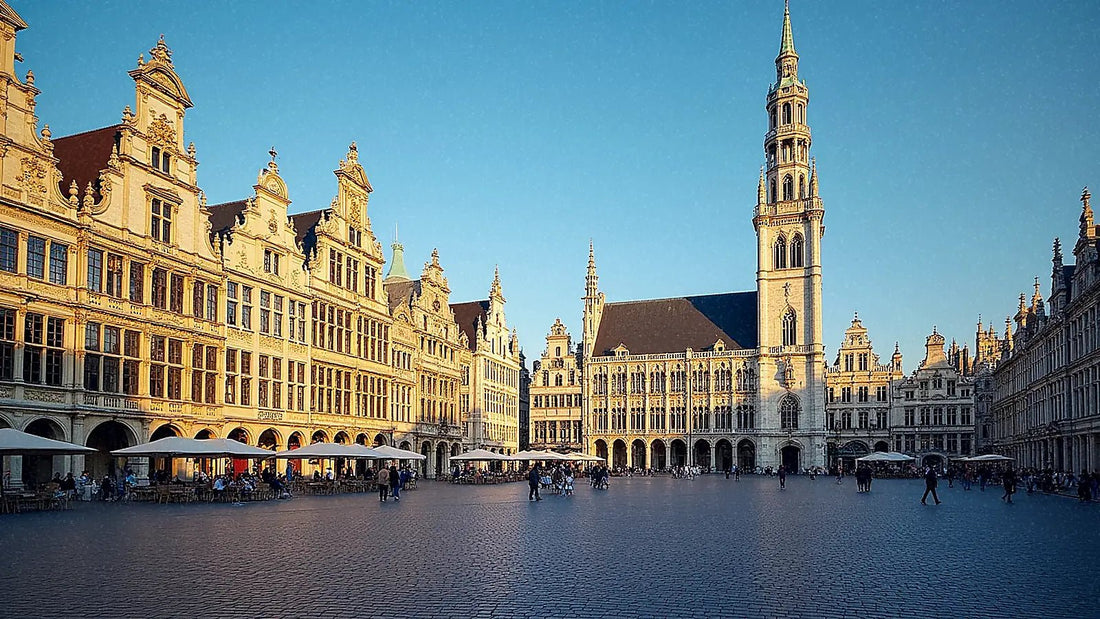
In short: for a trip to Brussels, you don't necessarily need an eSIM, because Belgium is in the European Union and your roaming should work. However, if your data plan is small, you want to save your Spanish line for bank SMS messages, or you are coming from outside the EU, an eSIM for Brussels (in reality, for all of Belgium) gives you internet as soon as you land in Zaventem, without touching your roaming or having to look for SIM card stores.
Do you need an eSIM for Brussels?
A trip to Brussels is short and intense: Grand Place, fresh waffles, the Atomium, and almost always a day trip to Bruges or Ghent. To avoid getting lost in alleyways or depending on café Wi-Fi, an eSIM for Brussels gives you internet from minute one.
The first honest question is whether you really need it. If your Spanish operator includes roaming in the EU, you can use your data in Belgium at no extra cost: it's the European Union, and data roaming regulations require you to pay the same as at home. Even so, there's fine print that almost no one checks: many tariffs have a fair use policy that limits GB in roaming even if your national plan is generous, and if you exceed it, some operators charge an extra per MB or directly cut the speed to a trickle. For a weekend, it's usually not noticeable, but if you're going to upload high-quality video or work remotely from a terrace in Sablon, it's worth checking before you leave.
That said, an eSIM is worthwhile if your plan has little roaming, you want to save your physical SIM for calls and bank SMS, or you need more GB than your plan offers. If you're coming from outside the EU —UK, United States, Latin America—, it's directly the sensible option: roaming outside the European area skyrockets in price with most local operators.
Brussels is a popular destination for a weekend getaway: "what to see in Brussels" gets around 9,900 searches per month in Spain, indicating how many people organize a short and intense trip to the European capital. With so much to visit in a short time, you'll be constantly using Google Maps, public transport (STIB/MIVB), and looking for places to eat. An eSIM gives you abundant data without touching your line's roaming, which is convenient if you want to keep your number active. If you're unsure between the two, compare them thoroughly in our guide on eSIM vs. roaming.

Internet as soon as you land at Zaventem
Landing with internet already working changes the start of your trip. Brussels Airport (Zaventem) handles a lot of traffic: "Brussels airport" gets about 4,400 monthly searches in Spain, and a good portion of those searches are precisely how to get to the city center and connect as soon as you leave the terminal.
With the eSIM installed beforehand, as soon as you step into the terminal, your phone connects to the Belgian network, and you have maps to catch the train to the center —the Airport Express reaches Bruxelles-Midi in about 20 minutes—, call a taxi, or announce that you've arrived. No need to look for airport Wi-Fi, queue at a SIM store, or struggle with an ATM that doesn't accept your card. You set it up at home and it works automatically when you get off the plane.
A detail that almost no one mentions: public Wi-Fi at the airport and many downtown cafés often require you to register with an email or accept lengthy terms and conditions, and on such open networks, it's wise to be careful about what you access (banking, for example). With your own data, you save yourself the registration and browse on a network that you don't share with strangers in the same room. If privacy, as well as convenience, is important to you, in eSIM, VPN, and travel privacy, we explain when it's worth adding an extra layer. And if it's your first eSIM, the complete step-by-step is in how to install an eSIM.
Coverage and operators in Belgium
Belgium is a small and densely urbanized country, with excellent 4G/5G coverage almost everywhere. The main operators, Proximus, Orange Belgium, and Base/Telenet, maintain very solid networks, and the eSIM automatically connects to the one with the best signal at any given moment, without you having to choose anything.
In Brussels city, you won't have any problems: Grand Place, the European Quarter (where the Commission is), Sablon, or Sainte-Catherine all offer high-speed browsing. There are occasional exceptions worth noting: inside the Atomium spheres, the signal may be affected by the metal structure, and in some underground museum halls like the Magritte Museum or deeper metro stations (Maalbeek, Arts-Loi), it might cut out for a few seconds. Nothing serious, but if you're making an important video call, it's better to do it outside.
Classic day trips from Brussels also have excellent coverage:
| Destination | Distance | Coverage |
|---|---|---|
| Bruges | ~1 hr by train | Excellent |
| Ghent | ~30 min by train | Excellent |
| Antwerp | ~45 min by train | Excellent |
| Waterloo | ~30 min | Very good |
A nuance for Bruges: in the historic center, with its canals and narrow stone streets, the signal remains good, but if you enter a church with very thick walls (the Basilica of the Holy Blood, for example), you might notice that 4G takes an extra second to load the map. Download the route before entering and you're all set. With a Belgium eSIM, you cover both the capital and these day trips, without changing plans or cards.

How many GB to take for your getaway
Brussels is usually visited in 2 to 4 days, so calculating data is simple. With typical tourist use —constant maps, social media, photos, and some video calls— these figures are more than enough:
- 1-3 GB: two-day weekend with moderate use and hotel Wi-Fi.
- 5 GB: three or four-day getaway uploading stories and browsing daily.
- 10 GB: if you work remotely, make long video calls, or share your hotspot with someone else.
Tip: download offline maps of Brussels and Bruges before you leave. Although coverage is good, this saves data and allows you to navigate even if you lose signal for a moment on the subway or in a museum.
A common mistake is to buy a huge plan "just in case" and end up using only a fraction. For a short getaway, a small plan is almost always sufficient: there's no point in paying for GBs you won't use. If you also want to maximize your data —for example, to not use it all in Brussels and have enough for Bruges—, in how to save eSIM data when traveling, you'll find specific tricks: disabling automatic app updates, lowering the quality of photos you upload to social media, and disabling video autoplay are the ones that make the most difference in daily consumption.
Brussels city or all of Belgium
There are no "Brussels-only" eSIMs: what you buy is a Belgium eSIM that covers the entire country, including the capital. This is precisely the practical option, because almost no one goes to Brussels without also visiting Bruges or Ghent, and with the same plan, you have internet throughout the territory without reconfiguring anything.
The real question is another: Belgium eSIM versus regional Europe eSIM. If your trip is only Belgium, the country-specific one is usually the most suitable, because you pay exactly for the coverage you will use. If you are combining Brussels with Amsterdam, Paris or a tour of several countries on the same trip —something common because Brussels is less than two hours by train from half of northern Europe—, a regional Europe eSIM is more worthwhile, with a single plan that continues to work when crossing the border without buying anything new. The mental rule is simple: one country, that country's eSIM; two or more countries on the same trip, a regional eSIM.
How to activate your eSIM before flying
The beauty of eSIM is that everything can be resolved from your sofa. You buy the Belgium plan, receive a QR code, scan it with Wi-Fi at home, and install the profile without activating it yet. When you arrive in Brussels, you activate the eSIM data and connect to the Belgian network in seconds, without looking for stores or changing physical cards.
The only real precaution: install the profile before leaving home, with a Wi-Fi connection, because you need internet to scan the QR and download the profile. Once installed, it works without a prior connection at your destination. Also, disable roaming on your Spanish SIM if you don't want accidental charges — this is the most common oversight: people install the eSIM but forget to turn off data on their main line, and some phones switch between the two without warning.
Another common pitfall: activating the eSIM too early, before leaving your origin airport, thinking that "everything is ready." The data plan usually starts counting from the first connection to the Belgian network, so you don't lose anything by installing it in advance, but you can lose days of validity if you activate the data while still in Spain connected to a network that is not the destination one. Install at home, activate upon landing.
Myths and what almost no one tells you
"An eSIM is worse than a physical SIM because it's virtual." It's the opposite in practice: an eSIM is a digital profile that is directly recorded on your phone's chip, without a tray or card to lose or bend. If you've never used one, we explain what a virtual eSIM is without jargon. The difference compared to buying a physical plastic SIM upon arrival is resolved in international chip versus eSIM: with an eSIM, you don't queue at the airport or depend on the store having stock at eleven o'clock on a Sunday night.
"If I have EU roaming, buying an eSIM is a waste of money." Not always. As we mentioned above: EU roaming has fair use limits that many tariffs don't even mention on their website, only in the contract. If your plan is a tight one, an eSIM is cheaper than risking running out of data on your last day in Grand Place trying to locate your Airbnb.
"For a weekend in Brussels, you don't need anything, I'll manage." Here we'll be blunt: if your Spanish plan has decent EU roaming and you're only going for two days, you might genuinely not need to buy anything. We won't sell you an eSIM you won't use. Where it changes is if you also hop to Amsterdam or Cologne on the same trip, if you're coming from outside the EU, or if your roaming has a data cap that you already know will be insufficient.
The hidden gem of the trip: the STIB/MIVB app (Brussels transport) works much better with your own data than relying on metro Wi-Fi, which often doesn't reach the deepest stations. And for excursions to Bruges or Ghent, buying your train ticket through the SNCB app before arriving at the station saves you queuing at the vending machine, which can be long on busy tourist weekends.
What almost no one tells you about the language: Brussels is bilingual (French and Dutch), and street and station names change depending on the language on the signage —Bruxelles-Midi is also Brussel-Zuid—. It has nothing to do with the eSIM, but if your offline map only has one language saved, you might get confused when looking for a stop. With active data, Google Maps translates on the fly and avoids the mess.
Frequently Asked Questions
Do I need an eSIM if my plan includes EU roaming?
It's not essential, because Belgium is in the European Union and your EU roaming should work. An eSIM is useful if your plan has limited roaming data, a fair use policy that restricts you, if you want to keep your Spanish SIM for calls, or if you need more GB. If you are coming from outside the EU, then it is advisable.
Does the eSIM work as soon as I land in Brussels?
Yes, if you installed it at home with Wi-Fi. Upon arrival at Zaventem airport, you activate the eSIM data and it connects to the Belgian network in seconds, ready to catch the train to the city center or order a taxi, without looking for airport Wi-Fi or a SIM card store.
Does the Brussels eSIM cover Bruges and Ghent?
Yes. eSIMs are not sold only for Brussels, but for all of Belgium, so the same plan covers Bruges, Ghent, Antwerp, and the rest of the country. It's ideal for day trips by train, all with excellent 4G/5G coverage.
How many GB do I need for a weekend in Brussels?
For two days of moderate tourist use, 1-3 GB is usually enough, relying on hotel Wi-Fi. If you upload stories daily or browse a lot, 5 GB is more than enough. You will only need more if you work remotely or share the hotspot with another person.
Should I get a Belgium eSIM or a Europe eSIM?
If your trip is only to Belgium, the country-specific eSIM is the most suitable. If you combine Brussels with Amsterdam, Paris, or several countries on the same trip, a regional Europe eSIM is more practical, with a single plan that continues to work when crossing borders.
Does the signal cut out inside the Atomium or in the Brussels metro?
You may experience some intermittent signal loss: the metallic spheres of the Atomium interfere slightly with the signal, and some deep metro stations take a few seconds to regain data after leaving the tunnel. This is not a real country-wide coverage problem, just structural details, and it can be solved by downloading the map or your ticket in advance.
What happens if I activate the eSIM before leaving Spain?
Nothing serious happens, but it doesn't make sense: the validity of the plan usually starts counting from the first connection to the destination network. Install the profile at home with Wi-Fi to have it ready, but activate the data once you are in Belgium, upon landing.
Conclusion
With an eSIM, your trip to Brussels starts connected: internet upon landing in Zaventem, maps to navigate Grand Place and excursions to Bruges or Ghent, and without touching your line's roaming. Choose a Belgium eSIM if your trip is only to the country, or a regional European one if you continue your route across the continent; calculate a few GB for a weekend and install it before flying, activating only upon arrival. PuraSIM has over 200 destinations in its catalog and 24/7 support in all languages via email and WhatsApp, so if anything goes wrong when scanning the QR or installing the profile, you have real help just a message away. Prepare your connection and enjoy the capital of Europe with data always at hand from the first minute.









