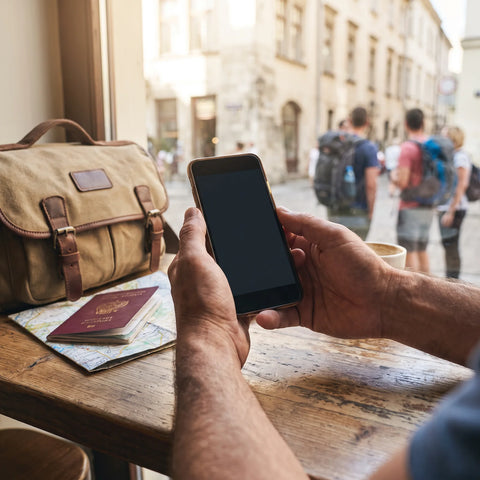
What is eSIM and how does it relate to travel freedom?
An eSIM is a chip integrated into your cell phone that you activate via software, without needing to insert a physical card. "Freedom" is not a marketing promise: it's literal. You leave your country with your usual number intact and, upon landing, activate a local data line in minutes, without needing to visit a counter or depend on your carrier's agreements.
For years, staying connected while traveling meant two uncomfortable options: paying your carrier's roaming fees (expensive and with unclear limits) or finding a physical SIM store upon arrival, with the risk of it being closed, not having local cash, or losing your home number while using the new chip. The eSIM breaks that dilemma because it separates your travel data line from your primary line: both coexist on the same cell phone.
Travel freedom, in terms of connectivity, does not mean unlimited data: it means not having to rely on finding Wi-Fi, on a store being open, or on your home carrier having an agreement with the country you arrive in.
If you've never heard of this, it's not unusual: eSIM has only recently become standard in most new cell phones, and many traditional carriers are just now adapting their processes to it. If you want the full technical details, the in-depth explanation of what an eSIM is covers what we've only summarized here.
How does an eSIM work step-by-step?
The process is shorter than it might seem the first time. In general terms:
- You purchase the plan for the country or region you will visit, choosing the amount of data based on your travel days.
- You receive a QR code (or a direct link, depending on the cell phone) by email, usually instantly.
- You scan the QR from your cell phone's network settings, using any available Wi-Fi connection: home, office, coffee shop.
- The profile is installed but inactive, waiting for you to arrive in the coverage area.
- You activate the data line when you land or when you decide to start using it; with most travel eSIMs, getting connected takes about 1 minute once the signal is available.
Your primary line continues to work in parallel for calls and messages from your usual number (depending on the cell phone, some allow mobile data on both lines, others only on one at a time). There's no tray to open, no chip to lose, and nothing to return when you're done. If it's your first time, the detailed step-by-step for installing an eSIM includes screenshots by operating system.
Real-world example: a multi-country trip with eSIM
To understand the difference, a concrete case is helpful. Imagine a ten-day trip that starts in Mexico City, continues to Bogotá, and ends in Buenos Aires, with a regular cell phone and a tight itinerary.
Before leaving home, using their usual Wi-Fi, this person buys and installs three eSIM profiles: one for Mexico, one for Colombia, and one for Argentina, each with the amount of data they calculate based on the days they will spend in each city. They don't activate them yet: they simply remain stored on the cell phone, ready.
Upon landing in each city, they activate the corresponding profile from the cell phone's settings, without having to find a store or wait in line. Their home number continues to receive calls and text messages throughout the trip, because the physical SIM was never removed to be replaced. When the trip ends, they simply stop using the profiles: there's no need to return anything or cancel a physical line.
The difference compared to traditional roaming is not just the cost: it's not having to check, city by city, if your home carrier has an agreement with each country on the itinerary.
Which company offers free eSIM?
No serious company gives away mobile data sustainably: data has a real infrastructure cost, so when something is advertised as "free eSIM," it almost always refers to the line or profile being installable without an activation fee or monthly subscription, not that data consumption is free.
This distinction matters because there are two different models in the market. On the one hand, traditional carriers that offer eSIM usually tie it to a monthly plan with a commitment period. On the other hand, travel eSIM providers work under a one-time payment model per trip: you buy the data package you need for that specific trip, without a fixed fee or automatic renewal that you have to remember to cancel. It's the difference between "free" as an advertising hook and "no subscription" as a real business model.
If what you're looking for is not to pay extra for something you won't use the rest of the year, comparing under that criterion (subscription yes or no) is more useful than looking for the word "free." The article on eSIM versus traditional roaming goes into detail on how the real cost compares between both models.
Which company offers eSIM in Mexico?
The main carriers that provide service in Mexico—Telcel, AT&T Mexico, and Movistar Mexico, among others—already support eSIM for local lines on many of their compatible cell phones. This technology is primarily intended for residents who want a line without a physical chip or a second line on the same cell phone.
This is not the same use case as someone arriving in Mexico for ten days and only needing data for that period. Contracting a line with a local carrier usually involves procedures designed for residents: local identification, sometimes proof of address, and activation processes that are not designed for visitors. This is where travel eSIM providers come in: profiles specifically designed for short stays, without the need for residency or local identification, which can be purchased and activated before landing.
If your cell phone is compatible, you can check it in the list of eSIM-compatible cell phones before deciding which path suits you best.
How to get an eSIM with Movistar or your usual carrier?
The process varies by country and carrier, but generally follows a similar pattern with most traditional companies, including Movistar in the countries where it operates in the region: first, you confirm that your cell phone is eSIM compatible, then you request the change from the app, physical store, or operator's customer service, and finally, you receive a QR code or remote activation that replaces (or complements) your physical line.
Friction often appears in the details: some operators ask you to go to a physical store to validate identity, others charge a fee for the change, and almost all require you to already be a customer with an active line in that country. It's a process designed for people who live there and want to modernize their line, not for someone who will only be passing through for a week.
If your need is specific —a trip, not a permanent line—, that same process becomes unnecessarily cumbersome. Travel eSIM providers solve exactly that case: they don't ask for residency, nor a previous line in the country, nor a visit to a store. You buy, scan the QR, and you're done.
What are the disadvantages of eSIM?
It's worth stating honestly, because it's not a perfect technology for all cases:
- Not all cell phones support it. Older models or some versions locked by the original carrier may not have the feature enabled, even if the hardware is recent.
- You need a connection to install it. Scanning the QR requires Wi-Fi or available data at that moment; if you arrive at a destination without having installed it beforehand, the first step can be complicated until you find a network.
- Changing cell phones is not as simple as moving a chip. If you buy a new cell phone, you usually have to re-issue the eSIM profile; you can't simply take it out and insert it into another device as with a physical SIM.
- Simultaneous support for multiple eSIMs is limited. Not all models allow you to have your physical line, a personal eSIM, and a travel eSIM active at the same time without some kind of data usage restriction.
None of these limitations invalidate the technology for travel, but it's good to know them before assuming everything will work without checking anything first. The list of common eSIM problems and how to solve them goes into more detail on each case.
Travel eSIM, physical SIM, and roaming: comparative table
Placed side by side, the three options for getting data while traveling are distinguished primarily by the friction of each step, not just the price. If you want the full breakdown, the comparison of eSIM versus physical SIM delves into each point in the table:
| Criterion | Travel eSIM | Physical Tourist SIM | Home Carrier Roaming |
|---|---|---|---|
| Where to get it | Online, before traveling | Airport or store upon arrival | You already have it, activates automatically |
| Needs physical chip | No | Yes, must be inserted | No (uses your current SIM) |
| Your home number remains active | Yes, in parallel | No, unless dual physical SIM | Yes |
| Coverage in multiple countries on the same trip | One profile per country or region, all pre-installed | Must change chip in each country | Depends on carrier agreements |
| Risk of running out of data upon arrival | Low, if installed before leaving | High, if the store is closed | Low, but with unpredictable cost |
What to check before choosing your travel eSIM?
Not all travel eSIMs are the same, and a short checklist can prevent surprises mid-itinerary:
| What to check | Why it matters |
|---|---|
| Your cell phone's compatibility | Not all models, nor all regional versions of the same model, support eSIM |
| Actual destination coverage | A "regional" plan doesn't always cover every country you'll visit; it's advisable to check the exact list |
| Activation deadline | Buying in advance only works if the plan allows you to install now and activate later |
| Available support type | If something goes wrong mid-trip, it's important to be able to write via email or WhatsApp and receive help, not just a contact form |
| If it allows data sharing (hotspot) | Useful if you're traveling with another device or with someone else and they don't want to buy a separate plan |
| Package size versus actual itinerary | More data than you'll use is wasted money; less is running out of connection on the last day |
One detail almost no one checks when installing their first eSIM: as soon as the profile is installed on the cell phone, go to the mobile network settings and give it a different name than your primary line (for example, the country name or "travel"). Cell phones usually display lines as "SIM 1" and "SIM 2" by default, so it's easy to confuse them and end up using data from your home line without realizing it, which is exactly the bill the eSIM should help you avoid.
Frequently asked questions
Do I need Wi-Fi to install the eSIM?
Yes, to scan the QR code and download the profile, you need some internet connection, Wi-Fi or data. That's why it's best to install it before traveling, with your home Wi-Fi, and activate it only upon arriving at your destination.
Can I have my physical SIM and an eSIM active at the same time?
On most current cell phones, yes, as long as the model supports dual line. Your usual number continues to receive calls and messages while the eSIM handles travel data.
Does eSIM work for calls and text messages, or only for data?
It depends on the plan. Most travel eSIMs are designed only for data (to use WhatsApp, maps, social networks, and email), while traditional calls and SMS still go through your primary line.
What happens if I run out of data before my trip ends?
You can buy an additional package or a new one from the same cell phone, without having to find a physical store. If you have doubts about which one to choose, support is usually available 24/7 by email and WhatsApp, in several languages.
Can I share my eSIM data with another device (hotspot)?
On many plans, yes, by activating your cell phone's personal hotspot as you would with any other data line. It's advisable to confirm this in the plan description before purchasing, as not all plans allow it.
Which cell phones are compatible with eSIM?
Most high-end and mid-range phones launched in recent years are, but it varies depending on the exact model and the region where the device was purchased. The safest way to confirm this is to check your cell phone's network settings before buying a plan.
What happens if I lose my cell phone with the eSIM active?
Unlike a physical SIM, no one can remove the eSIM from the cell phone and insert it into another device, so the risk of someone else using it is lower. If you lose your cell phone, it's advisable to contact the eSIM provider's support and your primary carrier as soon as possible.
Conclusion
The "freedom" an eSIM promises is not a slogan: it's the practical difference between depending on an open store upon landing and arriving with connectivity already sorted out before boarding the plane. For most trips lasting days or weeks, installing the profile at home and activating it upon arrival solves the same problem that previously required finding a physical SIM or negotiating with your carrier's roaming.
If it's your first time using one, the best starting point is to confirm that your cell phone is compatible and then check the definitive guide to traveling with eSIM, which covers the complete process in more detail. When you want to see plans organized by country or region for your next destination, the international eSIM collection covers over 200 destinations, with activation in approximately 1 minute and up to 180 days from purchase to decide when to activate it.