
In short: the eSIM for Melbourne is actually the eSIM for all of Australia: you install it at home via Wi-Fi, it activates automatically when you land in Tullamarine, and it gives you 4G/5G throughout the city and on routes like the Great Ocean Road. For a week-long getaway, 3-5 GB of average use will be more than enough if you take advantage of the hotel's Wi-Fi at night.
Landing in Melbourne and finding yourself without data is starting your trip on the wrong foot: no map to the hotel, no Uber, no way to let people know you've arrived. With an eSIM for Melbourne activated before leaving home, you'll have internet on your phone from the moment you step foot in Tullamarine Airport, without having to search for stores or change SIM cards. In this guide, we'll tell you about coverage, how many GB to bring for a getaway, and why a city eSIM is no different from a country eSIM.
Do I need an eSIM just for Melbourne?
There is no such thing as an eSIM "just for Melbourne": the city uses the same mobile coverage as the rest of Australia, so the eSIM you buy is for the country and works equally well in Melbourne, Sydney, Cairns, or Uluru. Buying by city only makes sense to properly choose the GB and days for your getaway.
In other words: when you search for an eSIM for Melbourne with your city break in mind, what you're buying is a data plan for Australia. The advantage is that if your itinerary then takes you down to the Great Ocean Road, up to Sydney, or across to Tasmania, you don't have to buy anything new: the same eSIM covers you throughout Australian territory. Therefore, instead of focusing on the city name, it's better to look at the plan's duration and data volume. If you want to see the full coverage map and plans across the country, check out the guide to eSIM for Australia and New Zealand: it's literally what you're buying when you search for "eSIM for Melbourne," even if your getaway stays only in the city.

Coverage and speed in the city
Melbourne is one of Australia's best-connected cities. In the city center (Melbourne CBD), Southbank, St Kilda, or Fitzroy, you'll find 4G and 5G with good speeds, sufficient for maps, video, video calls, and uploading photos without delay. The eSIM connects to the local networks with the best coverage, so you don't have to rely on hotel Wi-Fi or cafes.
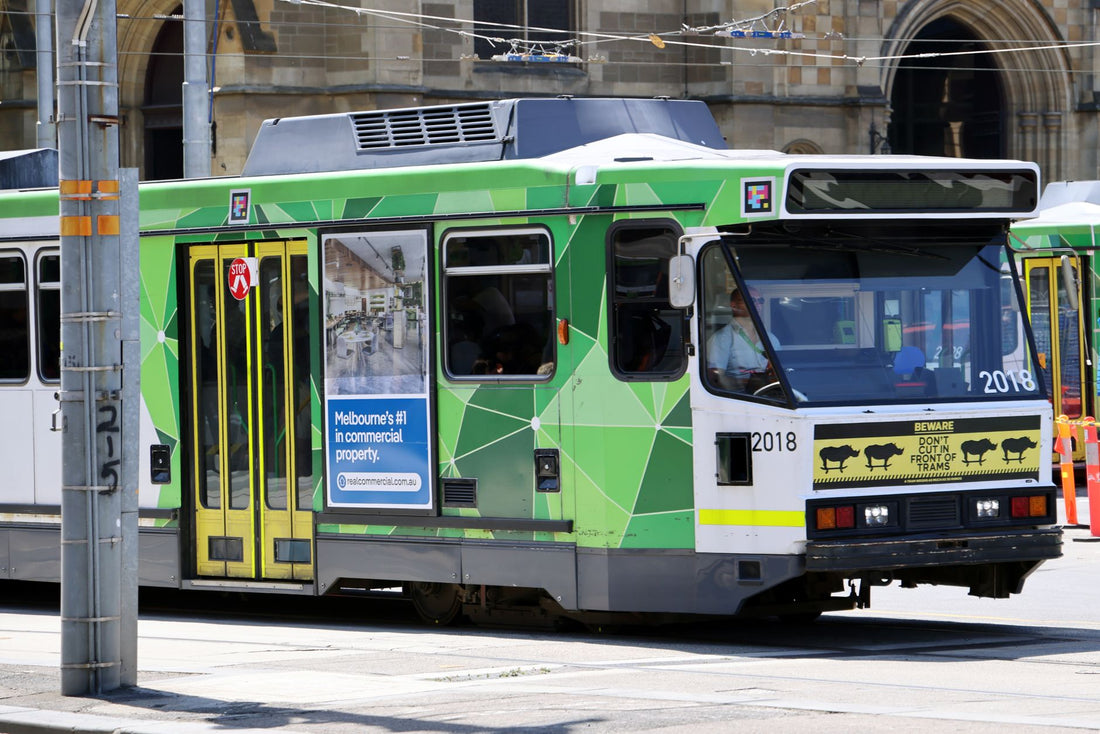
The free tram in the Free Tram Zone of the city center is perfect for getting around while using Google Maps in real time, and the signal holds up well inside the trams and at most stations. In more distant neighborhoods or if you take an excursion to the surroundings, coverage remains solid on main roads and in towns, although in rural coastal sections it may drop to 4G. For a city getaway, the connection in the Melbourne metropolitan area is more than sufficient for everything you'll do as a tourist. If you're confused by the difference between this and what your home carrier does, here's eSIM vs. traditional roaming explained without jargon.
Internet as soon as you land in Tullamarine
The great advantage of an eSIM over a physical SIM is that you install it at home, with your Wi-Fi, and it activates automatically when it connects to the Australian network. When your flight lands at Melbourne Airport (Tullamarine, MEL) and you turn off airplane mode, you already have data: you can order a taxi, check the SkyBus to the city center, or let your loved ones know you've arrived without having to look for a SIM card store or wait in line.
This makes a difference at Melbourne airport, where the journey to the city center (about 20-25 km) is made by SkyBus, Uber, or rental car, and you want to have your map ready from the get-go. Our advice: install the eSIM one or two days before flying and set it to "activate upon arrival" so that it only starts counting when you land.
Traveler's tip: activate data roaming for the eSIM line in your settings before taking off. Without that switch, the eSIM will not connect to the Australian network even if it is properly installed, and this is one of the most common reasons for "no internet upon arrival."

How many GB to bring for a getaway
For a city break in Melbourne, typical usage includes maps, messaging, social media, some video, and video calls. You don't need a huge plan: a medium volume will be more than enough if you use the hotel's Wi-Fi at night for large downloads.
| Duration | Light use (maps, chat) | Medium use (social media, video) |
|---|---|---|
| Weekend (3 days) | 1-2 GB | 3 GB |
| 1 week | 3 GB | 5 GB |
| 2 weeks (route + city) | 5 GB | 10 GB |
If you're going to make a lot of video calls or share your connection with another device, step up a level. An honest estimate of GB for your Melbourne getaway prevents you from running short halfway through your trip. And remember: if your Australian route is long (Great Ocean Road, Sydney, Great Barrier Reef), the same Australia plan works throughout the country, so buy thinking about the total number of days, not just Melbourne.
What to see: from the city to the Great Ocean Road
Melbourne is best enjoyed on foot and by tram: the laneways with urban art and cafes, Queen Victoria Market, the view from the Eureka Skydeck, St Kilda beach at sunset, and the botanical gardens. With data on your phone, you can improvise: find the trending cafe, book a table, and follow street art routes without getting lost.
The perfect excuse to leave the city is the Great Ocean Road, with the Twelve Apostles as its crowning glory. It's a coastal road where GPS and offline maps are invaluable, but having active data also saves you by allowing you to check viewpoint hours, weather, and parking. Other popular day trips include the Mornington Peninsula and the Phillip Island penguins. Your Australia eSIM will continue to work on all of these: you don't change anything when you leave the urban area. Before driving on the left, it's a good idea to review tips for saving data with your eSIM while traveling and not overspend on excursions.
How to install and activate your eSIM
Installing an eSIM takes about 1 minute and requires no store visit or paperwork. After purchase, you receive a QR code by email; you scan it from your phone's settings (or install it with a tap if you're on the same device) and you're good to go. Do it at home with Wi-Fi before you fly.
- Check that your phone is eSIM compatible (most iPhones from XS and recent high-end Android models are).
- Install the eSIM by scanning the QR code from Settings > Mobile Data.
- Label it "Travel" to distinguish it from your main line.
- Upon landing in Melbourne, activate mobile data and data roaming for that line.
If you're not sure what an eSIM is exactly and how it differs from a physical card, here's what a virtual eSIM is explained from scratch. And if it's your first time installing one, the guide on how to install an eSIM will walk you through it step-by-step. With Spanish-language support available, if anything gets stuck, you can resolve it without having to be physically in a store.
Myths and what almost no one tells you
The most common myth is that "eSIM" and "roaming" are the same thing, but they're not. Data roaming is what your home carrier does when you connect your usual line to a foreign network, usually at an exorbitant price. A travel eSIM is something else: a new, local data line that you contract directly for the country you're visiting. That's why the "data roaming" switch you activate on your phone has nothing to do with your home carrier's expensive roaming: it's simply the name the operating system uses to "allow this line to connect to networks outside its country of origin."
Second myth: that outside of central Melbourne, coverage gets bad. This is generally not the case, but there are very specific gaps worth knowing about. In the City Loop, the underground train section between stations like Flinders Street, Melbourne Central, and Parliament, the signal cuts out for a few seconds inside the tunnel and returns as soon as the train stops at the next station; it's not an eSIM fault, it happens to any line. Where you should be prepared is in Wilsons Promontory National Park or in deep sections of the Grampians: there, coverage truly disappears for kilometers, so download an offline map of that area before leaving the city.
Third thing almost no one tells you: don't delete your home carrier's physical SIM, leave it as a secondary line without data. You still need it to receive bank verification SMS or two-factor authentication codes, something many travelers forget until a bank blocks a purchase in Melbourne. And if you're going to connect to free Wi-Fi in CBD cafes or the airport, keep in mind that these are open networks: for transactions with sensitive data (banking, company access), it's safer to use your eSIM data than public Wi-Fi, or add a VPN for more privacy while traveling.
And one last thing: for a weekend in Melbourne where you're already staying in a hotel with good Wi-Fi and hardly moving around independently, you might not even need the largest plan. Buy GB according to what you'll actually do outside the hotel, not "just in case."
Frequently Asked Questions
Does the Melbourne eSIM work for all of Australia?
Yes. There are no city-exclusive plans: the eSIM you buy is for Australia and works equally well in Melbourne, Sydney, Cairns, or on the Great Ocean Road. With a single plan, you have coverage throughout the country for the contracted days, without buying anything extra when changing cities.
Do I have internet as soon as I land in Tullamarine?
Yes, if you installed it before flying. When you turn off airplane mode at Melbourne airport and have data roaming activated for the eSIM line, you connect to the Australian network in seconds. This way you can order a taxi or the SkyBus to the city center without looking for a SIM card store.
How many GB do I need for a weekend in Melbourne?
For a weekend of normal use (maps, social media, and messaging), 2-3 GB will be fine. If you make a lot of video calls or watch videos on the go, upgrade to 3-5 GB. Using the hotel's Wi-Fi at night for large downloads helps extend your plan.
Can I continue using WhatsApp with my usual number?
Yes. The eSIM gives you data in Australia, but your WhatsApp number and apps remain the same because they work over the internet. You keep your main line for SMS and calls if you wish, and use the eSIM only for browsing. It's the most convenient dual-SIM setup for traveling.
Does it work on excursions outside the city?
Yes. On the Great Ocean Road, Phillip Island, or the Mornington Peninsula, coverage is good on main roads and in towns. In some very isolated rural sections, the signal may drop, so it's advisable to download offline maps before leaving, but the eSIM remains active throughout the country.
Can I use the eSIM and my physical SIM at the same time in Melbourne?
Yes, and it's the most convenient way to travel. Your phone will be in dual-SIM mode: your home physical line will be kept for SMS and calls only (useful for banking codes), and the Australian eSIM will handle all data traffic. You don't need to remove or store any physical card.
What happens if I run out of data halfway through my getaway?
You can activate an additional plan or a larger volume plan from the same device, without needing to go to any store. If you are unsure how much you have left or when it is best to extend, Spanish-language support can guide you before you run out of connection in the middle of a route.
Conclusion
A getaway to Melbourne is much more enjoyable with internet from the moment you land: maps, transport, reservations, and photos without relying on Wi-Fi. Since the eSIM is for Australia, the same plan covers the city and any route you take afterwards. Choose the GB according to your days, install it at home, and arrive in Tullamarine with your Australia eSIM ready to connect. Activate it before flying and start your trip connected from minute one.









