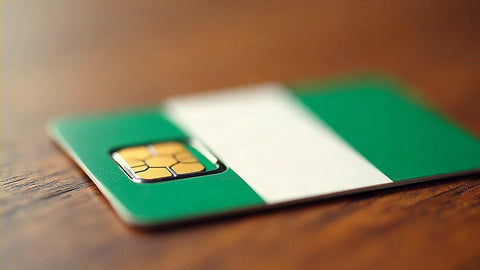
In short: an eSIM for Nigeria gives you internet as soon as you land in Lagos, Abuja, or Port Harcourt, supported by MTN or Airtel networks, without the mandatory process of registering a physical SIM with the NIN. Estimate between 500 MB and 1 GB per day depending on your usage, keep your Spanish number active for WhatsApp and calls, and activate the profile as soon as you touch down.
Running out of data when you get off the plane at Murtala Muhammed Airport in Lagos, with your luggage in tow and a taxi you need to order via an app, is one of the worst starts to a trip. A Nigeria eSIM solves that before you even leave Spain: you calmly install the profile from home, and when you land, you just need to activate the data. No queues to get a local SIM or showing your passport three times at a telecom counter. Here's what you really need to know: what coverage to expect, how many GB to get depending on the reason for your trip, and how to avoid the typical pitfalls of connecting in Nigeria.
Does an eSIM work in Nigeria without NIN registration?
Yes, and that's the main reason why it's better than buying a local line. Nigeria requires every physical SIM to be linked to the NIN (National Identification Number), a system designed for residents that means a full morning lost for a passing visitor: official point of sale, fingerprint, photo, paperwork, and, with luck, activation the same day. A travel eSIM completely bypasses this process because it works via technical roaming on Nigerian networks: you don't need to identify yourself to the local operator, just have the profile installed and mobile data available from your eSIM provider.
The actual process is simple: you buy the plan, install the profile with the QR code using your home Wi-Fi (preferably a few days before flying, without rushing), and schedule activation for when you land. First, check that your phone supports eSIM and is unlocked; if you have doubts about how to do that step, we explain it with screenshots in how to install an eSIM. And if you've never traveled with this technology, it's worth first understanding the real difference between eSIM and roaming, because activating roaming on your Spanish plan is not the same as having a local eSIM for the country.

Coverage and local operators: MTN, Airtel, Glo, and 9mobile
The Nigerian mobile market is divided among four operators: MTN, Airtel, Glo, and 9mobile. MTN has the most extensive network in the country, with good signal even on interurban roads outside major cities; Airtel follows closely and in some southern areas even occasionally surpasses it. These are the two operators that international travel eSIMs usually rely on, precisely because of their reach and stability.
In Lagos, Abuja, and state capitals, you'll have 4G with more than enough speed for work, video calls, or using transport apps. 5G exists, but for now, it's limited to specific pockets of Lagos and Abuja, so don't expect it outside those areas. One nuance that almost no one mentions before going: Nigeria frequently experiences power outages, and many phone antennas rely on generators or backup batteries to continue functioning during a blackout. If you are in an area with a prolonged outage, you might notice a weaker signal even if the theoretical coverage map indicates good reception. This is not a fault of your eSIM: it's the country's electrical infrastructure, and it's good to know this so you don't get alarmed.
Outside the urban axis—towards the north of the country or rural areas of the Niger Delta—coverage becomes more irregular. There, the usual advice applies: download offline maps of your route before moving by road, because it's not uncommon to lose signal between towns for several minutes. If your itinerary includes another African destination after Nigeria, also check out our guide to eSIM for Comoros, useful for getting an idea of how connectivity varies from one African country to another.
eSIM vs. Nigerian physical SIM: what's best for your trip
A local SIM is cheaper in terms of pure tariff, there's no way around it. But the savings come at a cost in time: NIN registration, traveling to an official point of sale, and sometimes waiting for the line to be fully active. For a short business trip or a family visit of one or two weeks, that lost time is worth more than what you save in euros. If, on the other hand, you're going to live in Nigeria for a long period, then a local SIM starts to pay off, because you spread the cost of the process over months of use.
| Aspect | Travel eSIM | Nigerian physical SIM |
|---|---|---|
| NIN Registration | Not required | Mandatory and in-person |
| Ready to use | Upon landing, in minutes | After in-store process at official shop |
| Your Spanish number | Remains active for WhatsApp and calls | Needs another device or dual SIM |
| Support in Spanish | Yes, via chat | No |
| Ideal for | Business trips, family visits, short stays | Residency or long stays in the country |
If your phone supports two active lines (physical + eSIM, or dual eSIM on newer models), you can combine both: the local SIM for Nigerian rates and the eSIM or your Spanish line as a backup. But if you're only staying a few days, complicating things with two lines is rarely worth it; the eSIM alone solves almost all cases for a business trip or short visit. To understand the fundamental difference between this type of connectivity and other SIM alternatives for travel, we also have a comparison of international chip vs. eSIM.

How many GB of data to take to Nigeria
Nigeria is not usually a carefree streaming destination on the beach: the typical profile of someone traveling there is for work, meetings, or family visits, involving email, WhatsApp, maps, and some video calls. With that usage, estimate between 500 MB and 1 GB per day. For a week, 5-7 GB is usually plenty; for two weeks, 10-12 GB provides a reasonable margin without running out halfway through the trip.
If you're going to make daily work video calls — typical for business visits to Lagos, where meetings are organized via Teams or Zoom before meeting in person — go directly for 15 GB for two weeks and don't think twice: the extra margin provides more peace of mind than it costs. What drives consumption highest in Nigeria isn't browsing, it's sharing a hotspot with a laptop from a hotel room; if you're going to work like that for several hours a day, size up without hesitation. For light use — just messaging, maps, and some social media — a small, rechargeable package is the most efficient, because you can always add more GB from the app if you run short, instead of overpaying upfront.
Regarding roaming from your Spanish operator: in Nigeria, the cost skyrockets compared to Europe, so before you leave, it's advisable to check the current price of your specific plan instead of relying on a generic figure. In most cases, a local eSIM is more cost-effective than leaving roaming activated for several consecutive days. If you also want to maximize your data during the trip, here are real tricks that work in any destination: how to save data with an eSIM on a trip.
City-by-city coverage: Lagos, Abuja, Port Harcourt and beyond
Lagos is the economic heart of the country and where you'll have the best connectivity, bar none. In Victoria Island, Lekki, and Ikeja, 4G is stable, with patches of 5G in premium areas. Even so, it's the city where you'll depend most on your mobile, not for signal but for traffic: without real-time maps, any journey across the Third Mainland Bridge during peak hours becomes a multi-hour lottery. Activate your eSIM before leaving the airport, not when you're already stuck in a taxi.
Abuja, the administrative capital, has equally good coverage and a much more orderly city than Lagos, with less density and wider streets: the experience of moving around there with data is more comfortable. In Port Harcourt and the oil-rich south, the signal works well in urban centers—areas like GRA—but loses strength as you move towards the industrial outskirts, so if your work takes you outside the center, don't take coverage for granted.
If your trip goes beyond the three major cities—towards Kano in the north, or rural areas of the delta—what was mentioned earlier comes into play: fewer antennas, more power outages affecting the network, and coverage that can go from good 4G to nothing in a matter of kilometers. That's where having downloaded offline maps in advance is most noticeable. In any of the three main cities, activating the eSIM as soon as you land leaves Uber, Bolt, and WhatsApp ready for you to move around without depending on anyone. All this is covered by an eSIM for Nigeria with coverage on the country's strong networks.
How to activate your eSIM upon arrival in Nigeria
The process is the same as for any other destination: you buy the plan, install the profile with the QR from your home Wi-Fi (never wait until you're at the airport with limited data to do it) and schedule activation for the moment you land. Upon touching Nigerian soil, you turn on your eSIM's mobile data and, this is important, deactivate roaming for your main line to avoid a surprise bill from your Spanish operator while still receiving calls and WhatsApp messages normally.
If the connection doesn't connect at first, try restarting your mobile and manually selecting the network (MTN or Airtel) in the operator settings. This is common when the airport is saturated with people doing the same thing at the same time. With Spanish support available via chat, any problem can be resolved without needing a physical store or having to explain yourself in English in the middle of a terminal. A practical safety note: don't show your unlocked phone on the street in crowded areas of Lagos; if you need to connect your laptop, use the hotspot with your phone in your pocket or backpack, not on a table on a terrace.
Common errors and what almost no one tells you before going
The first mistake, by far, is waiting until you are at the airport to install the profile. You need Wi-Fi to download the QR code, and many Nigerian airports don't have a reliable public network right after immigration; do it at home, calmly, before checking your luggage.
The second is taking for granted that "4G coverage on the map" means "constant signal." As we've mentioned, power outages are common, and antennas rely on generators in many areas, so a long blackout in your neighborhood can affect speed even if the operator has theoretical coverage there. It's not a cause for alarm, just something to consider if you have an important video call: have a plan B, like hotel Wi-Fi data.
The third is not turning off roaming on your main line upon arrival. Many travelers activate the eSIM for data but forget that their Spanish plan continues to "listen" in the background, and some incoming roaming calls are charged even if you don't make them. Check your data and voice settings separately; they are not the same.
And the fourth, more common sense than technical: don't buy an eSIM with more GB than you need just in case. If your trip is a two-day meeting in Lagos with known origin and destination hotels, 3-4 GB of reasonable margin will be plenty; saving the extra money for an air-conditioned taxi in the middle of Nigerian August is more rewarding than an oversized data package.
Frequently Asked Questions
Can an eSIM be used in Nigeria without NIN registration?
Yes. NIN registration applies to physical local SIMs, not to a travel eSIM, which works via technical roaming over MTN or Airtel. You install the profile, activate data upon landing, and browse without any in-person process, which is especially convenient for short work or visit stays.
Which operator provides the best coverage in Nigeria?
MTN has the widest reach in the country, closely followed by Airtel; both cover cities and a good part of interurban roads well. Glo and 9mobile complete the market, but travel eSIMs usually rely on MTN or Airtel, which guarantees better signal in Lagos, Abuja, and Port Harcourt.
How many GB do I need for a week in Lagos?
For a business trip with email, WhatsApp, maps, and some video calls, estimate between 500 MB and 1 GB per day. A week is well covered with 5-7 GB. If you use your phone as a laptop hotspot from the hotel or make many video calls, go up to 10-12 GB to be comfortable without running out.
Can I continue receiving WhatsApp messages on my Spanish number in Nigeria?
Yes. The eSIM adds data without removing your main line, so WhatsApp, calls, and SMS from your usual number will continue to arrive normally. You just need to have data activated on the eSIM and decide whether or not to leave voice roaming on, depending on how important it is for you to receive incoming calls.
Is 5G available in Nigeria?
Yes, but to a limited extent. 5G is deployed in specific areas of Lagos and Abuja on MTN and Airtel networks. In the rest of the country, 4G is common and works perfectly for work and browsing. Outside major cities, coverage becomes more irregular, especially towards the north.
Why does the signal sometimes cut out even if the coverage map says there's 4G?
This is usually due to frequent power outages in many areas of Nigeria. Some antennas rely on generators or backup batteries, and during a prolonged outage, the speed or stability of the network may suffer even if theoretical coverage is good. This is not an eSIM fault; it is the local electrical infrastructure.
Is an eSIM worth it for a very short trip, two or three days, to Nigeria?
Yes, and in fact, that's where the difference from a physical SIM is most noticeable: you won't have the actual time to go through the NIN process for three days. With a small package of 3-4 GB, you'll have plenty for maps, WhatsApp, and email during a short business trip without losing half an hour on paperwork.
Conclusion
Nigeria rewards those who arrive prepared: with an eSIM, you save on NIN registration, airport queues, and expensive roaming, and you land connected in Lagos, Abuja, or Port Harcourt, ready to move and work from the first minute. Adjust the GB to your actual usage, prioritize coverage on MTN or Airtel, and don't obsess if the signal occasionally falters during a power outage: it's part of the country, not a fault with your connection. Get your eSIM for Nigeria ready before you fly and forget about everything else.