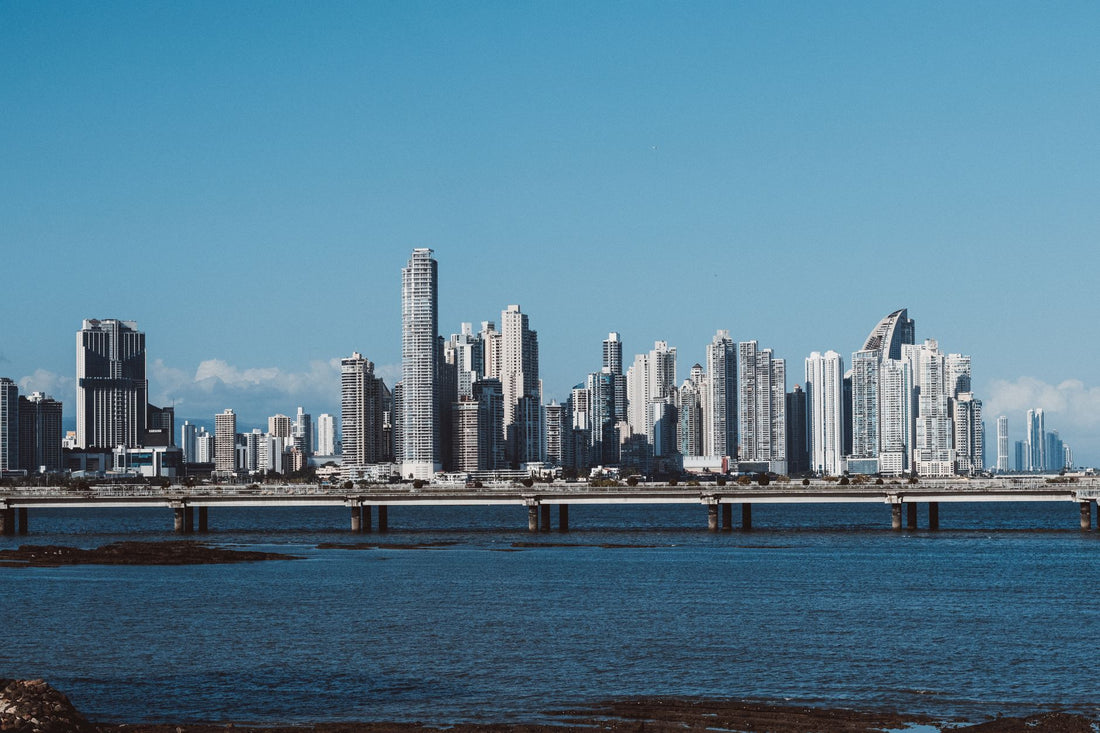
In short: with a PuraSIM eSIM for Panama, you have local data from the moment you land in Tocumen, with no roaming, no physical SIM, and no surprises on your bill. For a week split between Panama City, San Blas, and Bocas del Toro, 6-8 GB is usually enough; if you're crossing the Canal on a cruise, you'll hardly need data that day. View plans →
Traveling to Panama is an incredible experience, but arriving without data can ruin the first few moments: no Google Maps to get out of the airport, no way to find your hotel, no way to contact whoever is waiting for you. The solution is simple and has been the standard among experienced travelers for years: an eSIM for Panama.
In this guide, we tell you everything you need to know before traveling to Panama: what coverage you can expect in Panama City, San Blas, and Bocas del Toro, how many GB you actually need, how to activate the eSIM, and the best connectivity tips from those who have already traveled there.
Spoiler: with PuraSIM, you have local data from the moment the plane lands, with no contracts, no physical SIM, and no surprises on your bill.

Why do you need an eSIM to travel to Panama?
International roaming from European and Latin American operators usually skyrockets as soon as you step foot in Panama: high daily rates, ridiculously low data limits, or both at the same time. Always check the current price with your operator before you leave, because it changes constantly. A local eSIM gives you data at a local price, without absurd daily limits and with 4G or 5G speeds where the network allows.
The difference between using roaming and a PuraSIM eSIM is huge:
- Traditional roaming: fixed daily rate even if you barely use data, speed often limited to 3G, surprise bills upon return.
- PuraSIM eSIM for Panama: you only pay for what you contract, full local data at the maximum available speed, activation in 5 minutes from anywhere.
In addition, with an eSIM, you can keep your original phone number active to receive calls and SMS, as the eSIM operates in a separate virtual slot. You don't have to choose between local connectivity and your usual number.
For Panama, where San Blas has very limited connectivity on the islands and Panama City has excellent 4G/5G coverage in Casco Viejo, stable data is especially important. Coverage in Panama City, San Blas, and Bocas del Toro is generally good, but there are areas where without a well-configured local eSIM, you would be in the dark.
If you are still wondering whether to stick with your operator's roaming or switch to a local eSIM, we detail it with a breakdown of costs, speed, and fine print in our eSIM vs. roaming comparison. And if this is the first time you've heard of "data roaming" and want to understand exactly what it is before deciding, we have a specific guide: what is data roaming.
Data coverage in Panama: what to expect
Coverage in Panama varies considerably depending on the area. In the main urban and tourist areas (Panama City, San Blas, and Bocas del Toro), you will find 4G and in some cases 5G networks. The experience is comparable to what you would have at home.
However, as in any destination, there are areas where the signal is more limited:
- Major cities: stable 4G/5G, perfect for streaming, browsing, and video calls.
- Rural and nature areas: coverage may drop to 3G or even lose signal in remote spots.
- Transportation: trains, ferries, and intercity buses have variable coverage; generally good in cities.
Key tip: San Blas has very limited connectivity on the islands; Panama City has excellent 4G/5G coverage in Casco Viejo
To give you an idea before packing your bags, here's how the signal behaves in the areas where typical travelers move most:
| Area | Typical Coverage | What you'll notice |
|---|---|---|
| Casco Viejo and Panama City | 4G/5G, very stable | No problem for maps, video calls, or uploading photos in real time |
| San Blas / Kuna Yala (islands) | Very weak or non-existent on most islands | Some huts don't even have 24-hour electricity; don't count on data |
| Bocas del Toro — Isla Colón | Reasonable 4G in the town | Comes and goes depending on the neighborhood; usually good on the main street |
| Bocas del Toro — Bastimentos and Zapatillas | Scarce or none | Consider those days as "unplugged" and arrange your return trip in advance |
| Panama Canal (boat transit) | Intermittent, loses signal in the middle of the channel | Normal for it to cut out near Gatún; returns as you approach the locks |
To maximize coverage in Panama, PuraSIM uses the local networks with the best available infrastructure through local roaming agreements. This means your eSIM automatically connects to the network with the strongest signal at any given time.

How many GB do you need for your trip to Panama?
This is the million-dollar question. The short answer: 6-8 GB for 1 week. The long answer depends on how you use your phone during the trip.
Here's a guide to actual consumption by daily usage type:
- Basic use (maps, messages, occasional queries): 300-500 MB/day
- Moderate use (social media, photos, continuous browsing): 800 MB-1.5 GB/day
- Intensive use (remote work, streaming, video calls): 2-4 GB/day
For a 1-week trip to Panama, our recommendation is to contract 6-8 GB for 1 week. This is enough for most travelers with normal use: Google Maps running constantly, Instagram, WhatsApp, and occasional searches.
If you're going to work remotely or plan to make frequent video calls, upgrade to the next plan. PuraSIM plans allow you to top up data if you run out, so it's not a problem if you fall short: you won't suddenly lose coverage.
PuraSIM offers specific plans for Panama with different data and duration options. See the complete collection on our plans for Panama.
How to activate your eSIM for Panama step-by-step
Activating a PuraSIM eSIM is as simple as scanning a QR code. There's no need to go to a store, no need to wait for any shipment. The entire process takes less than 5 minutes:
- Purchase your plan on purasim.com for Panama. You'll receive an email with the QR code.
- Install the eSIM: go to Settings → Mobile Data → Add Data Plan (on iPhone) or Settings → Connections → SIM Manager (on Android).
- Scan the QR code or manually enter the activation details.
- Set up mobile data: make sure to select the PuraSIM eSIM as the default data line.
- Activate data roaming in the PuraSIM eSIM settings (necessary for it to work on local networks).
You can install the eSIM before leaving home and set it to activate automatically when you arrive in Panama, or activate it manually when you land.
Important: verify that your phone is eSIM compatible before purchasing. Most iPhones from XS onwards, Samsung Galaxy from S20 onwards, and Google Pixel from 3 onwards are compatible. Check the full list on purasim.com.
Local connectivity tips for Panama
Beyond getting the right eSIM, there are some tricks that make a difference in staying connected throughout your trip to Panama:
- Download offline maps before you leave. Google Maps and Maps.me allow you to download maps of all of Panama or specific cities. This way, you can navigate without using data when you are in areas with weak signal.
- Use airplane mode strategically. On long flights, trains, or ferries, activating airplane mode preserves battery and data. Connect to available WiFi if there is any.
- WhatsApp and Telegram over data. Calls through these apps consume much less than an international call. Configure them for high-quality calls only when you are on WiFi.
- Share connection carefully. Hotspot consumes data quickly, especially if there are other devices connected (laptop, tablet). Use it only when necessary.
And the most important tip: San Blas has very limited connectivity on the islands; Panama City has excellent 4G/5G coverage in Casco Viejo
With these tricks and a good PuraSIM data plan, your trip to Panama will have the connectivity you need without unnecessary expenses. If you also want to get the most out of every gigabyte, we have an article with tips for saving data while traveling that applies perfectly to an itinerary like Panama's, with stretches of good coverage and stretches of none.
Myths and what almost no one tells you about connecting in Panama
There are ideas circulating about connectivity in Panama that should be debunked before they complicate your trip or make you spend too much.
- "In San Blas, I'll manage with the cabin's WiFi": on most islands of Kuna Yala, there is no WiFi or constant electricity, nor are there any mobile data antennas worth mentioning. If you're going to spend 2-3 nights there, count those days as truly offline: download important conversations beforehand, notify whoever you need to notify, and don't rely on your phone for anything urgent.
- "If I'm only stopping over on a Canal cruise, I don't need anything": here we tell you not to buy extra data. If your stop in Panama is a one-day layover at the Canal, access to the ship's or passenger terminal's WiFi is usually sufficient; don't waste your eSIM's GB on that.
- Physical SIM vendors at Tocumen: there are stands in the arrivals area that sell physical SIMs with queues, passport copies, and prices negotiated on the spot. With an eSIM, you save the queue and the hassle: you activate it before leaving home and you have data as soon as you step into the terminal. If you've never used one and are unclear about the difference between it and a physical chip, we explain it without technical jargon in international chip vs. eSIM.
- "Casco Viejo has good coverage, so the whole historical center is fine": generally yes, but inside some colonial buildings with thick walls, the signal drops a couple of bars. If you're going to make an important video call from a charming cafe, check the coverage on the terrace or by a window beforehand.
- Many travelers use Panama as a bridge to Colombia, either by sailboat through San Blas to Cartagena or on a direct flight. If that's your plan, you'll also be interested in checking our guide on eSIM for Colombia before you leave, so you don't run out of data just when you cross the border.
- Public networks in hotels and airports: they are convenient, but they are not private. If you are going to check your bank or log into work accounts from the hotel's WiFi, it's better to do so with your mobile data or with an active VPN; you can find the explanation in eSIM, VPN, and travel privacy.
Frequently asked questions
When should I activate the eSIM for Panama?
You can install it on your phone before leaving home. Most PuraSIM eSIMs for Panama can be configured days in advance and automatically activate upon arrival at the destination, or manually when you want to start using it.
Is my phone compatible with the eSIM for Panama?
Most smartphones manufactured from 2018-2019 onwards are compatible: iPhone XS onwards, Samsung Galaxy S20 onwards, Google Pixel 3 onwards, and many more. Check in Settings → General → About that your device lists 'eSIM' among its options.
Can I keep my usual phone number while using the eSIM in Panama?
Yes. The eSIM works in a separate slot from your physical SIM. You can configure your local SIM for calls and the PuraSIM eSIM for data. You will continue to receive calls and SMS on your usual number.
What happens if I run out of data in Panama?
You won't suddenly lose coverage. You can purchase a data top-up directly from the PuraSIM app or customer panel. The top-up is applied within minutes, and you don't need to change your plan or buy a new eSIM.
Does the PuraSIM eSIM work throughout Panama?
The eSIM works through the available local networks in Panama. In cities and main tourist areas, coverage is excellent (4G/5G). In rural or remote areas, such as San Blas, where connectivity is very limited on most islands, the signal may be more limited. We recommend downloading offline maps for those areas.
Do I need to buy a physical SIM when I arrive at Tocumen Airport?
No, and that's exactly what you save with an eSIM: you can buy and activate it before leaving home, so you have data as soon as you turn on your phone in the terminal. You avoid the queue at physical SIM stands, the passport process, and having to find the right counter as soon as you get off the plane.
Does the eSIM work in the San Blas (Kuna Yala) islands?
It depends on the island, but generally, mobile coverage in San Blas is sparse or non-existent: it's an area with very little telecommunications infrastructure, managed by the Guna community. If you're going to spend several days there, don't rely on data and organize what you need beforehand (downloaded maps, family notifications, confirmed reservations).
Activate your eSIM before you leave and arrive connected from the moment you land.
See eSIM plans →