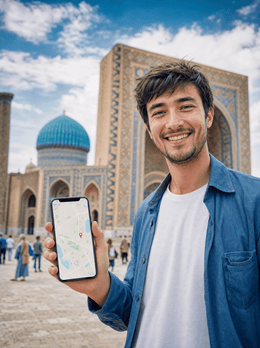
In short: an Uzbekistan eSIM gives you mobile data from the moment you land in Tashkent, without having to find a store or activate roaming: you install the profile via Wi-Fi before you fly and it automatically connects to the best local network (Ucell, Beeline, Mobiuz, or Uztelecom). For a classic one-week itinerary through Tashkent, Samarkand, Bukhara, and Khiva, 4-6 GB will be more than enough.
Traveling the Silk Road without data truly complicates things: maps, translators, and electronic train tickets in Uzbekistan all depend on being connected, and in a country where Cyrillic and Uzbek alphabets coexist on signs, not having a translator handy is a real disadvantage. An eSIM for Uzbekistan solves this from minute one at Tashkent airport, without store queues or the inflated roaming charges of your Spanish carrier. In this guide, you'll see what coverage you'll have city by city, how many GB to take according to your itinerary, and how to activate the profile without any hassle.
What is an eSIM for Uzbekistan and how does it work?
An eSIM for Uzbekistan is a digital SIM that you install on your phone and activate upon arrival, without plastic or an ejector tray. It uses local networks, so you browse like a local user, pay for your plan in advance, and avoid surprise bills when you return home. Activation takes a minute and doesn't affect your Spanish number at all.
The practical thing to do is install the profile at home with Wi-Fi, days before your flight, and activate it only upon landing in Tashkent. From there, you'll have data to order a Yandex Go (the local Uber, and what everyone actually uses there) to your hotel, open the map, or let your loved ones know you've arrived. Your Spanish SIM will remain in call and SMS mode while the eSIM handles data, which is convenient if you're expecting any important calls during your trip.
If this is your first time with this technology, you might want to read what a virtual eSIM is beforehand to be prepared and avoid surprises with your phone's compatibility.

Coverage and local operators: Ucell, Beeline, Mobiuz, and Uztelecom
Mobile coverage in Uzbekistan is solid in cities and major tourist areas, supported by four operators: Ucell, Beeline, Mobiuz, and Uztelecom. In Tashkent, Samarkand, and Bukhara, you'll have stable 4G most of the time; in rural areas, mountains, or the middle of the Kyzylkum Desert, the signal drops, which is common in any Central Asian destination and should be expected before leaving the city.
A travel eSIM connects to the best available network at each point instead of tying you to a single operator, so you don't depend on Ucell having better coverage than Beeline in a particular neighborhood of Tashkent: the profile automatically searches for the strongest signal. Still, it's advisable to download offline maps before long routes through deserts or valleys, because between cities, 4G can become intermittent for an hour or more at a time.
- Major cities: Solid and fast 4G for everything, including video calls.
- Afrosiyob and Sharq trains: Irregular signal at high speed; download your entertainment before boarding.
- Rural and desert areas: Fair and intermittent coverage; have offline maps handy.
Tip: save your train ticket and hotel address as screenshots. If you lose signal for a while between Bukhara and Khiva, you'll still have the essentials on hand without relying on a website to load.
How many GB to take according to your itinerary
For a classic one-week trip to Uzbekistan, with maps, messaging, some searching, and normal social media use, 3 to 5 GB is usually sufficient. If you share your connection with a laptop, work on the go, or upload many 4K photos and videos of Samarkand's mosaics, increase to 8-10 GB or choose a plan with top-ups so you don't run out mid-trip.
| Travel profile | Duration | Estimated GB |
|---|---|---|
| Light urban getaway (Tashkent or Samarkand only) | 4-5 days | 2-3 GB |
| Classic Silk Road route (Tashkent, Samarkand, Bukhara, Khiva) | 7-10 days | 4-6 GB |
| Long trip, remote work, or lots of social media content | 2-3 weeks | 10 GB or more |
The key is not to run out in a country where buying data on the go is more cumbersome than in Europe. To calculate your actual consumption by days and activities, take a look at how to save data on your travel eSIM, which helps you stretch your GB if you're on a tight budget.

eSIM, local SIM, or roaming: what's best in Uzbekistan
You have three ways to get internet in Uzbekistan: activate roaming with your Spanish operator, buy a local SIM upon arrival, or install an eSIM before flying. Roaming outside the European Union drives up the cost for every megabyte you consume, and many operators don't notify you in real time of how much you've spent, so the surprise comes with the bill, not when you use it. For a one-week trip, it is, by far, the least predictable option.
A local SIM can be cheap, but it involves finding a Ucell or Beeline store, queuing, registering it with your passport, and losing your number while you use it. If your flight lands in Tashkent in the early hours, looking for an open store with your luggage in tow is exactly what you don't want to do on your first day. The eSIM offers a very convenient middle ground: cost adjusted to the trip, zero hassle at your destination, and your number intact. It activates automatically upon landing, without having to speak to anyone.
| Option | Preparation | Cost | Your Spanish number |
|---|---|---|---|
| Roaming | None | Spikes outside the EU | Yes, but data and calls via the same channel |
| Local SIM | Store + passport registration upon arrival | Low, but with paperwork | Replaced while in use |
| Travel eSIM | Wi-Fi installation before flying | Adjusted to the trip, no surprises | Intact, eSIM only handles data |
For a more detailed comparison, you can find eSIM vs. roaming and also international chip vs. eSIM, if you're still undecided between physical and digital. And if you've never heard of data roaming as such, you might want to read what data roaming is first.
Connection in Tashkent, Samarkand, Bukhara, and Khiva
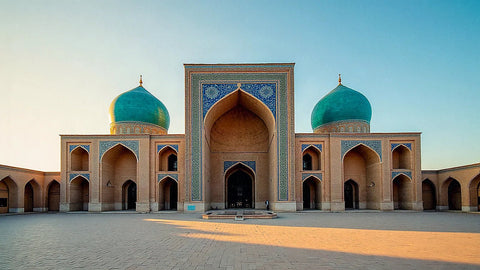
The jewels of Uzbekistan are in Samarkand, Bukhara, and Khiva, and in all three you'll have good coverage to get around without stress. In Samarkand, you'll browse without problems around the Registan and the Sher-Dor and Tilya-Kori madrasahs; in Bukhara, throughout the old town of Lyabi-Hauz; and in Khiva, inside the walled city of Itchan Kala, which is so compact that 4G follows you from end to end. It's useful for audio guides, menu translation, and for not getting lost in adobe alleyways that all look alike.
Tashkent: the capital, more modern than you expect
Tashkent has the best coverage in the country, by far, and also a Soviet metro with stations that look like palaces: marble, mosaics, chandeliers. Watch out for a detail that surprises many people: underground there is no signal, as in almost any metro in the world, so if you're going to take photos to upload right away, you'll have to wait until you get above ground.
Between cities: car or train
Between cities, you usually travel by high-speed train or private car, and there the signal fluctuates depending on the section. With an active eSIM, as soon as you return to an urban area, you regain data instantly without touching anything. This is exactly what you need for an itinerary that jumps from city to city almost every day, as the Silk Road is often planned for a week or ten days.
If your trip connects several countries in the area, you might find it more advantageous to look at country-specific plans instead of a single regional one: each destination eSIM usually offers a better fit than a generic multi-country plan if you're staying in Uzbekistan for most of the time. And if you have a long layover in South Korea on the way or continue your journey through Asia afterwards, take a look at the eSIM guide for South Korea so you don't arrive unprepared there either.
The Afrosiyob train and desert routes
The Afrosiyob is the bullet train that connects Tashkent, Samarkand, and Bukhara, and it's probably the stretch where you'll most notice the ups and downs of coverage: it goes fast, crosses semi-desert areas, and the signal comes and goes depending on which operator has the best antenna at each point. This isn't a fault with your eSIM; the same thing happens with any local line. The solution is simple: before boarding, download music, an offline map of the route, and any documents you need to review during the trip.
If you also take an excursion to the Kyzylkum desert or go to Nurata, assume that you may spend long stretches without any coverage. Notify relevant people that you will have intermittent communication that day, and have the map of the entire route downloaded, not just the final destination: if the car deviates or you stop at an unexpected place, you want to be able to orient yourself just the same.
How to activate your eSIM before flying
Activating your eSIM for Uzbekistan is quick if you do it in the correct order: install the profile at home with Wi-Fi, not at the destination airport struggling with public Wi-Fi. You'll receive the QR code by email, scan it from your phone's settings, and the profile will be saved and ready to turn on when you land. Installing is not the same as using data: the plan countdown begins when you connect to a network in Uzbekistan, not when you scan the QR in your living room.
Upon arrival in Tashkent, activate data roaming on the eSIM line and select it as your primary data line. Within seconds, you'll have 4G to order a taxi to your hotel. Keep your Spanish SIM active only for calls and SMS if you want to remain reachable with your usual number during the trip.
- Install the QR at home with Wi-Fi, a few days before flying.
- Upon landing, activate data roaming for the eSIM.
- Choose the eSIM as your data line and that's it, you have 4G.
If you get stuck at any step, the guide to installing an eSIM explains it calmly for iPhone and Android, step by step and with screenshots.
Myths and what almost no one tells you
There are a few ideas circulating about being connected while traveling through Uzbekistan that are worth dispelling before they cause you trouble at your destination:
"I need to register myself with the police every time I change cities."
Uzbekistan has greatly simplified this procedure: in the vast majority of hotels and guesthouses, they register you automatically upon check-in and give you a receipt as proof. Take photos of these receipts and keep them with your other travel documents; if they ask for them when leaving the country, you'll want them handy.
"With an eSIM, I no longer need to carry any cash."
False, and it's one of the things that catches most people by surprise. Uzbekistan is still very cash-friendly outside Tashkent: in the bazaars of Samarkand and Bukhara, in many small restaurants, and in non-Yandex taxis, card readers simply don't exist. Always have some cash on hand; the eSIM solves your internet needs, not payment.
"The Wi-Fi in teahouses (chaikhana) and restaurants is sufficient."
You might see the Wi-Fi network, but connecting and actually getting it to work is another story: these are usually shared, slow networks with passwords that none of the staff remember well. For checking maps or making last-minute plan changes, your own data connection is much more reliable than relying entirely on local Wi-Fi.
"For such a short trip, an eSIM isn't worth it; I'll just use the hotel."
It depends on the trip. If you're only going for a weekend to Tashkent, staying within the city, and have decent Wi-Fi at your hotel and the places you'll eat, that might be enough, and you can save the expense. But as soon as you include Samarkand, Bukhara, or Khiva in your itinerary, with trains, taxis, and transfers involved, going without your own data becomes noticeable every day: that's when the eSIM pays for itself in convenience, not before.
Frequently asked questions
Does the eSIM work throughout Uzbekistan?
Yes, in cities and tourist hubs like Tashkent, Samarkand, Bukhara, and Khiva, where 4G is stable. In rural, mountainous, or desert areas, the signal drops, as with any local operator. Carry offline maps for more isolated routes and don't rely entirely on constant coverage.
How many GB do I need for a week in Uzbekistan?
For normal use of maps, messaging, and social media, 3 to 5 GB is usually sufficient for a week exploring several cities. If you share your connection with a laptop or upload many videos, choose 8-10 GB or a plan with top-ups to avoid running out mid-trip.
Do I keep my Spanish number with the eSIM?
Yes. The eSIM works as a second data line, and your primary SIM remains active for calls and SMS with your usual number. You only change where data browsing occurs, without losing your usual line during the trip or having to notify anyone of a new number.
Is an eSIM better, or buying a local SIM in Tashkent?
A local SIM can be cheap, but it requires finding a store, registering it with your passport, and physically changing cards. An eSIM gives you data as soon as you land, without paperwork and without losing your number, at a cost adjusted to the actual duration of your trip.
When does the data plan start?
The plan starts when the eSIM connects to a network in Uzbekistan for the first time, not when you install the QR. That's why you can prepare it days in advance at home and activate it right upon landing without losing a single day of your data allowance.
Do I need Wi-Fi at Tashkent airport to activate the eSIM?
You shouldn't need it if you've done your homework: install the profile via Wi-Fi at home before flying, and at the airport, you only activate data roaming, which doesn't require a prior connection. Leaving everything for the airport is the most common way to complicate your first day of travel.
Which phones are compatible with an eSIM for traveling to Uzbekistan?
Most mid-to-high-end smartphones from recent years support eSIM: iPhones from the XS onwards, and a good number of recent Samsung, Google Pixel, and Xiaomi models. Before purchasing, check your phone settings to ensure the eSIM option is available, as some models sold with contracts in certain countries have it blocked.
Conclusion
An Uzbekistan eSIM is the most convenient way to explore the Silk Road with internet: cost adjusted to your trip, activation in one minute, and your Spanish number intact throughout your journey. Calculate your GB based on the cities and train journeys you plan to make, install the profile before flying, and activate it right upon landing in Tashkent. Arrive connected and enjoy Samarkand, Bukhara, and Khiva without data scares or queues at local operator stores. If you're ready, you can directly view the eSIM for Uzbekistan and get it prepared before packing your suitcase.