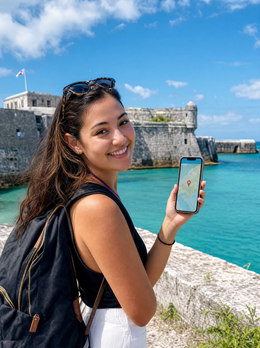
If you've already decided to take data with you and the only thing you need to know is how many GB you'll need for Bermuda, this guide is exactly for that: to give you a well-reasoned number and to explain why for this destination, the number is lower than people imagine. And I'll start with the most important warning: Bermuda is not in the Caribbean; it's in the middle of the North Atlantic, about 1,000 kilometers east of the North Carolina coast. That affects when you go, how you get there, and, consequently, how many gigabytes you'll actually use.
The quick answer: how many GB for Bermuda
For 7-10 days in Bermuda, most travelers will find 3 GB to be plenty. The island is 34 kilometers from end to end, almost all decent accommodation has Wi-Fi, and you won't be spending hours on the road. If you upload many photos or work, go up to 8-10 GB.
I didn't pull that number out of thin air: it comes from cross-referencing how much the apps you'll actually use there consume with how many hours a day you'll be away from Wi-Fi. Bermuda is a destination for beaches, boats, and walks, not for mobile Netflix marathons. People who overuse GB on a trip usually do so for two reasons: watching videos with data and uploading entire camera rolls of photos in original quality. If you control those two things, three gigabytes will last you for ten long days.
Those who do need more are specific profiles: someone coming for work in Hamilton's insurance sector who does back-to-back video calls, someone sharing their connection with their partner's phone and a laptop, and someone who records and uploads video daily. For those cases, I'll discuss specific figures below.
I prefer to give you an honest number rather than push you toward a larger package: if 3 GB is plenty, I'll tell you so, even if we sell 20 GB packages. If you want the general logic applied to any country, you'll find it in the master guide on how much data you need for travel; here I focus on what makes Bermuda special.
North Atlantic, not Caribbean: why this changes your trip
It's the most common mistake I see, and it's not a trivial anecdote: believing you're going to the Caribbean changes your travel season. Bermuda is at the same latitude as South Carolina, in the North Atlantic, and is only subtropical because the Gulf Stream passes nearby. Translated: in January, it's not 30 degrees. It's about 18-20, the sea is cold for swimming, and many hotels, restaurants, and activities reduce hours or close directly out of season.
The high season runs from May to October. That's when the water is pleasant, when tourist ferries operate, and when cruise ships dock. It also coincides with the Atlantic hurricane season, which officially runs from June 1 to November 30. Bermuda is very prepared for this, but if you travel in September, it's advisable to be able to check the weather and your flight from your mobile without relying on hotel Wi-Fi.
What does this have to do with GB? Three things. If you go in winter, you'll spend more time indoors with Wi-Fi and use less data. If you go in summer, you'll be out longer, at the beach and on boats, using data. And if you travel during hurricane season, reserve a data cushion to check weather information and reschedule flights: that's precisely when you don't want to run out of megabytes. How to connect there is detailed in the internet in Bermuda guide.
How much each app uses, in real MB
Before choosing a package, it's worth seeing how much each thing consumes, because intuition can be very misleading. People think that maps eat up data and that WhatsApp uses nothing, but in reality, video is the only thing that really moves the needle. These are approximate figures, rounded up to be in your favor:
| Activity | Approximate Consumption | What it means for your trip |
|---|---|---|
| Maps with live navigation | 3-5 MB per hour (up to 10 with real-time traffic) | Minimal. You can navigate your whole trip |
| WhatsApp (text and voice notes only) | 1-5 MB per day | Virtually free |
| WhatsApp voice call | 20-30 MB per hour | Cheap, use it freely |
| WhatsApp video call | around 300 MB per hour | Ten minutes a day, about 50 MB |
| Instagram or TikTok scrolling | 300-700 MB per hour | The big black hole of the trip |
| Uploading 20 photos from your phone in original quality | 60-100 MB | Upload via Wi-Fi and save a gigabyte |
| Uploading a 1-minute video | 60-100 MB | Five videos a day is half a gigabyte |
| Music streaming, normal quality | 40-70 MB per hour | Manageable; triples in high quality |
| Video in 480p | around 550 MB per hour | Acceptable on a mobile screen |
| Video in 1080p | around 3 GB per hour | One movie and your package is gone |
| HD work video call | 1-1.6 GB per hour | Only with Wi-Fi, unless it's an emergency |
| Email and light web browsing | 10-25 MB per hour | Insignificant |
Notice the leap: an hour of reels is equivalent to one hundred hours of navigation with maps. That's why the practical recommendation isn't "use your phone less," it's "don't watch video with data." If you want the detailed breakdown by app and quality, I have it in the mobile data usage statistics by activity.
Recommendation by profile and travel days
This is the table that really matters. It's calculated with a realistic assumption for Bermuda: you sleep in a place with Wi-Fi, you go out for 8 to 10 hours a day, and you use data mainly for maps, messaging, some social media, and searching for things. Find your row, cross-reference it with your number of days, and you'll have your package.
| Traveler Profile | 5 days | 10 days | 15 days | 30 days |
|---|---|---|---|---|
| Tourist (maps and WhatsApp) | 1 GB | 2 GB | 3 GB | 5 GB |
| Photos and social media | 3 GB | 5 GB | 8 GB | 15 GB |
| Short business trip (email and some Teams) | 3 GB | 6 GB | 10 GB | 18 GB |
| Family or couple sharing a mobile as a router | 5 GB | 10 GB | 15 GB | 25 GB |
| Digital nomad or remote work from Hamilton | 10 GB | 20 GB | 30 GB | 50 GB |
Two nuances specific to Bermuda. First: here, travel distances are short and by bus, ferry, or moped; there are no five-hour journeys where you're just looking at your phone, so the "tourist" row is almost always on the lower end. Second: if you're going to share your connection with a laptop, move up a tier without hesitation, because computers download updates and sync to the cloud without asking permission.
My rule for Bermuda: 300 MB per day for normal use, 700 MB per day if you upload photos and videos daily, and 2 GB per day if you work with video calls. Multiply by the number of days and round up.
Coverage on the island: good, and why that matters
Bermuda is a small and densely populated archipelago, with two competing operators, One Communications and Digicel, and a network that works well practically throughout the island. One launched its commercial 5G in late 2023, and Digicel activated its 5G network in 2025, so in Hamilton, Dockyard, and most tourist areas, you'll have plenty of speed. In a territory 34 kilometers from end to end, there are no large coverage gaps like those you find in a country with deserts or mountains.
This sounds like good news and it is, but it has an interpretation that almost no one makes: in Bermuda, you will use all the GB you buy. In destinations with irregular coverage, people buy 10 GB and return with 6 unused, because half the excursion had no signal. Not here: your phone will have a good signal at Horseshoe Bay beach, on the ferry, in St. George, and walking along Front Street. If you tend to look at your phone, you will look at it.
Practical translation: don't buy thinking "just in case there are areas without coverage." Buy according to your actual consumption, which is what you estimate with the table above. And also consider the opposite: the fact that there's a good network doesn't mean you need a huge package; it means that the package you buy will be utilized to the last megabyte. Network quality is not a reason to buy more gigabytes; it's a reason to buy what you truly need.
If you arrive by cruise: be careful with the ship's network
Bermuda receives a lot of cruise traffic from the East Coast of the United States: New York, Cape Liberty, Boston, Baltimore. And here's a trap that catches many people. For one or two days of sailing, you're on the high seas, far from any antenna, and your phone connects to the ship's satellite network, which appears as "Cellular at Sea" or similar. This network is not part of your data package and is billed at satellite prices, which can be several dollars per megabyte.
| Where you are | Which network your phone connects to | What you should do |
|---|---|---|
| Departure port in the U.S. | Local U.S. network | Your Bermuda plan doesn't cover service there yet |
| On the high seas, 1-2 days of sailing | Ship's satellite network | Airplane mode. Ship's Wi-Fi only if you've paid for it |
| Docked in Dockyard, Hamilton, or St. George | Bermudian network (One or Digicel) | Here, yes: activate data and make the most of it |
| Return on the high seas | Satellite again | Airplane mode again |
Therefore, if you come by cruise, your GB calculation is not by travel days, it's by port days. A seven-day cruise with two or three days ashore in Bermuda is more than covered with 1 GB. Don't buy 10 GB for a one-week cruise: most of the time your phone will be in airplane mode, and those gigabytes will never be used.
No SIM cards sold at the airport: you have to go to Hamilton
This is the piece of information most people appreciate and one that almost no one shares before traveling: they don't sell prepaid cards at L. F. Wade International Airport. There's no operator counter, no vending machine, no kiosk. If you want a local card, you have to leave the airport, which is on St. David's Island, and travel to Hamilton, where the operator stores are located: One Communications on Church Street and Digicel also in the city center.
Now, add the actual conditions:
- Stores are open during business hours from Monday to Saturday and are closed on Sundays.
- Many flights land in the afternoon, and many cruise ships dock in Dockyard, which is on the opposite end of the island.
- In Bermuda, tourists cannot rent cars; you travel by taxi, bus, ferry, or moped.
- Taxis are one of the most expensive things on the trip, and Bermuda is already a very expensive destination itself.
- You will have to show identification and wait your turn, with your vacation clock ticking.
In other words: you could end up losing half a morning and a lot of money on taxis to get a card that will cost you around 25 dollars. That's why in this specific destination, the argument for having your line already activated from home is particularly strong: you land, turn off airplane mode, and have data at the airport itself. If you've never used one, see what an eSIM is and then check the packages in the eSIM for Bermuda guide.
Business trip: how many GB to work from Hamilton
Bermuda isn't just pink sand beaches: it's one of the world's major centers for insurance and reinsurance, and a significant portion of those who land there do so in suits with packed schedules. If that's you, your calculation won't be anything like a tourist's. An hour of high-definition video conferencing uses more data than an entire week of maps and WhatsApp, and that's the whole difference.
| Work Task | Approximate Consumption |
|---|---|
| Email, Slack, or Teams (chat only) | 100-200 MB per day |
| Video call with camera off | 100-200 MB per hour |
| HD video call with camera | 1-1.6 GB per hour |
| Screen sharing or presentation | 200-300 MB per hour |
| Downloading and uploading documents, PDFs, and spreadsheets | 50-500 MB per day |
| Tethering with laptop | Add 500 MB-1 GB for updates and cloud sync |
The good news is that Hamilton's offices and business hotels have solid Wi-Fi, so the sensible plan is to do long meetings over Wi-Fi and save mobile data for commutes, calls from a taxi, and emergencies. With that discipline, a week of work can be covered with 6-8 GB. If you're really going to work from your mobile or laptop by tethering, count on 2 GB per workday and don't complicate things. And deactivate automatic cloud synchronization on your laptop before tethering: it's the invisible expense that causes the most headaches.
How to know your real consumption before leaving home
All the tables in the world are worth less than your own data, and you already have that data in your pocket. Check your consumption for the last month in your phone settings, and you'll have a much better basis than any average estimate. On Android, it's in Settings, Network & Internet, Mobile data usage; on iPhone, in Settings, Mobile Data, with the breakdown by app at the very bottom.
Now make this adjustment, which is where people make mistakes:
- Divide your monthly consumption by 30 to know your daily average at home.
- Subtract what you consume at work or on public transport that you won't be doing there.
- Add an extra for maps and translator: they are used much more when traveling than at home.
- Subtract what you do over Wi-Fi: at home you might have Wi-Fi all day, and when traveling you'll also have it at the hotel.
- Multiply by the number of travel days and add a 20% margin.
A real example. If you use 6 GB per month in Spain, your average is 200 MB per day, but a good part of that is outside the home using data. In Bermuda, with the hotel covered by Wi-Fi and short journeys, you'll probably stay within 200-300 MB daily. Ten days would be 2-3 GB, exactly what I told you at the beginning. If you get a much higher number, almost certainly video is the culprit, and that can be controlled with what I tell you in the next section. Doing this calculation takes two minutes and saves you from paying for gigabytes you won't touch.
Ten ways to make your GB last longer in Bermuda
With these adjustments, you can easily cut your data consumption by a third to half, without giving up anything important. The most cost-effective of all, and one that almost no one does: download the island map before you leave, using hotel Wi-Fi or directly from home. Bermuda fits entirely on a tiny offline map.
- Download the full island map in your map app and activate it for offline use.
- Download your music playlists and some podcast episodes with Wi-Fi before you leave.
- Activate system data saver and also data saver for Instagram, TikTok, and YouTube.
- Disable automatic video playback on all social media.
- Set photo backups to "Wi-Fi only" mode.
- Limit video quality to 480p; it's barely noticeable on a mobile phone.
- Disable background app refresh and automatic updates.
- Use Wi-Fi at the hotel, Front Street restaurants, and tourist sites.
- Save photos from Horseshoe Bay and Warwick Long Bay to upload at night with Wi-Fi.
- Send audio messages instead of video calls when you want to convey something long.
A specific note for this destination: if you're going on boat trips, kayaking, or snorkeling, download what you need before boarding, because your phone will end up in a dry bag and you won't be able to charge anything. And if you go to Crystal Caves or any other cave, there's no signal there, so it's best to have tickets and schedules as screenshots. You can find the complete list of settings in the guide to data-saving tips for travel.
What happens if you run short (and why it's the right thing to do)
I'll tell you straight: it's better to run short and top up than to buy too much. If you run out of data, you simply lose connection outside of Wi-Fi; you won't be charged extra, there are no surprises, and no penalties. You buy a top-up from the hotel, airport, or any cafe's Wi-Fi, and you're back online in a couple of minutes. The cost of underestimating is a two-minute inconvenience. The cost of overestimating is wasted money that you won't get back.
Many people buy the large package out of fear, and in a destination like Bermuda, that fear is misplaced, because there's Wi-Fi in virtually all accommodations and many establishments, and because the days are for the beach and strolling, not for screen time. The real probability of being stranded without being able to top up is very low.
My recommended purchase order is this:
- Calculate with the profiles table and add a 20% margin.
- Buy that package, not the next one up.
- Check your consumption on the third day of your trip: by then, you'll know your real pace.
- If you're running low, top up; if you have plenty, stop being stingy and enjoy.
That check on the third day is the key to everything. If after three days you've used less than a third of the package, you're perfect. If you've used half, either top up or apply the tricks from the previous section. It's a simple system, but it works much better than buying 20 GB just in case and coming home with 17 unused.
Frequently Asked Questions
These are the most common questions I receive about data in Bermuda, answered directly.
Is Bermuda in the Caribbean?
No. Bermuda is in the North Atlantic, about 1,000 kilometers east of North Carolina. This is a very common mistake and has practical consequences: the best season is May to October, and in winter it's about 18-20 degrees Celsius, with cold sea and some tourist offerings operating at half capacity.
How many GB do I need if I arrive by cruise and only disembark for one day?
1 GB is more than enough. Your consumption is counted by hours ashore, not by cruise days. On the high seas, your phone will be in airplane mode, and you won't spend any of your package, so buying a large plan for a week-long cruise is a waste of money.
Can I buy a SIM card at Bermuda airport?
No, L. F. Wade Airport does not sell prepaid SIM cards. You have to go to the operator stores in Hamilton, which are open during business hours from Monday to Saturday and closed on Sundays. Between the taxi and wasted time, having the line activated from home is clearly better.
Is there good coverage throughout the island?
Yes, coverage is good almost everywhere in Bermuda, with widespread 4G and 5G in main areas. One Communications launched 5G in late 2023, and Digicel activated theirs in 2025. The island is 34 kilometers long, so there are no large dead zones except in specific caves and interiors.
Is there free Wi-Fi in hotels and restaurants?
Yes, Wi-Fi is widespread in accommodations, restaurants, and tourist areas. This is one of the reasons why you need fewer gigabytes here than in other destinations. Take advantage of it to upload photos, make backups, and have long video calls, and save mobile data for when you're out and about.
How many GB to work two weeks from Hamilton?
Between 20 and 30 GB if you genuinely work from your mobile or by tethering. If you do long meetings via office or hotel Wi-Fi, you can easily drop to 10-15 GB. HD video calls are the only thing that significantly increases consumption: one hour can be around 1.5 GB.
What if I run out of data halfway through my trip?
Nothing serious happens: you top up from any Wi-Fi and you're back online in two minutes. There are no extra costs or penalties; you simply lose connection outside of Wi-Fi until you top up. That's why I always recommend buying just enough and extending if necessary, instead of paying for gigabytes you won't use.
Conclusion
To summarize directly: for a normal 7 to 10-day trip to Bermuda, 3 GB will be more than enough, because the island is small, Wi-Fi is everywhere, and you won't spend hours in transit staring at a screen. If you upload photos and videos daily, plan for 5-8 GB. If you're coming to work in Hamilton's financial center, estimate 2 GB per workday. And if you arrive by cruise, only count your hours on land: with 1 GB, you'll easily cover your stopover, with your phone in airplane mode while sailing.
The important thing for this destination is not so much the number as arriving with your line already working, because in Bermuda you won't be able to sort it out at the airport: you'd have to go to a store in Hamilton during business hours, Monday to Saturday. Get that sorted before you leave home and dedicate your first day to the pink sands of Horseshoe Bay, not to waiting in line. Check out the data plans for Bermuda here and choose the one that fits your profile from the table.