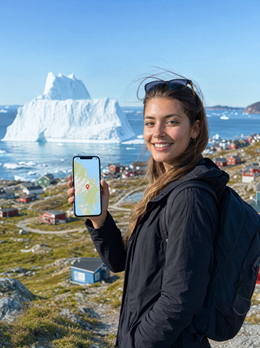
If you've already decided to buy data and just need to choose the size, this guide is about that: how many GB you need for Greenland and why the answer here is smaller than you think. I won't repeat the comparison of connection options; I'll go straight to the figure. And I'll tell you one thing upfront: Greenland is the destination where you'll use the least data in the entire Arctic, not because you're frugal, but because for a good part of the trip there will be no signal to use.
The short answer: how many GB for Greenland
For 10 days in Greenland, most people will be fine with 3 GB. It sounds little for a two-week trip, and it is: here there's only coverage within coastal towns, so you'll spend a good part of the trip without signal and without using a single megabyte.
I'll break down the range for you to see where it comes from. If you travel in a classic way —flight to Kangerlussuaq or Nuuk, a few days in Ilulissat, excursions to the icefjord and some hiking— your phone will only be connected when you are in town: in the morning before leaving, upon returning in the afternoon, and at dinner. That's, at most, four or five hours of real connection a day, and a good part of it with accommodation Wi-Fi in between.
With that pattern, a normal traveler uses between 100 and 250 MB per day. Multiply by ten days and you're at 1-2.5 GB. That's why I say 3 GB: it gives you room for a couple of video calls home, to upload photos without watching the meter, and for the usual unexpected event (an internal flight canceled due to fog and two hours looking for alternatives). You don't need 20 GB. If they sell them to you, they're overcharging you.
There are only three profiles that fall outside of this: those who will telework from Nuuk, those traveling with family and sharing the connection with several phones, and those who upload videos to social media daily. I cover those separately in the general guide on how much data you need for travel and in the profile table below. For the rest, the honest figure is 3 GB for ten days.
Why Greenland changes the number
In almost all destinations, the number of gigabytes depends on you: whether you're into TikTok or maps, whether you work or disconnect. In Greenland, it mainly depends on geography, and you don't choose that.
The island covers about two million square kilometers and has fewer than 60,000 inhabitants, almost all distributed in coastal towns not connected by roads. The mobile network is where the people are: in Nuuk, Ilulissat, Sisimiut, Qaqortoq, Aasiaat, Kangerlussuaq, and in settlements with a certain population. Outside this perimeter, there are no antennas. Not on the ice sheet, not between towns, and not in the fjords. It is estimated that less than 10% of the territory has mobile coverage, and it's not a temporary problem they'll fix next month: putting up antennas for no one in the icy interior makes no sense.
The practical consequence is both strange and healthy: the best hours of the trip are precisely the hours when you don't use data. Dog sledding, kayaking among icebergs, hiking to the glacier, boat trips between settlements, spending the night waiting for the aurora in the middle of nowhere. All of that is zero megabytes.
What you use data for is what happens before and after: checking the weather in the morning, confirming your excursion, writing home when you return, uploading the day's photos. That's why a small package here performs like a large one in Thailand. If you want the full context of how connectivity works on the island, you can find it in the internet in Greenland guide.
The double warning: neither European roaming nor a Denmark package
This is the most expensive mistake, and it comes in two parts. Read it twice before buying anything.
First: European roaming does not apply in Greenland. Yes, Greenland is part of the Kingdom of Denmark. But the territory left the European Economic Community in 1985 after a referendum, and today it belongs neither to the European Union nor the European Economic Area. The "roam like at home" regulation that lets you use your Spanish plan in Lisbon or Berlin doesn't apply here. Your operator can charge you international roaming rates outside the EU, which are counted in euros per megabyte, not cents.
Second: a package "for Denmark" does not cover Greenland. Although they share a flag and crown, they are distinct networks and distinct country codes: Denmark is +45 and Greenland is +299. Data plans that list "Denmark" in their coverage refer to mainland Denmark. If you land in Kangerlussuaq with one of those, your phone will search for the local network and won't be allowed to connect.
I've seen it several times: people arrive convinced that "it's Denmark, it's Europe" and discover at the airport that neither their plan nor their package works. Always check that the coverage explicitly says Greenland.
And there's a third detail that explains the prices: only one company operates on the island, Tusass, formerly Tele Greenland. There is no local competition, so any plan that works there relies on that single network. Before traveling, verify in your contract what your operator charges you and, if you're going to use an eSIM for Greenland, ensure the destination is listed by name.
How much each activity consumes, in figures
Before choosing a size, it's good to know what each activity uses. These are average consumption figures under normal conditions; they vary with network quality and app settings, but they help with calculations.
| Activity | Approximate Consumption | Note for Greenland |
|---|---|---|
| WhatsApp messages (text and some photos) | 5-15 MB per day | What you'll use most; it's almost free in data |
| WhatsApp voice call | ~1 MB per minute (60 MB/h) | Perfect for letting people know you're still alive |
| Video call | 5-12 MB per minute (300-700 MB/h) | By far the most expensive; do it over Wi-Fi |
| Google Maps navigation | 5-10 MB per hour | Irrelevant: Nuuk and Ilulissat can be crossed on foot |
| Web browsing and email | 10-25 MB per hour | Part of weather and internal flights |
| Social media with video (Reels) | ~250 MB per hour | The real black hole of your package |
| TikTok in active use | up to 840 MB per hour | One hour a day eats up 8 GB in ten days |
| Streaming music | 40-70 MB per hour | Better to download it before leaving |
| Video at 360p / at 1080p | ~150 MB/h / ~1.5 GB/h | Quality multiplies consumption tenfold |
| Upload 10 original photos to the cloud | 300-500 MB | The classic that busts your package without you noticing |
| Post a story | 5-10 MB | Cheap; the problem is posting forty |
Notice the pattern: what consumes data isn't communicating, it's consuming and uploading video. If in Greenland you limit yourself to messages, an occasional call, and uploading a batch of compressed photos at night, you won't even reach 150 MB daily. You can find the extended breakdown in the statistics on mobile data usage by activity.
How many GB per profile and duration
This is the table you've come to see. It's calculated with the Greenlandic discount already factored in: I assume you'll be without coverage for a significant part of the day and that you'll have Wi-Fi at your accommodation most nights.
| Profile | 5 days | 10 days | 15 days | 30 days |
|---|---|---|---|---|
| Map and WhatsApp tourist | 1 GB | 2 GB | 3 GB | 5 GB |
| Photo and social media user | 2 GB | 3 GB | 5 GB | 10 GB |
| Digital nomad / remote worker | 5 GB | 10 GB | 15 GB | 20-30 GB |
| Family sharing (2-4 phones) | 3 GB | 5 GB | 8 GB | 15 GB |
| Expedition cruise (landings) | 1 GB | 1-2 GB | 3 GB | 5 GB |
A couple of honest nuances. The "photo and social media" profile only needs more if they upload video; if it's photos, 3 GB for ten days is more than enough if you upload them compressed. The remote work profile is the only one that should be generous, and with one condition: you can only work from within a town, not from a cabin in the fjord.
The cruise profile is intentionally the lowest on the table. If you're sailing between Ilulissat, Uummannaq, and small settlements, your phone will only connect during stops, and many only last a few hours. There, 1 or 2 GB for ten days is truly sufficient.
If you're torn between two rows, choose the lower one. Topping up is easy; returning unused gigabytes is not.
Where you'll have signal and where you won't
Knowing where you'll be connected is half the calculation. This is the mental map I use:
| Location or Activity | Expected Coverage | Will you use data? |
|---|---|---|
| Nuuk (city center and neighborhoods) | Stable 4G, 5G in some areas | Yes, most usage happens here |
| Ilulissat, Sisimiut, Qaqortoq, Aasiaat | 4G in the urban core | Yes |
| Kangerlussuaq (airport and town) | 4G | Yes, especially during flight delays |
| Small settlements | 2G/3G, sometimes 4G | Little: messages and not much else |
| Icefjord, boat trip | Signal only near the town | Almost none |
| Dog sledding and hiking | None | Zero |
| Kayaking among icebergs | None when far out | Zero |
| Ice sheet and interior | None | Zero |
| Boat on inter-town passage | None in open sea | Zero (only on-board Wi-Fi) |
Two important consequences. The first, for safety: don't count on your phone for help outside of town. If you leave the urban area on your own, notify someone of your route and return time, and for long journeys, consider renting a beacon or a satellite phone. No data plan replaces that.
The second, practical: your phone searching for a network without finding one consumes battery at an alarming rate, and in cold weather, the battery life is already halved. Switch to airplane mode when you know there's no coverage to save yourself the drama of running out of camera battery when the aurora appears.
Hotel, hostel, and expedition cruise Wi-Fi
Many travelers assume that accommodation Wi-Fi will cover the bulk of their usage. In Greenland, it works, but with nuances you should know before buying a tiny package and relying on it.
In hotels in Nuuk and Ilulissat, Wi-Fi exists and is usually sufficient for messaging, email, and patiently uploading photos. In hostels and guesthouses, it's more inconsistent, and in small settlements, it might be slow or nonexistent. Keep in mind that the island connects to the world through a combination of submarine cable and radio links, and that Greenlandic internet is among the most expensive on the planet: that's why some accommodations still limit usage or charge extra.
The case of expedition cruises deserves a separate mention. Onboard connection is via satellite, and although many ships now offer decent Wi-Fi, it's still expensive, shared among hundreds of passengers, and experiences saturation peaks when everyone returns from an excursion. Add to that that some operators limit or cut it during navigations due to energy consumption or a policy of disconnection. If your plan is "I'll just use the ship's Wi-Fi," go with low expectations.
My advice: use Wi-Fi for heavy tasks (backups, long video calls, downloads) and carry a small data package for urgent needs on land. This combination causes the fewest headaches and costs the least money. If you want to fine-tune your Wi-Fi usage, you'll find specific ideas in the tricks to save data while traveling.
Auroras, icebergs, and photos: what really drives consumption
Greenland is one of those places where you end up with two thousand photos and forty videos. And this is where people exceed their data limits without realizing it, because taking photos doesn't use data: uploading them does.
The silent enemy is automatic backup. If you have Google Photos or iCloud syncing as soon as there's a network, a day of icebergs in Ilulissat can upload 3 or 4 GB by itself while you're at dinner. That single setting can turn a 3 GB package into a 15 GB package. Set backups to "Wi-Fi only" before leaving home, not when you're already there.
With auroras, something similar happens but in reverse. Photographing them requires long exposures, a tripod, and patience, and all of that usually happens outside of town, without coverage: zero data. What consumes data is the temptation to send them via WhatsApp that same night. An original quality photo via messaging is between 3 and 8 MB; twenty photos, over 100 MB. Send two or three and save the rest for Wi-Fi.
And video: a clip of an iceberg calving in 4K weighs hundreds of megabytes. Sharing it via messaging compresses it quite a bit, but uploading it to social media in high quality does not. If you publish video daily, move your prediction up to the "photos and social media" row in the table and add a couple of gigabytes. If you're someone who looks and saves, you won't even notice the meter.
How to check your actual consumption before leaving home
All of the above are averages. Your exact number is already on your phone, free, and in two minutes.
On Android: Settings → Network & internet → SIM or Data usage, and check the consumption for the last full month. On iPhone: Settings → Mobile Data, and scroll down to the current period (it's good to reset the statistics at the beginning of a month for clean data). You'll see a total and the breakdown by application, which is the interesting part.
Divide that monthly total by 30 and you'll have your daily consumption at home. Now apply the Greenlandic adjustment, which is what makes this calculation useful:
- Subtract what you consume during commutes and waiting times (subway, bus, office): in Greenland, those gaps will be filled with scenery, not screens.
- Multiply by 0.4 or 0.5 if you'll be taking daily excursions, because half the day you'll be without a network.
- Add 20% if you usually rely on Wi-Fi at home and will depend more on mobile data during the day there.
- Multiply by the number of travel days and round up to the nearest package size.
A real example: if at home you use 8 GB per month, that's 266 MB per day; removing commutes leaves you with about 200; multiplied by 0.5 in Greenland, that's 100 MB daily; for ten days, 1 GB. With 2 or 3 GB, you'll be more than well off. This home calculation is more accurate than any generic recommendation, because it's based on how you use your phone, not how the average person uses it.
Tips for stretching your data in Greenland
If you apply these five tips before boarding, a small package will last you the entire trip without you having to constantly check the meter.
- Download offline maps. In Google Maps, search for the area → Download map. Do this for Nuuk, Ilulissat, Sisimiut, and the fjord area. They take up little space and work without a network, using your phone's GPS, which doesn't consume data.
- Back up only over Wi-Fi. Google Photos → Settings → Backup → Wi-Fi only. On iPhone, disable "Cellular Data" for Photos. This setting saves the most gigabytes.
- Enable system data saver. Android has "Data Saver" and iOS has "Low Data Mode" within Cellular Data settings. These cut background activity and automatically lower video quality.
- Disable auto-play for videos on Instagram, Facebook, X, and TikTok, and lower streaming quality to the minimum. This is the difference between 250 MB and 40 MB per hour.
- Download entertainment before you leave. Series, podcasts, music, and even the Danish and English translator in offline mode. Domestic flights and weather-related waits are long, and there will be no network to pass the time.
A specific extra tip for Greenland: also download the weather forecast and your tickets as PDFs, and take screenshots of your reservations. In Greenland, flights and boats are frequently rescheduled due to fog or ice, and having your documentation on your phone without relying on a network will save you hassle when you arrive at a small airport with a hundred people connected at once.
If you run short: topping up is better than overspending
Now for the part that almost no one tells you because it's not in their interest: it's better to run short than to overspend.
If you buy a large package "just in case," you're paying in advance for gigabytes that in Greenland are very likely to expire unused. And they don't come back. On the other hand, if you buy a small package and run out, the solution is a top-up that takes a couple of minutes: you don't have to go to a store, change SIM cards, or look for an open shop in Ilulissat on a Sunday. You do it from your phone, using the hotel's Wi-Fi.
The only scenario you should avoid is "running out of data and Wi-Fi at the same time." This is easily prevented: when your package drops below 20%, top it up that same night from your accommodation instead of waiting for it to run out completely. And keep your purchase email handy, as that's where instructions usually arrive.
In a destination where connectivity is an extra and not the norm, the best data plan is the smallest one that keeps you at ease. Anything you buy beyond that is scenery you're not looking at.
One more note: do not leave your Spanish SIM card active "just in case" without first checking the rates outside the European Union. That's exactly the scenario where three-digit bills appear for a few megabytes. Disable data for that line and use the package you've purchased. If you've never used this technology, in the guide on what an eSIM is, I explain how it works and how to activate it.
Frequently Asked Questions
How many GB do I need for 10 days in Greenland?
3 GB is plenty for most people. There's only coverage within coastal towns, so you'll spend many hours a day offline and not consuming data. If you're teleworking from Nuuk, go up to 10 GB; if you're on an expedition cruise, 1-2 GB is more than enough.
Will my Spanish tariff with European roaming work?
No. Greenland left the European Economic Community in 1985 and does not belong to either the EU or the European Economic Area, so European roaming regulations do not apply there. Your operator may bill you international rates per megabyte. Check your contract before traveling and, if you're not sure, disable data for that line.
Does a data package "for Denmark" work in Greenland?
No, they are different territories and networks. Although Greenland is part of the Kingdom of Denmark, it has its own telephone prefix (+299) and its own network. Plans that include Denmark cover continental Denmark. Make sure Greenland is explicitly mentioned in the product's coverage before purchasing.
Is there coverage on a dog sled or in the icefjord?
No, expect to be disconnected. The mobile network reaches inhabited areas and little else; it is estimated that less than 10% of the territory has coverage. On a dog sled, in a kayak among icebergs, and on hikes outside of town, there will be no signal. Always inform someone of your route and, for long journeys, consider a beacon or satellite phone.
Can I telework from Greenland?
Yes, but only from the towns. In Nuuk and Ilulissat, there's stable 4G and Wi-Fi in accommodations, sufficient for email, documents, and video calls. Budget 10 GB for ten days if you'll be relying on mobile data. However, you cannot count on a connection during excursions or between settlements.
Do I need data to photograph auroras and icebergs?
To take photos, none. The camera doesn't use data. What consumes data is uploading or sending them: an original photo via messaging is 3-8 MB, and a batch of twenty exceeds 100 MB. Send two or three on the go and upload the rest via Wi-Fi. And keep automatic backup limited to Wi-Fi.
What happens if I run out of data halfway through the trip?
You top up in a couple of minutes from your accommodation's Wi-Fi. There's no need to go to a store or change anything on your phone. That's why it's best to buy a smaller package: what's left over from a large package is not refunded, and in Greenland, it's easy to have leftover data. Top up when you drop below 20% remaining.
Is there more than one mobile operator in Greenland?
No, there is only one: Tusass, formerly Tele Greenland. It's the only company that deploys a mobile network on the island, so any plan that works there relies on its infrastructure. This explains why prices are high and coverage is identical regardless of the option you choose.
Conclusion
Greenland is the destination where I can most confidently tell you to buy a small amount. For ten days, 3 GB. For five days, 1 or 2 GB. For an expedition cruise, 1-2 GB even if it's two weeks. Only if you're going to work from Nuuk or share the connection with the whole family does it make sense to go for 10 GB or more.
And I don't say this out of generosity, but because it's what will happen: you'll spend a good part of your trip without coverage, looking at blue ice instead of a screen. The important thing is to arrive with clear expectations and having learned the two warnings: European roaming doesn't work here, and a Denmark package doesn't work here.
If you've already decided, choose your size for the eSIM for Greenland and activate it before getting on the plane: that way you'll land in Kangerlussuaq with network from the first minute and you can forget about it for the rest of the trip, which is exactly the point.