
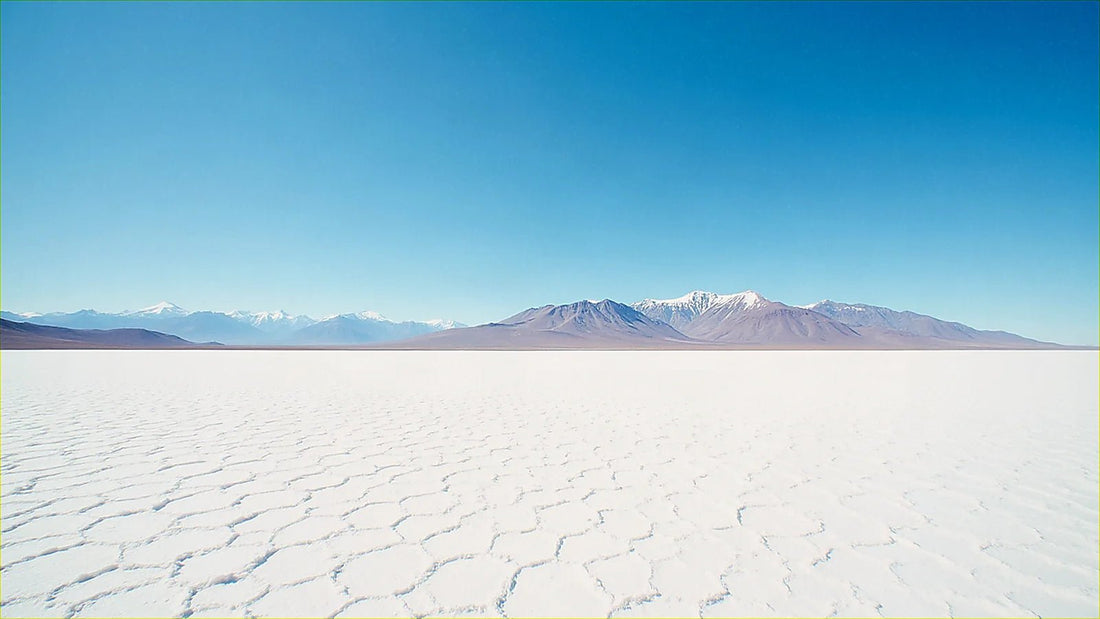
If you're calculating how many GB you'll need for Bolivia, I'll spare you the suspense: probably less than you think. Bolivia is the destination where it's clearest that data consumption isn't a linear equation, because there are entire sections of the trip—the Salar de Uyuni, the Amazon—where there simply isn't any network to use. Here's the number, the why, and a table by profile and duration.
The short answer: how many GB for Bolivia
For a 10-day trip to Bolivia, including the Salar de Uyuni tour, most people will be fine with 3 GB: between the Salar and long journeys, three days of actual consumption are lost. If you upload many photos and live on social media, 5 GB. Only if you telework will you need 15 GB.
That's the answer, and I'm not backing down. The thing about Bolivia is that the classic itinerary—La Paz, Uyuni, Sucre, Potosí, Titicaca, and perhaps Rurrenabaque—has a proportion of disconnected days that hardly any other South American country has. A two-week trip can easily have four or five days with null or minimal coverage. And a day without coverage is a day where your consumption is zero, no matter if you take 400 photos.
That's why it's better to buy by connected days, not by calendar days. My practical rule for Bolivia: count the actual days in cities and on roads with a signal, apply about 300-400 MB per day if you're a normal traveler, and round up. This will give you a much smaller and more realistic number than what any generic calculator suggests. If you want the general method applied to any destination, you'll find it in the guide on how much data you need for travel; in this article, I'll focus on the specifics of Bolivia, which is where the magic is.
Salar de Uyuni: 3 days that don't consume data
This is the data point that changes the calculation, which is why it's so high up. The classic Salar de Uyuni tour is 3 days and 2 nights: you leave Uyuni in a 4x4, cross the salt flat, sleep in basic accommodation (the famous salt hotels on the first night, very simple shelters on the second) and head down towards the colorful lagoons, geysers, and Laguna Colorada, already over 4,500 meters. Throughout this route, there is practically no mobile coverage. In the town of Uyuni there is; as soon as the car enters the salt flat and heads south, the antennas disappear.
Translated into gigabytes: that's three days of near-zero consumption. It's not that you "spend little": it's that there's no network. If you bought data planning for 10 days of use, you'll actually use it for 7.
In the Salar, you don't spend data, you spend battery. That's the phrase that sums up the trip: your card fills up, the gigabyte counter doesn't move, and your phone dies by six in the evening.
And pay attention to the second point, because it's just as important: electricity is also scarce. The accommodations along the route are basic, and many run on a generator for a few hours at dusk, with limited outlets shared among ten people. Between the night cold of the altiplano—which drains the battery—and the 300 photos you'll take, the real problem for those three days isn't how many GB you have, but carrying a decent power bank and charging it whenever you can.
How much each activity you'll do consumes
Before deciding on a package, look at where the megabytes really come from. These are approximate consumption figures per hour of active use, not per clock hour: no one scrolls through Instagram for sixty straight minutes in a 4x4 without a signal.
| Activity | Approximate Consumption | On a travel day in Bolivia |
|---|---|---|
| Maps navigating (Google Maps, Maps.me) | 5-10 MB/hour | 20-40 MB |
| WhatsApp: text, audios, and a few photos | 10-20 MB/day | 15 MB |
| WhatsApp voice call | 25-35 MB/hour | 30 MB |
| Video call to show the salt flat live | 300-500 MB/hour | 150 MB (20 min) |
| Social media (Instagram, TikTok, scrolling) | 600-800 MB/hour | 200-400 MB |
| Upload 30 photos to the cloud (12 MP) | ~120 MB | 120 MB |
| Upload a story or a short reel | 10-20 MB each | 60 MB |
| Music streaming | 70-150 MB/hour | 150 MB |
| Video in 480p / in HD | 0.5-0.7 GB / 2-3 GB per hour | Avoid it |
| Email and web browsing | 10-20 MB/hour | 50 MB |
Sum up the right column without HD video, and you get about 300-400 MB per connected day for a normal traveler who takes and shares photos. That's the number I use throughout this guide. High-quality video is the only thing that can blow any prediction out of the water: an hour of an HD series is equivalent to ten full days of all your other consumption. If you want a complete breakdown by application, you can find it in the mobile data usage statistics by activity.
Recommendation by profile and duration
This table is the core of the article. It's calculated already with the Bolivian discount: I assume that on a trip of 10 days or more, you'll take the Salar tour, and on a 15- or 30-day trip, the Amazon might also be included. If for some reason you're not going to Uyuni or the jungle and you're staying in cities, move up one tier.
| Profile | 5 days | 10 days | 15 days | 30 days |
|---|---|---|---|---|
| Tourist with maps and WhatsApp | 1 GB | 3 GB | 3-5 GB | 8 GB |
| Photos and social media (uploads daily) | 3 GB | 5 GB | 8 GB | 15-20 GB |
| Digital nomad / remote work | 10 GB | 15-20 GB | 25 GB | 50 GB |
| Family sharing one mobile | 3-5 GB | 8-10 GB | 12-15 GB | 25 GB |
A couple of honest nuances. The "maps and WhatsApp" profile is more common than it seems: if you download offline maps and only want to let people at home know you're still alive, 1 GB for five days is more than enough, and you don't need anything else, no matter if 20 GB packages exist. I say this even though we sell the larger ones.
The remote work profile is the only one that really spikes, and not so much because of data as because of stability: in Bolivia, the average speed is among the lowest in South America, so if you have video meetings, plan them from La Paz, Santa Cruz, Cochabamba, or Sucre, where 4G hovers around 10-30 Mbps, and not from an altiplano road. And families sharing data via a hotspot always spend more than anticipated because connected phones start syncing on their own.
Coverage map: where you'll use data and where you won't
Bolivia has three operators—Entel, Tigo, and Viva—and a very distinct geographical reality: solid coverage in departmental capitals and a sharp drop-off in the altiplano and jungle. Entel, being the state-owned one, has the furthest reach. This table helps you distribute your gigabytes across the stages of your trip.
| Zone | Actual Coverage | Expected Consumption |
|---|---|---|
| La Paz and El Alto (including the cable car) | Solid 4G | High: where you'll use it most |
| Santa Cruz, Cochabamba, Sucre, Potosí | Stable 4G | Normal |
| Uyuni (the town) | Good, especially with Entel | Normal: take advantage before leaving |
| Salar, lagoons, and geysers (3-day tour) | Almost none | Practically zero |
| Copacabana (Lake Titicaca) | Correct | Normal |
| Isla del Sol | Intermittent | Very low |
| Rurrenabaque | Irregular 3G | Low |
| Amazon rainforest and pampas tours | No signal for several days | Zero |
| Altiplano roads | Patchy | Low |
The practical takeaway: La Paz is your consumption zone, and everything else is a discount. The cable car is a curious case, because it has good coverage and you're sitting for fifteen minutes looking at the city from above: it's literally the best place on the trip to upload your day's photos. The Amazon tours from Rurrenabaque work just like Uyuni: they take you for three days to an area without a signal, so download everything beforehand. If you also want to know what options you have to connect there and which one is worth it, I compare them in internet in Bolivia.
Photos drain battery, not so much data
Bolivia is a country of stunning landscapes, and people return with thousands of photos: the infinite white salt flat, perspective games, Laguna Colorada with flamingos, the sunrise over Titicaca. And here's a misconception that costs money: taking photos does not consume data. What consumes data is uploading them.
The numbers: a modern phone photo takes up between 3 and 5 MB. If you take 200 photos on the salt flat tour and leave them on your phone, your data consumption is zero. If you have automatic backup enabled for Google Photos or iCloud at original quality, those same 200 photos are between 600 MB and 1 GB uploading automatically as soon as you get a signal in Uyuni. That's a third of your 3 GB package evaporated in an afternoon without you even realizing it.
The solution is one of those "set it and forget it" things that works for the whole trip:
- Backups only via Wi-Fi in Google Photos, iCloud, and WhatsApp. This setting saves the most gigabytes.
- If you want to upload something along the way, upload selections of 5-10 photos manually, not the entire folder.
- Disable automatic downloading of WhatsApp photos and videos; in an active family group, this alone accounts for hundreds of MB.
Bolivia's real bottleneck is battery life: cold nights, altitude, screen at maximum brightness under brutal sun reflected on the salt, and entire days without an outlet. A 20,000 mAh power bank is more useful than five extra gigabytes.
Calculate your own consumption before you leave
Everything above is an average. Your actual number is already on your phone and takes two minutes to see, so there's no excuse to buy blindly.
- Android: Settings → Network & Internet (or Connections) → Data usage → Mobile data usage. You'll see the total for the last month and the breakdown by app.
- iPhone: Settings → Mobile Data. Scroll down to the app list and look at "Current Period" (it's good to reset statistics occasionally so the data means something).
Take your monthly consumption, divide it by 30, and you have your average daily consumption at home. Now apply two corrections for Bolivia. Downwards: at home, you use data on the subway, in line at the supermarket, and on the couch; when traveling, you're outside, walking, looking at the landscape, and sleeping in hotels with Wi-Fi. I count 40-50% less than my domestic average. Upwards: if you're someone who shares everything live, add that extra for uploads.
And then, the specific destination correction: subtract the days of tours without coverage. A real example of a 12-day itinerary—La Paz, Uyuni with a 3-day tour, Potosí, Sucre, and Titicaca—leaves about 8 connected days. At 350 MB per connected day, that's 2.8 GB. With 3 GB, you'll be just right, and with 5 GB, you'll have a cushion. That's the whole calculation, no mystery.
How to stretch your GBs in Bolivia
If you want 3 GB to last two weeks, there are four or five habits that make all the difference. None of them require you to give up anything important.
- Offline maps, mandatory. Download maps of La Paz, Sucre, Potosí, Uyuni, Copacabana, and Rurrenabaque in Google Maps from your hotel's Wi-Fi. In addition to saving data, GPS works without coverage: on the salt flat, you'll still see your dot moving even if you don't have a single bar.
- Activate Data Saver in your system settings and low data mode within apps (Spotify, YouTube, Instagram have their own).
- Video in 480p or nothing. If you're going to watch something on long journeys—and there are plenty in Bolivia: night buses are endless—download it beforehand via Wi-Fi.
- Disable auto-play for videos on Instagram, TikTok, and X. This is the ultimate invisible drain.
- Download before each tour: music, podcasts, maps, tickets, hostel reservations, and your guide's number. You'll be three days without being able to check anything.
A detail in your favor: Spanish is spoken in Bolivia, so you save on using a camera translator all day, which in Asia can consume hundreds of megabytes. It's a good idea to have Quechua or Aymara downloaded out of curiosity, but you won't need it to order lunch. You'll find more refined tips in the guide on how to save mobile data while traveling.
Bolivia with Peru and Chile: watch out for borders
Hardly anyone travels only to Bolivia. It's common to combine it with Peru (Cusco and Puno, entering via Copacabana) or with Chile (leaving the Uyuni tour directly to San Pedro de Atacama via Hito Cajón). And here's a classic mistake that costs money: a data package for Bolivia stops working the moment you cross the border.
The two typical routes and their implications:
- Copacabana → Puno / Cusco: land crossing at Kasani. Reasonable coverage on both sides, but the country change is immediate.
- Uyuni → San Pedro de Atacama: on the third day of the tour, you're dropped off at the border over 4,000 meters high. You'll be three days without signal and then appear in another country, with no opportunity to buy anything online along the way.
That second case is dangerous: if your plan only covers Bolivia, you arrive in Chile in the dark. The sensible solution is simple: if your route crosses borders, buy a regional South America plan from home instead of a country-specific one, and you won't have to worry. If you're only staying in Bolivia, a country-specific plan is more cost-effective. And if you've never used this technology and wonder how it works without changing your physical SIM card, start with what an eSIM is and how it works: it's a digital profile you activate before you leave, and it coexists with your usual line.
If you run short (and why that's better than having too much)
My advice is firm: buy a small package and recharge if necessary. Buying too much is guaranteed to be a waste of money; buying too little is, at most, a two-minute inconvenience.
If you run out of data in Bolivia, you'll almost always be in a city—because you don't use data in the salt flat—and in a city, you'll have Wi-Fi in your hostel, in cafes, and in many restaurants. From there, you can recharge in a minute and continue. You won't be stranded: you'll be without data for fifteen minutes until the next cafe.
What is advisable is not to be caught by surprise:
- Set a data usage alert in your phone settings at 70% and 90% of your package.
- Check the counter the day you leave La Paz and the day you return from the salt flat. These are the two moments that tell you if you're on track.
- Know where you'll recharge from before you go: save the link or app on your phone.
And regarding how cheap it is there: it's true that mobile data in Bolivia has very reasonable prices on the local market, but that only helps you if you are willing to go through the process with your passport at an operator's store, during business hours and with a queue. For three days in the salt flats and eight in cities, most prefer to arrive already connected from El Alto airport. That's where the eSIM for Bolivia comes in, which you activate from home and works as soon as you land.
Frequently asked questions
How many GB do I need for 7 days in Bolivia?
2 GB is enough for a week if you live a normal tourist life with maps, WhatsApp and some photos. If those seven days include the 3-day salt flat tour, you'll have four days connected and 1 GB might be enough. Go up to 3 GB if you share on social media daily.
Is there mobile coverage in the Salar de Uyuni?
In the town of Uyuni, yes, but practically not within the salt flat. As soon as the 4x4 goes into Isla Incahuasi and down to the southern lagoons, the antennas disappear. Some accommodations offer satellite internet at night, but it's slow and don't count on it.
Do I need a data plan for the 3-day tour?
For the tour itself, no: you won't be able to use it. You need it before (to get there, coordinate with the agency and download maps) and after (to upload photos and continue your trip). Have your itinerary, guide's contact, and offline music downloaded.
What about the Amazon and Rurrenabaque?
Same pattern: zero coverage during the tour. Rurrenabaque has irregular 3G and the pampas or jungle tours take you several days without signal. Download everything in town before getting on the boat and don't buy gigabytes thinking about those days.
Will my Bolivian data work in Peru or Chile?
No: a single-country plan cuts off at the border. If your route connects Cusco, Copacabana, and San Pedro de Atacama, get a regional South America plan before you leave. It's especially critical at the Hito Cajón crossing, because you arrive after three days without communication.
Is Bolivian hotel Wi-Fi sufficient?
It works for backups, not for work. In hotels and cafes, it's usually slower than mobile data in the city. Use it at night to upload photos and download maps, and save your gigabytes for when you're out and about.
How many GB if I'm teleworking from La Paz or Sucre?
Count 1.5-2 GB per working day, or 15-20 GB for ten days. And more importantly than the quantity: plan video calls from the departmental capitals, where 4G ranges from 10 to 30 Mbps, never from the road or the altiplano.
What happens if I run out of data halfway through my trip?
You top up from any Wi-Fi and continue in a minute. That's why I recommend starting small: running out costs a small, solvable inconvenience, while overspending is lost money that you don't get back when you return home.
Conclusion
Bolivia is the best example I know that gigabytes are not calculated by a rule of three. Three days in the Salar de Uyuni and as many in the Amazon are days of memorable photos and zero consumption, so the honest number is lower than any calculator will tell you: 3 GB for ten days for the normal tourist, 5 GB if you live on social media, and 15-20 GB only if you work from there. Start small, check the counter when you leave La Paz, and top up if necessary.
And prepare your connection before you fly, because in El Alto you'll land at 4,000 meters wanting to notify home, not looking for a phone store. Get your phone ready from the sofa with the PuraSIM eSIM for Bolivia: you activate it in five minutes, it starts counting when you arrive, and you can forget about the hassle.






