If you've already decided that you're going to bring data and the only thing left to figure out is how many GB you need for Hong Kong, you're in the right place. I'm not going to repeat the comparison of connection methods here: we're going straight to the number. And I'll tell you one thing upfront, because I think it's more honest to say it at the beginning than at the end: Hong Kong is one of the destinations in Asia where you need the least amount of data, and I'll explain exactly why now.
The quick answer: how many GB for Hong Kong
For a trip of 3 to 5 days in Hong Kong, most people will be fine with 3 GB. If you upload photos and stories every day, plan for 5 GB. You only need 10 GB or more if you work from there or share your connection. Free Wi-Fi is abundant, which reduces the amount needed.
That's the answer, and with that, many of you can close the tab. But if you want to fine-tune it, the key is to understand what kind of traveler you are, not what the average says. Hong Kong is almost always visited in a short format: three-day layover between flights, four or five days in the city, or a week split with Macau. These are dense trips, with a lot of walking and looking up, but with very little dead time on the road, which is exactly where gigabytes are spent in other destinations.
On a road trip through Iceland or Australia, you spend six hours a day with your phone playing music and maps on. In Hong Kong, the longest journey you'll make will be the Airport Express, twenty-four minutes, or a seven-minute ferry. The entire city fits in a pocket, and the subway takes you almost everywhere. That means fewer hours of continuous consumption and, therefore, fewer gigabytes.
If you've read our general guide on how much data you need for travel, you'll see that the figures for Hong Kong are below the Asian average. It's not reverse marketing: it's that the city is built for you to be connected almost for free all the time.
Why Hong Kong uses less data than you think
There are three specific reasons, and the first one causes the most confusion about the destination.
Hong Kong does not have the Great Firewall. Although it is part of China, it maintains its own telecommunications architecture and its own legal framework, so Google, Google Maps, Gmail, YouTube, WhatsApp, Instagram, Facebook, and international news websites function normally. They are blocked in mainland China; in Hong Kong, they are not. Many people arrive convinced they need a VPN, but they don't need one at all. This matters for your GBs for a very practical reason: a VPN adds between 5% and 20% extra data due to encryption and traffic encapsulation. Not using it is direct savings.
Public Wi-Fi is abundant and truly available. The government's Wi-Fi.HK program boasts over 45,000 hotspots located in museums, parks, shopping malls, public buildings, ferry terminals, and visitor centers. Additionally, all MTR stations offer MTR Free Wi-Fi, providing up to ten daily 15-minute sessions. It's not Wi-Fi for remote work, but it's perfect for checking WhatsApp messages while waiting for your train.
And you barely need a translator. English is official, signage is bilingual, and restaurant menus usually are too. You save those hours of using a camera translator to point at a menu, which definitely eats up data in Japan, Korea, or Vietnam. If you want details on your connection options there, we break it down in our guide to internet in Hong Kong.

What really boosts your data consumption in Hong Kong
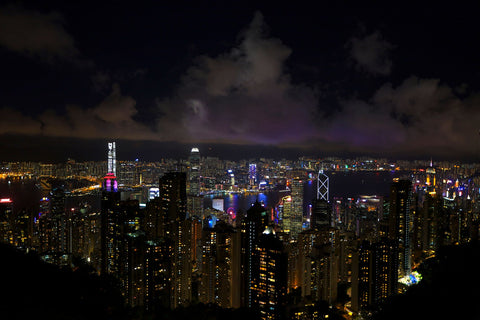
Now for the other side. There's a very typical consumption pattern for this destination, and it's good to be aware of it before choosing a package: Hong Kong is a city that is photographed and filmed a lot. The skyline from Tsim Sha Tsui, the climb to Victoria Peak, the Symphony of Lights, the night markets, the Star Ferry at sunset, the neon signs. You're going to shoot more than on a normal trip, and that's where the hole is.
A photo from a modern phone weighs between 3 and 5 MB. A one-minute 4K video easily reaches 350 MB. If you have automatic backup activated for Google Photos or iCloud without restricting it to Wi-Fi, a single day of intense tourism can upload 1 or 2 GB without you even noticing, while your phone is in your pocket. This is, by far, the number one cause of "I ran out of data and I don't know why."
The second drain is stories and reels. Uploading content costs data just as much as consuming it, and high-quality vertical video is heavy. The third, smaller but constant: here, you'll have coverage even underground. The Hong Kong MTR has mobile signal in tunnels and on platforms, so there are no connection gaps that in other countries "save" you data whether you like it or not. You'll be connected 100% of the time, and that makes a difference by the end of the week.
Transport apps, on the other hand, are harmless: the Octopus tourist app, MTR Mobile, or Citymapper use very little data, but they require a connection exactly when you need to top up or check something. Another argument for always having data with you and not relying on Wi-Fi.
How much each activity consumes, in real MB
These are the figures I work with. They are approximate by definition: they depend on video quality, network, and app version, so take them as a reference and not as a stopwatch. Still, they are perfectly useful for calculating your usage.
| Activity | Approximate Consumption | Practical Translation |
|---|---|---|
| Google Maps navigation | 5 MB/hour | A whole week of maps fits in 250 MB |
| WhatsApp, messages and photos | 10-20 MB/day | Almost free unless you send videos |
| Voice call on WhatsApp | 20-30 MB/hour | Calling home daily costs nothing |
| Video call | 300-500 MB/hour | Half an hour a day is already 150 MB |
| Instagram, scrolling | 600-900 MB/hour | The great silent drain |
| TikTok, scrolling | 900 MB-1.2 GB/hour | Half an hour in bed = 500 MB |
| Upload 30 photos | 100-150 MB | A normal day of photo tourism |
| Upload a 1 min 4K video | ~350 MB | Record it, upload it via Wi-Fi |
| Streaming music | 70-150 MB/hour | Lower quality and it's 40 MB |
| Video in standard quality | 500 MB-1 GB/hour | In 4K it skyrockets to 15 GB/hour |
| Browsing websites and email | 20-50 MB/hour | Irrelevant in the total count |
Notice the contrast: maps, which are what everyone fears most, are the cheapest thing on the entire list. Video is always expensive. If you want a more detailed breakdown with more apps and scenarios, we have it in the mobile data usage statistics by activity.
Table: Recommended GB by profile and duration
This is the important table. Find your profile, cross-reference it with the number of travel days, and you have your number. The figures are calculated for Hong Kong, meaning they account for using Wi-Fi at the hotel and some public Wi-Fi along the way.
| Traveler Profile | 5 days | 10 days | 15 days | 30 days |
|---|---|---|---|---|
| Tourist (maps and WhatsApp) | 1-2 GB | 3 GB | 4 GB | 6-8 GB |
| Photos and social media (daily stories) | 3-5 GB | 8 GB | 10-12 GB | 20 GB |
| Digital nomad / remote work | 8-10 GB | 15-20 GB | 25-30 GB | 50 GB or unlimited |
| Family sharing (3-4 phones) | 5-8 GB | 12-15 GB | 20 GB | 35-40 GB |
A couple of nuances that are worth more than the table. First: the 5-day column is what nine out of ten of you will use, because Hong Kong is almost never visited for longer. Second: if you are a "maps and WhatsApp tourist" and you are looking at 10 GB packages, you are spending your money on air. With 3 GB for ten days, you'll be comfortable, and I prefer to tell you that even though we sell larger packages.
The remote work profile is the only one that truly skyrockets, because video calls and file synchronization are unforgiving. And if you're going to share the connection with your family, add up each person's consumption: it doesn't work by people, it works by connected devices. A teenager with TikTok counts as three.
If your trip continues to mainland China or Macau
Here's the important warning and the most expensive mistake you can make. Hong Kong, Macau, and mainland China are three distinct telecommunications jurisdictions, even if they look the same on the map. What you buy for one may not work in the others, and consumption changes radically.
| Destination | Google, WhatsApp, Instagram? | VPN? | Effect on your GB |
|---|---|---|---|
| Hong Kong | Work normally | Not needed | Normal consumption, no extra cost |
| Macau | Work normally | Not needed | Normal consumption, but separate coverage |
| Mainland China | Blocked by the Great Firewall | Yes, or a connection that routes outside | +5% to +20% due to encryption |
Translated: if your plan is three days in Hong Kong and then crossing to Shenzhen or Guangzhou, in the mainland you will need a solution that routes your traffic outside the country, or you won't even see Google Maps or your messages. Add that extra margin to your gigabytes, because a VPN makes every megabyte more expensive, and you'll also have to rely more on online maps since offline downloads won't work as well.
Macau is a separate case: free internet like in Hong Kong, but a mobile network that is billed separately. Before purchasing, check the product details to see exactly which territories the package covers. In our guide to the eSIM for Hong Kong, we detail this, and if you're taking a combined trip, a regional package usually works out better than three separate purchases.

How to know your real consumption before leaving home
All of the above are averages. Your actual consumption is already measured in your pocket, and you don't have to believe me. This is the most useful trick in the entire article.
On Android, go to Settings > Network & internet > SIMs > App data usage. On iPhone, go to Settings > Mobile Data, and scroll down to the breakdown by application. You'll see how much mobile data you've used in the last billing cycle and, even better, which app consumed it. Divide by 30 to get your actual daily consumption.
Now adjust that number for your trip with three simple corrections. Subtract what you won't use there, which is usually Spotify in the car or the podcast for your commute. Add 20-30% for maps, restaurant searches, and extra photos, which always increase when traveling. And subtract again what the hotel Wi-Fi will cover, which in Hong Kong accounts for the majority of your nights. Multiply by the number of days and round up to the next package.
If you use 4 GB per month at home with Wi-Fi all day, your actual consumption is about 130 MB daily. When traveling, that becomes 300-400 MB per day. Five days in Hong Kong is 2 GB. Period. There's no more mystery to the calculation, and it's a thousand times more reliable than any generic recommendation.
Do it once, and you'll know how to calculate your data for any destination for the rest of your traveling life.
How to stretch your data in Hong Kong
With these four adjustments, made in five minutes before leaving, many people cut their consumption in half. Ordered by what truly saves data:
| Adjustment | Where to change it | Estimated savings |
|---|---|---|
| Backups only on Wi-Fi | Google Photos / iCloud | 1-2 GB per day of photos |
| Download offline map of Hong Kong | Google Maps > Offline maps | Reduces map usage to almost 0 MB |
| Disable video autoplay | Instagram, TikTok, X | 300-600 MB per day |
| System data saver mode | Mobile settings | 10-20% of total |
| Video and music in low quality | YouTube, Spotify | Up to 70% in those apps |
Automatic backup is king, especially here. Set it to "Wi-Fi only" before getting on the plane, and at night, in the hotel, upload everything from the day while you have dinner. The offline map of Hong Kong Island and Kowloon takes up little space and also saves you data on the subway, where even with coverage, the signal can be weak during peak hours.
Use MTR Wi-Fi wisely: fifteen minutes per session is enough to update messages and little else, so don't try to upload an entire roll of film while waiting for the train. And beware of a very common habit: don't leave your phone downloading app updates using mobile data; only the operator will thank you for that. You can find more tips in our guide on how to save data while traveling.
What happens if you run out (and why it's not a big deal)
I'm going to argue something you might not expect from a store that sells data: it's better to underestimate than to overestimate. And in Hong Kong, even more so.
If you buy too much, the gigabytes you have left over don't come back. They expire with the package and there's no refund: you've paid for air. If you run short, on the other hand, you can top up in two minutes from your phone, without going to a store, without changing your number, and without being stranded. The cost of underestimating is a top-up; the cost of overestimating is wasted money. The asymmetry is evident.
Moreover, in this city, running out of data for a while is not a drama. You are surrounded by free public Wi-Fi, with over 45,000 official hotspots and practically all shopping malls, cafes, and stations offering connection. If you're in a pinch, you can enter any air-conditioned mall, connect, top up, and continue. You can't do this in the Atacama Desert; here, you can.
My practical recommendation: buy the package that comes from the table, not the next one up. Check your consumption halfway through the trip, which is when you still have time to correct it without stress. If you see that you're over half by the midpoint of your trip, top up without dramatizing. If you're under, you'll know that for the next trip, you can buy even less. This is how you learn your own consumption, trip by trip, and stop overpaying forever.
Frequently asked questions
Do I need a VPN in Hong Kong?
No. Hong Kong is not behind China's Great Firewall: Google, Google Maps, Gmail, YouTube, WhatsApp, Instagram, and Facebook work normally, just like in Spain. This is one of the most common misconceptions about the destination. You will only need such a solution if you then cross into mainland China.
How many GB do I need for a 3 or 4-day layover?
1-2 GB is plenty if you use maps and messaging, and 3 GB if you also upload photos. Long layovers in Hong Kong are the most typical and also the cheapest scenario: you'll spend a lot of time in the hotel or at the airport, both with decent Wi-Fi, and the rest out and about with your phone in photo mode.
Can I manage with only free Wi-Fi?
You can, but I don't recommend it. Public Wi-Fi is excellent for looking things up, but not for depending on it. Subway sessions last fifteen minutes, registrations sometimes fail, and there are times, like ordering a taxi or topping up your Octopus card, when you need a connection exactly where you are. Three gigabytes cost little and solve the problem.
Does my Hong Kong plan work in Macau or mainland China?
Not always, and it's wise to check before buying. These are three territories with independent networks. A local Hong Kong plan covers Hong Kong. If your itinerary includes Macau or Shenzhen, make sure the coverage explicitly states it, or choose a regional plan that includes all three, which is usually cheaper than buying separately.
How much data does Google Maps use in Hong Kong?
About 5 MB per hour of navigation, and practically zero if you download the offline map. This is the most widespread travel myth: people buy too many gigabytes for fear of maps when they are the most economical application of all. What really uses data is video, not navigation.
What if I run out of data halfway through my trip?
Top up, it takes two minutes. Connect to any free Wi-Fi in the city, buy more data, and continue with the same number and settings. There's no need to go to a store or change anything on your phone. If you don't know how this works internally, we explain it in what an eSIM is.
Can I share the connection with another phone?
Yes, as long as the plan allows tethering, but calculate double the gigabytes. This is the logical option for couples and families: one person has the data, and the rest connect. However, consumption adds up, so it's not enough to buy the same plan you'd get for yourself.
Is an unlimited plan better?
For Hong Kong, it almost never pays off. Unlimited makes sense for long remote work stays or if you're going to livestream. For a city trip of three to five days, with all the Wi-Fi available, you'll pay significantly more for gigabytes you won't even use.
Conclusion
To summarize without beating around the bush: for a typical trip of 3 to 5 days in Hong Kong, 3 GB is more than enough; if you upload photos and stories daily, 5 GB; and only if you work remotely or share a connection as a family does it make sense to go for 10 GB or more. The city plays to your advantage: free Wi-Fi everywhere, coverage even on the subway, everything in English, and, very importantly, no Great Firewall, so no VPN or extra data costs.
Check your actual data usage this month before deciding, enable backups only over Wi-Fi, and buy the plan that fits your needs, not the one next to it. If you run short, you can top up in two minutes; if you overbuy, you pay for nothing. Once you're clear on that, you can choose your data for Hong Kong here and have your phone working from the moment you land.