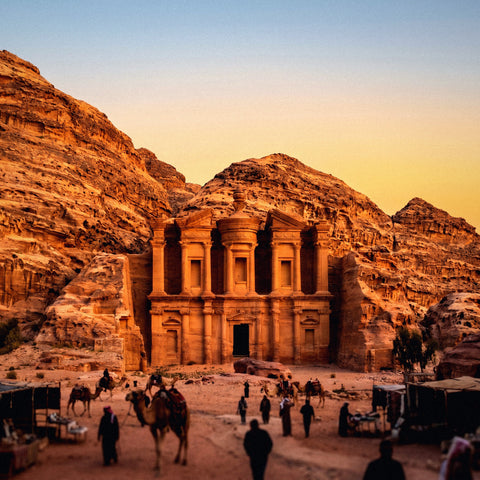
If you've already decided to get data and just need to know how many GB to buy for Jordan, you've come to the right place. Jordan is a small country where you drive a lot: in seven or eight days you can visit Amman, Jerash, the King's Highway, Petra, Wadi Rum, and the Dead Sea. That means many hours of maps and few hours on the couch, and therein lies the key to the number you're looking for. I'll give you the number first and the reasons later.
The quick answer: how many GB for Jordan
For a 7 to 10-day trip to Jordan, most people will find 5 GB to be more than enough. If you upload photos and videos to social media every night, plan for 10 GB. And if you work remotely or share the connection with family, 20 GB is a comfortable amount.
That's the recommendation, and I'm not hiding it until the end. Now, the nuance: the range is wide because the data usage on a trip doesn't depend on the country; it depends on what you do with your phone. Two people doing the exact same Amman-Petra-Wadi Rum-Dead Sea itinerary might end up with 1.8 GB and 14 GB respectively. The difference isn't in Jordan; it's whether you watch Reels in your hotel bed or go to sleep at ten because you've walked 22,000 steps.
What Jordan does do is push data consumption down for three specific reasons: the country is small, and driving segments are short; almost all accommodations have Wi-Fi; and there are entire areas—Wadi Rum camps, the bottom of some canyons—where there's simply no network to consume data. If you want the general overview before diving into the details, the main guide on how much data you need for travel has the complete method; here, I'm focusing specifically on Jordan.
Why Jordan uses less data than you might think
The first time I planned a trip to the Middle East, I bought the biggest package out of fear. I returned with more than half of it unused. Something similar happens in Jordan, and it's worth understanding why, because it's your money.
The main reason is that the country is tiny. From Amman to Aqaba, from end to end, it's about 330 kilometers along the Desert Highway. Jerash is less than an hour from the capital. The Dead Sea, an hour and a quarter. Petra, three hours. This means short driving stages and, above all, little dead time as a passenger looking at the phone, which is where gigabytes are really spent in other destinations with eight-hour journeys.
The second reason is Wi-Fi. Hotels in Amman and Wadi Musa, Dead Sea resorts, and a good portion of the desert camps offer free Wi-Fi, with varying quality but sufficient for heavy use: uploading daily photos, making video calls home, updating apps. All of this, which accounts for 70% of the average traveler's actual consumption, can be pushed to the accommodation's Wi-Fi, leaving mobile data for what you truly need outside: maps, messages, and an occasional search.
And the third is coverage. In Amman, Aqaba, Madaba, and Wadi Musa, 4G works fine. But in the deep desert, there's no signal, and what isn't there can't be consumed. If you want details on operators and how to connect, you'll find them in the guide to internet in Jordan.
Maps are the main expense: car and the King's Highway
Here's the primary unique aspect of this destination. In Jordan, almost everyone rents a car or hires a contracted taxi, and the phone spends the day hooked to the dashboard mount, acting as a co-pilot. The King's Highway, that beautiful old road descending from Madaba to Petra, passing through Wadi Mujib and Shobak, doesn't have signage designed for tourists: you either guide yourself with a map or with faith.
The good news is that navigation is surprisingly data-efficient. Google Maps consumes about 3 to 5 MB per hour of active navigation. Even if you drive four hours in a day—which is a long day in Jordan—you're talking about around 20 MB. It's not the map that drains your data plan.
What does increase the bill is the ecosystem around the map: recalculating the route twenty times, checking restaurant reviews, looking for gas stations, opening photos of a viewpoint, listening to music or a podcast during the journey. Streaming music at normal quality is around 40-70 MB per hour, so four hours in the car with Spotify in the background is 200 MB: ten times more than the map.
My strong advice for Jordan is this: download the offline map of the entire country before leaving home (it's little more than 200-300 MB and you can download it via Wi-Fi) and have your music downloaded. With that, your heaviest driving day might cost you less than 100 MB.
Maps won't ruin your data plan. What will ruin your plan is everything you open while waiting for the map to recalculate.
How much each activity consumes, in figures
To make an informed decision, you need to know how much each activity costs. These are the figures I use, rounded up and on the conservative side, so that your numbers err on the side of caution rather than falling short.
| Activity | Approximate consumption | On a typical day in Jordan |
|---|---|---|
| Maps with active navigation | 3-5 MB per hour | 4 h driving ≈ 20 MB |
| WhatsApp (text, audio, individual photos) | 1-3 MB per hour of use | 20-40 MB |
| WhatsApp voice call | ≈ 1 MB per minute | 15 min ≈ 15 MB |
| Video call | 5-12 MB per minute | 10 min ≈ 50-120 MB |
| Browsing Instagram or TikTok | 600-900 MB per hour | 30 min ≈ 300-450 MB |
| Uploading 20 photos to cloud or social media | 60-120 MB | 60-120 MB |
| Uploading a 1-minute video | 50-150 MB | 50-150 MB |
| Music streaming (normal quality) | 40-70 MB per hour | 3 h ≈ 150-200 MB |
| Video at 480p | 500-700 MB per hour | 1 episode ≈ 400 MB |
| Video at 1080p | 1.5-3 GB per hour | avoid with data |
| Email, news, and web browsing | 10-20 MB per hour | 30-60 MB |
| Translator with camera or text | 1-5 MB per long query | 10-20 MB |
Notice the jump: there's a factor of more than one hundred between navigating with a map and browsing Instagram. That's why the right question isn't "how many days am I traveling" but "how many minutes a day will I be watching video on screen." If you want the figures broken down app by app, I have them expanded in the data usage statistics by activity.
Petra: the day that will consume the most data
Petra is the longest and most photographic day of the entire trip, and also the one that consumes the most gigabytes. It's common to enter at six-thirty in the morning and leave at five in the afternoon: between the Siq, the Treasury, the Royal Tombs, the climb to the Monastery, and the return, you easily walk between 15 and 20 kilometers. And your phone doesn't rest during all that time.
The pattern I see in Petra is always the same. Hundreds of photos, many vertical videos, two or three live streams or stories from the Treasury for those at home to see in real-time, "we're here, look" messages, and constant searches for what each monument is because the site doesn't have adequate signage. In total, a day in Petra can cost you between 300 and 600 MB, and if you do live streams, even more.
There are two important nuances. The first is that in the Siq and at the bottom of some canyons, the signal drops; anything you upload there waits and is sent when you regain network coverage above, so data usage is concentrated in bursts. The second is that you don't need to upload anything from inside: Wadi Musa, the village at the entrance, is full of hotels with decent Wi-Fi, and the day's photos can wait four hours.
If you make the effort to only upload via Wi-Fi and only view stories at the hotel, your Petra day drops from 500 MB to less than 100 MB without giving anything up. It's the adjustment that saves you the most gigabytes of the entire trip.
Wadi Rum: irregular coverage and the day you barely spend any data
This is the detail almost no one tells you about, and it changes the calculation. In Wadi Rum, mobile coverage is irregular or directly nonexistent depending on the area. At the visitor center and on the main track, there's usually an acceptable signal, but as soon as the 4x4 enters the open desert and you reach the Bedouin camps, the network disappears or comes and goes. Some camps have their own Wi-Fi via satellite or antenna, others have nothing, and this is not always clear from the booking.
Translated into gigabytes: the day and a half in Wadi Rum, which is the most spectacular part of the trip, is also the one that consumes the least data. You might spend between 0 and 100 MB in 24 hours simply because there's nowhere to spend it. Nobody plans a data package counting on this, and it's one of the reasons people return from Jordan with half their data unused.
| Area | Mobile Coverage | Typical Wi-Fi | Effect on your consumption |
|---|---|---|---|
| Amman | Very good | Hotels and cafes | Normal |
| Jerash | Good | Scarce | Normal |
| King's Highway | Good on road, gaps in canyons | Almost none | Maps only |
| Wadi Musa and Petra | Good above, weak in Siq and canyons | Hotels | High if you upload live |
| Wadi Rum | Irregular or none in camps | Only some camps | Almost zero |
| Dead Sea | Good on road and in resorts | Resorts | Very low |
| Aqaba | Very good | Hotels | Normal |
The practical consequence is twofold: don't buy too much thinking about the desert, and download everything you'll need—Wadi Rum map, podcasts, tickets—before leaving Wadi Musa.
A 7-10 day trip, day by day
This is the estimate applied to the classic Jordan itinerary, the one most people do. These figures are for a person with normal usage: maps, messaging, social media in moderation, and uploads via Wi-Fi when available.
| Day and itinerary | What you do with your phone | Estimated data usage |
|---|---|---|
| 1. Arrival in Amman | Activate line, maps to hotel, notify home | 150-250 MB |
| 2. Amman and Citadel | Walking maps, searches, photos, taxis | 250-400 MB |
| 3. Jerash and Ajloun Castle | Navigation, photos, some social media | 150-300 MB |
| 4. Madaba, Mount Nebo and King's Highway | Maps almost all day, music | 150-300 MB |
| 5. Petra, full day | Photos, video, searches, stories | 300-600 MB |
| 6. Petra second day or Little Petra | Fewer photos, more hotel Wi-Fi | 150-300 MB |
| 7. Wadi Rum and camp | Little to no signal | 0-100 MB |
| 8. Dead Sea and resort | Almost everything via resort Wi-Fi | 50-150 MB |
| 9. Amman and departure | Maps, check-in, boarding passes | 150-250 MB |
Add up the right column and you get a range of 1.3 to 2.7 GB for nine full days. Rounding up with a margin for unforeseen events—a day with no Wi-Fi, a long video call, a flight change—5 GB comfortably covers this trip for an average traveler.
That's the number I give to most people who ask me about Jordan. If your profile is different, in the next section you'll find the complete table.
The important table: GB by profile and duration
Before looking at it, choose your profile honestly. Not the one you'd like to be on vacation, but the one you actually are: if you watch TikTok for an hour a day at home, you'll probably do the same in Jordan, probably on the terrace of your Wadi Musa hotel.
| Profile | 5 days | 10 days | 15 days | 30 days |
|---|---|---|---|---|
| Map and WhatsApp tourist | 2 GB | 3-5 GB | 5-8 GB | 10 GB |
| Photos and social media (uploads daily) | 5 GB | 10 GB | 15 GB | 25-30 GB |
| Digital nomad or remote work | 10 GB | 20 GB | 30 GB | 50 GB or unlimited |
| Family sharing (2-4 devices) | 10 GB | 20 GB | 25-30 GB | 50 GB |
A couple of honest clarifications about this table. The "maps and WhatsApp" row describes most people who visit Jordan for seven or eight days, and yes, it means that 3 GB is plenty for many. I say this even though we sell larger packages: I'd rather you come back happy than thinking I oversold you.
The remote work row is the hardest to get right because a one-hour video conference alone can consume 500 MB or more. If you're going to work from Jordan, count the meetings, not the days. And for the family row, beware: sharing your connection from your phone (the hotspot) makes the second device consume as if it were at home, including backups and updates, so multiply without hesitation. If you're buying by destination, the eSIM for Jordan page lists available sizes.
How to know how much you spend before leaving home
All the tables in the world are worth less than a real piece of data: your own. And you already have it on your phone, free and in two minutes.
On Android, go to Settings, Network & Internet, and look for mobile data usage for the last month. On iPhone, go to Settings, Mobile Data, and scroll down to the breakdown by app. On iPhone, the counter is cumulative since the last time you reset it, so check the "Last Reset" date: if you've never touched it, the number you see might be several years old and won't be useful. Reset it, let a normal week pass, and check again.
With that number, do this simple calculation: take your monthly GBs, divide them by 30, and you have your actual daily consumption. Multiply it by the number of travel days. Then adjust it for Jordan with two simple corrections: subtract 30-40% because at home you use data at times when you'll be walking through Petra or dining in the desert, and add 10% for maps and travel searches.
Real example: if you use 6 GB per month, that's 200 MB per day. Ten days is 2 GB. Minus 35% and plus 10% comes out to around 1.4 GB. With a 3 GB package, you'll be comfortable, and with 5 GB, you'll have plenty. This calculation is much more accurate than any generic recommendation, including mine.
How to stretch your data in Jordan
If you want to buy the small package and make it last, these are the adjustments that really move the needle in this specific destination. They're not manual tricks; they apply to a trip involving driving, heat, and walking.
- Offline maps for the entire country. In Google Maps, download the areas of Amman, the King's Highway corridor, Wadi Musa, and Wadi Rum before you leave. This way, you can navigate practically without data and it also covers you for areas with no signal in the desert.
- Backups only via Wi-Fi. This is the number one setting. Google Photos and iCloud by default sync everything you shoot, and in Petra, you'll shoot hundreds of photos. Set it to "Wi-Fi only" and upload them at night at the hotel.
- Autoplay video disabled on Instagram, TikTok, X, and Facebook. This is where most of the invisible consumption goes.
- Data saver mode activated on the system and in the browser. It blocks background traffic from apps you're not using.
- Download before traveling the Jordan Pass and tickets in PDF, hotel reservations, podcasts, and music. In Wadi Rum, you'll be grateful for it.
- Manual app updates. A batch of updates can take up 1 GB at once.
With these six settings, a normal traveler can halve their daily consumption without noticing any real limitation. If you want the long list, I have it detailed in the travel data saving tips.
What happens if you run out (and why it's not a big deal)
Let's address the underlying fear: "What if I run out of data in the middle of the desert?" The short answer is that nothing serious happens, and running out is cheaper than having too much.
When you exhaust your package, the line simply stops providing data. There are no surcharges, no surprise bills, your phone isn't blocked: you still have your mobile, your photos, downloaded maps, and the Wi-Fi of any hotel or cafe. And to get back online, you just need to recharge from your mobile using any Wi-Fi. In Jordan, that's easy: the accommodation, the restaurant in Wadi Musa, or the Dead Sea resort will give you enough connection to buy more gigabytes in two minutes.
Compare that with the opposite. If you buy 20 GB for ten days and use 3, you've paid for air. There are no refunds or "I'll save it for the next trip" in most cases, because packages have an expiration date. The cost of running out is a small five-minute inconvenience; the cost of having too much is directly lost money.
That's why my rule for Jordan is to start with the package that covers your estimate with a 30% margin and recharge if necessary. If you're concerned about the technical side of installing or recharging on the go, what is an eSIM explains it step-by-step and without technical jargon.
Frequently Asked Questions
How many GB do I need for 7 days in Jordan?
3 GB is more than enough for most people for a week. The classic seven-day itinerary uses between 1 and 2 GB if you upload photos via the hotel Wi-Fi. If you're someone who uploads daily stories from the street, increase it to 5 GB and you'll be fine.
Is there mobile coverage in Wadi Rum?
Patchy, and in many camps, directly non-existent. At the visitor center and on the main track, there's usually a signal; in the open desert and more remote camps, it disappears. Some camps offer their own Wi-Fi, but don't count on it: download maps and music before entering.
Is 1 GB enough for a weekend in Amman?
Yes, for two or three days in Amman, 1 GB is sufficient. The capital has very good coverage and Wi-Fi in hotels and cafes, so the actual usage is limited to maps, taxis, and messaging. It only falls short if you make long video calls or watch videos with data.
Do I need data to use the Jordan Pass?
No, if you have it downloaded. The Jordan Pass is a PDF with a QR code that is scanned at the entrance of each site; save it on your phone or print it, and it works offline. The same applies to tickets and hotel reservations: download them before you leave.
Can I share data with my partner or family?
Yes, by activating the hotspot, but expect double or triple the consumption. The second device behaves as if it were at home: it syncs photos, updates applications, and plays videos. For a family of four for ten days, 20 GB is a realistic figure.
What happens if I run out of data in the middle of my trip?
Nothing: the connection stops, and you recharge from any Wi-Fi. There are no extra charges or surprise bills. Since most hotels and restaurants in Jordan have Wi-Fi, recharging is a matter of minutes and is cheaper than having over-purchased from the start.
Do offline maps use data while driving?
Practically none. Once the area is downloaded, navigation works with the map saved on your phone; it only consumes data if you request live traffic or search for a new place. Downloading the entire country costs about 200-300 MB, so do it at home via Wi-Fi, not at Amman airport.
Conclusion
Jordan is a short, intense trip, and very much a road trip, which works in your favor budget-wise: maps use very little data, hotels and resorts have Wi-Fi, and in Wadi Rum, there's no network to consume anyway. For 7 to 10 days, 5 GB covers the vast majority with margin; with 10 GB, you'll have plenty even if you upload photos and videos every night from the street, and only if you work remotely or share with multiple phones does it make sense to go for 20 GB.
Calculate your actual consumption from the last month, subtract a third for all the hours you'll be walking around Petra without looking at your phone, and purchase that size. If you run short, you can recharge from the hotel Wi-Fi in two minutes. Once you've decided, choose your size calmly from PuraSIM's Jordan eSIM and have it installed before leaving home: upon landing in Amman, you'll already have service without looking for counters.