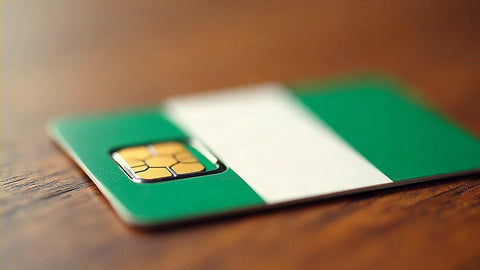
You've decided to take your data to Nigeria, and the only thing holding you back is the size of the package. This article answers exactly how many GB you need for Nigeria based on your travel profile and the number of days you'll be there, without inflating the number to upsell you. If you're looking to compare roaming, local SIM, and digital connection, I cover that in the sister guide; here I'm going straight to the number you need to buy.
The quick, straightforward answer
For a 5-day business trip to Nigeria, with one daily video call, maps for Lagos traffic, and transport and payment apps, most people will be fine with 8-10 GB; if meetings are in HD and constant, aim for 12-15 GB to be safe.
That's the figure for the typical traveler to Nigeria: someone who lands in Lagos or Abuja for work, moves between meetings, relies heavily on Google Maps due to traffic, and ends the day with video calls to their team or home. If your trip is lighter (a few days visiting family, no remote work), 4 or 5 GB will be more than enough for a week.
The reason Nigeria requires a bit more data than other destinations is not coverage, which is good in cities, but how mobile phones are used there: constant navigation for traffic, taxi apps, phone payments, and, above all, work video calls. Everything else (messaging, email, some social media) barely moves the needle. In the tables below, you'll find a breakdown by activity and a firm recommendation by profile and days, which is what you really need to choose a package. If you want the full context of the cluster, start with the general guide on how much data you need for travel.
Why Nigeria changes the number
The first thing to know is that getting a local SIM in Nigeria isn't as simple as in Europe. Regulations require each line to be registered with the NIN (National Identity Number) and to undergo biometric verification (fingerprint and facial). This system is designed for residents: visitors passing through must present their passport, justify that they are staying less than two years, and even then, deal with a slow process at a physical store just when all you want to do is get to work. Having your data already activated before landing completely saves you that paperwork and gets you connected as soon as you get off the plane.
Regarding data consumption itself, Nigeria pushes the number higher for three reasons. One, Lagos traffic: you'll spend hours in the car with maps open and transport apps like Bolt or Uber running. Two, mobile payment is very widespread, so your phone will almost always be connected. Three, the dominant profile is business, and that means video calls, which are by far the biggest data consumers.
Practical rule: in Nigeria, social media won't drain your data; it's the map on every journey and the video meeting at the end of the day that will.
Before organizing your trip, it's also advisable to review your country's official travel recommendations, which are updated by region. And if you're still unsure which connection option suits you best, I break it down in the internet in Nigeria guide.
How much each activity consumes
Before choosing a package, it helps to see what really eats up your data. The figures below are real and approximate consumption; they vary with video quality and coverage, but they serve to give you an honest idea. Notice the huge jump between messaging and video: text WhatsApp is almost data-free, while an hour of HD meeting can consume more than a whole day of maps.
| Activity | Approximate Consumption |
|---|---|
| Maps and navigation (Google Maps in use) | ~120 MB per hour |
| Maps with pre-downloaded area | Almost 0 |
| WhatsApp (text, voice, photos) | 5-15 MB per hour |
| Voice call via WhatsApp | 15-20 MB per hour |
| Business video call (Zoom/Meet, HD) | 1-2.4 GB per hour |
| Social media (photos, scrolling) | 100-200 MB per hour |
| Reels, TikTok, vertical video | Up to 1 GB per hour |
| Music (Spotify) | 40-150 MB per hour |
| YouTube/Netflix video in HD | 1-3 GB per hour |
| Email and web browsing | 10-30 MB per hour |
| Uploading photos or backup | ~5 MB per photo |
The takeaway is clear: if you don't watch series or make many video calls, it's hard to exceed 1 GB per day. You can find more detailed figures in the article on data usage statistics by activity.
The big data hog: video calls
If you travel to Nigeria for work, this is where 80% of your consumption lies. A video meeting consumes more data in one hour than a full day of maps, messaging, and email combined, so it's worth taking a close look at which app and what quality you use. A quick WhatsApp call is not the same as a team meeting on Google Meet in full screen.
| App and video call quality | Consumption per hour |
|---|---|
| WhatsApp (normal quality) | ~0.3 GB |
| WhatsApp (HD) | ~0.48 GB |
| Instagram / Messenger | 0.15-0.3 GB |
| Zoom 1 to 1 (standard quality) | ~0.54 GB |
| Zoom 1 to 1 (720p) | ~1.08 GB |
| Zoom 1 to 1 (1080p) | ~1.62 GB |
| Zoom group (HD) | Up to 2.5 GB |
| Google Meet (HD) | Up to 2.4 GB |
Translated to your trip: if you have an hour of meeting per day on Zoom at 720p, that's just over 1 GB daily for video alone, not counting anything else. Five business days like that already put you at 7-8 GB just for video calls. That's why business travelers should budget more than tourists: two or three long meetings completely change the calculation. The honest trick: when you can, lower the quality to standard or turn off your camera if you're not contributing anything on screen. Going from 1080p to standard reduces the consumption of that call to less than a third, and in a one-hour meeting, that's a whole gigabyte saved.
How many GB by profile and duration
This is the table you've been looking for. Choose the row that best matches you and the column with your days; the number is a recommended GB with a healthy margin, neither too little nor too much. I've always rounded up a bit so you don't have to count megabytes, but without overdoing it.
| Traveler Profile | 5 days | 10 days | 15 days | 30 days |
|---|---|---|---|---|
| Tourist with maps and WhatsApp | 3 GB | 5 GB | 8 GB | 15 GB |
| Photos and social media user | 5 GB | 10 GB | 15 GB | 25 GB |
| Business / remote work with video calls | 10 GB | 18 GB | 25 GB | 45 GB |
| Family sharing (hotspot) | 12 GB | 22 GB | 35 GB | 60 GB |
The highlighted row is for the typical traveler to Nigeria: business, short stay, with daily video calls. If you're in that group but your meetings are short or mostly by voice, move up to the row above. If you also share internet with your laptop and another person (the classic "I use my phone as a router in the hotel"), go to the last row, because a computer consumes significantly more than a phone. And if you're visiting family without working, don't overthink it: the tourist using maps and WhatsApp with 5 GB for a week will have plenty. I prefer to tell you this even if we sell larger packages: buying too much just "to be safe" is throwing money away when you can always top up.
How to calculate your own consumption
The tables work for most people, but the most reliable data is already in your pocket. Before traveling, check how much you spent last month and extrapolate: it's the best gauge of your actual mobile usage, much better than any average.
- On Android: Settings > Network & internet > SIMs / Data usage. You'll see monthly consumption and a breakdown by app.
- On iPhone: Settings > Mobile Data and scroll down to the app list (it's better if you reset statistics monthly).
Take your monthly consumption, divide it by 30, and you'll have your daily expenditure. But be careful with two adjustments when extrapolating to Nigeria. First, at home, you rely heavily on your office or home Wi-Fi, and there you might depend more on mobile data, so add a margin. Second, see if you'll do anything on your trip that you don't do daily: if your normal day doesn't include video calls but in Nigeria you'll have back-to-back meetings, add that extra expense manually using the table in the previous section. With these two adjustments, your personal average multiplied by the days of your trip is the most honest figure you'll find. If the number is similar to that in the profile table, perfect: you're on the right track. If it's much lower, trust yourself and save money.
How to make your data last during your trip
With four simple actions, you can halve your data consumption without giving up much at all. These are the ones that really move the needle in a destination like Nigeria, where maps and video are the biggest drains.
- Download offline maps for Lagos, Abuja, or wherever you're going before you leave. Google Maps will still guide you with GPS without using data, and in a city with so much travel, it's the biggest saver.
- Lower video quality in your video calls and on YouTube. Standard instead of HD cuts consumption by more than two-thirds.
- Backups only over Wi-Fi. Don't let photos and mobile backups upload using data; save it for the hotel Wi-Fi.
- Disable auto-play for videos on Instagram, X, and TikTok. They eat data without you even watching.
- Activate your phone's Data Saver mode, which slows down background app consumption.
Just with offline maps and lowering video quality, you'll notice the difference in your consumption bar. You can find the complete list of tricks in the guide on how to save data during your trip, but these five are more than enough.
What happens if you run out
Here's the most important advice, and the one you least expect from a store that sells gigabytes: it's better to run short than to overbuy. Buying less and topping up if necessary almost always pays off compared to pre-paying for a huge package you won't use up.
The reason is simple. If you have leftover data, that money is gone. If you run out, topping up is a matter of a couple of minutes from your phone, without going to any store or repeating the NIN process: you choose another package, it activates, and you're connected again. There's no drama in running short when topping up is instant. What is annoying is finding out when you get home that you bought 25 GB "just in case" and only used 9.
My practical recommendation: choose the package for your profile in the table, but if you're torn between two sizes, go with the smaller one. Start your trip, observe your real consumption rate for the first two days, and if you see you're running low, top up with all the information at hand. This is how you avoid wasting money and getting into trouble. And if you want to understand how this instant top-up technology works internally, I explain it in what is an eSIM.
Where you will use data and where you won't
Coverage also determines how many GB you end up using, because where there's no signal, you spend nothing. In Nigeria, the map is very uneven: excellent in cities, patchy once you leave them.
In Lagos, Abuja, Lekki, Kano, or Port Harcourt, you'll have solid 4G and 5G in the main areas, with MTN as the dominant operator and the one with the widest national reach. That's where you'll really consume data: smooth video calls, real-time maps, payments, and streaming without issues. Outside urban centers, on the road, or in rural areas, the signal becomes intermittent and drops to 3G or disappears. For your data allowance, that's almost good news: in those stretches, you'll spend little simply because there won't be anything to connect to. That's why I insist on having downloaded maps: those are precisely the moments when the connection fails.
For the business traveler moving between Lagos and Abuja, almost all consumption occurs in the city, with good coverage, so the figures in the tables apply fully to you. If your plan includes long journeys inland, expect less data consumption than anticipated on those days. If you want to fine-tune your plan choice for the country, I detail it in the eSIM for Nigeria guide.
Frequently asked questions
How many GB do I need for a week of business in Nigeria?
Between 10 and 15 GB for seven days is reasonable if you make one video call a day, use maps for traffic, and rely on transport and payment apps. If meetings are short or by voice, 8 GB will be fine. And if you share internet with your laptop, increase to 18-20 GB.
Is 5 GB enough for visiting family for a few days?
Yes, for a week of family visit without remote work, 5 GB is plenty. Messaging, maps, some social media, and voice calls via WhatsApp consume very little. Video is the only thing that significantly increases consumption; as long as you don't have long video calls, you won't come close to the limit.
Why shouldn't I just buy a local SIM in Nigeria?
Because a local SIM requires a NIN and biometric verification, a process designed for residents. As a visitor, you would have to present your passport, justify your stay, and waste time in a store. Having your data activated before landing avoids all that paperwork and gives you connectivity as soon as you get off the plane.
Do video calls consume much more data than other activities?
Yes, by far: one hour of HD video call can consume more than a full day of maps and messaging. A Zoom meeting at 720p is around 1 GB per hour, and in a group or at 1080p, it goes up to 1.6-2.5 GB. Lower the quality to standard when you can, and you'll save a lot.
Will Lagos traffic make me use more data?
Somewhat more, yes, due to the time with maps open and taxi apps. Google Maps in use is around 120 MB per hour, and in Lagos, you'll spend many hours in the car. The solution is to download offline maps: they guide you just the same with GPS, and data consumption drops almost to zero.
What if I run out of data midway through my trip?
You can top up in a couple of minutes from your phone, without returning to any store or repeating procedures. That's why it's better to buy a package suited to your profile and top up if necessary, rather than overpaying upfront. Running out is not a problem; overbuying is wasted money.
Will the connection work well outside major cities?
In cities, 4G coverage is good; outside them, it's inconsistent. MTN is the operator with the widest national reach, but on roads or in rural areas, the signal drops to 3G or disappears. In those sections, you'll use little data precisely because of that; have maps downloaded so you don't get lost.
Conclusion
If your trip to Nigeria is a common one (business, a few days, with daily video calls between Lagos and Abuja), 10-15 GB will give you peace of mind. For a light family visit of one week, 5 GB will be more than enough. And if you share internet with your laptop or extend your stay, look at your profile row in the table and add a margin. The key is simple: budget according to what you actually do (video calls are paramount), download maps, and if you are in doubt between two sizes, choose the smaller one and top up if necessary.
Compared to the hassle of the NIN and local SIM biometrics, having your data ready before you take off saves you the trouble and gives you instant connection. Choose your plan and activate it in two minutes on our eSIM for Nigeria, and don't worry about the rest.