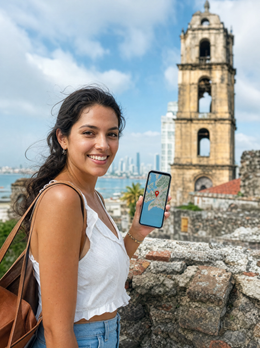
If you've already decided to get data and the only thing left is to choose the package size, this guide is exactly about that: how many GB you need for Panama without going overboard or getting stranded in the middle of Casco Viejo. Panama has a peculiarity that almost no one talks about: the capital has excellent coverage, and the islands are practically a blank slate, so your actual consumption depends much more on your itinerary than on the number of days.
The short answer: how many GB for Panama
For 10 days in Panama combining city and beach, most people will have more than enough with 5 GB. If you only use maps, WhatsApp, and Uber, 3 GB will suffice. It only goes up to 10-20 GB if you work remotely or share data with your family from your phone.
I didn't just round that number up; it comes from cross-referencing the average consumption of travel apps with what you actually do on a typical Panamanian trip. And the typical Panamanian trip has a very specific pattern: a few days in the city with full connectivity and a few days in the archipelago where your phone inevitably becomes a camera with a flashlight.
The classic mistake is to buy a package thinking only about the number of days. In Panama, the days are not all the same: a day on the Cinta Costera ordering Uber, looking for restaurants, and uploading stories can consume 600-800 MB, while a day in San Blas stays at 0 MB because there's simply no signal to connect to.
Therefore, before checking prices, you should count how many days you will be in a connected zone and how many in a dead zone. If your itinerary is 10 days with 3 on islands, you are buying data for 7 real days. If you want the complete logic of how this is calculated for any destination, you can find it in the main guide on how much data I need for travel; here, we go into detail for Panama.
Rule I always use: buy for the days you will be connected, not for the days your plane ticket is valid.
What each app really consumes
Before deciding on the size, you need to know what consumes data. The usual surprise is that browsing with maps uses very little data, and video consumes almost everything. These are the figures I use, for approximate consumption and standard quality on a mobile phone:
| Activity | Approximate Consumption | Note for Panama |
|---|---|---|
| Google Maps navigation | 5-10 MB/hour | Cheap; the first map load is expensive |
| Download an offline map | 100-300 MB (one time) | Do it over Wi-Fi before leaving the hotel |
| WhatsApp text and audio messages | 10-25 MB/day | Insignificant even if you type a lot |
| WhatsApp video call | 350-450 MB/hour | The most treacherous data consumer on the trip |
| Instagram or TikTok scrolling | 600-800 MB/hour | Half an hour a day is already 300 MB |
| Upload 10 mobile photos | 40-80 MB | Casco Viejo significantly increases the number of photos |
| Upload a 1-minute video | 60-120 MB | Miraflores is recorded in video, not photos |
| Streaming music | 70-150 MB/hour | Car journeys are long |
| Video at 480p | 250-350 MB/hour | Sufficient on a mobile screen |
| Video at 1080p | 1.5-3 GB/hour | This will deplete any package |
| Order an Uber | 3-6 MB per trip | Minimal; order them without fear |
In other words: you can spend two weeks navigating with maps and talking on WhatsApp consuming less data than you would watching a series on the plane. If you want a more detailed breakdown by app, we expand on it in the guide to mobile data usage statistics by activity.
How many GB according to your profile and days
This is the table that really matters. It's designed for Panama, meaning it already accounts for island days without coverage and assumes you'll almost certainly have decent Wi-Fi at your hotel in the capital. Find your profile, cross-reference with your days, and you'll have your number.
| Profile | 5 days | 10 days | 15 days | 30 days |
|---|---|---|---|---|
| Tourist using maps and WhatsApp | 1-2 GB | 3 GB | 5 GB | 8-10 GB |
| Photos, stories, and social media | 3 GB | 5-6 GB | 10 GB | 20 GB |
| Digital nomad or remote work | 10 GB | 20 GB | 30 GB | 50 GB or more |
| Family sharing from one phone | 5 GB | 10 GB | 15 GB | 30 GB |
| Just a layover or short stopover | 1 GB is more than enough for up to 48 hours | |||
If in doubt between two rows, go with the lower one and recharge if necessary. Profiles are not rigid compartments: someone who uses maps and WhatsApp but spends half an hour scrolling through reels every night is, in practice, in the social media row.
Two specific warnings for the typical 10-day city-plus-beach trip. First: if you sleep in Bocas or San Blas, those days lower your average consumption, so the 3-5 GB row holds up better than it seems. Second: if you work from Boquete or a coworking space in the capital, don't fool yourself with 10 GB; a week of video calls alone consumes 15-20 GB.
Why Panama changes the number
Here's the part that makes this destination unique. Panama is a small country with a brutal difference between the capital and the rest. Panama City is one of the best-connected cities in Central America: solid 4G and 5G among the skyscrapers, Wi-Fi in virtually any hotel, cafe, or mall, and Uber running all day. Forty minutes by boat later, on a cayo in Guna Yala, you might not even have a single bar of signal.
| Area | Mobile Coverage | Wi-Fi Available | Typical Daily Consumption |
|---|---|---|---|
| Panama City and Casco Viejo | Very good | Abundant | 300-800 MB |
| Canal and Miraflores Locks | Good | Irregular | 400-800 MB |
| Pan-American Highway and David | Good in towns, with gaps | Scarce | 200-400 MB |
| Boquete and Highlands | Good in town, weak on trails | In hotels and cafes | 200-400 MB |
| Bocas del Toro (Isla Colón) | Decent in town, weak on cays | Slow and shared | 150-300 MB |
| San Blas / Guna Yala | Scarce or none | Almost non-existent | 0-100 MB |
There's a second factor that plays in your favor and which you don't have in other destinations: in Panama, Spanish is spoken and payments are made in dollars. You won't need a translator with a camera pointed at every menu or a currency converter open all the time, and that saves hundreds of megabytes that would be used in Asia. If you want a complete map of operators and connection options, we break it down in the guide to internet in Panama.
If you only have a layover in Tocumen
This profile deserves its own section because it's huge. Tocumen is the Hub of the Americas, and half the continent passes through there, connecting with Copa. Many people looking for data for Panama aren't going to Panama: they're spending six hours in a Panamanian airport en route to Bogotá, Lima, or Santiago. And for that, the numbers change completely.
The airport has free Wi-Fi in the terminals, but it's usually time-limited, so it's only good for checking emails and little else. If your layover is long, the free Wi-Fi will run out before your wait does. With 1 GB, you'll have plenty for any layover, even a full day: it covers WhatsApp, maps, checking flight status, messaging home, and some scrolling.
Approximate usage for a layover:
- Messaging on WhatsApp and sending a couple of audio messages: less than 20 MB.
- One hour of social media to pass the time: 600-800 MB. This is the only real risk.
- Checking flights, email, and some browsing: 50-100 MB.
- Series downloaded at home before leaving: 0 MB.
If you also take advantage of the stopover to spend a night in the city and see the Canal, go up to 2-3 GB and don't worry about it any further. It's advisable to have the installation done before boarding; the eSIM for Panama guide has the step-by-step instructions.
The Canal and Miraflores: where the gigabyte goes
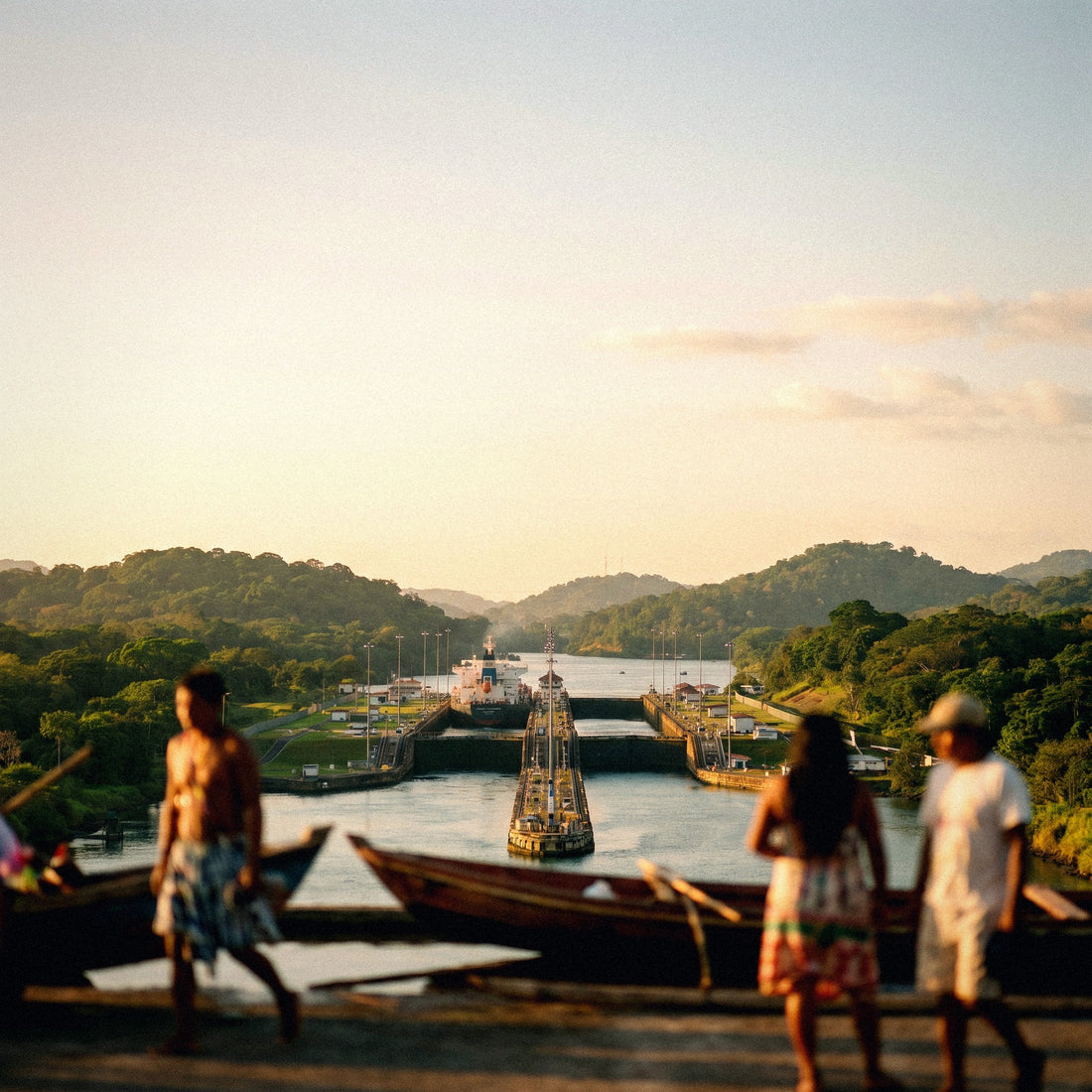
The Canal is the point of the trip where most data evaporates, and not because of coverage, but because of you. At the Miraflores locks, people don't take photos: they shoot video. Long videos of a ship entering the lock, which are then uploaded in their entirety, in maximum quality, and using mobile data while you're still on the observation deck terrace.
The math is clear. Recording costs nothing; uploading does. A one-minute video is 60-120 MB, and nobody leaves Miraflores with just one video. Four clips and a couple of stories will set you back 400-600 MB in an afternoon. If you also make a video call to show it live to your mother, add another 400 MB per hour.
The solution is not to stop recording, it's to stop uploading immediately. Record all you want, and let backups and heavy uploads wait for the hotel Wi-Fi that same night. In practice, you'll save half of your daily consumption without giving up anything.
The same applies to the other very photogenic spots on the trip: Casco Viejo at sunset, the Biomuseum, the Cinta Costera with the skyline behind it, and the Cerro Ancón viewpoint. These are the four places where your camera roll will explode. If you have a 3 GB package and you're burning through it, it's almost certainly due to automatic photo and video uploads.
Bocas del Toro and San Blas: the days you barely spend data
And now for the contrast, which needs to be stated clearly so no one is disappointed. In San Blas, there's no decent connection, and in the cays of Bocas, there isn't either. In Guna Yala, there are very few antennas, and they don't cover the archipelago: on many islands, mobile phones lose signal, and Wi-Fi simply doesn't exist, neither in the cabins nor on the sailboats. In Bocas del Toro, things are better: in Bocas Town, on Isla Colón, you have reasonable 4G, but as soon as you take a boat to Cayo Zapatilla or Bastimentos, the signal drops, and the hostel Wi-Fi is slow and shared among twenty people.
This is bad news if you were hoping to work from a hammock and good news for your data bill. Two or three days on islands mean two or three days of almost zero consumption. That's why I insist on not buying by calendar days.
What to do before boarding the boat or 4x4:
- Download an offline map of the area and mark your accommodation.
- Save the meeting point, contact name, and time in a note, not a chat.
- Download music and a few episodes: the drive to San Blas is long and in the early morning.
- Notify home that you will be unreachable for a couple of days. This is normal; nothing has happened to you.
When you return to the capital, your phone will start synchronizing everything at once. That's the moment to have it on Wi-Fi, or you'll burn through half your package in ten minutes of delayed uploads.
Boquete, the mountains, and the Pan-American Highway
The third leg of the typical trip involves the highlands of Chiriquí. Boquete is a small, quiet, and surprisingly connected town: there's 4G in the urban area, cafes with decent Wi-Fi, and a significant expat community working remotely, so the infrastructure holds up well. Data consumption here is more similar to that of the city than the islands, though in smaller quantities because there's less to photograph every five meters.
Where you do notice the drop-off is outside the town: on the Quetzal trails, climbing Volcán Barú in the early morning, or on the coffee farms on the slopes, the signal comes and goes. Download your route if you're going hiking on your own, because that's exactly where an online map will leave you stranded and where you need it most.
Travel time also counts. Panama is traversed by the Pan-American Highway, and distances are deceiving: from the capital to David is about six or seven hours by bus, and to Bocas, you have to add the boat ride. These are hours spent looking out the window, during which many people listen to music or watch series.
| Journey | Approximate Duration | Consumption with music | Consumption with video |
|---|---|---|---|
| Panama City to David | 6-7 hours | 500-900 MB | 1.5-2.5 GB |
| David to Boquete | 1 hour | 100 MB | 300 MB |
| Capital to San Blas by 4x4 | 3-4 hours | 200-300 MB | Cuts out halfway |
With a playlist downloaded the night before, that entire column becomes zero.
How to calculate your own consumption before flying
All the above are averages, and you are not an average. The honest way to get it right is to look at your own history, which is on your phone without installing anything. It's the most reliable data you'll find about yourself, much more than any table.
On Android: Settings, Network & Internet, Mobile data usage. On iPhone: Settings, Mobile Data, and scroll down to the breakdown by app. You'll see current period usage and which applications are consuming it.
Now make the travel correction, which is the part almost no one explains:
- That number only includes your mobile data, not what you spend over Wi-Fi at home or in the office. When traveling, some of that Wi-Fi disappears and shifts to data.
- But at the same time, when traveling, you use your phone much less by the hour: you're out, looking at things, not on the couch.
- In Panama, you'll have hotel Wi-Fi almost every night, except on the islands.
The practical rule I use: take your monthly mobile usage, divide it by 30, and multiply by 1.5. This gives you your estimated daily travel expense. Multiply by the connected days, and you have your personal number. If you spend 6 GB a month, that's 200 MB a day, about 300 MB when traveling, and ten days will amount to 3 GB. It fits the table, and now you know why.
How to Stretch Your GBs in Panama
With four adjustments made before leaving home, a small package can last as long as one twice its size. None of them require you to give up anything important.
| Setting | Where to adjust | Estimated savings in 10 days |
|---|---|---|
| Photo backups only on Wi-Fi | Google Photos / iCloud | 1-3 GB |
| Offline maps downloaded at home | Google Maps or Maps.me | 200-400 MB |
| Disable video autoplay | Instagram, TikTok, X | 500 MB-1.5 GB |
| Video at 480p instead of 1080p | YouTube, Netflix | 1-2 GB per hour watched |
| Data saver mode activated | System settings | 10-20% of total |
| WhatsApp automatic download to manual | Storage and data | 300-600 MB |
| App updates only on Wi-Fi | Play Store / App Store | 500 MB-1 GB |
The first and third are worth all the others combined. Automatic photo uploads are, by far, the biggest drain during a trip to such a photogenic country, and endless scrolling with videos playing automatically is the second.
A Panamanian tip: take advantage of the hotel's Wi-Fi in the capital to sync everything before heading to the islands and when returning from them. And if you're ever low on data, use the Wi-Fi at shopping malls, which are huge, air-conditioned, and work well in Panama City. You can find more tricks, ordered by impact, in the guide on how to save data during your trip.
What happens if you run out
Nothing dramatic, and this is why I always recommend erring on the side of caution. When you run out of data, you simply stop browsing: there are no surcharges, no surprise bills, nothing extra to pay. You top up and continue.
Compare the two possible errors. If you buy 20 GB and use 4, you've paid for 16 GB that evaporated at the end of the trip and won't return. If you buy 3 GB and run short, you add another package from your phone in a couple of minutes and continue as if nothing happened. One error costs money for sure, and the other costs two minutes.
Signs you'll need to top up, to see them coming:
- You've used more than a third of the package in the first two days.
- You're using your phone as a hotspot for a laptop or tablet.
- Long video calls you didn't plan for have appeared.
- You're going to spend more days than planned in the capital and fewer on the islands.
Check your usage every two or three days, without obsessing: your phone tells you how much you've spent in the period. If you're halfway through your package halfway through your trip, you're doing great. And if you're running low, topping up in Panama is as easy as topping up from home, because in the capital you have plenty of coverage to do it from any corner.
Frequently asked questions
How many GB do I need for 10 days in Panama?
5 GB is plenty for most people, and 3 GB is enough if you rely on maps and WhatsApp. A typical 10-day trip combines city and beach, and the island days barely add to consumption because there's no coverage. Only exceed 10 GB if you're going to work online.
Is there coverage in San Blas and Bocas del Toro?
In San Blas (Guna Yala), practically none, and in Bocas, it depends on where you are. In Guna Yala, there are very few antennas and they don't cover the entire archipelago; on many islands, you'll be without signal and Wi-Fi. In Bocas Town, Isla Colón, there is reasonable 4G, but in the cays and more remote beaches, the signal drops.
Is 1 GB enough for a layover in Tocumen?
Yes, 1 GB more than covers a layover, even a full-day one. The airport has free Wi-Fi but it's time-limited, so on a long connection, it will fall short. With 1 GB, you'll have WhatsApp, maps, flight status, and some social media. The only serious drain would be watching videos to kill time.
Do I need a lot of data to order Uber in Panama City?
No: each trip is 3-6 MB, practically nothing. Even if you order five cars a day for the entire week, you won't reach 200 MB in total. However, it's advisable to have active data always in the capital, because Uber is used constantly and relies on real-time location for the driver to find you.
Can I share data with my partner or family?
Yes, using your phone's hotspot, but calculate double or triple the GB. Sharing is convenient for a couple who always go together; with children watching videos, it's better to have a package per phone. If you've never used one, here we explain what an eSIM is and how to install it on each device.
What happens if I run out of GBs halfway through my trip?
You won't be able to browse until you top up, without any extra charges. There are no surprise bills or penalties: you simply lose data access. Topping up takes a couple of minutes from your phone, and in Panama City, you have plenty of coverage to do so. That's why it's always better to run short than to buy too much.
How much data does uploading photos and videos of the Canal consume?
About 60-120 MB per minute of video and 40-80 MB per ten photos. Miraflores is where trip consumption spikes the most because everyone records videos. Record what you want, but save uploads for the hotel Wi-Fi that night: it easily saves you half of that day's data usage.
Do I need more data in Panama than on a trip to Europe?
No, usually the same or even a bit less. Spanish is spoken and payment is in dollars, so you won't use a camera translator or currency converters. And island days, without coverage, lower the average. What increases consumption here is video, not language.
Conclusion
To summarize directly: for a standard 10-day trip combining Panama City, the Canal, and a few beach days, 5 GB will keep you worry-free, and 3 GB is sufficient if you're into maps, WhatsApp, and Uber. You only need 20 GB or more if you're going to work online from the capital or from Boquete. And if you only have a layover in Tocumen, 1 GB is more than enough.
The Panamanian peculiarity is as simple as this: the capital offers all the connection you want, and the islands offer none, so buy with city days in mind. Start with the package that comes from your own calculation, not the largest one; topping up takes two minutes, and buying too much is not refundable.
Once you're clear, choose your size for the eSIM for Panama, install it before leaving home, and land in Tocumen with data working from the very first minute.