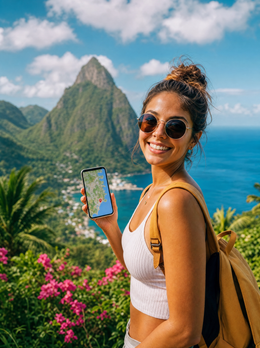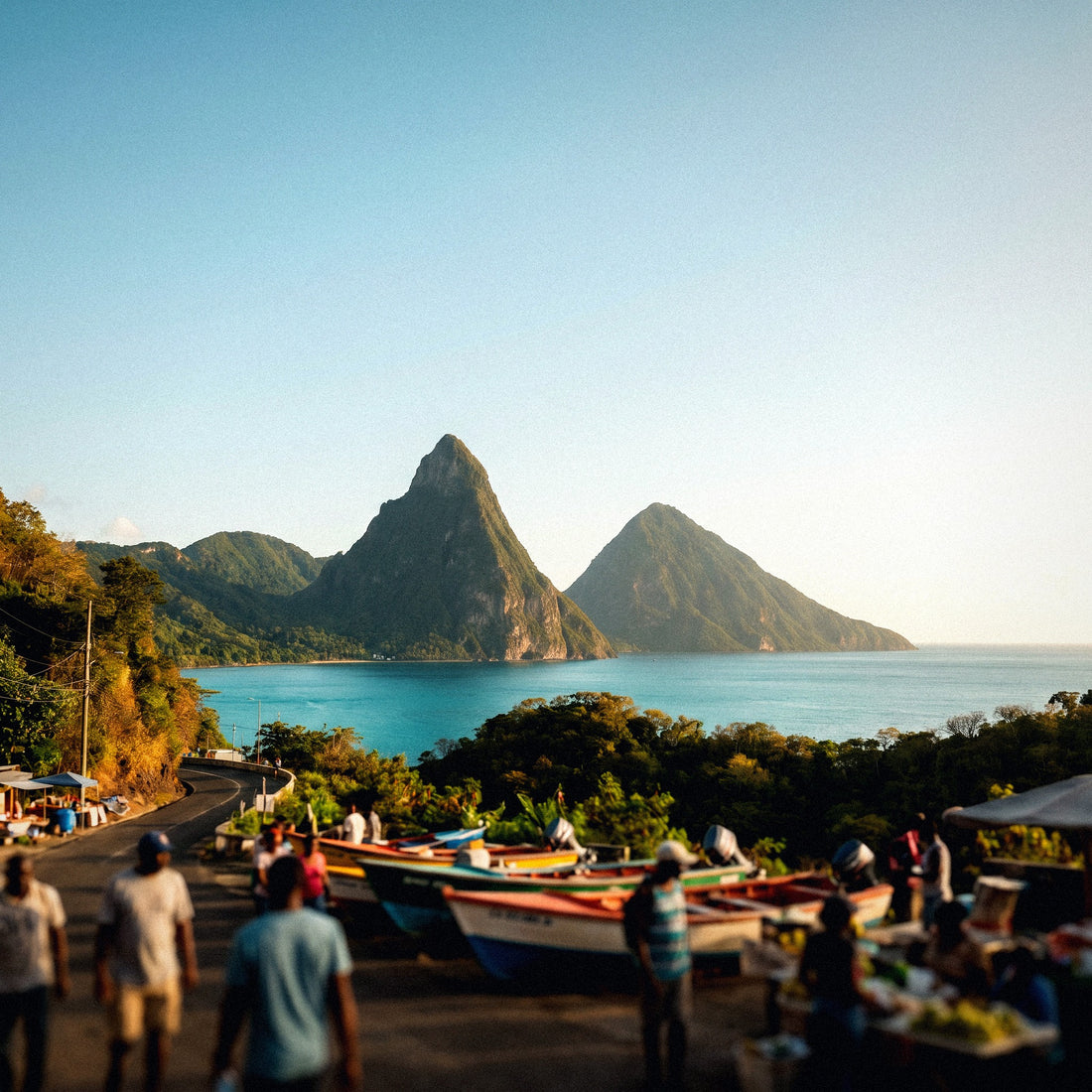
If you already know you're going to carry data and the only thing left is to decide the size of the package, this guide is for you: here I'll tell you how many GB you need for St. Lucia without getting confused, with real consumption figures and a recommendation per travel profile. St. Lucia has a particularity that changes the number compared to other Caribbean destinations: almost everyone sleeps in a resort with Wi-Fi, but spends the day out—on a catamaran, climbing the Pitons, driving on mountain roads—and that's exactly where the megabytes are spent.
The short answer, straight to the point
For a typical 7 to 10-day trip to St. Lucia, most couples will be fine with 5 GB: that's about 500 MB per day using the resort's Wi-Fi at night. If you're going to upload 4K video daily without thinking, upgrade to 10 GB.
That's the answer for 80% of the people who write to me asking about St. Lucia. If your trip involves maps, WhatsApp, and an occasional photo, you'll be fine with 2 GB for ten days and still have some left over. If you're working remotely or sharing the connection with others, then yes: 10 GB or more.
I want you to understand where the number comes from, because the usual mistake is to buy out of fear. People see "30 GB" and think they are being proactive, when in reality they are paying for data they will return unused. In a destination with resorts, Wi-Fi in common areas, and entire days spent at sea, actual mobile consumption is much lower than intuition suggests.
What does increase the number in St. Lucia is the number of memories you'll want to upload instantly: it's a honeymoon destination, there's constant photo and video, and that's the only factor capable of consuming an entire package in three days. I'll break it down further below. If you're starting from scratch and want the general framework for the calculation, you'll find it in my guide on how much data I need to travel.
Why St. Lucia changes the calculation
Each destination alters the figure for different reasons. In Japan, it increases due to the camera translator; in the United States, due to hours of driving. In St. Lucia, four very specific factors are involved, and it's important to understand them before choosing a package.
First, the accommodation model. The island thrives on all-inclusive: Rodney Bay, Gros Islet, Marigot Bay, the Pitons Bay. Almost all resorts provide Wi-Fi, decent in reception, bar, pool, and restaurants, and much weaker within the room—thick walls, villas scattered across the hillside, access points far away. This means you can do large downloads in common areas and use mobile data only when you go out.
Second, the geography. St. Lucia is a mountainous and forested island. The west coast is well covered, the interior is not. There are sections where you simply won't use data because there's no signal.
Third, the roads. The route between Castries and Soufrière is a succession of tight curves with steep inclines; maps cease to be a luxury and become essential. The good news is that navigating with an already downloaded map uses very little data.
And fourth, the pace of the trip. Catamaran, snorkeling, mud baths at Sulphur Springs, hiking: these are hours with the phone put away. If you want details on operators and coverage, I cover it in internet in St. Lucia; here we're just focusing on gigabytes.
How much each activity consumes (table)
This is the table that truly helps with calculations. These are average consumption figures; your phone might deviate by 20-30% depending on video quality, screen resolution, and app settings, but the order of magnitude is reliable.
| Activity | Approximate consumption | A normal day in St. Lucia |
|---|---|---|
| WhatsApp: text, audio, and loose photos | 5-10 MB per hour | 20-40 MB |
| Google Maps navigating (map already downloaded) | ~5 MB per hour | 10-20 MB |
| Google Maps loading new map | 50-100 MB first load | 0 if downloaded at the hotel |
| Browsing Instagram or TikTok (feed, reels) | 700-840 MB per hour | 150-250 MB (15-20 min) |
| Posting a photo or a story | 5-20 MB per post | 50-100 MB |
| WhatsApp video call | ~440 MB per hour | 100-200 MB (15-25 min) |
| Streaming music (Spotify) | ~150 MB per hour | 150-300 MB if played in the car |
| Streaming video (YouTube, Netflix) | 300 MB/h on low, over 1 GB on HD | Better on resort Wi-Fi |
| Email, finding a restaurant, checking the weather | 10-20 MB per hour | 30-50 MB |
Add it up: a day of maps, messaging, a couple of posts, and some social media comes to 300-500 MB. Multiply that by seven or ten days and you have your figure, with plenty of margin for unforeseen circumstances. If you want more detailed data by activity, I have them compiled in the mobile data usage statistics by activity.
Resort Wi-Fi: how much it really saves you
Here, you have to be realistic, because hotel Wi-Fi is the variable that most people miscalculate, in both directions.
What does work: in St. Lucia, practically all accommodations—from large all-inclusive resorts to guesthouses in Soufrière—have Wi-Fi in common areas, and it works reasonably well there. You can back up photos, download a series for the flight back, or make a long video call with family without touching your data.
What doesn't: coverage inside the room is usually the weak point. Many properties are tiered villas on the hillside or separate bungalows, and the repeater is far away. It's common to have one Wi-Fi bar in bed that can't even handle an Instagram story, so you end up using mobile data without realizing it. It also happens that the network works well at four in the afternoon and goes down at nine at night, when the entire hotel is connected at once.
My rule: count on resort Wi-Fi for heavy and planned activities (backups, downloads, video calls), never for spontaneous ones. The megabytes you actually spend are those during the day, outside the hotel.
In practice, good hotel Wi-Fi cuts mobile consumption almost in half, but doesn't eliminate it. That's why my recommendation of 5 GB for ten days already assumes you'll sleep connected to Wi-Fi: without it, the same couple would use 8-10 GB.
Couple photos and videos: the expense that skyrockets
This is the decisive chapter in St. Lucia. It's a honeymoon destination: there are photo shoots on the beach, sunsets with the Pitons in the background, the catamaran, the waterfall, the mud from Sulphur Springs. And almost everyone wants to upload it instantly.
The difference between spending 300 MB or 3 GB in a day is in how you upload it, not how much you record.
| What you upload | Approximate weight |
|---|---|
| Photo sent via WhatsApp (compressed) | 0.1-0.3 MB |
| Photo sent via WhatsApp in original quality | 3-5 MB |
| Instagram story with a photo | 5-10 MB |
| Reel or short video of 30 seconds | 20-40 MB |
| 1-minute video in 1080p uploaded in original quality | 130-200 MB |
| 1-minute video in 4K uploaded in original quality | 350-450 MB |
| Automatic backup of a full day (200 photos + 5 clips) | 2-4 GB |
Look at the last row, because that's the one that ruins packages. If iCloud or Google Photos have mobile data backup activated and your phone records in 4K, a single day of wedding photos can take up more GB than the entire rest of the trip. This is not an exaggeration: these are the figures from the file itself.
Social apps, on the other hand, compress a lot before uploading, so posting is cheap. You can upload ten stories a day and not exceed 100 MB. What's expensive is syncing the originals. Leave backup only for Wi-Fi and post whatever you want: it's the best change you can make.
Maps and mountain roads
Driving in St. Lucia is daunting for the first hour: you drive on the left, the west coast road is a succession of curves, there are sections with potholes and serious gradients, and intersections are not always signposted. A mobile phone with an open map is no longer a luxury.
The good news for your data bill is that navigation consumes very little: around 5 MB per hour if the map is already downloaded. What really consumes data is the initial load of the area, between 50 and 100 MB, and recalculating the route from scratch every time you lose coverage.
And there's the important detail: in the dense interior, there are stretches without signal. If you rely on the cloud for the map, the navigator freezes exactly where you need it most. That's why, in St. Lucia, downloading an offline map is not just about saving data: it's a practical matter.
Do it before leaving the hotel, with Wi-Fi:
- In Google Maps, search for "Saint Lucia", tap the name, and select Download offline map. The entire island doesn't take up much space, about 100-150 MB.
- Save your hotel, the airport (UVF or SLU), Soufrière, and Castries port as favorites.
- If you use Waze, note that it requires a constant connection: for the interior, Google Maps or Organic Maps are better.
With the map downloaded, a whole week driving around the island uses about 100 MB of navigation. It's an irrelevant part of your package, and many people buy too much precisely out of fear of this point.
Areas without coverage: where you spend nothing
One piece of data that almost no one considers when calculating: in St. Lucia, you will spend many hours without being able to use data even if you wanted to. That also forms part of the calculation and works in your favor.
Digicel and Flow operate on the island, both with 4G. There is no 5G deployed, so don't count on enormous download speeds—which, ironically, helps keep your gigabytes from running out—.
| Area | Coverage | What it means for your GBs |
|---|---|---|
| Castries and cruise terminal | Stable 4G | Normal consumption |
| Rodney Bay, Gros Islet, Marigot Bay | Stable 4G | Normal consumption |
| Soufrière and Pitons Bay | 4G in town and bay | Normal consumption |
| Gros Piton trail, above approximately 400 m | Irregular or none | Almost zero for 4-5 hours |
| Mountain road inland, between Soufrière and Castries | Sections without signal | Offline map mandatory |
| Catamaran offshore | Lost when moving away from the coast | Zero during the excursion |
Translated into gigabytes: a day climbing Gros Piton, a day on a catamaran and snorkeling, and a day of mud baths are three days of your trip where you will barely consume 100-150 MB in total, all of it when you return to an area with coverage and upload everything you've recorded.
That's why active trips consume less data than city trips, even if it seems the opposite. If your plan in St. Lucia is daily excursions, go for a lower package: the eSIM for St. Lucia can be recharged in a minute if you need it.
Recommendation by profile and duration
This is the table I'm here to give you. Find your profile, cross-reference it with your trip days, and you'll have your package. It's calculated assuming what's normal in St. Lucia: hotel Wi-Fi at night, downloaded maps, and disabled mobile data backups.
| Traveler profile | 5 days | 10 days | 15 days | 30 days |
|---|---|---|---|---|
| Just arrive and notify (one-day cruise, layover) | 1 GB | 1 GB | 2 GB | 3 GB |
| Tourist using maps and WhatsApp | 1 GB | 2 GB | 3 GB | 5 GB |
| Couple taking photos and using social media (typical honeymoon) | 3 GB | 5 GB | 8 GB | 15 GB |
| Content creator: daily high-quality video | 5 GB | 10 GB | 15 GB | 30 GB |
| Digital nomad or remote work with video calls | 5 GB | 10 GB | 20 GB | 30 GB or unlimited |
| Family or group sharing connection | 5 GB | 10 GB | 15 GB | 25-30 GB |
Two honest caveats about this table. First: if you see yourself in the "maps and WhatsApp tourist" row—and many resort travelers are—2 GB for ten days will be plenty, even if we sell larger packages. Buying 20 GB for that usage is a waste of money.
Second: if there are two of you and only one has data sharing with the other via hotspot, multiply by 1.6, not two, because many things are done only once. For a ten-day honeymoon with a hotspot, 8 GB is a comfortable figure.
How to calculate your own consumption before flying
Tables are great, but your phone already has the exact answer. It's the most reliable method I know, and it takes two minutes, with no installation required.
On iPhone: Settings → Mobile Data. Scroll down to "Current Period" and check the total. Beware: this counter doesn't reset automatically, so check the "Last Reset Date" to know how many days it covers. If you've never reset it, do so today and check it in a week.
On Android: Settings → Network & internet → SIM or Data usage → App data usage. There you'll see the current month and a breakdown by application, which is even more useful.
Now for the important part, which is adjusting that number for St. Lucia:
- Divide your monthly consumption by 30 to get your actual daily average.
- Subtract between 30% and 50%: during the trip, you'll sleep with hotel Wi-Fi and spend hours without coverage or without looking at your phone.
- Add 100-150 MB per day if you upload photos and videos daily.
- Multiply by the number of days and round up to the next package size.
A real example: if you use 9 GB per month, your average is 300 MB per day. You subtract 40% (180 MB), add 120 MB for photos, and end up with about 300 MB daily. For ten days: 3 GB. With 5 GB, you'll be comfortable.
This homemade calculation is much more accurate than any generic estimate because it's based on how you use your phone, not an invented average.
How to stretch your GBs without stopping sharing
The idea is not that you deprive yourself of uploading anything —you're traveling, share away— but that you don't pay for data for things that don't benefit you. With these settings, made once at the hotel, consumption drops significantly.
- Backups only via Wi-Fi. On iPhone: Settings → Photos → turn off "Cellular Data". On Android, in Google Photos: Backup → turn off mobile data usage. This is, by far, the setting that saves the most.
- Download the island map before you go, as I mentioned above.
- Disable automatic video playback on Instagram, Facebook, and X. This is where hundreds of MB are consumed without you deciding to watch anything.
- Activate the system's data saver mode (iPhone: Cellular Data → Options → Low Data Mode. Android: Data Saver).
- Lower video quality on YouTube and Netflix to 480p, or download episodes using the resort's Wi-Fi.
- Offline music: download your playlists before flying. A Castries-Soufrière journey with Spotify streaming easily consumes 100 MB.
- Disable automatic app updates over mobile data.
- WhatsApp: in Storage and Data, set automatic photo and video downloads to "Wi-Fi".
With that, a couple who thought they'd use 10 GB ends up spending 4. If you want the complete list, I have it detailed in how to save data on a trip, with step-by-step tips for iPhone and Android.
What happens if you run out
Let me tell you clearly: it's better to run short than to have too much. And this isn't just a nice phrase, it's arithmetic.
If you buy too much, the GBs you don't use are not refunded or saved for the next trip: they expire, and that's it. If you buy too little, the worst thing that happens is that one day you run out of data and have to top up, which can be done from your phone in a couple of minutes —though you do need a connection to do it, so do it from the hotel's Wi-Fi or before completely exhausting your package—.
When your data runs out, you don't lose anything else: your number is still there, calls and SMS from your Spanish line continue to work as usual, and apps will work again as soon as you connect to a Wi-Fi network. There are no bill surprises or excess charges, because these packages are prepaid and simply stop working.
My advice for Saint Lucia: buy thinking about your normal usage, not the worst imaginable day. And if halfway through your trip you see you're cutting it close, top up. It's cheaper than buying three times as much from home.
A warning in case you're wondering: don't rely on finding public Wi-Fi on the island. There are open networks in some bars in Rodney Bay and in the Castries port area, but they are slow, not always available, and you won't want them for anything that involves passwords. If you don't know how this technology works, I explain it in what an eSIM is.
Frequently asked questions
How many GB do I need for 7 days in Saint Lucia?
3 GB is fine for seven days if you stay in a hotel with Wi-Fi and use maps, messaging, and some social media. If you're a couple and will be uploading photos and videos daily, get 5 GB and you won't have to worry about it all week.
What about for a 10-day honeymoon?
5 GB is the amount I recommend for a ten-day honeymoon. That's about 500 MB per day, enough for browsing, posting stories, some video calls, and finding restaurants. Only go up to 8-10 GB if you're sharing your connection via hotspot or uploading long videos in original quality.
Can I just rely on the resort's Wi-Fi and not buy data?
You can, but I don't recommend it in Saint Lucia. The Wi-Fi works well in common areas but is weak in the room, and there's no decent network outside the hotel. Since you'll be driving on winding mountain roads, running out of map halfway through your journey is a real problem.
How much data does Google Maps use when driving around the island?
About 5 MB per hour if you have the map downloaded, and between 50 and 100 MB if you load it for the first time on the go. A whole week of driving will be around 100 MB. Download the entire island from your hotel's Wi-Fi: it takes up about 100-150 MB.
Is there 5G in Saint Lucia?
No, the network in Saint Lucia is 4G. The island's two operators, Digicel and Flow, provide stable 4G coverage in Castries, Rodney Bay, Gros Islet, Marigot Bay, and the Soufrière and Pitons area. In the mountainous and forested interior, the signal is erratic or nonexistent.
Will I have coverage climbing the Pitons or on a catamaran?
On the Gros Piton trail, the signal becomes unreliable above about 400 meters, and on a catamaran, it's lost when you move away from the coast. In practice, these excursions consume almost nothing: you'll upload photos when you return to the bay.
Why do my photos consume so much data?
It's almost always automatic backup, not posts. One minute of 4K video weighs 350-450 MB if synced in original quality, while an Instagram story is 5-10 MB. Disable mobile data backup, and the problem disappears.
What if I run out of GBs halfway through my trip?
Top up, which takes a couple of minutes from your phone. You'll need a connection to complete the purchase, so do it from the hotel's Wi-Fi. There are no excess charges or surprises: once the package is exhausted, the data simply stops.
Conclusion
To summarize what I've said: for 7-10 days in Saint Lucia, 5 GB is the right amount for almost everyone. If your trip is for maps and WhatsApp, 2 GB will suffice; if you share a connection, work from there, or upload high-quality video daily, aim for 10 GB.
And remember the two ideas that truly make a difference in this destination: download the island map before leaving the hotel, because the interior has stretches without signal and the roads are unforgiving; and restrict photo and video backups to Wi-Fi only, because that's where an entire package can evaporate without you even noticing. With those two things done, posting all the sunset photos you want from the Pitons will be cheap.
If you've already decided, here's your eSIM for Saint Lucia: you activate it before leaving home, it connects automatically upon arrival, and if you run short, you can top up from your phone without changing numbers. Start with the package that fits you from the table and adjust on the fly: it's cheaper than buying too much just in case.