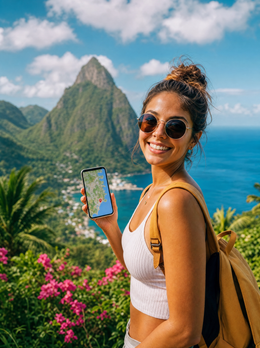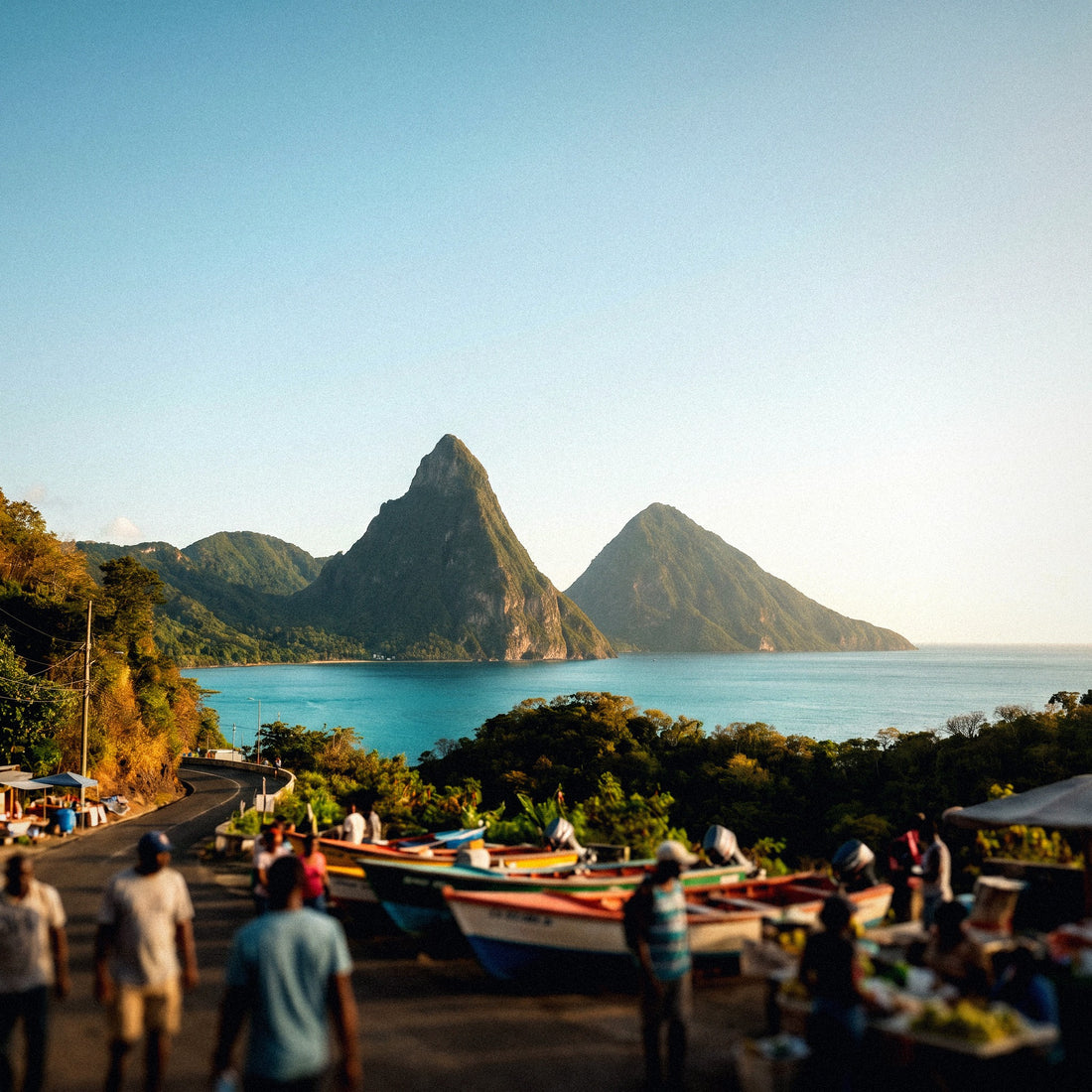
If you're planning your trip to St. Lucia—the Pitons silhouetted against the sea, the mud baths of Soufrière, perhaps a honeymoon at an all-inclusive resort, or a cruise stop in Castries—there's one detail worth sorting out before you leave: how to get internet in St. Lucia without a nasty surprise on your bill or running out of Google Maps on your way to the jungle. In this guide, I compare, without hype, all the ways to connect—from your usual operator's roaming to a local SIM with a passport—so you can land or disembark ready and be able to stay connected with your mobile always at hand from the very first minute.
How to connect to the internet in St. Lucia
To get internet in St. Lucia, you have four options: your operator's roaming, Wi-Fi at resorts and cruises, a local Flow or Digicel SIM purchased with your passport, and an eSIM that you activate before flying. For most tourists, the eSIM is the most practical and cheapest.
St. Lucia is a small, mountainous island in the Eastern Caribbean, and that geography dictates more than technology. There are two mobile operators—Flow (the former LIME, part of the Liberty Latin America group) and Digicel—and both provide decent 4G LTE service along the coast, with speeds around 20-50 Mbps in populated areas. The problem isn't the network, but the terrain: in Castries, Rodney Bay, or Soufrière town, you'll connect wonderfully, but as soon as you head up towards the Pitons or into the interior jungle, the signal quickly thins out.
That's why it's advisable to make two decisions before packing your bags. One is how you'll connect (roaming, Wi-Fi, local SIM, or eSIM), which affects your wallet and convenience. The other is where you'll be each day, which determines if you'll have coverage. If your plan is beach, Rodney Bay, and a resort, almost any option will work; if you're trekking in the mountains or arriving by cruise, there are nuances below that will save you some trouble.
The four options to connect
To get internet on the island, you essentially have four options, and it's worth knowing them all before deciding. There's no single answer: what works great for someone spending a week at a resort might be a mistake for someone touring the west coast or disembarking from a cruise for a few hours in Castries.
That's why I present them as four very different approaches instead of just selling you one. Before delving into the details of each, here's a quick overview of where each option fits depending on your trip, budget, and willingness to complicate your arrival.
| Option | Estimated Cost | Convenience | Ideal for |
|---|---|---|---|
| Spanish Roaming | High (per MB or bundles) | Zero hassle | Very short trips |
| Resort/Cruise Wi-Fi | Free or paid onboard | Only on-site | Occasional checks |
| Local SIM Flow/Digicel | Low (SIM from ~$5) | Passport and store | Long stays |
| Travel eSIM | Medium-low | Activates automatically | Most tourists |
None is "the best" in the abstract: it depends on how many days you stay, whether you're traveling as a couple or a family, and how much mountain hiking you'll do. And there's an extra factor that's important in St. Lucia: if you arrive by cruise, your connection window and priorities change significantly compared to someone staying a full week.
Roaming with your Spanish operator
Here's the first important warning: St. Lucia is not part of the European Union, so the "roam like home" tariff you use in France or Portugal doesn't apply. As soon as your phone connects to Flow or Digicel, you'll be subject to international roaming rates, which for many Spanish operators mean individual megabytes at prices ranging from several euros per MB to daily bundles that drain your budget in a couple of days.
Roaming has one major advantage: you do nothing. You arrive, turn on your phone, and it works. But that convenience comes at a high price, and often it's the surprise bill when you return home that prompts people to look for alternatives. Before you rely on it, call your operator and ask for the exact price for the Caribbean, because St. Lucia usually falls into the most expensive zone in their catalog.
If you're still considering it, check the temporary travel bundles for "rest of the world" or "zone 2," which sometimes pay off for two- or three-day trips. To understand how all this is calculated, I recommend my guide on how much international roaming costs, and if you want a direct comparison, I have an eSIM vs. roaming comparison with the numbers laid out.
Wi-Fi at resorts, hotels, and cruises
Free Wi-Fi is your ally for anything that's not urgent. Most resorts in Rodney Bay, Gros Islet, and the west coast offer Wi-Fi in rooms and common areas, and newer complexes boast good connections throughout the premises. For uploading photos, making video calls at night, or planning the next day, using the lobby Wi-Fi at night is usually sufficient and doesn't cost a dime.
Beware for honeymoons: many St. Lucia resorts are staggered villas on hillsides, with spectacular views but weak or intermittent Wi-Fi in the room. Good signal is found in the bar and by the pool, not always on your private terrace.
And if you arrive by cruise, onboard Wi-Fi is satellite-based, slow, and costs extra: depending on the cruise line, daily rates can soar when multiplied per person. The good news is that at Castries port, there's free Wi-Fi in the Pointe Seraphine and La Place Carenage terminals, and cellular coverage on land is solid as soon as you step onto the dock. On open networks, avoid entering banking details without a VPN. Treat Wi-Fi as a complement, never your only network; if you're tempted by a portable device, I compare it in my guide on eSIM vs. pocket Wi-Fi.
Local SIM: Flow and Digicel with passport
A local SIM is the cheapest option if you're staying for many days or consume a lot of data. The two operators are Digicel (strong in the north: Rodney Bay, Gros Islet, and Cap Estate) and Flow (with a good presence on the west coast towards Soufrière and in the south, near Vieux Fort). A SIM costs around $5—Digicel charges about 15 XCD and Flow usually gives away the card if you contract a plan—and packages with data, calls, and SMS range from $15 to $30, so for long stays, the price per gigabyte is hard to beat.
The downside is the hassle. Buying a prepaid SIM in St. Lucia requires registering it with your passport by law, so you'll need to queue with your passport in hand at an official Flow or Digicel store; you won't always find them at Hewanorra Airport (UVF), where most international flights land, and even less so if you arrive at night. You'll add the paperwork, topping up, and the operator's app before you get data.
If you're traveling for several weeks, living like a local, or need a St. Lucian number for administrative tasks, it's worth the effort. For a week at a resort or a cruise stop, most people prefer to avoid the queue. I compare it calmly in my article on eSIM vs. local SIM so you can see when each one truly pays off.
The eSIM, my recommended option
For the vast majority of trips to St. Lucia, my recommendation is a data eSIM. It's a digital SIM that you buy online, receive by email, and install by scanning a QR code: you can set it up from your couch at home days before flying and arrive on the island already connected, without looking for stores or dealing with passport procedures. If you've never used one, my guide on what an eSIM is explains it step by step.
The advantages are clear. You keep your Spanish number active in the physical slot of your phone (to receive bank SMS or calls), while data travels via the eSIM, leveraging the local network with the best coverage. There's no plastic to lose, no deposit, and you don't depend on any store's opening hours or whether they're open at Hewanorra. The only requirement is that your phone is compatible, which almost all recent models fulfill.
The honest drawback: for very long stays and huge consumption, a rechargeable local SIM might be slightly cheaper per gigabyte. But when you add up the convenience, the absence of queues, and not depending on a store upon arrival, the eSIM wins for the average tourist. You can find all the fine print in my eSIM guide for St. Lucia.
Real coverage: strong coast, weak mountain
This is the section most people skip and later regret. In Castries, Rodney Bay, Gros Islet, and Soufrière town, 4G LTE coverage is very good with both operators, and the coast in general is well-covered. The situation changes as you gain altitude: the island is rugged, and among mountains or within the interior jungle, the signal becomes erratic. In the north, Digicel is usually slightly better; on the west coast towards Soufrière, Flow holds up well.
The practical rule is simple: where there's a town, there's an antenna, and where the forested hillside begins, things get complicated. Knowing in advance where you're likely to lose a bar of coverage saves you stress and helps you download maps before heading uphill.
| Area | Mobile Coverage | What to Expect |
|---|---|---|
| Castries and Port | Very good (4G LTE) | Smooth connection upon disembarking |
| Rodney Bay / Gros Islet | Very good | No problems; Digicel slightly better |
| Soufrière town | Good | Good in town and on the road |
| Pitons trail | Scarce above ~400 m | Intermittent cuts on the ascent; limited data |
| Interior jungle / high viewpoints | Weak or none | Be prepared to be disconnected |
Moral of the story: where there's an antenna, you'll connect wonderfully, and where there isn't, no magic is possible. Plan mountain excursions expecting sections without signal.
The Pitons and Soufrière: signal in the jungle
The Pitons are St. Lucia's postcard, and also the area where most people are surprised to find themselves out of communication. In Soufrière town and on the main road leading to the volcanoes, you'll have decent 4G; the problem arises when you start climbing. On the trails of Gros Piton and Petit Piton, and generally above 400 meters, the signal becomes intermittent or disappears completely, because the terrain blocks the valley's antennas.
During the climb to the Pitons, don't count on fluid data for live sharing: the mountain blocks the signal. Take photos, save the downloaded route, and upload everything later, from Soufrière or the hotel. The summit offers views, not coverage.
My advice for this part of the trip is to prepare before lacing up your boots: download the offline map of the area, save your guide's reservation on your phone, and let people know you'll be unreachable for a couple of hours. The same applies to the sulfur baths, Toraille waterfall, or jungle viewpoints: there's network near the towns and little more. The sensible strategy is to save your photos for when you come down to the coast, where the connection returns automatically. That way, you enjoy the trek without battling with a signal bar that won't appear.
How much data do you really need?
The million-dollar question. The good news is that calculating gigabytes wisely is easier than it seems if you separate by type of use. As a general rule, an average traveler uses around 1 GB per day: light use (maps, messaging, some web browsing) is around 0.4 GB, while intensive use with social media, video, and uploading photos can go up to 2.5 GB daily or more.
For a typical one- or two-week trip, this translates to a range of between 7 and 30 GB. If you rely heavily on the resort's Wi-Fi at night, you'll be on the lower end; if you make videos from the beach and video calls every day, aim for the higher end or a generous plan. Here's a table for it.
| Profile | Daily Consumption | 7-14 Days |
|---|---|---|
| Light (maps and chat) | ~0.4 GB | 3-6 GB |
| Medium (social media and browsing) | ~1 GB | 7-15 GB |
| Intense (video and live streaming) | ~2.5 GB | 18-35 GB |
My trick: since you'll be without data in the mountains and jungle anyway, don't inflate your calculation thinking you'll consume the same amount each day. And if in doubt, opt for a plan with some margin or a top-up option; running out on the second-to-last day is a typical avoidable hassle.
How to choose, activate, and avoid losing signal
Choosing wisely is a matter of cross-referencing three pieces of information: travel days, estimated gigabytes, and how much mountain hiking you'll do. If you do a lot of trekking or inland excursions, prioritize downloading maps and anticipate coverage gaps; if you're moving between resorts, beaches, and Rodney Bay, convenience is key. The ideal is to have everything ready before takeoff and not improvise upon arrival. With an eSIM, the process is quick; these are the steps I follow:
- Check that your phone is eSIM compatible (phone settings or manufacturer's website).
- Buy the plan with the right GB and days for you, a few days before flying.
- Install the profile by scanning the QR code sent to you by email, using Wi-Fi at home.
- Set the eSIM for "data" and your Spanish SIM for calls and SMS.
- Upon landing at Hewanorra, activate data roaming for the eSIM, and you're all set.
And a couple of habits that have saved me from trouble more than once: download offline maps of Soufrière and the Pitons from Google Maps, save tickets and reservations on your phone in case there's no network when you disembark, and carry an external battery. By combining eSIM for daily use, Wi-Fi for heavy tasks, and these little tricks for mountain gaps, your trip will be covered from start to finish.
Frequently asked questions
Does my Spanish operator's roaming work in St. Lucia?
Yes, but at international roaming rates, not European rates. St. Lucia is not in the EU, so "roam like home" doesn't apply. Check the cost per MB or the travel bundle before leaving, as the Caribbean tends to be one of the most expensive regions in the catalog.
Do I need my passport to get a connection?
Only if you buy a local SIM from Flow or Digicel: the law requires you to register it with your passport at an official store. With a travel eSIM or roaming, no in-person process or document is needed to get data upon arrival.
Will I have coverage to climb the Pitons?
Little. In Soufrière town and on the road, there's 4G, but on the Gros Piton and Petit Piton trails, above about 400 meters, the signal cuts out or disappears. Download the map before climbing and upload photos later from the coast.
I'm arriving by cruise in Castries, is an eSIM useful for me?
Yes. As soon as you disembark in Castries, you'll have good mobile coverage on land, and the eSIM will work normally. There's also free Wi-Fi at the Pointe Seraphine and La Place Carenage terminals. At sea, avoid the ship's satellite network.
Is resort Wi-Fi reliable for a honeymoon?
In common areas, it usually works well, but in many hillside resorts, the signal can be weak in the room. For video calls or remote work from the terrace, an eSIM with its own data gives you a buffer that the villa's Wi-Fi doesn't always guarantee.
How many gigabytes should I contract for a week?
For average use, between 7 and 15 GB is usually enough; if you take many photos, videos, or live streams, aim for 18-35 GB. Remember that you won't consume data in the mountains and jungle, so don't inflate your calculation thinking you'll spend data every day.
Can I still use WhatsApp with my usual number?
Yes. With a data eSIM, you keep your Spanish number active on the physical SIM for SMS and calls, and WhatsApp continues to work with that number using the eSIM's data. You do not lose your account or your chats at any time.
Conclusion
To sum up: roaming is convenient but expensive, Wi-Fi is free at the resort but weak in the room and on the cruise, a local SIM is worthwhile if you stay a long time but requires a passport and queuing, and an eSIM is the sweet spot for most tourists. And the lessons learned: on the coast and in Castries you'll have good coverage, but in the Pitons and the jungle, expect dead zones and download maps before you go up.
If you want to forget about connectivity issues and arrive connected from the first minute, check out PuraSIM's eSIM for Saint Lucia: buy it, install it at home, and land in Hewanorra with Google Maps working. Have a great trip and see you among the Pitons.