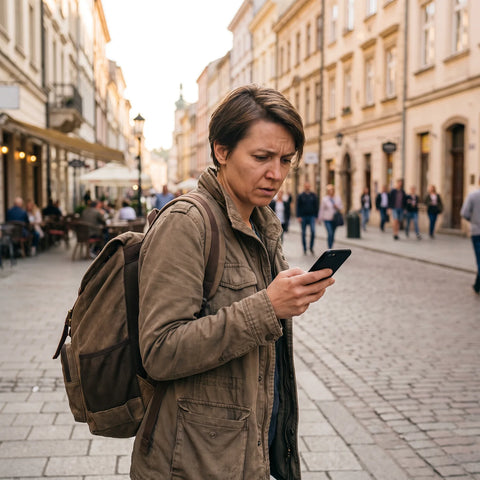
If you're planning your trip to the land of a thousand hills and wondering about internet in Rwanda, I have good news: getting connected there is easy and cheaper than you might imagine. Rwanda is one of Africa's most connected and cleanest countries, with Kigali covered by 4G and a mobile network that will surprise anyone. In this guide, I compare all options—roaming, hotel Wi-Fi, local SIM, and eSIM—with real prices, so you can choose the one that best suits your needs. And I'll give you an important heads-up about coverage during gorilla trekking.
What is the internet like in Rwanda today?
In Rwanda, you'll find excellent mobile connectivity: 4G covers over 97% of the population, and Kigali has ample coverage. The most convenient and affordable way to get online is with a data eSIM; a local SIM card works, but requires passport registration. Outside of cities, the signal may be weaker.
Rwanda has one of the most surprising digital stories on the continent. The country made a strong commitment to technology after 1994, and today it boasts a national fiber optic network of over 3,000 km and 4G LTE that, according to infrastructure operators, reaches 98% of the population. Kigali, the capital, is a clean, organized, and well-connected city, with speeds reaching up to 150 Mbps in urban areas.
The mobile market is virtually a duopoly: MTN Rwanda leads with about 62% market share, and Airtel Rwanda covers the rest. 5G was commercially launched in June 2025, though for now it is concentrated in Kigali. For a traveler, this translates into something very practical: in the capital, in Musanze, or on the way to Lake Kivu, you'll have plenty of data to use Google Maps, order a taxi, or upload photos. The challenge appears in the mountains, and I'll get to that below.
The four ways to get connected
To have internet during your trip to Rwanda, there are four possible paths, and each has its audience. There isn't a "bad" option overall, but there are huge differences in price and convenience. Before going into detail about each one, here's a quick table so you can see the big picture at a glance.
| Option | Approximate cost | Ease | Coverage |
|---|---|---|---|
| Roaming with Spanish carrier | Very expensive (per MB outside EU) | Very easy | Good (MTN/Airtel network) |
| Hotel/cafe Wi-Fi | Free | Easy | Only where Wi-Fi is available |
| Local SIM (MTN/Airtel) | Cheap, but with paperwork | Medium (passport registration) | Very good |
| Travel eSIM | Reasonable and no surprises | Very easy | Very good (same network) |
As you can see, roaming wins on convenience but loses hands down on price; Wi-Fi is free but ties you to the hotel; a local SIM is very worthwhile if you don't mind the paperwork; and an eSIM combines the best of everything. The choice mainly depends on how much you value your time and whether you are traveling with an unlocked and compatible phone. In the following sections, I break down each option with specific prices and data so you can make an informed decision, without marketing fluff or fine print.

Roaming with your Spanish carrier
Let's start with the most convenient, yet most dangerous, option for your wallet. Using your Spanish plan in Rwanda with your phone "as is" can cost an absolute fortune. The "roam like at home" rules of the European Union do not apply here: Rwanda is outside the European area, so your carrier will charge you standard international rates, which are usually brutal.
To give you an idea, some Spanish carriers bill data in the most expensive zone at prices around several euros per megabyte. Movistar, for example, applies Zone 3 rates that are around €36/MB, and Orange moves in similar figures of more than €12/MB outside the European Economic Area. In translation: a few WhatsApp videos or a bit of Google Maps could send your bill soaring to hundreds of euros.
There are international roaming bonuses that soften the blow, but they are still expensive and have ridiculously small data limits for a real trip. If you want to see just how much the bill can skyrocket, I explain it with numbers in my guide on how much international roaming costs. And if you're weighing this option against a digital alternative, compare at your leisure in eSIM vs. roaming. My honest advice: only use roaming as a last resort.
Hotel and cafe Wi-Fi
Free Wi-Fi is your ally, but don't rely solely on it. The good news is that Rwanda has decent Wi-Fi in almost all hotels, lodges, restaurants, and cafes in Kigali, as well as at airports and many tourist accommodations in the interior. It's more than enough for replying to emails at night, making a video call from the hotel, or downloading maps before heading out.
The problem is dependence. Wi-Fi only exists where there is Wi-Fi, and on a trip to Rwanda, you'll spend many hours outside your accommodation: crossing the country by car, visiting the Genocide Memorial, exploring Musanze, or waiting at the park meeting point at six in the morning. During all those moments, without mobile data, you'll be cut off.
Furthermore, it's wise to be cautious with open networks: avoid banking transactions without a VPN and don't trust sensitive data to public Wi-Fi. That's why the smart approach is to combine: rely on Wi-Fi for heavy tasks (uploading photo albums, large updates) and carry mobile data for daily use. If you were thinking of a portable router as an alternative, first check the comparison between eSIM versus pocket Wi-Fi: the device almost always loses out.
The local SIM: MTN and Airtel
A local Rwandan SIM is a very economical option, but you will need to register it with your passport. In Rwanda, there are two operators that a foreigner can subscribe to: MTN and Airtel. Both offer 4G, good coverage, and very cheap data packages compared to European roaming. The physical SIM card costs around 500-1,000 Rwandan francs (less than 1 dollar), and data bundles range from about 5 to 20 dollars depending on the gigabytes.
A real example I've seen: 500 francs for the SIM and about 3,000 francs for 1 GB per day for a month, including local messages. Very competitive. The downside is the paperwork. By law, all cards must be registered with personal data, so you need to bring your passport and the address of your accommodation. Also, you can only register one SIM per operator and per passport.
Registration is done at official MTN or Airtel stores (they are available at Kigali airport and in the city), and it can take some waiting time. If your phone is carrier-locked or only has one slot, you'll have to remove your Spanish SIM. To assess whether the paperwork is worth it compared to digital convenience, my comparison of eSIM versus local SIM will help you.
The eSIM: my recommended option
If you ask me what I would bring, I have it crystal clear: a data eSIM. It's the method that activates in five minutes and saves you queues, paperwork, and bill shock. An eSIM is a "digital SIM" that is installed on your phone by scanning a QR code, without a physical card or changing anything inside the phone. If you're still unclear on the concept, I explain it step by step in what an eSIM is.
The advantages for a trip to Rwanda are very specific. First, you buy and activate it before leaving home, using your own Wi-Fi, and you land in Kigali already connected. Second, it operates on the same local networks (MTN or Airtel), so you have the same 4G coverage as a Rwandan SIM, but without registering your passport at a store. Third, you keep your Spanish number active in the other slot to receive SMS from the bank.
In terms of price, travel eSIMs for Rwanda are very reasonable: there are plans starting from about 3 to 7 dollars per GB, and 5 or 10 GB options that more than cover one or two weeks. All the details on gigabytes, days, and coverage can be found in my eSIM guide for Rwanda. No surprises and no plastic.

Kigali vs. gorilla trekking
Here comes the most important nuance in the entire guide, the one almost no one tells you about: in Rwanda, the signal becomes capricious among the volcanoes. In Kigali and the cities, you'll have plenty of coverage, but the main reason many people travel—mountain gorilla trekking in the Volcanoes National Park—takes place in an environment where connectivity is not guaranteed.
The reason is purely geographical. Gorilla tracking is done in very dense bamboo forests and on mountain slopes that often exceed 2,500-3,000 meters. The signal fluctuates a lot with altitude, and although MTN is the operator with the best coverage in the park area, no one can promise you stable 4G while following a gorilla family up a hillside. The same applies to some remote trails in the country.
Assume that during the trek you will not have reliable internet: download offline maps, save important contacts, and bring an external battery. The signal will return when you descend to the meeting point.
This is not a problem with your SIM or eSIM: it happens to everyone, including the guides. The key is to prepare to work offline during those hours and enjoy the moment without looking at your phone. For the rest of the trip, you'll have plenty of data.
How much data you need
The million-dollar question: how many gigabytes do I need? The answer is usually less than you think. For a typical trip to Rwanda—navigating with Google Maps, WhatsApp, social media, some email, and looking up information—5 GB is good for a week, and 10 GB will keep you worry-free for ten days or two weeks if you're someone who uploads a lot of photos and videos.
What always skyrockets data consumption is the same: video streaming, long video calls, and large downloads. If you save those for the hotel Wi-Fi, your mobile data will last much longer. Here's an approximate reference per activity:
| Usage | Approximate consumption | For 10 days |
|---|---|---|
| Maps and navigation | ~50 MB/day | ~0.5 GB |
| WhatsApp and messaging | ~100 MB/day | ~1 GB |
| Social media and browsing | ~300 MB/day | ~3 GB |
| Uploading photos and some video | ~400 MB/day | ~4 GB |
Adding up realistic usage, most travelers stay between 5 and 10 GB. My practical advice: err on the side of caution and choose a 10 GB plan if you're staying more than a week or if you're very active on social media. Running out of data in the middle of a road transfer is inconvenient, and recharging on the go is always more expensive than planning it well from home.
How to activate your eSIM before flying
Installing an eSIM can seem daunting at first, but it's very easy. My number one recommendation: do it from home, using your Wi-Fi, a few days before you travel. That way, you arrive in Kigali with everything ready, and if something goes wrong, you have time and connectivity to sort it out calmly. The step-by-step process is as follows:
- Check that your phone is eSIM compatible (almost all iPhones since the XR and most mid-to-high-end Androids are).
- Purchase the data plan for Rwanda that suits your days and gigabytes.
- You will receive a QR code by email. Go to your phone's settings and add a data plan by scanning it.
- Leave the eSIM installed, but do not activate it until you arrive in Rwanda (or just before), as indicated by your provider, to avoid wasting plan days.
- Upon landing, activate the eSIM's mobile data and select it as your data line. You'll have 4G in seconds.
A key detail: keep your Spanish SIM in the other slot just for calls and SMS (with roaming data turned off), and use the eSIM for browsing. This way, you receive bank codes without paying for data roaming. Also, save the email with the QR in case you need to reinstall it. With this, your connection is sorted even before you pack your bag.
Tips for not losing signal
Beyond choosing how to connect, there are small habits that make a big difference. The first and most important: download offline maps of Kigali, Musanze, and the areas you plan to visit. Google Maps allows you to save entire areas to navigate even if you lose data, which is especially helpful on the way to Volcanoes National Park.
These are my top tips for staying connected on a trip to Rwanda:
- Always carry an external battery. Searching for a signal drains your battery, and on the trek, you'll spend many hours outside. A charged power bank is non-negotiable.
- Save contacts and addresses offline: hotel, guide, agency, and emergency phone numbers, in case you lose connection in the mountains.
- Download tickets and reservations (gorilla permits, flights, accommodations) as PDFs; don't rely on opening them online.
- Activate WhatsApp with the number you want to use before traveling; with data eSIM, it works just as well.
- Choose a plan with extra gigabytes: it's cheaper to have too much than to top up on the go.
With these habits, the winning combination is simple: a data eSIM for daily use, hotel Wi-Fi for heavy tasks, and all essentials downloaded to your phone. This way, you can enjoy Rwanda without fighting with connectivity or your bill.
Frequently asked questions
Does the internet work well in Rwanda for tourists?
Yes, very well. Rwanda has 4G covering over 97% of the population, and Kigali has excellent coverage, with speeds up to 150 Mbps. You will only notice occasional signal loss in mountainous areas like Volcanoes National Park, where the signal can be inconsistent due to the terrain.
Do I need a passport to buy a SIM in Rwanda?
Yes. The law requires all SIM cards to be registered with personal data, so to buy a local MTN or Airtel SIM, you must present your passport and accommodation address. You can only register one SIM per operator. With a travel eSIM, you avoid this process.
Is there coverage during gorilla trekking?
Not reliably. Gorilla tracking takes place in dense forests and at high altitudes, where the signal fluctuates greatly. MTN is the operator with the best coverage in the park, but no one guarantees stable 4G. Download offline maps and carry an external battery for that day.
How much does roaming cost in Rwanda with a Spanish carrier?
A lot. Rwanda is outside the EU, so international rates apply that can reach several euros per megabyte (Movistar charges around €36/MB in its most expensive zone). Normal usage could cost you hundreds of euros. It is the least recommended option.
How many GB do I need for a week in Rwanda?
5 GB is sufficient for a week of normal use: maps, WhatsApp, social media, and browsing. If you upload many photos and videos, or will be there for ten days or more, a 10 GB plan is better. Save heavy streaming for hotel Wi-Fi.
Can I use WhatsApp and Google Maps without problems?
Yes, both work perfectly normally in Rwanda. WhatsApp uses very little data for messages and voice calls, and Google Maps allows you to download maps for offline use. In fact, these are the two apps that will accompany you the most on your trip.
Will my eSIM-compatible phone work in Rwanda?
If your phone is eSIM compatible (iPhone XR and later, and most recent mid-to-high-end Androids) and unlocked, then yes. The eSIM connects to local MTN or Airtel networks, so you'll have the same 4G coverage as a Rwandan SIM.
Is there 5G in Rwanda?
Yes, 5G was commercially launched in June 2025, although for now it is concentrated in Kigali and urban areas. For a traveler, 4G already offers more than enough speed for the entire country; 5G is an extra that you will notice primarily in the capital.
Conclusion
Connecting in Rwanda is easy and cheap if you choose wisely. Spanish roaming will break the bank, hotel Wi-Fi falls short, and a local SIM requires you to register your passport in a store. For convenience, price, and zero paperwork, my recommendation is clear: travel connected from the moment you land with a data eSIM, and save Wi-Fi for large downloads. Prepare for gorilla trekking with offline maps and battery, and enjoy the land of a thousand hills without worrying about the bill. You can get everything ready from home with PuraSIM's eSIM for Rwanda.