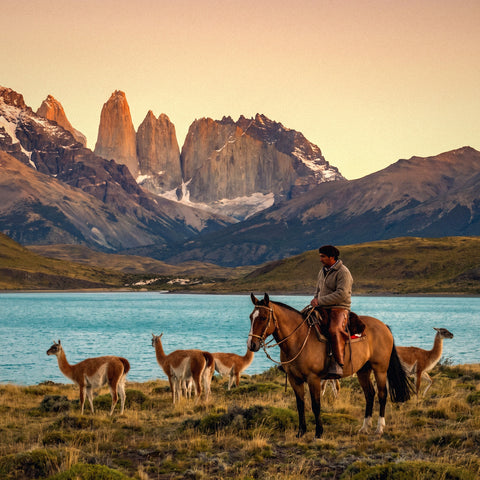
You've already decided to bring data to Chile and the only thing left is to figure out how many GB to buy for Chile without overshooting or running short. I'll keep it short: Chile is a very long country, you get around by internal flights, and there are entire stretches —the Tatio geysers, the salt flats, the trails of Torres del Paine— where you won't use a single megabyte because there's simply no signal. That brings the number down far more than people expect, while landscape photography and video push it back up. Here's the number, the table by profile, and the nuances that really change the calculation.
The number, first
For 10 days in Chile, 5 GB is more than enough for most people. If you upload photos and videos daily, count on 10 GB; if you work from your phone or share your connection, 20 GB. Chile helps: Spanish is spoken, there's Wi-Fi in almost all accommodations, and you'll spend whole days without coverage in Atacama and Patagonia.
That's the answer and I'm not going to stretch it out. What I see over and over is people buying 20 GB for a two-week trip from Santiago to Torres del Paine and coming home having used six. They pay for data that never gets touched, and on top of that the inflated number doesn't buy peace of mind, it buys a bill.
The reasoning is simple. On a typical trip through Chile, your phone is used for maps, messages, finding somewhere to eat, ordering a car in Santiago, checking the status of an internal flight, and sending photos home. All of that, added up, comes to around 300-500 MB per day. Over ten days, that's 3-5 GB. The rest —social media, video, music streaming, backups— is optional and is exactly where usage spikes if you don't keep it in check.
If you want the general framework for calculating data for any destination, it's covered in the main guide on how much data I need for travel. Here I'm focusing on what makes Chile different, and that's a lot.
Why Chile changes the number
Chile stretches more than 4,300 kilometers from north to south. That's not a geographic curiosity: it defines your usage. A two-week trip usually chains together three or four very different zones (Santiago, Atacama, Lakes or Patagonia) connected by internal flights of 2-4 hours. And in the air, you don't use data.
There are four things that push the number down:
- Spanish is spoken. You don't need the camera translator running all day like in Japan or Thailand, and that's hundreds of megabytes you don't spend. It's probably the biggest saving compared to Asian destinations.
- Decent Wi-Fi in accommodations. Hotels, hostels, and city cabins usually have decent Wi-Fi. Lodges in Atacama and Patagonia, on the other hand, have slow Wi-Fi and sometimes limited by the hour.
- Hours without coverage. Whole excursions to Tatio, Valle de la Luna, the highland salt flats, or the W trek: your phone stays in your pocket with no network. Zero usage.
- Long stretches of travel. Night buses and internal flights are hours with your phone off or in airplane mode.
And two that push it up: Chile is a landscape destination and people take a huge number of photos, so uploading photos and videos weighs in; and if you're traveling as a couple or with family, it's normal for one phone to end up sharing its connection with everyone else. If you're still unsure which type of connection suits you, I compare them all in internet in Chile.
What each thing actually uses
Before you pick a plan, it helps to have the numbers straight in your head, because almost everyone gets the same thing wrong: they think maps use a lot (they use very little) and that photos use little (they use quite a bit). These are approximate average consumption figures, measured under normal mobile-use conditions.
| Activity | Approximate usage | In perspective |
|---|---|---|
| Maps with navigation (normal view) | 5-10 MB per hour | 1 GB gives you ~100 hours of navigating |
| Maps in satellite view | 120-150 MB per hour | 15x more expensive: avoid it |
| WhatsApp text and voice notes only | 1-3 MB per day | Practically free |
| WhatsApp voice call | 30-60 MB per hour | Half an hour a day = ~450 MB in 15 days |
| Video call | 300-700 MB per hour | The biggest daily drain |
| Social media, scrolling (Instagram, TikTok) | 400-800 MB per hour | Half an hour a day already means 3-6 GB in 15 days |
| Uploading a photo from your phone | 3-5 MB | 20 photos ≈ 60-100 MB |
| Uploading a 1-minute video at 1080p | 60-130 MB | Watch out for those Torres del Paine reels |
| Music streaming (normal quality) | 40-70 MB per hour | One night bus with music = ~500 MB |
| Video streaming at 480p | 250-350 MB per hour | Good enough quality on a phone screen |
| Video streaming at 1080p | 1.5-2 GB per hour | One movie eats half a plan |
| Browsing, email, ride-hailing apps | 20-50 MB per hour | Uber, Cabify or DiDi: ~5 MB per trip |
| Automatic gallery backup | 1-3 GB per week | The silent killer. Turn it off |
If you want the full breakdown for each category, with per-app details, I have it in the mobile data usage statistics by activity. What I want you to take away from this is the proportion: navigating the map is noise, video is the whole budget.
How many GB based on your profile and your days
This is the table that really matters. Pick your row, look at the column for your trip length, and you have your answer. The figures are calculated for Chile, accounting for the hours without coverage you'll have and the fact that you'll have Wi-Fi at your accommodation most nights.
| Profile | 5 days | 10 days | 15 days | 30 days |
|---|---|---|---|---|
| Maps & WhatsApp traveler | 3 GB | 5 GB | 8 GB | 15 GB |
| Photos & social (uploads daily) | 5 GB | 10 GB | 15 GB | 25 GB |
| Digital nomad / remote work | 10 GB | 20 GB | 30 GB | 50 GB |
| Family sharing (2-4 phones) | 10 GB | 20 GB | 30 GB | 50 GB |
A couple of honest clarifications about the table. The Maps & WhatsApp traveler row is the one most people fit without realizing it: if your usage is navigating, sending voice notes, looking up restaurants, and checking email, 5 GB over ten days will be more than enough. The Photos & social row assumes you upload 20-40 photos a day and a short video, not that you spend two hours a day on TikTok; if that's your case, add 50%.
The digital nomad row assumes short video calls, email, the occasional meeting, and tethering to your laptop for a while each day. Here, the margin is money well spent, because running out of data in the middle of a work call costs more than the gigabytes. And in the family row, careful: if you're all going to use the same phone as a hotspot, count everyone's usage, not just yours.
Santiago and Valparaíso: this is where almost all your data goes
It may sound counterintuitive in a country where the beauty is in the desert and the south, but most of your data will be used in the cities. Santiago and the Valparaíso-Viña del Mar corridor have solid 4G and 5G across much of the metro area, so that's where your phone works at full speed and where you, consequently, use it at full speed.
In Santiago you'll be using:
- Ride-hailing apps: Uber, Cabify or DiDi work well and use very little data (about 5 MB per trip), but your phone is on and you're looking at the screen the whole time.
- Metro and Red Movilidad: checking routes and times is pure text, just a few megabytes.
- Finding somewhere to eat: maps, reviews and photos of places. Half an hour of this a day adds up to 50-100 MB easily.
- Posting to social media: the hills of Valparaíso with their murals are some of the most photographed things on the trip. This is where the data bill climbs.
My practical advice: make the most of Santiago and Valparaíso, which usually come at the start of your itinerary, to download everything you'll need later over the hotel Wi-Fi. Offline maps of San Pedro and Torres del Paine, your road trip music, podcasts for the internal flights and shows for the night bus. Half an hour of prep on the accommodation Wi-Fi is worth more than five gigs of data, and it saves you the classic scene of trying to download a 200 MB map with the weak signal from a desert lodge.
Atacama: coverage in town, nothing on excursions
Atacama is the perfect example of why generic figures fail. San Pedro de Atacama has decent 4G coverage inside the town, with the caveat that it gets congested at peak times (mid-afternoon, when all the tours come back at once). Outside town, things change dramatically depending on where you go.
| Area | Typical coverage | What it means for your GB |
|---|---|---|
| Santiago, Valparaíso, Viña | Solid 4G/5G | This is where you use most of your plan |
| Mid-size cities (La Serena, Concepción, Puerto Montt) | Stable 4G | Normal usage, no surprises |
| San Pedro de Atacama (town) | Decent 4G, congested at peak times | Upload photos when you get back from the tour, not live |
| El Tatio geysers, salt flats, and highland lagoons | Intermittent or none | Zero usage for 6-10 hours straight |
| Valley of the Moon, Valley of Death | Weak, patchy | Almost no usage |
| Puerto Natales and Punta Arenas | Reliable 4G | Good spot to recharge and upload photos |
| Torres del Paine (park entrance and main refugios) | Sporadic and slow | Messages yes, uploading video no |
| W and O circuit trails | No signal | Full days at zero |
| Carretera Austral and rural areas | Long stretches without coverage | Download everything in advance |
| Easter Island (Hanga Roa) | Limited and slow, easily congested | Don't count on it for work |
The practical takeaway for Atacama is good news: a full day trip to El Tatio leaving at four in the morning will cost you close to 0 MB until you get back. What you use is on your return, when you upload the 80 photos from the day. That's why a lot of people find that a smaller plan than they had calculated on paper works fine. If you want to set up your connection in advance, I cover the technical side in the eSIM for Chile guide.
Patagonia and Torres del Paine: days with no signal
I'll be very clear about this because I think it's the most important part of the article: there is no coverage on the Torres del Paine trails. Not with the best Chilean network, not with the best international connection, not by paying more. It's not a problem with your data plan; there are simply no cell towers.
What you will have:
- Puerto Natales and Punta Arenas: reliable 4G. Everything works normally here.
- Park entrance and main refugios (like Paine Grande or the busiest sectors): occasional signal, slow and very variable depending on the day and weather. Enough to send an "I'm okay" message, not enough to upload a video.
- W Trek (4-5 days) and O Trek (7-9 days): assume zero coverage for the entire hike. Some refugios sell paid Wi-Fi, slow and by the hour.
If you're doing the W Trek, let people at home know before you enter the park that you'll be offline for several days. It'll save your mom from calling the consulate.
For your gigabyte calculation, this means something very concrete: a five-day trek is five days of zero data consumption. If your 15-day trip includes the W Trek, you'll effectively only use data for 10 days. Drop down one row in the profile table, or stick with the lower figure in your range.
What I do recommend doing before you go in: download offline maps of the area (Google Maps and a hiking app like Maps.me or similar), take screenshots of your refugio reservations, and save the catamaran and bus schedules on your phone. All of that takes up less than 300 MB and can easily be downloaded from the Wi-Fi in Puerto Natales.
Easter Island: a chapter of its own
Rapa Nui deserves its own paragraph because it doesn't behave like the rest of Chile. It's 3,700 kilometers from the mainland, and its connectivity depends on satellite infrastructure and a handful of cell towers, with the added complication that there are areas of ancestral heritage where towers can't be installed. The result: limited mobile coverage, slow speeds, and congestion during peak hours.
What to expect in practice:
- In Hanga Roa, the town, you'll have signal for messaging, maps, and basic navigation. It works, but it's not fast.
- Outside of town, driving around the island between moai, the signal is spotty. Don't count on it.
- Accommodation Wi-Fi is usually slow and shared. It's not the place for work video calls or uploading a full photo album in high quality.
My advice is to treat Easter Island for what it is: a three- or four-day break where you'll use very little data, whether you want to or not. Don't inflate your plan for going there; on the contrary, it's one of the few places where the coverage will force you to save data even if you're not trying to.
It's a good idea to arrive with your homework done: an offline map of the island downloaded from Santiago, your Rapa Nui National Park tickets saved on your phone (you buy them online and they'll ask for them), and your accommodation and return flight reservations saved as images. And if you have any pending work, take care of it before you get on the plane. Waiting to sort it out from the island is a bet you'll often lose.
Photos and video: the silent data drain
Chile is a landscape destination, and that comes with a data cost that almost nobody calculates properly. Between the Valley of the Moon, the highland lagoons, the hills of Valparaíso, the glaciers and the horns of Paine, people come back with 2,000 or 3,000 photos from a two-week trip. The problem isn't taking them — it's what your phone does with them afterward.
Two separate costs worth breaking down:
- What you upload on purpose: photos to WhatsApp, stories, reels. One photo is 3-5 MB, a one-minute 1080p video is between 60 and 130 MB. Twenty photos and one reel a day adds up to about 200 MB daily, or 3 GB over fifteen days.
- What your phone uploads by itself: the automatic gallery backup to Google Photos or iCloud. This can easily run 1-3 GB per week and is the number one reason people run out of data without understanding why.
The fix takes thirty seconds and you should do it before you leave home: go into your Google Photos or iCloud settings and set backups to Wi-Fi only. That's it. Your photos will upload overnight from the hotel and won't touch a single megabyte of your plan.
And a quality note: if you're sending lots of photos through WhatsApp, the app compresses them automatically, so don't worry about those. What eats data is video. Drop your recording resolution to 1080p if you have it set to 4K and you'll notice the difference in both data and free phone space.
How to know what you actually use before you go
All the tables in the world are worth less than your own real data. And you have it right there, for free, on the phone you're carrying. This is the method I use and recommend to everyone before buying a data plan.
On Android: Settings → Network & Internet → SIM or Data usage → you'll see your current month's usage and previous months, broken down by app. On iPhone: Settings → Cellular, then scroll down to the current period total (the iPhone doesn't reset on its own, so check the last reset date at the bottom of the screen).
With that number, do the math in two steps:
- Divide by 30 to get your average daily usage at home.
- Multiply by your travel days and subtract between 30% and 50%, because in Chile you'll be spending more hours out of coverage, more hours hiking, and more hours on domestic flights than in your normal routine.
Real example: if you use 8 GB per month at home, that's 270 MB per day. For 12 days in Chile that gives you 3.2 GB, and applying the offline discount you land around 2-2.5 GB. With 5 GB you'd have more than enough. Your own number is worth more than any generic recommendation, including mine. And if you're coming from an unlimited plan and have no reference point, start with your profile row in the table and top up if needed. By the way, if this is your first time buying data like this, here's what an eSIM is in case you want to understand how it works before deciding.
Stretching your data, running out, and crossing into Argentina
Three practical things to wrap up. First: how to stretch what you buy. With these four tweaks, a 5 GB package performs like an 8 GB one:
- Download offline maps of Santiago, San Pedro, Puerto Natales and Torres del Paine, and always use the normal view, never satellite.
- Backups over Wi-Fi only (the point I mentioned earlier).
- Turn off auto-play video on Instagram, TikTok, X and Facebook. That's where your package disappears without you deciding it.
- Turn on data saver mode on your system and in apps that have it, plus stream music and video at low quality.
You'll find more tips, with step-by-step instructions for each setting, in how to save data while traveling.
I'd much rather you buy 5 GB and top up mid-trip than buy 20 GB and come back with 14 unused. Running out is fixed in two minutes from your phone; overpaying is never fixed.
Second: what happens if you run out of GB. It's not a big deal. Your data connection cuts off, and from any Wi-Fi — the hotel, a café, the airport — you top up and carry on. That's why it makes total sense to buy tight and top up instead of paying upfront for a buffer you'll probably never touch.
Third, very relevant for this destination: if you cross into Argentina. Many itineraries combine Torres del Paine with El Calafate or El Chaltén, or Atacama with Salta. When you cross the border, your phone jumps to an Argentine network, and a package bought only for Chile stops working. If your route covers both countries, look at a regional plan that covers both instead of buying two separate ones.
Frequently asked questions
How many GB do I need for 10 days in Chile?
5 GB is enough for most people. If you upload photos and videos daily, go for 10 GB. If you work from your phone or share the connection with other devices, 20 GB. A ten-day Santiago-Atacama route with maps, WhatsApp and some social media rarely uses more than 4 GB in practice.
Will 3 GB work for Chile?
Yes, for a short trip of up to 5 or 6 days with normal use. Maps, messaging, finding restaurants and sending photos via WhatsApp fit easily in 3 GB. It won't work if you plan long video calls, stream video or share the connection with a laptop.
Do I use data in Torres del Paine if there's no coverage?
No: no signal means no usage. Days trekking the W or O circuit are literally zero-data days. That's why it makes sense to subtract those days from your calculation. Download maps and reservations before entering the park, because you won't be able to download them inside.
Do I need data on Easter Island?
Very little, and don't count on speed. Coverage in Hanga Roa is fine for messaging and basic maps; outside town it's patchy, and accommodation Wi-Fi is usually slow. Arrive with offline maps and park tickets already downloaded, and you'll get by with a few hundred megabytes a day.
Can I share data with another phone?
Yes, by turning on the hotspot or sharing internet. But it counts everyone's usage, not just yours: two people sharing a package use roughly twice as much. If you're traveling as a couple, either double the gigabytes on your profile or get one each.
What if I run out of GB mid-trip?
Your data connection cuts off and you top up from any Wi-Fi. It takes a couple of minutes and you're back to normal. That's exactly why I recommend buying tight: running out has an immediate fix, overpaying doesn't.
Will the same plan work if I cross into Argentina?
Only if your plan covers both countries. When you cross the border toward El Calafate, El Chaltén or Salta, your phone latches onto an Argentine network and a package bought only for Chile stops working. For combined routes, a Southern Cone regional plan works out better than two separate ones.
Do check-in and domestic flights use data?
Very little: between 5 and 20 MB per action. Checking in with LATAM, SKY or JetSMART, downloading your boarding pass and checking flight status is mostly text and a few images. Save the passes to your phone's wallet and you won't depend on having signal at the airport.
Conclusion
To sum it up bluntly: for a standard 10-day trip to Chile, 5 GB is the sweet spot for most people. Go up to 10 GB if you upload photos and videos every day, and 20 GB if you work from your phone or several people will share the connection. For 15 days with trekking in Torres del Paine included, stick with 8 GB: those trail days use nothing.
And if you're torn between two sizes, pick the smaller one. Chile will gift you hours of disconnection in the desert and Patagonia, and it's much easier to top up than to get your money back for gigabytes you never used. Once you've decided, the eSIM for Chile activates in minutes and you can have it ready before you leave home.