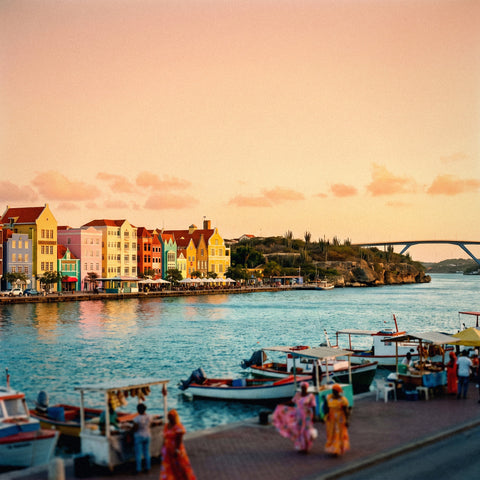
If you've made it this far, it's because you've already decided to bring data to the island and just need to figure out the package size: how many GB do I need for Curaçao without running out or overpaying. I'll give you the number in the first section, the table by profile and duration right after, and then the specific characteristics of this Dutch Caribbean island that push the number up or down.
The short answer: the GB you need for Curaçao
For 10 days in Curaçao, most people will have enough with 3 GB: maps, WhatsApp, a bit of social media, and decent hotel Wi-Fi. If you dive and upload underwater video every day, plan for 8-10 GB. If you work remotely from the island, 15 GB.
That's the range that covers nine out of ten travelers who write to me. And yes, I'm aware that saying "3 GB will be plenty" isn't the most sales-y phrase, but it's the truth for a beach, diving, and Willemstad trip where you sleep somewhere with Wi-Fi.
The three factors that move the number are always the same, and in Curaçao they weigh as follows:
- How much video you consume or upload. This accounts for 80% of the difference between spending 2 GB and spending 15 GB on the same trip.
- How much Wi-Fi you'll have. On the island, accommodation with Wi-Fi is the norm, not the exception, so couch time doesn't count against your package.
- How many people are sharing. If you're the one activating the hotspot for the family, multiply.
The rest—maps, messaging, looking for a place to eat, your return flight ticket—is pocket change in data terms. If you want the general framework before delving into the island's specifics, you can find it in the guide on how much data I need for travel; here I'll go straight to the specific case of Curaçao, which has two or three things you won't find on a European trip.
Warning: Curaçao is not in the EU (even if it's Dutch)
This is the most expensive confusion, and I want to clear it up before the tables. Curaçao is an autonomous country within the Kingdom of the Netherlands, with a Dutch flag at the airport and everything, but it is not part of the European Union: it's an overseas territory. European roaming regulations—the ones that let you use your home data in Lisbon or Berlin—do not apply here.
Practical translation: your Spanish plan doesn't cover Curaçao. If you land with mobile data open and without having contracted anything, you enter your operator's expensive international zone, where you are billed per megabyte and where a WhatsApp video can cost more than a day's car rental. I've heard stories of three-figure bills for a weekend, always for the same reason: assuming that "if it's from Holland, it's included."
The same applies to neighboring islands: Aruba and Bonaire have the same link with the Netherlands and are also not included in European rates. And beware if you arrive by cruise ship: on the high seas, your phone connects to the ship's antenna, which is the most expensive connection there is.
Golden rule for the Dutch Caribbean: Dutch flag does not mean European rates. Always check the zone before taking off.
How to connect there without surprises—options, prices, and what to do upon landing—I explain in the guide to internet in Curaçao. Here we continue with our topic: package size.
How much each activity actually consumes
Before choosing GBs, it's good to know how much each thing weighs. These are normal usage figures, with the quality that comes standard on the phone; if you force high definition, everything goes up by 50% to 100%.
| Activity | Approximate consumption | What it means for a trip |
|---|---|---|
| Maps and navigation (Google Maps) | 5-10 MB per hour | Almost free: 2 hours of driving a day is ~20 MB |
| WhatsApp: text, audio, and photos | 10-30 MB per day | A whole day of chatty family fits in 30 MB |
| WhatsApp video call | ~440 MB per hour | Showing the beach live costs more than a full day of maps |
| Work video call (Zoom, Meet, Teams) | 600-1,200 MB per hour | The biggest expense for remote workers |
| Social media (feed and reels scrolling) | 500-800 MB per hour | Half an hour on the sun lounger = ~350 MB |
| Uploading photos to the cloud | 3-5 MB per photo | 50 photos from the day ≈ 200 MB |
| Streaming music | 70-150 MB per hour | The soundtrack for the drive to Westpunt: ~100 MB |
| Streaming video (YouTube, Netflix) | 0.5-1.5 GB per hour | What to avoid outside of Wi-Fi |
| Browsing and email | 40-60 MB per hour | Searching for a restaurant, checking times, check-in |
The takeaway is simple: anything that isn't video is background noise on your meter. If you eliminate streaming and long video calls outside of Wi-Fi, it's mathematically difficult to exceed 300 MB per day. You can find a more detailed breakdown, app by app, in the mobile data usage statistics by activity.
Master table: GB by profile and duration
This is the table I'm here to give you. Find your profile on the left, cross-reference it with your trip duration, and you have your number. This is calculated assuming you sleep somewhere with Wi-Fi and that large backups are done there.
| Traveler profile | 5 days | 10 days | 15 days | 30 days |
|---|---|---|---|---|
| Maps and WhatsApp (classic tourist) | 1 GB | 3 GB | 5 GB | 8 GB |
| Daily photos and social media | 3 GB | 5 GB | 8 GB | 15 GB |
| Diving and snorkeling with uploaded underwater video | 5 GB | 10 GB | 15 GB | 25 GB |
| Digital nomad or remote work | 8 GB | 15 GB | 20 GB | 40 GB |
| Family sharing a hotspot | 6 GB | 10 GB | 18 GB | 30 GB |
Since a typical trip to Curaçao lasts between 7 and 10 days—what transatlantic flights allow for—the 10-day column is what almost everyone will consult. Two honest nuances about it:
- If two of you are traveling and each has their own line, do not add them up: each phone has its own life, and each person follows their own row.
- If there are five of you and you're sharing data with everyone, look at the family row and add a margin: the phone sharing always pays for the party.
If you're outside the box—a week of morning diving and afternoon video calls—choose the more expensive row of the two that describe you. The price difference between 5 and 10 GB is small; the difference between running out of data on Tugboat day and not running out is not.
What makes Curaçao consume less than you fear
Each destination has its own consumption physics. Curaçao, fortunately, works in your favor in almost everything:
- Widespread accommodation Wi-Fi. Hotels, apart-hotels, and apartments usually include it, and in downtown Willemstad there are open networks and cafes with connections. Rest hours don't use up your package.
- You don't need the camera translator all the time. Papiamento and Dutch are spoken here, but English is everywhere, and Spanish is commonly understood due to its proximity to Venezuela. This saves you from having a translation app running constantly, which in Asia can be a data drain.
- The island is small. About 60 km from end to end: journeys are short, and navigation barely counts.
- Many hours without a phone. Between dives, snorkeling, and beach hours, the phone spends the day in a dry bag. No data consumption then.
- Outside the hurricane belt. The season is long and stable, so there are fewer days stuck in the hotel watching series with data.
Regarding coverage, there's no drama either: the island's two operators, Flow and Digicel, provide 4G with good coverage in Willemstad and tourist areas, and Flow usually performs better as you move west, towards Westpunt and the Knip beaches. There is no commercial 5G in Curaçao today, and that, curiously, also helps the counter rise slowly: without absurd speeds, the phone doesn't automatically pre-load video in maximum quality. If you want details on how the local connection works, you can find it in the Curaçao eSIM guide.
Diving, snorkeling, and underwater video: the big data guzzler
And now for what really drives up the number. Curaçao is a shore diving destination—Kenepa Beach, Playa Piskadó, the Tugboat wreck in Caracas Bay—and that means underwater cameras, phones in cases, and many minutes of recording. Video doesn't consume data while you're recording it; it consumes when you upload it. And it weighs much more than people imagine:
| What you upload | Approximate weight | Equivalent to |
|---|---|---|
| 1 minute of 1080p video at 30 fps | ~65 MB | Like 20 photos |
| 1 minute of 4K video at 30 fps | ~190 MB | Half an hour of social media |
| 1 minute of 4K video at 60 fps | ~440 MB | Almost half a gigabyte per minute |
| A 15-second story | 15-40 MB | Cheap if it's occasional |
| Automatic camera roll backup for a day of diving | 1-3 GB | The silent killer |
That last point is important. If you have automatic backup enabled with mobile data, a day of diving with twenty 4K clips will drain 2 or 3 GB without you even touching your phone. It is, by far, the number one cause of "I ran out of gigabytes and I don't know why."
The solution isn't to stop recording; it's to control when that material leaves your phone: set backups to Wi-Fi only, upload at the end of the day from your accommodation, and save mobile data for what you really want to send immediately. If you're going to share the dive with your WhatsApp group the same day, trim the clip to 20-30 seconds before sending it: each full 4K upload is a real bite out of your package.
Rental car and maps: much less than you think
In Curaçao, a rental car is almost mandatory: the best beaches are spread across the northwest, and public transport is not designed for tourists. Many people assume that having the map open all day will eat up their package, but it's exactly the opposite.
Real-time navigation consumes about 5 to 10 MB per hour. Ten days of driving two hours daily is about 200 MB in total: less than what you spend on a single long video call. The map downloads in chunks and then reuses what it already has in memory; what really consumes data is the "social" part of the map—restaurant photos, reviews, street views from the car—and that's controlled by simply not touching the screen at every traffic light.
Even so, there's a better reason than saving money to have offline downloaded maps: the north coast and some sections of Christoffelpark have irregular coverage, and an offline map still works even if you lose signal. Downloading the entire island takes up little space—we're talking about a few tens of megabytes—and you can do it from home, with your Wi-Fi, before you leave.
- Download the map of the entire island, not just Willemstad.
- Save beaches and your rental location as favorites before flying.
- Take a screenshot of your accommodation address: it's the never-fail backup plan.
- If you use the car rental app or parking app, open them first on the hotel Wi-Fi.
Calculate your actual consumption before flying
All of the above are averages. Your exact number is already in your pocket, free, and takes two minutes to find.
On Android: Settings → Network & Internet → SIM or Data usage, and check the consumption for the last full month. On iPhone: Settings → Mobile Data, with app-by-app details (it's advisable to reset statistics on the 1st of a month for a clean figure, because by default they accumulate forever).
Now for the calculation, which has a trick:
- Take your monthly consumption and divide it by 30. That's your daily home usage.
- Multiply it by 0.6. At home, you use mobile data at work and out and about all day; when traveling, you spend many hours on hotel Wi-Fi, at the beach without looking at your phone, or sleeping.
- Multiply by the number of travel days and add a 20% margin.
Real example: if you use 6 GB per month, that's 200 MB per day; multiplied by 0.6 is 120 MB; for 10 days, 1.2 GB; with margin, 1.5 GB. That profile doesn't need a 20 GB package, no matter how much they offer it.
A note: if you have an unlimited plan at home, your figure is likely inflated because you watch video without thinking. In that case, only look at the apps you'll use outdoors and disregard streaming, which you'll do on Wi-Fi in Curaçao.
How to stretch your data on the island
With four adjustments made before leaving home, the same trip can cost you half the gigabytes. None of them require you to give up anything important.
| Adjustment | Where to change it | Estimated savings in 10 days |
|---|---|---|
| Backups and cloud only on Wi-Fi | Google Photos / iCloud / OneDrive | 1-3 GB |
| Disable auto-play video | Instagram, TikTok, Facebook, X | 500 MB - 1.5 GB |
| WhatsApp auto-download only on Wi-Fi | WhatsApp → Storage and data | 300-800 MB |
| System data saver mode | Phone settings | 10-20% of total |
| Music and series downloaded before flying | Spotify, Netflix, YouTube | 1-2 GB |
| Offline island maps | Google Maps or Maps.me | 100-200 MB |
Add two very Curaçaoan customs to that. First: on the cruise ship or during the crossing to Klein Curaçao, deactivate mobile data while you are away from the coast, because your phone may connect to a maritime antenna that is billed separately and at a premium price. Second: take advantage of meal stops. Between Willemstad and the western beaches, there are bars with Wi-Fi where, while you wait for your fish, your day's photos will upload without using up any data.
And don't adjust call quality if you don't need to: talking on WhatsApp audio costs little more than 1 MB per minute. Images are always expensive. I have a longer list of tricks, with details for each setting, in the guide to saving data when traveling.
If you run short: topping up is better than overspending
I'll tell you clearly because it's what I do: it's better to buy a moderate package and top up if needed than to buy too much just in case. Unused gigabytes don't carry over, and in most travel packages, they expire with the validity date.
Running out of data in Curaçao is not a drama: you don't become incommunicado; you simply stop browsing until you top up. With the accommodation's Wi-Fi, or that of any café in Punda, you can buy more data in a couple of minutes and continue. The advantage of this technology is precisely that: the package can be extended from your phone, without going to a store, without changing anything physical, and without depending on anyone's schedule. If you've never used one, I explain it from scratch in what an eSIM is.
Signs that you're going to run short, so you don't find out on the last day:
- You've used more than a third of the package in the first two days.
- You see that backups have uploaded without you wanting them to.
- You had an unexpected one-hour work video call.
Set a consumption alert at 50% and another at 80% —Android and iPhone allow this in two taps— and check the counter on the third day. With 72 hours of usage, you'll know your real pace and can make data-driven decisions, not gut feelings. If you have plenty, enjoy; if not, top up for the cost of a cocktail on the Rif Fort terrace.
Frequently asked questions
How many GB do I need for 7 days in Curaçao?
2-3 GB is plenty for a normal week-long trip, with maps, WhatsApp, moderate social media use, and Wi-Fi at your accommodation. If you record and upload underwater video daily, go up to 6-8 GB. If you work from there, count 10-12 GB for video calls.
Does my Spanish plan work in Curaçao because it's part of the Netherlands?
No. Curaçao is an autonomous country within the Kingdom of the Netherlands, but it is outside the European Union, so European roaming regulations do not apply. Your operator bills it as an international zone, with per-megabyte pricing. The same applies to Aruba and Bonaire.
Is there good coverage on the western beaches, like Kenepa?
Yes, with caveats. The island has well-distributed 4G, and the signal holds up on the most visited beaches, though it can be weaker in areas of the northwest and Christoffelpark. There is no commercial 5G. Download maps in advance, and you won't rely on coverage to get back to the hotel.
How much data does uploading a diving video consume?
One minute in 4K at 30 fps weighs about 190 MB; in 1080p, it drops to about 65 MB. Ten one-minute clips in 4K are almost 2 GB. That's why it's advisable to upload from your accommodation's Wi-Fi and only send short fragments via messaging.
Do I need data if I arrive on a cruise and only spend one day?
500 MB or 1 GB is more than enough for an 8-10 hour stopover: maps for getting around Willemstad, messaging, and a few photos. The important thing is to deactivate data at sea, where your phone connects to the ship's network and is billed separately.
Is it better to buy a lot of gigabytes at once or to top up as needed?
To buy moderately and top up. Unused gigabytes expire and are not recovered, while extending the package can be done in two minutes from your phone with any Wi-Fi. Buy according to the profile table and review your consumption on the third day of your trip.
Can I share my data with my partner's phone?
Yes, by activating the personal hotspot, which is common for families. Keep in mind that the phone sharing the data bears all the group's consumption: use the "sharing family" row in the table and add extra margin if there are teenagers using social media.
Is hotel Wi-Fi in Curaçao reliable?
It's adequate for basic tasks: messaging, email, uploading photos, and watching series at night. For important work video calls or large uploads, it might be insufficient depending on the accommodation and time, so don't plan your entire workday around it.
Conclusion
In short, for a typical trip of 7 to 10 days in Curaçao, with beach, shore diving, a rental car, and nights in Willemstad, 3 GB covers most people; 8-10 GB if you're uploading underwater video every day; 15 GB if you're teleworking. And remember what's most expensive on this island: thinking that your European plan extends here, because it doesn't.
Calculate your usage from last month, activate backups only over Wi-Fi, download island maps before flying, and stick to the number you need without inflating it. If you run short later, you can top up in two minutes. Here are the packages for Curaçao: choose the gigabytes from the table, activate it before leaving home, and land with internet working right from the plane door.