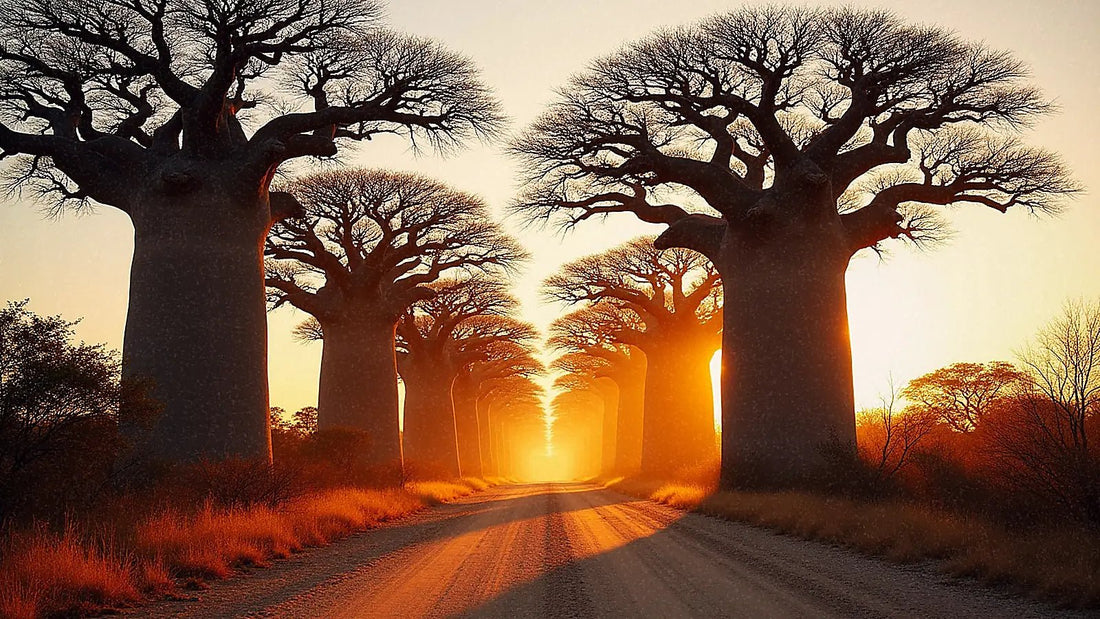
If you're packing for Madagascar and wondering how many GB you'll need, let me tell you something almost no one does: you'll use less data here than you think. Not because the country has cheap rates, but because a large part of your trip will be spent on a dirt road, inside a national park, or in a valley where there's no cell tower to be found. This article focuses solely on the numbers: how many gigabytes to buy based on your profile and the number of days you'll be staying. If you want to understand how to connect, you can find detailed information in internet in Madagascar.
The quick answer: how many GB for Madagascar
For a 10-day tour of Madagascar, most people will find 3 GB to be more than enough. You'll spend many hours without coverage on the road and inside parks, so you'll use less than on an urban trip. If you're going to Nosy Be for remote work, upgrade to 10 GB.
I'll give you the rest of the figures right away, so you don't have to scroll to the end. For a 5-day getaway, 1 or 2 GB will suffice. For the classic 15-day RN7 circuit with parks, 3 to 5 GB. For a month of slow travel, 5 to 10 GB. And if you're sharing your connection with your partner or children, add approximately 50% to those figures, not double: the second phone always consumes less than the first because many things are done only once.
These numbers assume normal traveler usage: maps, messaging, uploading a few photos, checking email, looking up internal flight schedules. They do not assume watching series in the 4x4 or live streaming from the Avenue of the Baobabs. If your instinct tells you to buy 20 GB just in case, don't bother: in Madagascar, the limiting factor won't be your gigabytes, it will be the coverage. It's smarter to start small and top up if necessary, and in the following sections, I'll explain why with concrete numbers.
Why Madagascar changes the number
The number of gigabytes for a destination doesn't depend on the country in the abstract; it depends on how many hours a day your phone will actually be connected. And Madagascar is an extreme case. The country's three operators (Orange, Telma/Yas, and Airtel) concentrate their 4G in Antananarivo, regional capitals, and some sections of major routes. Outside of that, the network drops to 3G or even 2G, and in many sections, there's nothing at all.
Add to that the geography of the journey. Here, travel times are genuinely long: Antananarivo to Morondava by road takes about 18 hours, and from Morondava to Bekopaka, the gateway to the Tsingy de Bemaraha, another 8 to 10 hours of dirt track. These are entire days when your phone consumes practically nothing because it has no one to communicate with. A long transfer day is a day of almost zero consumption, and on a typical circuit, you'll have several.
And then there are the parks. In Isalo, the signal disappears inside the canyons. In Andasibe, there's some in the village, but not in the jungle. In the Tsingy de Bemaraha, and generally more than a few kilometers from the RN35, it's sensible to assume you're disconnected. Good news for your data budget, bad news if you were counting on uploading photos every night. That's why here, 3 GB goes much further than in Bangkok or Lisbon.
How much each activity you'll do consumes
Before choosing a package, it's worth looking at the real numbers. These are the reference figures I use, and you'll see that the distribution is very uneven: maps and messaging are almost free, and anything involving video or file uploads will devour your package in minutes. You can find a detailed breakdown in mobile data usage statistics by activity.
| Activity | Approximate Consumption | On a trip to Madagascar |
|---|---|---|
| Navigating maps (normal view) | 5-10 MB/hour | Irrelevant if you have maps downloaded |
| Maps with satellite view | 120-150 MB/hour | Avoid it: it's the most common expensive mistake |
| WhatsApp, text and audio messages | 5-15 MB/day | What you'll do every day without thinking |
| WhatsApp video call | ~440 MB/hour | One a week is manageable; daily is not |
| Social media scrolling | 700-800 MB/hour | The real black hole of the trip |
| Upload 30 phone photos | 150-250 MB | Leave auto-upload for Wi-Fi only |
| Upload 1 minute of 4K video | ~350 MB | With lemurs, you'll record much more than a minute |
| Streaming music | 70-150 MB/hour | Download it before flying |
| Video in 480p / in 1080p | 250 MB / ~1 GB per hour | Only if you have decent Wi-Fi |
| Email and browsing | 10-20 MB/day | Practically free |
Notice the difference in scale: an entire day of maps, messages, and email can stay within 30-40 MB, while twenty minutes of reels consume 250 MB. Your consumption in Madagascar isn't determined by the country, but by two or three specific habits of yours.
Recommendation by profile and duration
This is the table you've been looking for. Find the row that best matches you and cross-reference with the number of days you're staying. These figures are designed for a real trip to Madagascar, with its dead hours on the road and parks without signal, not for an urban destination.
| Profile | 5 days | 10 days | 15 days | 30 days |
|---|---|---|---|---|
| Map and WhatsApp tourist | 1 GB | 2 GB | 3 GB | 5 GB |
| Photo and social media user | 2 GB | 3 GB | 5 GB | 10 GB |
| Digital nomad / remote worker | 5 GB | 10 GB | 15 GB | 20-30 GB |
| Family or couple sharing | 3 GB | 5 GB | 8 GB | 15 GB |
An important nuance for the remote work row: Madagascar is not a destination where you can work from anywhere. Buying 15 GB won't give you stable meetings on the Bekopaka track, because there's no network to consume there. That row makes sense if your base is Antananarivo or Nosy Be and excursions are occasional. If your itinerary is a circuit of parks, no amount of gigabytes will fix the lack of coverage: what you need is to notify work, not buy more data.
If you're torn between two rows, go with the lower one and plan a top-up mid-trip. If you want the general criteria I apply to any destination, you can find it in how much data do I need for travel.
Stage by stage: where there's signal and where there isn't
To show you where these figures come from, here's the trip broken down. This table is, in practice, your daily data budget: sum the days of each type and you'll have your almost exact number.
| Stage | Typical Coverage | Estimated Consumption/Day |
|---|---|---|
| Antananarivo | 4G in the center and airport | 100-200 MB |
| RN7: Antsirabe, Fianarantsoa | 3G/4G in towns, intermittent between them | 50-100 MB |
| Ranomafana and Andasibe | Some in the village, none in the jungle | 20-50 MB |
| Isalo | No signal in the canyons | 0-30 MB |
| Morondava and Avenue of Baobabs | 3G/4G in the village | 50-100 MB |
| Track to Bekopaka and Tsingy de Bemaraha | Practically none | almost 0 MB |
| Nosy Be (Hell-Ville, Ambatoloaka) | Reasonable 4G in the tourist area | 200-400 MB |
Do the exercise with your itinerary. A typical two-week circuit with Tana, RN7, Isalo, and a couple of parks rarely exceeds 1.5 GB in reality, even if your instinct tells you to buy five times more. Transfer days are what save your package: you can spend ten hours in a 4x4 and arrive at the hotel having used 10 MB. If your trip is "Tana plus Nosy Be" instead of a circuit, things change: there, you'll have coverage almost all the time, and consumption will be more similar to a normal beach trip.
Lemurs, video, and the great data devourer
Here's the number one reason people run out of data in Madagascar, and it has nothing to do with coverage. It's the camera. You see your first indri in Andasibe, your first sifaka leaping sideways in Berenty, and you record. You record a lot. And if your phone has automatic backup enabled, every time it gets a signal, it starts uploading gigabytes of video without telling you.
The numbers are scary when you put them together: one minute of 4K video is about 350 MB, so three minutes of lemurs is equivalent to an entire 1 GB package. A good day at the park can leave you with ten or fifteen minutes recorded. Multiply that, and you'll see that automatic backup can eat up 5 GB in an afternoon without you consciously doing anything.
The solution takes thirty seconds, and it's the first thing I do when I land in any such destination. Go into your Google Photos or iCloud Photos settings and set backup to "Wi-Fi only." That's it. Your videos stay on your phone, they upload when you reach decent accommodation or when you get home, and your data package survives. That single setting is worth more than any extra gigabyte you buy.
The same applies to WhatsApp: deactivate automatic photo and video download with mobile data. In an active family group, this alone can account for hundreds of megabytes a week that you didn't even know you were spending.
Nosy Be and Antananarivo: where you will spend data
If your trip includes Nosy Be, the calculation changes. The island is a beach destination much more connected than the interior: in Hell-Ville, Ambatoloaka, and the resort corridor, there's reasonable 4G, meaning your phone works as it would at home again. You sit on the terrace, open Instagram, reply to videos, make a video call. That's when consumption is noticeable, and a connected beach day can easily reach 300-400 MB.
Antananarivo is similar, with a curious nuance: the connection is very uneven within the city itself. You can have a hotel with decent fiber in the center and a café a hundred meters away where not even a website loads. In the central and airport areas, 4G works, and urban speeds usually range from 10 to 30 Mbps when things are good, enough for work and video calls.
Translated into data packages: if your plan is a week-long circuit plus a week on the beach in Nosy Be, don't calculate using the circuit average. Calculate low for road and park days, and high for island and capital days. With 5 GB for those two weeks, you'll be comfortable unless you're teleworking. If the trip is only Tana and Nosy Be, then directly plan for 5 to 8 GB for ten days.
Hotel Wi-Fi in Madagascar, no frills
I'm telling you this honestly because I'd rather you know it sooner rather than later: outside of Antananarivo and the Nosy Be resorts, hotel Wi-Fi in Madagascar is slow and unreliable. It exists, yes. Many lodges near Ranomafana, Isalo, or Andasibe advertise it. But in practice, it's usually a connection shared by the entire hotel, often via satellite or a mobile antenna, which is only good enough for sending a message and little else.
What that implies for your gigabytes is important in both directions. On the one hand, you can't count on hotel Wi-Fi to download a large batch of photos or for a work meeting: if you're coming from destinations where hotel Wi-Fi saved you half your data consumption, that won't happen here. On the other hand, you don't have much to download anyway, because you spend park days outdoors.
My practical advice is to treat hotel Wi-Fi as a nice extra, not as part of your plan. Get all the heavy lifting done before leaving home: download maps, music, and series, and have travel documents stored locally. And when you find a genuinely good connection, in Tana or a Nosy Be resort, take advantage to do your backups all at once. That's how 3 GB can last you two weeks without stress.
Calculate your own consumption before flying
All the tables in the world are worth less than your own data. And you have it in your pocket. On Android, go to Settings, Network & internet, and check data usage for the last month. On iPhone, go to Settings, Mobile Data, and scroll down to the breakdown by app (remember to reset statistics occasionally, because otherwise they accumulate for years and the number is useless).
Take your monthly home consumption and divide it by 30. That's your real daily expenditure, based on your habits, not those of a theoretical traveler. Now adjust it for Madagascar with two honest corrections: subtract what you spend on video and music streaming, because neither coverage nor patience will allow for that here, and add a 20% margin for searches, translations, and occasional maps.
An example with numbers. If you use 9 GB per month at home, your average is 300 MB per day. If half of that is video and music that you won't consume here, you're left with 150 MB per day. For 12 days, that's 1.8 GB, and with a margin, you're at 2 or 3 GB. That's your number, and it usually matches the profile table. If it's much higher, check which app is at the top of your ranking: it's almost always a single culprit, and it can almost always be tamed in two taps.
How to stretch data on a road trip
Madagascar rewards those who are prepared, and that includes data. These are the things that really move the needle, in order of impact:
- Offline maps, no exceptions. Download the areas before you leave. For Madagascar, Maps.me and OsmAnd usually have better detail of tracks and trails than Google Maps, so take both. With the map downloaded, GPS works without data.
- Backups only over Wi-Fi, both for photos and your phone's cloud.
- Data Saver mode activated from day one. It's in the system settings and limits what apps do in the background.
- Autoplay video disabled on Instagram, TikTok, X, and Facebook. That's where money goes without you realizing it.
- Music, podcasts, and series downloaded before flying. There are many hours in a 4x4, and you'll be grateful to have something to fill them with.
- Video quality set to 480p if you need to watch something with data at any point.
- Patience with 2G and 3G. In many sections, the network exists but is slow; repeatedly trying to reload a page wastes data without giving you anything.
With these adjustments made, a normal traveler cuts their daily consumption in half without giving up anything important. You have the complete list of tricks, with screenshots and details by operating system, in how to save mobile data while traveling.
In Madagascar, being offline is not a plan failure; it's part of the journey. Buy data for the days you'll be connected, not for the days you'll be looking out the window.
Frequently Asked Questions
How many GB do I need for 15 days in Madagascar?
Between 3 and 5 GB for a classic tour. If your itinerary includes several days of road travel and national parks, 3 GB will be more than enough. If you add a week in Nosy Be with beach and social media, go up to 5 GB for peace of mind.
Is 1 GB enough for a week in Madagascar?
Yes, if your usage is maps and messaging. With downloaded maps and Wi-Fi backups, a week-long tour can easily stay under 1 GB. It won't be enough if you plan to upload lemur videos or make long video calls.
Is there coverage in national parks?
It depends a lot on the park, and generally, it's limited. In Andasibe and Ranomafana, there's some signal in the village but none inside the jungle; in Isalo, it disappears in the canyons; in Bemaraha Tsingy, it's wise to assume there's none. Download your maps and guide's information.
Which operator has the best coverage for traveling?
Orange is usually the most versatile network for a tour. Telma or Yas works very well in the highlands and along the RN7 axis, and Airtel is more focused on urban areas and the east coast. The important thing is that your data plan relies on a network with good national coverage.
Do I need a VPN in Madagascar?
There are no widespread blockages that require you to use one. You can use it for security if you connect to public Wi-Fi, but keep in mind that a VPN adds a small amount of data overhead and further slows down a connection that is already slow outside of cities.
Is it better to buy extra just in case?
No, in Madagascar, it's the opposite. Since you'll spend many hours without a network, buying a large package often results in unused, expired data. Start small and top up if you get close to the limit: you'll spend less and have the same service. Honesty here truly saves you money.
What happens if I run out of data halfway through my trip?
You won't be disconnected: just top up and continue. You can add a new package from your phone in a couple of minutes as long as you have coverage or Wi-Fi handy. That's why it's advisable not to run it down to zero and top up when you have about 200 MB left.
How does this work if I've never used an eSIM?
It activates before you leave home and connects automatically upon landing. There's no need to find a store or change a physical SIM card, which is appreciated in Madagascar because local procedures can take time. I explain it step-by-step in what an eSIM is.
Conclusion
If you force me to give you a single number, I'd say 3 GB for a 10 to 15-day trip to Madagascar. This is the figure with which 80% of travelers doing the classic tour end up with plenty, and I don't mind saying it even though we sell larger packages: I'd rather you come back than sell you data you won't use. Go up to 5 GB if you add Nosy Be, and 10 GB or more only if you plan to work from the island or the capital.
What's important is not the size of the package, but arriving prepared: downloaded maps, Wi-Fi backups, data saving activated, and understanding that here you'll be traveling disconnected a good part of the time. That's not a flaw of the destination; it's one of its best features.
Once you're clear on your number, sort it out before you fly with the PuraSIM eSIM for Madagascar: activate it at home, it connects upon landing in Ivato, and if you run low, you can top up from your phone without searching for a store. And if you prefer to compare tariff and coverage options first, you'll find the details in the Madagascar eSIM guide.