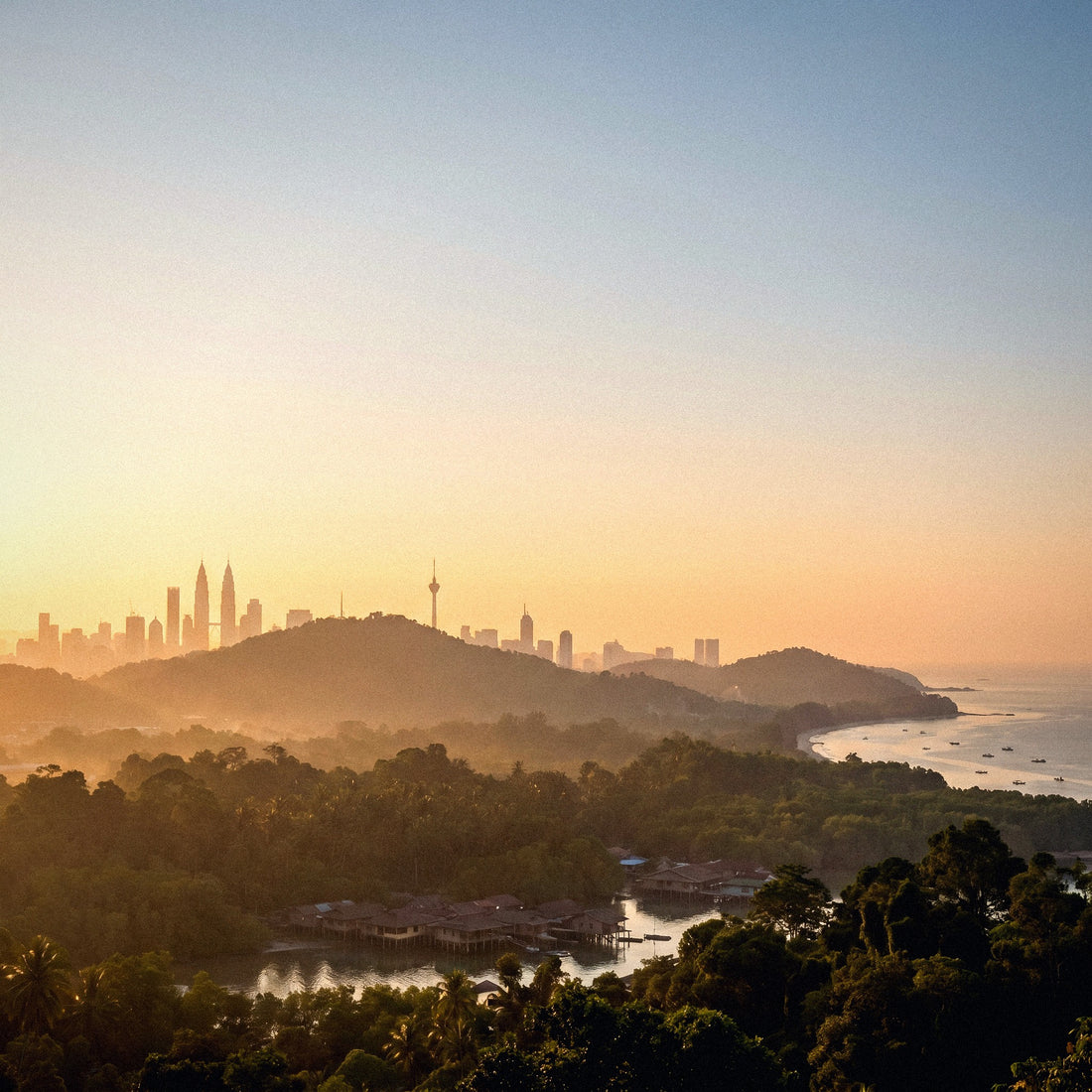
If you've made it this far, it's because your trip is already planned, and you just need to decide how many GB to buy for Malaysia. Let me tell you upfront: Malaysia is one of the destinations in Southeast Asia where you use the least data, not because the coverage is poor, but because city Wi-Fi works well, and a good part of your trip will be spent in places with no signal at all. Here are the numbers by profile and by days, without inflating anything to sell you a bigger package.
The short answer: how many GB for Malaysia
For 10 days in Malaysia, most people will be fine with 3 GB if they use maps, WhatsApp, and some social media, because hotel and mall Wi-Fi is good. If you upload photos and videos daily, plan for 5 GB. Only if you work remotely or share data will you need 10 GB or more.
That's the number I give to nine out of ten people who ask me about Malaysia, and I stand by it. People buy 20 GB packages for two weeks and return home with 15 GB untouched, because they calculate based on how they use their phone in their home country: with Spotify playing all day, video autoplay on the subway, and real-time photo backups. When traveling, the pattern changes. You're walking, eating, sightseeing. The phone comes out of your pocket for the map, to order a Grab, to send a few photos to the family group, and to look for a place to eat dinner.
The mistake isn't running out, it's overbuying and paying for expired gigabytes. If you want the general method for any destination, you can find it in my guide on how much data I need for travel. But Malaysia has three specific characteristics that affect the number—a hyper-connected city, islands with weak coverage, and jungles with no signal—which is why it deserves its own article. Let's get to them.
Why Malaysia lowers the number (and not raises it)
Some destinations force you to spend more than usual: China because you need a VPN on all the time, Japan because you rely on a camera translator. Malaysia is the exact opposite, and it's worth understanding why before choosing a package.
First, the language. In Malaysia, English is everywhere: signs, menus, hotel staff, taxi drivers, transport signage. You won't need to point your phone camera at every restaurant menu, which is one of the things that significantly drives up consumption in other Asian countries. This detail alone easily saves you 100-200 MB per week.
Second, Wi-Fi. Kuala Lumpur is full of huge shopping malls with open Wi-Fi—Pavilion, Suria KLCC, Mid Valley—, KL Sentral has free Wi-Fi, and coffee chains like Starbucks or Old Town White Coffee offer it as standard. Urban hotels, even budget ones, usually have a decent connection. You can do all the heavy lifting (uploading travel videos, updating apps, downloading a series for the bus) there.
And third, dead zones. In the islands and the Borneo jungle, you won't use data because you won't have any signal. A two-week trip with four days in Perhentian and three in Kinabatangan means seven days of almost zero consumption. Nobody takes this into account when buying, and it's what most changes the final calculation.
How much each activity consumes, in numbers
Before deciding on a package, it's good to know what consumes your megabytes. These are the numbers I work with, rounded up so you don't get any surprises. Pay attention to the difference between what seems to consume little and what actually consumes a lot: maps are cheap, video is very expensive.
| Activity | Approximate Consumption | Typical Usage in Malaysia |
|---|---|---|
| Google Maps navigation | 3-5 MB/hour (7-10 with live traffic) | 20-30 MB/day |
| WhatsApp text and audio | 1-2 MB/hour of chat; ~0.3 MB per minute of audio | 10-20 MB/day |
| Ordering a Grab (car or food) | 5-10 MB per trip, with live map | 20-40 MB/day |
| Social media (Instagram scroll) | 150-200 MB/hour | 150-300 MB/day |
| TikTok | 700-850 MB/hour | The biggest data hog, by far |
| Uploading photos | 3-5 MB per photo; 20 photos ≈ 80 MB | 50-150 MB/day if you post |
| Uploading a short video | 50-80 MB per minute in HD | Do it over Wi-Fi |
| Video call (WhatsApp) | 250-500 MB/hour | 15 min/day ≈ 100 MB |
| Music streaming | 40-70 MB/hour at normal quality | Download it before you leave |
| Video streaming | 300 MB/hour in SD, 500-700 in HD | Only over Wi-Fi |
| Email and web browsing | 10-25 MB/hour | 30-50 MB/day |
Add up your typical day with this table and multiply by the days you'll be without Wi-Fi: that's your real number, not what any salesperson tells you. If you want the detailed breakdown by app, I have it in my mobile data usage statistics by activity.
How many GB depending on your profile and trip duration
This is the table you're looking for. It's calculated for a mixed trip to Malaysia—city, heritage, some beach—and already discounts hotel Wi-Fi and days without coverage. Choose the row that best matches you and don't overthink it.
| Profile | 5 Days | 10 Days | 15 Days | 30 Days |
|---|---|---|---|---|
| Tourist (maps and WhatsApp) | 1-2 GB | 3 GB | 5 GB | 8 GB |
| Photos and social media (daily stories) | 3 GB | 5 GB | 8 GB | 15 GB |
| Digital nomad / remote work | 8 GB | 15 GB | 20 GB | 40 GB or unlimited |
| Family sharing (2-4 phones) | 5 GB | 8 GB | 12 GB | 20 GB |
Three nuances that are more valuable than the table. One: if your itinerary includes three or more nights on islands or in the Borneo jungle, go down one tier, because those days you'll consume almost zero. Two: if you're going to share your connection with a laptop for work, don't look at the tourist row; tethering multiplies consumption because the computer downloads updates and syncs the cloud without asking you. Three: if several of you are traveling, don't buy a package per person without thinking; often, one large package sharing the hotspot from one phone is better.
For 80% of 10 to 15-day trips to Malaysia, between 3 and 5 GB is the honest answer. If you're torn between two numbers, choose the smaller one: topping up is easy and cheap, throwing away expired gigabytes is not.
Kuala Lumpur, Penang, and Malacca: where your data goes
The classic peninsula triangle is where you'll use your phone the most, but also where you'll have the most Wi-Fi available. In Kuala Lumpur, mobile connectivity is excellent throughout the city, including the subway and monorail, so consumption doesn't come from poor signal, it comes from your habits.
Grab is the app that will make you pull out your phone the most. Between waiting for the car, following it on the map, and making the trip, each ride is 5-10 MB. If you make four or five trips a day in KL, that's over 40 MB just for getting around. Add walking maps so you don't get lost between Bukit Bintang and the Petronas Towers, and you're at 60-80 MB daily for pure logistics.
Penang and Malacca change the pattern: they are photography destinations. George Town with its murals and Jonker Street at night make you shoot much more than usual. Taking photos costs nothing; uploading them does. Twenty photos to Instagram or the WhatsApp group is about 80 MB, and a roll of vertical videos can easily reach 300 MB in an afternoon.
The rule in the city is simple: consume maps using data and upload content over Wi-Fi. If you also want to understand which connection option suits you best in the country—local SIM, your home plan, or an eSIM—I explain that in detail in my guide on internet in Malaysia.
Langkawi, Perhentian, and Tioman: you'll pay for data you can't use
Here's the most important particularity of Malaysia and the one that saves people the most money. Malaysian islands don't function like the peninsula, and buying gigabytes thinking of them is a waste of money.
| Area | Mobile Coverage | Wi-Fi | Expected Actual Consumption |
|---|---|---|---|
| Kuala Lumpur, Penang, Malacca | Excellent | Good and abundant | Medium-high |
| Langkawi | Good in main areas | Decent in hotels | Medium |
| Tioman (Tekek, ABC) | Acceptable 4G | Slow | Low |
| Tioman (Juara, Salang) | Intermittent | Almost useless | Very low |
| Perhentian Islands | Limited and intermittent | Poor, on and off, with specific hours | Almost zero |
| Kota Kinabalu and Kuching | Good | Good | Medium |
| Borneo Jungle (rivers, lodges) | None or minimal | Non-existent or satellite-based | Zero |
In Langkawi, you'll live almost like on the peninsula. In Tioman, it depends heavily on the beach: in Tekek or ABC you'll have reasonable 4G, and in Juara you can forget about it. And in the Perhentian Islands, simply assume you're disconnected: coverage comes and goes, and Wi-Fi in accommodations usually depends on a generator.
Download island maps and ferry tickets as screenshots before boarding, because when you arrive, you might not have the means to open them. The good part: those three or four island days won't cost you even half a gigabyte.
Borneo: Sabah, Sarawak, and the jungle without coverage
If your trip crosses to Borneo, the count goes even lower. Kota Kinabalu and Kuching are normal cities, with good coverage and decent Wi-Fi; the problem—or blessing, depending on how you look at it—begins when you leave them.
In the places everyone wants to see, there's no signal. The Kinabatangan River for orangutans and proboscis monkeys, the lodges of Danum Valley, the Mulu Caves, the climb up Mount Kinabalu, Turtle Island: in all of them, coverage is nonexistent or only intermittently available in a specific spot in the dining area. Jungle accommodations run on generators, many turn off the lights at night, and Wi-Fi, when it exists, is for sending an "I'm okay" message, not for browsing.
This means two things. First, three days in deep Borneo are three days of zero consumption, and you shouldn't count them when calculating your package. Second, you need to prepare in advance: download an offline map of the area, save your lodge reservations and vouchers as PDFs or screenshots, and let people at home know you'll be unreachable for a couple of days.
The best part of Malaysia is precisely where there's no coverage. Buy gigabytes for the cities, not for the jungle: in the jungle, your phone stays in your backpack, and that's fine.
If the network drops in the middle of nowhere, your phone will constantly search for a signal and drain your battery: put it on airplane mode and bring a power bank.
If you combine Malaysia with Singapore and Thailand
Many people visit Malaysia as part of a longer trip: Singapore to the south, Thailand to the north, or all three. And here's a technical detail that causes more headaches than any other.
When you cross the causeway from Johor Bahru to Woodlands, or the land border from Padang Besar or Bukit Kayu Hitam to Thailand, your phone connects to a network in the other country. Sometimes it does this even before you cross, because the antennas on both sides overlap at the border. If your package is only for Malaysia, as soon as your phone registers with Singtel or AIS, you'll lose internet, even if you have gigabytes left. You won't be charged extra—prepaid plans don't generate surprise bills—you'll simply be stranded just when you need the map to find the bus.
The solution is to decide before you leave: either a regional plan that covers all three countries, or one plan per country, and you switch when you arrive. I prefer the regional plan when the route has two or more borders, because you don't have to worry about it.
If you're using a country-specific plan, activate the destination plan before getting on the bus or night train, not in the middle of passport control with zero coverage. How this works and what each plan covers is explained in detail in my guide on eSIM for Malaysia.
Calculate your actual consumption and extend your data
Tables are great, but you have the best data in your pocket. Before buying anything, see how much you actually use: on Android, Settings > Network & internet > Mobile data; on iPhone, Settings > Mobile Data, with the counter reset to zero the previous month. Divide your monthly consumption by 30, and you'll have your actual daily average.
That number is your ceiling, not your forecast. When traveling, you usually spend much less, because you're out all day and sleeping in places with Wi-Fi. I apply 60-70% of your domestic average and multiply by the days you'll be without reliable Wi-Fi. For Malaysia, also directly subtract the island and jungle days.
| Trick | Estimated Savings |
|---|---|
| Offline maps downloaded before departure | 20-30 MB/day |
| Photo backups only over Wi-Fi | 100-300 MB/day |
| Disable video autoplay | 100-200 MB/day |
| Music and series downloaded before the trip | 200-500 MB/day |
| System data saver mode activated | 10-20% of total |
| Upload content to social media from the hotel | 80-150 MB/day |
With these six adjustments made the night before flying, many people go from needing 10 GB to having plenty with 4 GB. I have the complete list, with screenshots and system settings, in my tips for saving data while traveling.
What happens if you run out
Let me be clear: running out of data in Malaysia is not a disaster, and it's a much cheaper risk than overbuying. If you exhaust your gigabytes, you have three options, and none will ruin your trip.
- Top up the same plan. This takes two minutes from your phone, using Wi-Fi from any café or hotel, and you continue with the same line without changing anything else.
- Rely on Wi-Fi for a couple of days. In KL, Penang, or Malacca, this is perfectly viable: downloaded maps, messages from the hotel, and you're good to go.
- Buy an extra small package for the remaining days, instead of repeating the large one.
The opposite scenario, however, has no solution. Unused gigabytes expire with the plan and are not refunded: if you bought 20 GB for two weeks and used 4, you paid five times what you needed. No one will reimburse you for that.
That's why my advice is systematic: buy low, travel stress-free, and top up if necessary. And if you've never used a digital card and are worried about topping up in the middle of your trip, take a look at what an eSIM is beforehand, and it'll be clear. It's a QR code you activate from home and can extend from your phone without going to any store, which is exactly what you want at eleven at night in Georgetown.
Frequently Asked Questions
These are the most common questions I receive by email about data in Malaysia. If your question isn't here, email me and I'll add it.
Are 3 GB enough for 10 days in Malaysia?
Yes, for most travelers, 3 GB covers 10 days without a problem. This is the amount I recommend for those who use maps, WhatsApp, Grab, and some social media, staying in hotels with Wi-Fi. If you upload videos daily or work from your phone, upgrade to 5-8 GB.
Do I need a VPN in Malaysia, and does that use more data?
A VPN is not necessary for normal tourist use. Malaysia does not block Google, WhatsApp, or social media as is the case in China, so you won't have that extra 10-15% consumption that an always-on VPN adds. If you use one, it will be for security on public Wi-Fi, not out of obligation.
Will there be coverage on the Perhentian Islands?
Very little and very spotty. The signal comes and goes depending on the beach and the time, and the accommodation's Wi-Fi depends on the generator. Download maps, ferry tickets, and reservations before boarding. The good news is that you'll barely use any data on those days.
What about in the Borneo jungle, Kinabatangan, or Danum Valley?
Assume zero coverage outside of cities. Kota Kinabalu and Kuching are fine, but river and jungle lodges do not have reliable signal. Have everything downloaded, put your phone on airplane mode to save battery, and notify home that you will be unreachable.
Will my Malaysia plan work in Singapore or Thailand?
No, a single-country plan stops providing internet when you cross the border. At the Johor Bahru crossing or in Padang Besar, your phone will connect to the other country's network, and you'll lose data. If your itinerary includes several countries, get a regional plan or activate the destination's plan before crossing.
How much data does Grab use per day in Kuala Lumpur?
Between 20 and 40 MB daily with four or five trips. Each trip uses about 5-10 MB between ordering the car and following it on the map. It's a small consumption compared to video, but it's worth considering because you'll end up using Grab constantly in KL.
Is it worth buying unlimited data for Malaysia?
Only if you work remotely or share a connection with multiple devices. For normal tourism, it's overpaying: with city Wi-Fi and days without coverage, hardly anyone reaches 10 GB in two weeks. Unlimited plans make sense for long stays as a digital nomad.
Conclusion
Malaysia is an affordable destination for data, and I like being able to say that even though we sell larger packages. 3 GB for 10 days is more than enough for most people; 5 GB is comfortable if you're into photos and social media; and only if you work from your laptop or share a connection among several people does it make sense to go for 10-15 GB. Always subtract the days spent in Perhentian, Tioman, or the Borneo jungle: there's nothing to spend data on there.
Prepare your trip the night before you fly—offline maps, backups only via Wi-Fi, downloaded music—and you'll arrive with half the data consumption you feared. Start with the small package and top up from your phone if you run short: it's smarter than paying for gigabytes that expire unused. If you've already made up your mind, here's our eSIM for Malaysia, ready to activate before you leave home and working as soon as you land in KLIA.