If you've made it this far, it's because you already have your flight and just need to decide how many GB to buy for Malta so you don't run out or overpay. I'll tell you upfront: Malta is one of those destinations where people spend much less than they imagine, because the entire country fits in an hour's drive and Wi-Fi works reasonably well almost everywhere. Here are the specific figures, by profile and by days, and the special case of those who go for months to study English.
The short answer: how many GB for Malta
For 7 days in Malta, most people will be fine with 3 GB, and with 5 GB, you'll have plenty even if you upload photos and some videos daily. Malta is small, has decent Wi-Fi in hotels and schools, and can be explored in short trips: you'll use less data than you think.
I'll be direct, because it's not a mystery. A typical trip to Malta is five, seven, or ten days between Valletta, Mdina, the Three Cities, a day in Gozo, and another in Comino with a stop at the Blue Lagoon. All of this is done by bus, some short ferry rides, and taxis. That means: a lot of standing around, many photos, and little dead time on long journeys. Your phone will mainly be used for maps, your WhatsApp group, and uploading what you see.
If I had to give just one number, I'd say 500 MB per day as a reference for a normal traveler who uses the accommodation's Wi-Fi at night. This is where the numbers I use in all the tables in this guide come from:
- 4-5 day getaway: 2 GB is plenty.
- Classic week (7 days): 3 GB, 5 GB if you upload stories.
- 10-15 days: 5-8 GB.
- One month (students, remote work): 15-25 GB.
If you want the why behind each figure and not just the number, keep reading: in the next sections, I'll show you the real consumption by activity and what specific things in Malta move the needle up or down.
Honest warning: Malta is in the EU, and your roaming already covers you
Before trying to sell you anything, here's what you need to know: Malta is a European Union country, so "Roam Like at Home" applies. If your line is Spanish, your national gigabytes work in Malta at no extra cost and without doing anything at all. For many people, the correct answer to "how many gigabytes should I buy" is zero: you turn on your phone at Luqa airport and it works.
That said, there are three real situations where it does pay to have separate data, and these aren't sales excuses:
- Fair use limit. Many Spanish plans, especially "unlimited" ones, reduce the available gigabytes when roaming in Europe. Check your contract: the EU roaming number is usually much lower than the national one.
- Long stays. If you're going for an English course for two or three months, European roaming is designed for occasional trips, not for living abroad. Operators can warn you and cut off service if they detect permanent use.
- You are not from the EU or are traveling with a company phone with restricted roaming.
If your case is the first (you have coverage and plenty of gigabytes), close this tab and enjoy your trip; I won't be offended. And if you want a complete comparison of connection options there, I've broken it down in the guide to internet in Malta. Here we continue with our topic: gigabytes.
What each app consumes: real figures
The typical mistake is to estimate by eye. Let's look at the numbers. This table shows the approximate average consumption of each activity and what it usually entails during a day of tourism in Malta, assuming you sleep with Wi-Fi:
| Activity | Approximate Consumption | In a day in Malta |
|---|---|---|
| Maps and navigation (Google Maps) | 3-5 MB per hour | 15-30 MB |
| WhatsApp: text, audio, and photos | 10-20 MB per day | 10-20 MB |
| WhatsApp voice call | ~20 MB per hour | 10-20 MB |
| Video call (WhatsApp, FaceTime) | 300-500 MB per hour | 150-500 MB if calling home |
| Instagram or Facebook, browsing | 100-200 MB per hour | 200-400 MB |
| TikTok or full-screen Reels | 600-900 MB per hour | 300 MB - 1 GB |
| Upload a photo to social media | 3-5 MB per photo | 60-150 MB |
| Upload a short video or reel | 10-30 MB each | 50-200 MB |
| Streaming music | 70-150 MB per hour | 150-300 MB |
| Streaming video (medium quality) | 250-700 MB per hour | Avoid without Wi-Fi |
| Web, email, search for restaurant | 10-20 MB per hour | 50-100 MB |
| Automatic photo backup to the cloud | 1-3 GB per trip | Deactivate it |
Notice something: maps, which everyone fears the most, hardly contribute to the total. A whole week of navigating Malta doesn't even amount to 250 MB. What really eats up your gigabytes is video, video calls, and automatic backups that turn on by themselves. If you want the details of where these numbers come from, I have them expanded in the mobile data usage statistics by activity.
Recommendation by profile and travel days
This is the table you've been looking for. Find your profile, cross-reference it with the number of days you're staying, and you'll have your number. These calculations assume you use the accommodation's Wi-Fi at night, which usually works well in Malta:
| Traveler Profile | 5 days | 10 days | 15 days | 30 days |
|---|---|---|---|---|
| Maps, WhatsApp, and little else | 1 GB | 2 GB | 3 GB | 5 GB |
| Daily photos and social media | 3 GB | 5 GB | 8 GB | 15 GB |
| Digital nomad / remote work | 10 GB | 20 GB | 30 GB | 50 GB or unlimited |
| Family sharing (2 adults + 2 children) | 5 GB | 10 GB | 15 GB | 25 GB |
| English course student | 4 GB | 8 GB | 12 GB | 20-25 GB |
A couple of nuances to use it well. The "family sharing" profile assumes that one phone acts as a hotspot for the others: kids watching videos on the bus to Cirkewwa are the data black hole of any family trip. And the remote work profile either skyrockets or plummets depending on whether you have video calls: a daily one-hour meeting is 10-15 GB per month by itself.
If your destination wasn't Malta or you want the general framework for any country, I have the complete criteria in how much data I need for travel. But for Malta, the row that corresponds to you will suffice.
Why you spend less than usual in Malta
Some destinations inflate consumption, while others reduce it. Malta is clearly in the second group, and it's worth understanding why so you don't buy too much.
First, size. The archipelago measures about 316 km². It can be explored entirely in four to seven days without rushing. There are no six-hour train journeys where you start watching series: from Valletta to Mdina is twenty minutes, and the longest bus you'll take, to Cirkewwa for the Gozo ferry, is about an hour. Less dead time means less data.
Second, language. English is an official language, and everyone speaks it. You won't need a translator with a camera pointing at every restaurant menu, which is exactly what boosts consumption in Japan or Georgia. All signs, menus, and bus schedules are in English.
Third, Wi-Fi. Hotels, apartments, language schools, cafes, and many restaurants have Wi-Fi, and it works. This allows you to save all heavy tasks (uploading the day's photos, updating apps, long video calls) for when you're connected.
And fourth, coverage. Malta has well-deployed 4G and 5G in tourist areas, and in Gozo, the signal is a bit weaker but perfectly usable. Good coverage doesn't mean you spend more; it simply prevents you from wasting data by retrying failed uploads, which is a very real silent waste.
What does significantly increase your consumption in Malta
Now the other side. There are four very Maltese things that will definitely drive up your gigabyte bill, and they all have to do with the same thing: Malta is an incredibly photogenic destination, and that comes at a cost in megabytes uploaded.
- The Blue Lagoon of Comino. No one is going to pass up that turquoise blue. Between photos, videos, and the obligatory reel, a single day there can easily consume 300-500 MB if you upload everything on the spot.
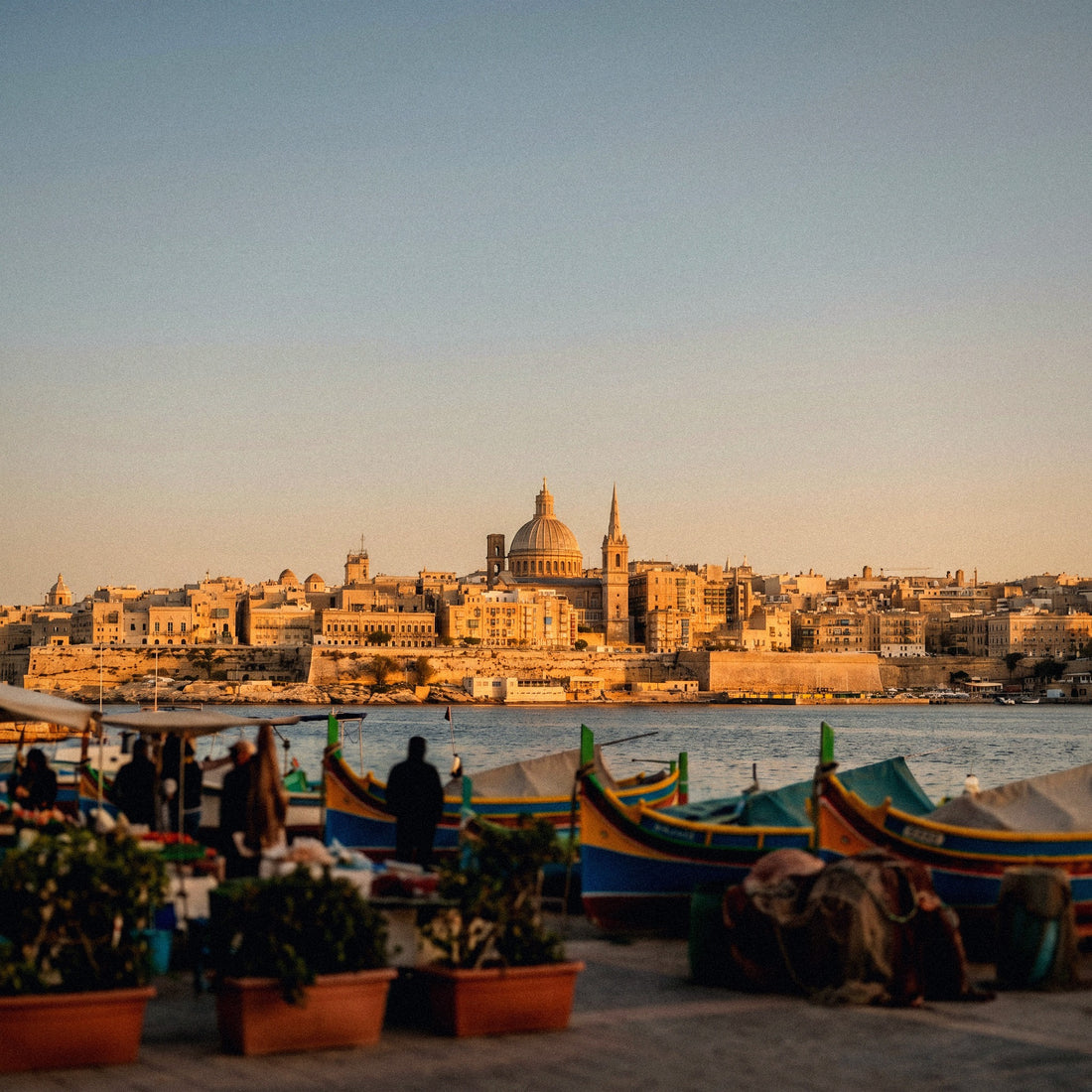
- Valletta and Mdina at sunset. The golden stone in the evening light generates huge camera rolls. If you have automatic backup activated with mobile data, entire gigabytes can disappear without you realizing it.
- Diving. Malta is one of the best diving destinations in the Mediterranean, with wrecks like the Um El Faroud or the Rozi. People come out of the water with several minutes of GoPro videos, and these videos weigh much more than a photo: only upload this material when you have Wi-Fi, not in the diving center parking lot.
- Summer and congestion. In July and August, beach areas and Paceville fill up, the network becomes saturated, and uploads are retried. It's not that you consume more "for pleasure," it's that failed uploads also consume data.
My rule in photo-heavy destinations: if you're going to upload video, upload it over Wi-Fi. A single two-minute video in high quality can weigh more than all your travel maps combined.
English course in Malta: weeks or months abroad
This profile deserves a separate chapter because it's massive in Malta: thousands of Spaniards go every year to take an English course, especially in St Julian's, Sliema, and Gzira. And there, we're no longer talking about a seven-day trip, but rather stays of two weeks to three months. Everything changes.
The good news: schools and residences usually have Wi-Fi included, and student apartments do too. The bad news: there are many hours spent out and about, on buses, at the beach, and at cafes, and especially video calls home, which is what really consumes data. Half an hour of daily video calls is about 200 MB per day, or 6 GB per month just for talking to your family.
| Course Duration | Moderate Use (relying on Wi-Fi) | With daily video call home | Plus, social media and video outdoors |
|---|---|---|---|
| 2 weeks | 5 GB | 8 GB | 12 GB |
| 4 weeks (1 month) | 10 GB | 15 GB | 25 GB |
| 8 weeks (2 months) | 20 GB | 30 GB | 50 GB |
| 3 months or more | 20-25 GB per month | 30-40 GB per month | Large monthly plan or local line |
My advice for long stays: don't buy the giant package all at once. Start with one month, check your actual consumption after ten days, and top up with what you need. Unused data is not refunded. If you're going this route, here are the details of the eSIM for Malta and its package sizes.
Watch out for the maritime network when going to Gozo and Comino
This warning is one that hardly anyone gives, and it matters in Malta because it's a small archipelago surrounded by sea, and you're bound to take a boat. The ferry from Cirkewwa to Mgarr, in Gozo, takes about 25 minutes. The boats to Comino and the Blue Lagoon are even shorter. Well: a maritime boat network can sometimes override the normal land network during crossings.
Why does it matter? Because maritime and onboard networks are not covered by European roaming or standard data plans. They are billed separately at very high prices, on the order of several euros per megabyte. Some people have returned from a short cruise with a three-figure bill without having done anything unusual.
The probability in such short journeys as those in Malta is low, because land coverage reaches the channel between islands quite well, but it doesn't hurt to protect yourself:
- Turn on airplane mode during the crossing. It's 25 minutes; you'll survive.
- Or deactivate automatic network selection and manually set the land network.
- Check the operator's name in the status bar: if something like "Maritime", "Telenor Maritime", or similar appears, disconnect immediately.
- Deactivate automatic file download in WhatsApp before boarding.
And one more thing: this applies whether you're traveling with your Spanish line or with local data. The maritime network doesn't distinguish.
How to know how many gigabytes you use
All the tables in the world are worth less than your own data. And you have it in your pocket, for free, right now. Before buying anything, do this:
- On Android: Settings → Network & internet → SIM / Data usage. You'll see the current month's consumption and a breakdown by application.
- On iPhone: Settings → Mobile Data. Scroll down to the app list. Note: the iPhone counter is cumulative since the last time you reset it, so check the date of "Current Period" at the very bottom.
With that monthly number, the calculation is simple: divide it by 30 to find your daily usage and multiply it by the number of travel days. But apply two honest corrections:
- Subtract what you do at home on Wi-Fi. In Spain, you rely on Wi-Fi at home and in the office; when traveling, you'll also have Wi-Fi at the hotel. This largely balances out.
- Add a 30-40% tourist margin. When traveling, you use more maps, more camera, and more social media than in your routine.
Real example: if you use 4 GB per month in Spain, that's about 133 MB per day. With the tourist margin, round up to 200-250 MB daily. Seven days in Malta = 1.5-1.75 GB. So, with 2 GB you'd be cutting it close, and with 3 GB you'd be comfortable. Your own number is worth more than any generic recommendation, including mine.
Tips to stretch your data in Malta
With four adjustments that take five minutes to make, you can cut your consumption in half. These are the ones that really work, in order of impact:
- Download the offline map of Malta before you go. In Google Maps: search for "Malta," tap the name, "Download." The whole island fits. From then on, navigation uses GPS, which doesn't consume data.
- Photo backup only over Wi-Fi. Google Photos and iCloud are configured to upload as soon as possible. This is, by far, the biggest data hog on photogenic trips like this one.
- Disable automatic video playback on Instagram, Facebook, TikTok, and X. This alone can save hundreds of MBs per day.
- Activate the system's Data Saver mode (Android) or "Low Data Mode" (iPhone). This limits background activity for all apps at once.
- Lower video quality to 480p on YouTube and set "Data Saver" on Netflix.
- Download music and podcasts before traveling. Spotify in offline mode.
- App updates only on Wi-Fi. A system update on mobile data can eat up an entire plan.
With this, an average traveler goes from 500 MB per day to around 250. In a week in Malta, the difference between needing 5 GB or getting by with 2. I have a long list, with screenshots and less obvious settings, in the guide to data-saving tips for travel.
What happens if you run out
Logical question: what if I buy too little and run out of data halfway through my trip? Reassuring answer: nothing serious happens. When data runs out, the service simply stops; you won't be overcharged or incur debt. You just top up and continue.
And here's my opinion, even if it benefits us to sell you large packages: it's better to run out and top up than to overbuy. The reasons are common sense:
- Unused gigabytes are not refunded. That money is lost.
- Topping up takes a couple of minutes from your phone, without going to any store and without changing any settings.
- Most people overestimate their consumption out of fear. It's the most common mistake I see.
- And in Malta, if you run out of data, you'll be ten minutes from Wi-Fi. It's not the Atacama Desert.
I'd rather you come back from Malta saying "I ran out and topped up 1 GB" than come back with 8 GB unused. The former costs a few euros; the latter is simply throwing money away.
One precaution is advisable: don't wait until you're at zero to check. Set a data usage alert in your phone settings for 80% so you can top up calmly and not in the middle of a street in Valletta. And if you're still unclear on how all this works internally, I'll explain it without jargon in what an eSIM is.
Frequently asked questions
How many GB do I need for a week in Malta?
3 GB is plenty for most people for 7 days in Malta. If you upload photos and stories daily, go for 5 GB. And if you only use maps and WhatsApp, relying on hotel Wi-Fi, 1-2 GB will get you through the trip without worries. Malta is not a high-consumption destination.
Do I need to buy data if I'm from Spain and Malta is in the EU?
Your Spanish plan works without extra cost because Malta is in the European Union. It only makes sense to buy separate data if your plan limits European roaming gigabytes (check the fine print of your contract), if you're staying for months for a course, or if you're traveling with a line from outside the EU.
How many GB for a month of English course in Malta?
Between 15 and 25 GB per month is realistic for a student. With Wi-Fi at school and the residence, and a daily half-hour video call home, you'll use about 15 GB. If you also use TikTok and Reels outdoors, it goes up to 25 GB. Start with a month and top up if necessary.
Is there good coverage in Gozo and Comino?
Yes, both islands have perfectly usable 4G coverage. In Gozo, the signal is slightly weaker than on the main island, especially in the rural interior, and in Comino there can be saturation in summer due to the number of people at the Blue Lagoon. For maps, messaging, and photos, you won won't have a problem.
Can I lose coverage on the ferry to Gozo?
You'll have coverage, but the risk is different: your phone connecting to a maritime network. These networks are billed separately at very high prices and are not included in European roaming or any normal data plan. The simplest thing is to put your phone in airplane mode during the 25-minute crossing.
How much data does Google Maps use in Malta?
Very little: about 3-5 MB per hour of navigation. A whole week moving around Malta with maps won't even reach 250 MB. And if you download the offline map of the island before you leave, it drops to almost zero, because GPS works without consuming data.
What happens if I run out of data halfway through my trip?
Nothing serious: the connection stops, and you top up in two minutes from your phone. There are no surprise charges or debts. That's why I always recommend starting with the small package and expanding: unused gigabytes are not refunded, and expanding is immediate.
Is an unlimited package worth it for Malta?
For a normal tourist trip, no. 3-5 GB will comfortably last a week. Unlimited makes sense if you telework with daily video calls, if you're going to share the connection with the whole family for weeks, or if you're staying for a quarter to study and don't want to think about the counter.
Conclusion
To summarize without beating around the bush: 3 GB for a week in Malta, 5 GB if you're into photos and social media, and 15-25 GB per month if you're going for an English course with video calls home. Malta is small, English is spoken, Wi-Fi works, and distances are short: it's one of the destinations where you'll spend the least.
And I'll repeat it because it's fair: if you're from Spain, your plan already works there at no extra cost. Only buy separate data if your contract limits gigabytes in Europe, if you're staying for months, or if you want to separate your personal line from travel use. Remember airplane mode on the ferry to Gozo and to save photo backups for when you have Wi-Fi.
If after reading this you see that you are interested in bringing your own data, here are the packages with the size you need: eSIM for Malta, activation before leaving home and top up in two minutes if you run out. Start with the small package; expanding is easy, and returning what's left over is impossible.