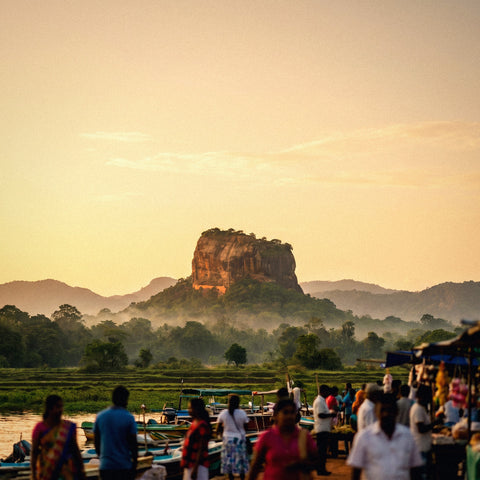
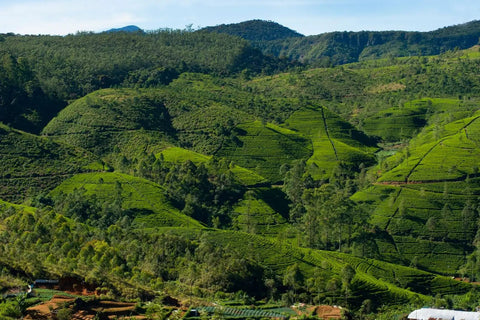
If you've already decided to buy data for your trip and the only thing left is to choose the package size, this guide is exactly for that: how many GB you need for Sri Lanka depending on how you travel and how many days you stay. I won't repeat the comparison of connection options here—you can find that in my guide to internet in Sri Lanka—but rather give you a well-reasoned number. And I'll tell you something upfront: the island uses less data than people imagine.
The quick answer: the GB you need
For a 10-day circular route through Sri Lanka, most people will have plenty with 3 GB, because almost all accommodation has Wi-Fi and there's no signal at all during safaris and in the mountains. If you upload video daily—the Ella train footage is heavy—count on 10 GB. Two weeks on a classic tour: 5 GB.
That's the figure, and I'm not going to hide behind "it depends." Yes, it depends on how you use your phone, and that's why below you have a table by profile and by days. But if you've come here looking for a number to finalize your purchase and continue packing, remember this: 3 GB for ten days and 5 GB for two or three weeks will cover most travelers doing the classic route of Colombo, Sigiriya, Kandy, Ella, Yala, and the southern beaches.
What makes Sri Lanka special is that consumption is concentrated at very few times of the day. You're in the car or on the train for a good part of the day, you have Wi-Fi at your accommodation at night, and in national parks and the mountains, your phone simply doesn't find a network. The result is much lower consumption than on an urban trip in Europe or Japan, where you're constantly on your phone.
The only profile that skyrockets is those who upload video. And on this particular island, there's a very clear reason for this, which I'll tell you about in the train section.
Why Sri Lanka uses less data than you think
Each destination affects data usage differently. In Sri Lanka, there are four factors that work in your favor, and it's good to be aware of them before buying too much.
Accommodation Wi-Fi is surprisingly decent. Guesthouses, homestays, and small hotels almost always have Wi-Fi, and it works well in Colombo, Galle, or the south coast. In Ella and the tea region, it's more inconsistent, but it works. Since you're sleeping in a different place every two or three days on this route and usually arrive early in the afternoon, you have many hours of Wi-Fi daily for backups, downloads, and video calls home.
English is everywhere. And this saves a lot. In Japan, China, or Egypt, people end up constantly using the camera translator, which is one of the most data-hungry functions. Here, you won't need it: signs, restaurant menus, guides, drivers, and hotel staff communicate in English without a problem.
There are entire areas with no coverage. The interior of Yala, Horton Plains, the Knuckles mountain ranges, sections of the climb to Adam's Peak: there, you don't use data because there's no network to use. It sounds obvious, but when you add up the days of safari and trekking on a two-week tour, we're talking about quite a few hours off the data meter.
You don't need a VPN by default. Unlike China, apps work normally here, so you don't incur the extra 5-10% over-consumption added by an active VPN all day.

How much each activity consumes, in real MB
Before deciding on a package, it's good to know what truly consumes your data. These are reasonable reference figures for a 4G mobile, which is what you'll have on most of the island. If you want to delve deeper, I have a longer breakdown in mobile data usage statistics by activity.
| Activity | Approximate consumption | Impact on a trip to Sri Lanka |
|---|---|---|
| Google Maps navigation | 5-10 MB per hour | Low (almost zero if you download the map) |
| WhatsApp: messages and photos | 10-15 MB per day | Low |
| WhatsApp: video call | 5-12 MB per minute | High if you call home without Wi-Fi |
| Instagram or TikTok watching videos | 250-700 MB per hour | Very high: it's the number 1 expense |
| Uploading a story | 1-3 MB each | Medium (adds up quickly) |
| Uploading a reel or 1-minute video | 20-50 MB | High |
| YouTube at 360p / 720p | 150 MB / ~700 MB per hour | High on long journeys |
| Music streaming | 40-70 MB per hour | Medium-high: many hours in the car |
| Podcast | ~30 MB per hour | Low |
| Email and web browsing | 10-20 MB per hour | Low |
| Backup of 100 photos | 300-500 MB | Very high if not limited to Wi-Fi |
Notice the pattern: video consumes the most data, not other activities. Maps, messaging, PickMe for ordering a tuk-tuk, and looking for dinner spots are pennies worth of gigabytes. An hour of scrolling while lounging in a hammock in Mirissa can cost more than three entire days of browsing and WhatsApp.
The Kandy to Ella train: the unexpected data consumption
Here lies the most specific and useful peculiarity of this destination. The train from Kandy to Ella takes between 6 and 7 hours, crosses tea plantations, and is probably the most photographed railway journey in Asia. Everyone, without exception, spends the journey filming: the open door, the tunnels, the Nine Arch Bridge.
Filming doesn't consume data. Uploading does. And the math is simple: if, during those seven hours, you post 15-20 stories (about 40 MB) and two reels of the journey (another 60-100 MB), you've used up between 100 and 150 MB in a single day, just on that segment. If you also look at what others are uploading as the train moves, easily add another 300 MB.
There's a second effect that almost no one considers, which I have experienced: coverage in that mountain section comes and goes. You enter and exit tunnels, cross valleys without antennas, and your phone retries uploads that have stalled. A video that fails at 80% and is resent entirely counts twice. That's why my advice is simple: record everything you want during the journey, but publish when you arrive in Ella or Nuwara Eliya, with Wi-Fi or a stable signal. You save data, you save battery, and you avoid the frustration of seeing the upload bar frozen while the scenery slips away.
Train Rule: Record on the train, upload at your accommodation. With just that, a content creator saves half a gigabyte on the most "Instagrammable" day of the trip.
Driver, safaris, and mountains: where you spend data and where you don't
In Sri Lanka, it's common to hire a car with a driver for the tour, and that changes the data consumption pattern. The roads are slow: a two-week circular route easily involves 20-25 hours of driving spread across many three- or four-hour journeys. You don't navigate—he drives—so Maps barely counts. What does count is how you occupy those hours: music, social media, and video from the back seat. That's where your data package really gets used up, not on the sights themselves.
Safaris work the other way around. Inside Yala or Udawalawe, the signal is inconsistent, and in many areas, there's simply no signal. Half a day on safari means half a day without using data. The same applies to Horton Plains or mountain trails. These hours are free for your data meter, but they require you to have maps downloaded beforehand.
| Stage of the circular route | Typical days | Wi-Fi | Estimated mobile data |
|---|---|---|---|
| Colombo and Negombo | 1-2 | Good | 400-600 MB |
| Sigiriya and Dambulla | 2 | Decent | 300-500 MB |
| Kandy | 1-2 | Good | 300-500 MB |
| Kandy-Ella train | 1 | None on board | 150-400 MB |
| Ella and Nuwara Eliya | 2-3 | Inconsistent | 600-900 MB |
| Yala or Udawalawe safari | 1-2 | Only at the lodge | 100-250 MB |
| Southern beaches (Mirissa, Weligama, Tangalle) | 4-5 | Good | 800-1,500 MB |
| Galle | 1 | Good | 200-400 MB |
Add up the right column, and a full two-week tour comes out to between 2.8 and 5 GB for someone who takes photos and uses social media normally. That's why I insist on the 5 GB figure: it's not a bare minimum; it's generous.
How many GB according to your profile and travel days
This is the table that truly matters. Find the row that matches you, cross-reference with the number of days you'll be there, and you'll have your package. These are calculated for Sri Lanka with Wi-Fi at the accommodation, not for a generic trip.
| Traveler profile | 5 days | 10 days | 15 days | 30 days |
|---|---|---|---|---|
| Maps, WhatsApp, and little else | 1 GB | 2 GB | 3 GB | 5 GB |
| Daily photos and social media | 2 GB | 4 GB | 6 GB | 10 GB |
| Content creator (daily reels and video) | 5 GB | 10 GB | 15 GB | 25 GB |
| Digital nomad or remote work | 8 GB | 15 GB | 20 GB | 40 GB |
| Couple or family sharing (2-4 mobiles) | 4 GB | 8 GB | 12 GB | 20 GB |
Three honest nuances about this table. First: the "Maps and WhatsApp" row is the most common and the one we sell the least, but if that's you, buy the small package and that's it. Second: the remote work row assumes video calls from accommodation and sharing a connection with a laptop; if you truly work from the island, that's the usage that can skyrocket, especially if meetings fall when you're on the road. Third: if you're sharing a connection from a single phone, add it up, but don't multiply by the number of people—usually one person navigates and the rest do their own thing with the hotel Wi-Fi.
If you're torn between two rows, choose the higher one. It's easier to top up than to waste gigabytes.

How to check your actual consumption before flying
There's a way to stop guessing, and that's to look at your own numbers. No app required: it's in your phone's settings.
- On Android: Settings → Network & internet → Data usage (or "SIM"). You'll see the current cycle's consumption and, by tapping on it, the breakdown by application.
- On iPhone: Settings → Mobile Data. Be careful, the counter there is cumulative since you last reset it, so zero it out, let a normal week pass, and check again.
With that data, do the math: divide your monthly consumption by 30, and you'll have your daily average. Now adjust it for your trip. On vacation, you use your phone more but are on Wi-Fi more, and in Sri Lanka, these two effects almost cancel each other out. My practical rule: take your daily average at home, multiply it by the number of travel days, and add a 30% buffer. If it comes out to less than what the table in the previous section says, trust your number: you know yourself better than I do.
An important detail when looking at the app breakdown: remove from the count what you'll do via Wi-Fi on your trip. If 60% of your data at home goes to Spotify or Netflix, and in Sri Lanka you'll download playlists and series at the hotel, that consumption disappears from your mobile data. And if you see that YouTube or Instagram consume 8 GB a month, you already know which row of the table you're in. I explain this calculation with more examples in the general guide on how much data you need for travel.
Tips for extending your data on the island
With four adjustments made before leaving home, a 3 GB package can last two weeks without breaking a sweat. These are the ones that work best specifically in Sri Lanka:
- Download the map of the entire island in Google Maps. All of Sri Lanka fits in about 200-300 MB and covers Horton Plains, the interior of Yala, and mountain roads where there's no signal. Do this with your home Wi-Fi.
- Backups only over Wi-Fi. Google Photos and iCloud uploading 4K safari photos via mobile data is the fastest way to burn through a package without realizing it.
- Disable automatic video playback on Instagram, TikTok, X, and Facebook. This is the most data-saving setting of all.
- Activate the system's Data Saver Mode and "Use Less Data" in video apps.
- Download the night before the series, music, and podcasts you're going to listen to during the next day's four-hour car ride.
- Post from your accommodation, not on the go. This applies to the train, the safari, and the beach.
Changing video quality from automatic to 480p is the trick with the best effort-to-saving ratio: on a phone screen, it's barely noticeable, and consumption drops by half or more. I have the complete list of settings, with screenshots, in my tips for saving data while traveling. And if this is your first time with this type of digital line, in what an eSIM is, I explain how it works in three minutes.
What happens if you run out (and why it's not a problem)
Many people buy too much out of fear of getting stranded. Let's alleviate that fear, because running out of data in Sri Lanka is not a big deal and is cheaper than buying too much.
When you run out of data, the line stops providing data: you won't continue consuming or receive any surprise bills. You'll still have Wi-Fi at your accommodation, and from there, you can top up in a couple of minutes. There's no need to go to a store, show your passport, or struggle with a form in Sinhalese. It's the same process as topping up a gift card.
The economic calculation is simple: if you buy 10 GB and use 3, you've paid for seven gigabytes that you won't get back. If you buy 3 GB and run out on day twelve, you top up and you've paid exactly for what you use. That's why my standard recommendation is to start with a reasonable amount and top up if necessary, not to buy the large package "just in case."
I'd rather sell you 3 GB and have you top up, than sell you 10 GB and have 7 left over. The first makes for a returning customer; the second, one who feels cheated.
A practical tip: set a data usage alert on your phone at 80% of the package. That way, you'll find out while having dinner in Ella with Wi-Fi, and not in the middle of a four-hour journey when you need to text your hotel to say you're running late. And if you're traveling for two or three weeks, check your counter on the day you change stages: it's the natural time to decide if you need to top up.
Common mistakes when buying data for Sri Lanka
After reading many questions from travelers to the island, these are the most common mistakes when choosing the data package size.
- Buying as if it were a city trip. Sri Lanka is not Tokyo or New York. Here you spend hours on the road, in parks without signal, and in accommodations with Wi-Fi. Daily consumption is significantly lower.
- Not counting the train video. The only serious peak of the trip. If you upload videos, add half a gigabyte to your calculation and sleep soundly.
- Forgetting about automatic backup. This is what makes someone "who barely uses their phone" burn through 2 GB in three days of safari.
- Buying a huge package for 30 days of backpacking. The longer the trip, the more Wi-Fi you accumulate, and the lower the daily average. One month does not need three times as much as ten days.
- Sharing connection with a laptop without adjusting anything. A freshly connected Windows can start updating and consume a gigabyte on its own. Mark the network as "metered connection."
The expensive mistake is almost never running out: it's paying for gigabytes that evaporate at the end of the trip. If you have doubts about which plan fits your route and days, in the data sheet for Sri Lanka you have the available sizes and specific coverage on the island, including mountain areas and national parks.
Frequently Asked Questions
How many GB do I need for 15 days in Sri Lanka?
5 GB will be more than enough for a two-week circular route. If you only use maps and WhatsApp, 3 GB will be plenty; if you upload videos daily, aim for 15 GB. The key is that on the island you almost always sleep with Wi-Fi and spend many hours in areas without coverage.
Can I use my phone on the train from Kandy to Ella?
Yes, but with constant interruptions. The journey takes between 6 and 7 hours and crosses valleys and tunnels where the signal disappears. You can record without a problem, but uploads will be cut short and retried, wasting extra data. Publish when you arrive.
Is there Wi-Fi in accommodations in Sri Lanka?
Almost always, and it works reasonably well. Guesthouses, homestays, and small hotels offer it as standard. In Colombo, Galle, and the south coast, it works well; in Ella and the tea plantation area, it's more inconsistent. Even so, count on Wi-Fi for downloads and backups every night.
Do I need mobile data for safaris in Yala?
You will hardly use it, because inside the park the signal is irregular or non-existent. It is advisable to have the map downloaded and notify before entering if someone is waiting for you. A half-day safari usually consumes less than 50 MB.
Is a translator with a camera necessary in Sri Lanka?
No, and that saves a lot of data. English is widely used on signs, restaurant menus, in hotels, and for transportation. Unlike destinations like Japan or Egypt, you won't be pointing your camera all day here, which is one of the most data-consuming functions.
What happens if I run out of data halfway through the trip?
The data connection simply cuts off: there are no extra charges or surprises. You connect to the accommodation's Wi-Fi, top up in two minutes, and continue. That's why I recommend starting with the adjusted package and only extending if necessary.
How many GB does sharing the connection with family consume?
Less than it seems: multiply by 1.5 or 2, not by the number of phones. Usually one person acts as a guide with maps and the rest use the hotel's Wi-Fi. For a family of four for two weeks, 12 GB is a prudent calculation.
Do I need a VPN in Sri Lanka?
For normal tourist use, no. Apps and social networks work normally. If you still keep an active VPN all day out of habit or for work, add between 5 and 10% to the estimated consumption, because encrypting traffic adds its own weight.
Conclusion
Sri Lanka is one of those destinations where you can be generous with advice without inflating sales: 3 GB for ten days and 5 GB for two or three weeks perfectly cover the classic circular route. The Wi-Fi in guesthouses, the omnipresent English, and the hours in parks and mountains without coverage pull the number down, not up.
There are only two legitimate reasons to upgrade. One, if you upload videos daily and want to publish the Ella train live: then aim for 10-15 GB. Two, if you are going to telework from the island with video calls and a connected laptop: 15-20 GB for two weeks. For everything else, start small and top up if necessary.
If you already have your figure, choose your package and install it before you fly: you land in Colombo with data from the first minute, without queues or airport shops. You can see all of them on the data page for Sri Lanka and choose the size that appeared in the table. Have a good trip, and save battery for the Nine Arch Bridge.