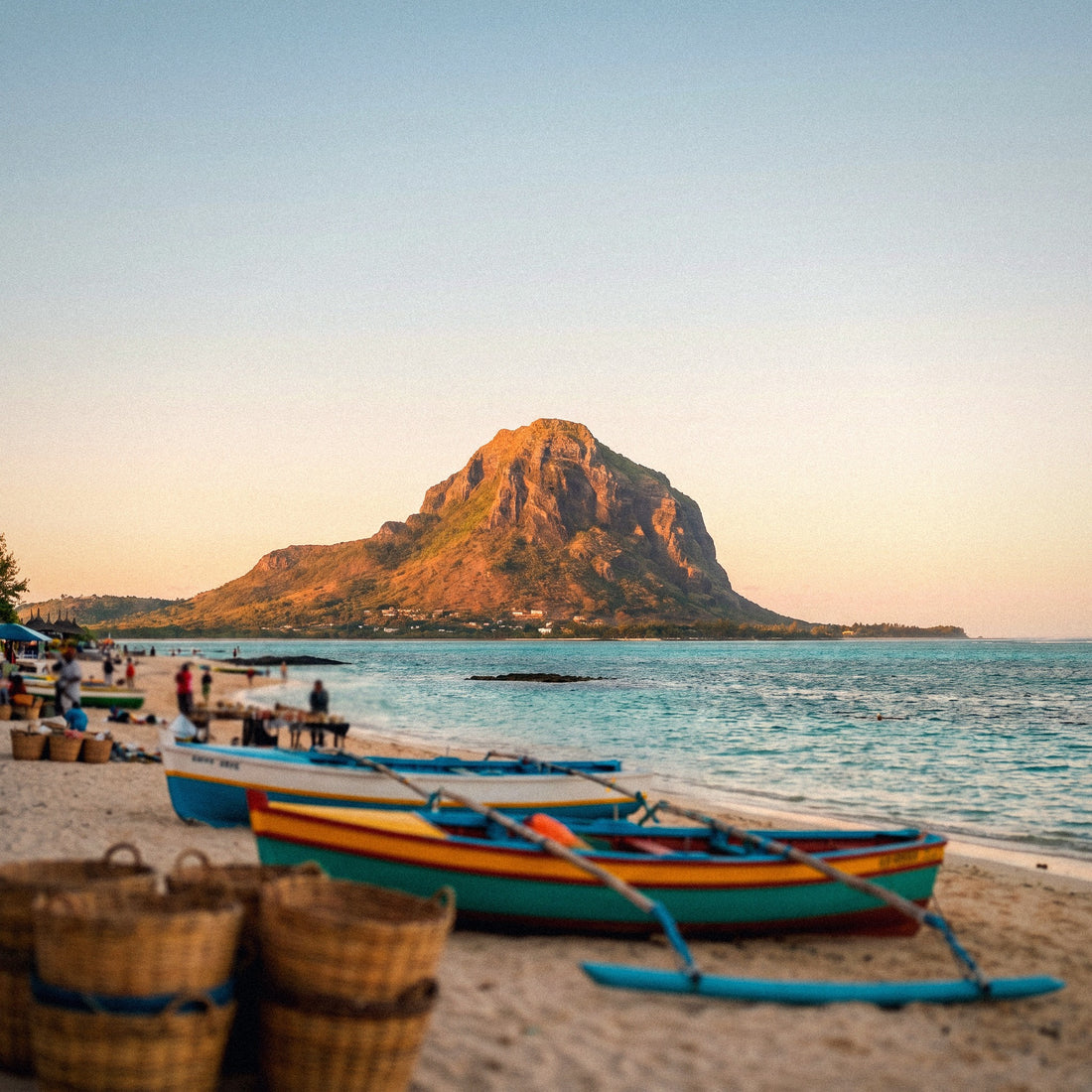
If you're looking into how many GB you need for Mauritius, it's probably because your trip is confirmed, the hotel is booked, and you just need to decide on the data plan size. I'm not going to bore you with connection options here; I'm going to give you a number, the reason for that number, and how to adjust it to your trip without going overboard or falling short. Mauritius has a peculiarity that significantly changes the calculation compared to other destinations, and we'll look at that right away.
The short answer: how many GB for Mauritius
For 10 days in Mauritius, 3 GB is more than enough for most people: the hotel Wi-Fi covers a good part of the trip, and you only use data on excursions. If you upload photos and videos on the fly, count on 8 GB. For remote work, 20 GB.
I know it sounds like little compared to what's advertised, but that's what you get when you do the actual math. Mauritius is a resort destination: you sleep, have breakfast, dinner, and spend half the afternoon at a place with Wi-Fi included. You use mobile data when you're out of the hotel, which, on a beach trip, isn't as many hours as it seems.
That's the difference from a city trip like Tokyo or New York, where you're out on the street twelve hours a day using maps, public transport, and a translator. Here, the pattern is different: an excursion in the morning, lunch out, and back to the pool.
That said, there are two profiles that break the average and for whom 3 GB is far too little: those who upload content daily (stories, reels, drone videos) and those who work from there. For them, the number multiplies by three or seven. If you want the general guideline before getting into the details for Mauritius, you can find it in the guide on how much data you need for travel. And if your case is unusual, keep reading: the tables below refine it by day and traveler type.
Why you spend less than you think in Mauritius
Mauritius thrives on resort tourism, and that has a very specific consequence for your data plan: Wi-Fi is the norm, not the exception. Practically every hotel on the island, from the five-star resort in Le Morne to an apartment in Flic en Flac or a guesthouse in Chamarel, advertises free Wi-Fi as a selling point. In large resorts, it usually covers rooms, reception, restaurants, and a good part of the pool and beach areas.
What does that mean in gigabytes? That everything that consumes the most — uploading the day's video, watching a series before bed, backing up photos, video calling family — falls to the hotel's Wi-Fi and doesn't touch your plan. Mobile data is reserved for when you're out: maps, WhatsApp, looking for a restaurant, showing a photo in the group chat.
I prefer to be clear, even if it means selling smaller packages: if you're on a honeymoon at a resort and don't post constantly, 3 GB for ten days is more than enough. Buying 20 GB "just in case" is throwing money away.
The honest caveat: resort Wi-Fi in the Indian Ocean isn't always fast. During peak hours, with a full hotel, it can be slow or cut out in the furthest room. That's why having your own data as a backup is worthwhile, even if it's a small plan. What's not worthwhile is paying for gigabytes that will go unused.
What each activity you'll do there consumes
Round figures aren't very helpful. Here are the real consumption ranges for the apps you'll use in Mauritius, measured on mobile and with default settings. Note the brutal difference between navigating with maps (cents of a gigabyte) and scrolling through social media (it'll burn through a small plan in two afternoons).
| Activity | Approximate consumption | On your trip to Mauritius |
|---|---|---|
| Google Maps navigating in the car | 3-5 MB per hour | Ridiculous: driving around the island won't reach 30 MB |
| WhatsApp text and photos | 10-20 MB per day | What you spend sending the sunset to the group |
| WhatsApp voice call | ~1 MB per minute | Half an hour with home: 30 MB |
| Video call | 300-700 MB per hour | Always do it on hotel Wi-Fi |
| Scrolling on Instagram or TikTok | 500 MB - 1 GB per hour | The biggest killer of small plans |
| Uploading a photo | 3-5 MB each | 40 photos from the day: about 150 MB |
| Uploading a 15s story | 10-15 MB | 10 daily stories: 120 MB |
| Uploading a 1-minute video | 50-100 MB | A kitesurfing reel in Le Morne, half a gigabyte |
| Streaming music | 70-90 MB per hour | The soundtrack for the rental car |
| Video in 1080p | 1.5-3 GB per hour | Never with data; download it beforehand via Wi-Fi |
| Email and web browsing | 20-60 MB per hour | Checking schedules, booking a table |
The quick takeaway: what you view consumes much more than what you send. Five minutes of scrolling before bed costs more than a whole day of maps. If you want a complete breakdown by app, with more categories, you can find it in the mobile data usage statistics by activity.
GB per profile and duration: the important table
This is the table you came looking for. It's calculated assuming what really happens in Mauritius: you sleep in a place with Wi-Fi and use mobile data for about 5-7 hours a day outside your accommodation. If your hotel didn't have Wi-Fi (rare there), bump it up a notch.
| Traveler profile | 5 days | 10 days | 15 days | 30 days |
|---|---|---|---|---|
| Tourist using maps and WhatsApp (resort, little mobile use) | 1-2 GB | 3 GB | 5 GB | 10 GB |
| Photos and social media (uploads instantly, daily stories) | 5 GB | 8-10 GB | 15 GB | 25-30 GB |
| Digital nomad / remote worker (video calls, files) | 10 GB | 20 GB | 30 GB | 50 GB or unlimited |
| Family sharing a single plan (2 adults + 2 children) | 8 GB | 15 GB | 20 GB | 40 GB |
Three caveats for reading it correctly. First: the family row assumes children watch videos on the hotel Wi-Fi, not in the car; if they're going to watch cartoons on the way to Chamarel, multiply by two. Second: the nomad row assumes video calls with mobile data on some days, which is what blows any budget. Third: the "photos and social media" row is the one that spikes the most depending on your posting habits, which is why I dedicate an entire section to it below.
My practical advice if you're torn between two rows: choose the lower one and top up if necessary. In Mauritius, coverage is good enough to allow you to top up in two minutes from the beach, so there's no drama in cutting it close. You can see what sizes are available for the island on the Mauritius eSIM page.
The day you spend the most: driving around the island
Mauritius is best explored by rental car, and almost everyone dedicates two or three days to leaving the hotel: Chamarel and the Seven Coloured Earths, the waterfall, Le Morne viewpoint, Grand Baie, Pamplemousses Botanical Garden, Port Louis. These are the days of highest data consumption, and it's worth knowing how much they really weigh.
| Excursion moment of the day | Data |
|---|---|
| Google Maps, 4 hours of driving and detours | 15-20 MB |
| Looking for restaurants, opening hours, and entrance fees | 30-50 MB |
| Music in the car, 3 hours | 250 MB |
| 60 photos uploaded to the cloud or WhatsApp | 200-250 MB |
| 8 stories and a one-minute reel | 150-200 MB |
| Scrolling while waiting for food | 300-500 MB |
| Total for a busy day out of the hotel | ~1 - 1.2 GB |
Notice what dominates: it's not the map, it's the video. A whole day of navigation costs less than twenty seconds of scrolling. That's why the recommendation of 3 GB for ten days works: only three days will be full excursions, and for the rest, most consumption falls under the hotel's Wi-Fi.
A special case is the catamaran trip to Ile aux Cerfs. There you spend six or seven hours at sea, with your phone in "non-stop photo and video" mode, but recording doesn't consume data, only memory. The expense comes when you upload the material. If you upload it from the boat, count well over half a gigabyte; if you wait until night and do it via Wi-Fi, zero.
Photos, reels, and live streams: what skyrockets consumption
Mauritius is one of those places where your phone doesn't rest: turquoise lagoons, the Seven Coloured Earths of Chamarel, Le Morne mountain at sunset, kitesurfing, fish from the catamaran. You'll take hundreds of photos and a good amount of video, and that's where it's decided whether your plan falls short or not.
The key isn't how much you record, but when you upload it. Recording is free in terms of data. Uploading is not:
- Automatic backup from Google Photos or iCloud: if you leave it activated with mobile data, a day at the beach can send 2-3 GB to the cloud without you even realizing it. This is the number one mistake.
- High-quality stories: Instagram uploads at higher quality when it detects a good network, and Mauritius has one. Ten stories can go from 120 MB to 300 MB.
- Reels and long videos: a two-minute 4K video uploads around 200-300 MB. Five such videos on a trip is already more than a gigabyte.
- Live streams: streaming live consumes as much as watching video, between 500 MB and 1 GB per hour. If you plan to live stream from the beach, forget about small plans.
If you're someone who posts all day, be honest with yourself and go straight to the "photos and social media" row in the table, or even a step above. It's better to pay a couple of extra euros than to miss the moment to upload the sunset from Le Morne because you ran out. For everyone else, the rule is simple: record with data, upload with Wi-Fi.
Coverage in Mauritius: where you'll have 4G and where you won't
Mauritius is a small island, about 65 km from north to south, and that works in your favor: the two local operators, my.t (Mauritius Telecom) and Emtel, cover almost all inhabited areas with 4G, including main roads and tourist spots. In Port Louis, Grand Baie, and Flic en Flac, typical speeds range from 20 to 60 Mbps, more than enough for anything you want to do.
Where it might be weaker: the mountainous interior and the Black River gorges, some stretches of the Chamarel road with its curves, and the wilder part of the southwest. Nothing dramatic — viewpoints and access points usually have signal — but don't count on smooth video in the middle of the national park. At sea, on the way to Ile aux Cerfs, the signal holds up quite well because you never stray far from the coast.
The practical consequence for your gigabyte calculation is twofold. On one hand, you won't have dead hours without coverage that save you data, as happens on a safari or high-altitude trek: in Mauritius, you'll be connected almost all the time and will consume data constantly. On the other hand, you don't need to buy extra "just in case there's no network": if you run short, you'll have a signal to top up from wherever you are. If you want a complete overview of connection options on the island, I cover it in the guide on internet in Mauritius.
Mauritius and Reunion: the trap of neighboring islands
This data is worth the entire article if you're combining the two islands, something increasingly common as there are 45-minute flights between them. Mauritius and Reunion are just over 200 km apart, similar in climate and landscape, yet they belong to different regulatory worlds. And that changes what you pay to connect.
| Mauritius | Reunion | |
|---|---|---|
| Status | Independent country, outside the European Union | French outermost region, within the EU |
| Your Spanish plan | Not included in "roam like at home": non-EU tariffs | Included in the European roaming regime |
| What you need | A local or international data plan | In principle, your domestic gigabytes |
| Currency | Mauritian Rupee | Euro |
Two honest nuances. First: although Reunion is legally within the European regime, some Spanish operators bill it as zone 2 and charge you separately. Check your plan before assuming anything, because the surprise comes on the next month's bill. Second: "Africa" or "World" data plans don't always include Reunion, and "Europe" plans almost never include Mauritius. They are neighboring islands in opposite price zones.
My recommendation if you're doing both: contract data for Mauritius for the days you spend there and don't buy anything extra for Reunion until you confirm your plan. If your operator includes it, you have the French leg covered without spending an extra euro. If not, you'll decide with the information in hand.
How to calculate YOUR consumption before leaving home
All the tables in the world are averages, and you are not an average. The most reliable way to get it right is to look at your own actual consumption, and it takes two minutes from the couch.
- On Android: Settings → Network & internet → SIM → App data usage. On iPhone: Settings → Mobile Data, and scroll down to the app list.
- Look at your consumption for the last full month and divide it by 30. That's your daily mobile data usage at home.
- Adjust downwards for Mauritius: there, you sleep in a place with Wi-Fi, you don't do your daily commute listening to podcasts, and you spend hours in the water with your phone in the room. I would apply a 30% to 50% reduction.
- Adjust upwards if you plan to post more than usual, which often happens on such a trip. A +50% over your average is realistic for someone active on social media.
- Multiply by the number of days of your trip and add a 20% margin. That's your number.
Real example: if at home you use 6 GB per month, that's 200 MB per day. With the resort adjustment, you're down to 120 MB, plus the extra for photos puts you back at 200 MB, for 10 days that's 2 GB, plus margin: 2.5-3 GB. Exactly the figure in the table, but calculated with your own numbers instead of mine. This exercise is valid for any destination you visit afterwards, so it's worth doing once properly.
How to stretch your gigabytes without stopping your posts
If you buy just enough — which is what I recommend — these adjustments give you plenty of leeway. None of them force you to give up anything important:
- Download the offline map of Mauritius before you leave. In Google Maps: search "Mauritius" → Download. The entire island takes up little space and lets you navigate without data even if you lose signal inland.
- Backups only via Wi-Fi. The most cost-effective adjustment of all. Google Photos and iCloud are set to upload as soon as they detect a network; change this on the first day.
- Disable auto-play for videos on Instagram, TikTok, X, and Facebook. This alone saves hundreds of megabytes per trip.
- Activate system data saving and "low data usage" mode within each social media app.
- Download music, series, and podcasts the night before from your hotel. The car ride to Chamarel is the perfect time to listen to something you've already downloaded.
- Watching video in 480p instead of 1080p divides consumption by four, and it's barely noticeable on a phone screen.
With this list applied, someone who usually spends 300 MB per day at home can easily manage with 120-150 MB in Mauritius. This is the difference between a 3 GB plan and an 8 GB plan for the same trip and the same behavior. You can find more fine-tuning options, with screenshots and app-specific details, in the tips for saving data on a trip.
What happens if you run out of data
Let's address the fear that makes people overbuy. If you run out of gigabytes in Mauritius, nothing serious happens: the plan simply stops providing data service, and you top up. There's no surprise bill, no excess charges, no blocking of anything. It's a clean end, unlike what happens when you exceed your operator's tariff outside of Europe.
And topping up there is trivial, precisely because of the coverage we discussed: with the hotel's Wi-Fi or your partner's mobile signal, you can buy an extension in a couple of minutes and continue. On an island with 4G throughout the tourist area, running out of data is a five-minute inconvenience, not a travel problem.
The economic calculation is simple, which is why I insist so much. Buying 20 GB when you were going to use 4 means paying for 16 GB that evaporate when the plan expires. Buying 3 GB and having to top up once means paying for something small twice. The second option is almost always cheaper.
My criterion, after many trips: buy for the probable scenario, not for the catastrophic scenario. The catastrophic scenario in Mauritius is solved with a top-up from your hammock. And if you're not even sure how the digital plan system works, start by understanding what an eSIM is and you'll see why extending is so quick.
Frequently asked questions
How many GB do I need for a 7-day honeymoon in Mauritius?
2-3 GB will be more than enough. This is the classic resort profile: lots of time at the hotel with Wi-Fi, two excursions, and your phone mostly put away. If you're going to upload daily photos to your travel Instagram, get 5 GB and you'll be just as relaxed without overspending.
Is there free Wi-Fi in hotels in Mauritius?
Yes, practically all of them. From large resorts to apartments and guesthouses, free Wi-Fi is standard on the island and usually covers rooms, restaurants, and pool areas. Speed varies: it can be slow during peak hours, and in rooms far from the main building, the signal may be weaker.
Do I need mobile data if I'm on an all-inclusive plan?
Yes, but very little. Even if you barely leave the resort, you'll want maps to get from the airport, WhatsApp outside the hotel, and to look things up on the fly. With 1-2 GB for a week, you'll cover that residual use with plenty of margin.
Does 4G work well on island excursions?
Yes, throughout almost the entire island. Mauritius is about 65 km from north to south, and local operators cover the main roads and tourist spots with 4G. The mountainous interior and some gorges in the southwest have more irregular signals, but viewpoints and access points usually have good reception.
Do the gigabytes for Mauritius work in Reunion?
No, they are different tariff destinations. Mauritius is an independent country outside the EU, and Reunion is an outermost region of France within the EU. A plan for Mauritius does not cover Reunion, and your Spanish tariff probably covers Reunion but not Mauritius. Check before you fly.
How much data does a day trip by catamaran to Ile aux Cerfs consume?
Between 100 MB and 600 MB, depending on when you upload. Recording photos and videos doesn't consume data, only phone memory. If you post from the boat, count a good half-gigabyte; if you wait until night and upload via the hotel's Wi-Fi, you'll barely spend 100 MB that day.
What happens if I run out of gigabytes halfway through my trip?
Data service is cut off, and you top up, with no extra charges. There are no surprise bills or penalties. With the coverage on the island, extending your plan from the hotel or the beach is a matter of two minutes.
Is an unlimited plan for Mauritius worth it?
Only if you're going to telework or live stream. For a normal vacation trip, it's wasted money: the hotel Wi-Fi absorbs the bulk of consumption. Unlimited plans make sense for long stays for digital nomads, not for ten days of beach and excursions.
Conclusion
In short, without embellishment: for ten days in Mauritius, 3 GB is more than enough for most, 8-10 GB if you post photos and videos daily, and 20 GB if you're going to work from there. The reason is always the same: the hotel Wi-Fi eats up half your consumption, and mobile data is for excursions, where maps cost four megabytes and video is what truly consumes data.
If you're torn between two sizes, go with the smaller one. It's an island with good 4G coverage where extending your plan takes two minutes, so running short is cheap and overspending is wasting money. And if you're hopping over to Reunion, remember that the rules change there: check your tariff before buying anything.
Once you've decided, you can purchase your eSIM for Mauritius in the size you need and arrive on the island already connected, without airport queues or searching for an operator store on the first day. Enjoy Chamarel and that sunset in Le Morne.