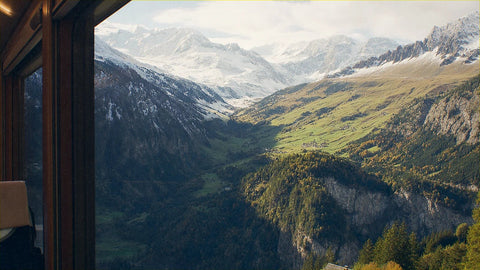
If you're figuring out how many GB you need for Switzerland, it's because you've already decided to bring data and you just need to pick the right package size. Good. I'm not here to sell you the biggest package: I'm going to give you a well-informed number, because the right amount for Switzerland depends a lot on whether you'll be doing the panoramic train rides or not. Eight hours staring out the window of the Glacier Express with your phone in your hand doesn't use the same data as four days of museums in Zurich sleeping in a hotel with good Wi-Fi.
The number, straight up
For 10 days in Switzerland, most people are fine with 3 GB: maps, WhatsApp, the train app, and some social media. If you upload photos and videos daily from the train, count on 10 GB. And if you're working remotely, 20 GB or more.
That's the short answer and I stand by it, because Switzerland has two things working in your favor: good, plentiful Wi-Fi in hotels, and a country so compact that you spend a lot of time moving but very little time lost. The average European tourist lands between 200 and 400 MB per day if they're not watching videos.
Now, the Swiss twist. There are three things that really drive up usage here that don't weigh as much in other destinations:
- Long train rides. The Glacier Express is almost eight hours. The Bernina, four. And there's no Wi-Fi on board, so everything you do comes out of your data.
- The volume of photos and videos. Switzerland is one of those destinations where you reach for your camera constantly. And uploading weighs a lot more than just looking.
- It's an expensive country. You'll spend the trip checking prices, converting francs, and reading reviews before you sit down anywhere. That's constant browsing — small but steady data use.
If you recognize yourself in all three points, bump up one tier from the base number. If you're sticking to cities and heading back to the hotel each night, stick with the base number and save your money.
The warning almost nobody gives you: Switzerland is not the EU
This is the point where most people get caught out, which is why I'm putting it second. Switzerland is not part of the European Union or the European Economic Area. That means the European roaming regulation — the famous "roam like at home" rule — does not apply. Your local plan with GB included for Europe may not cover Switzerland at all.
In practice, most carriers put Switzerland in their surcharge zone (often called Zone 2 or similar), with daily add-ons of a few euros for a few hundred MB, or per-GB prices that hit double digits. Some carriers have occasionally included it by promotion as if it were a European zone. It changes every year and it changes by plan, so check your carrier's app before you leave, not when you're already in Zurich.
The classic surprise: you're on a Central Europe trip with your regular plan, cross into Switzerland for a couple of days without thinking about it, and next month's bill has an extra you weren't expecting. It's not a billing error: Switzerland just isn't included.
There's another important detail if you buy a regional package: not all "Europe" plans include Switzerland. Many do, and they usually include Liechtenstein too, but it's one of those countries you have to actively look for in the coverage list before you pay. If you want the full picture of options for getting connected there, I broke it down in the internet in Switzerland guide. Here, we'll stick with the GB.
How Much Data Each Activity Actually Uses
Before choosing a plan, it helps to know what eats your data. These are real average figures, not brochure numbers. Rounded up so you have a buffer, not a shortfall:
| Activity | Approximate usage | What that means for your trip |
|---|---|---|
| Maps with route already loaded (Google Maps, SBB app) | 5-10 MB per hour | Tiny: 1 GB lasts weeks of navigation |
| Maps in satellite or 3D view | 120-150 MB per hour | One day playing with satellite view eats 1 GB |
| WhatsApp: text, voice notes, and occasional photos | 5-15 MB per hour of active use | About 150-250 MB on a 10-day trip |
| WhatsApp video call | 5-12 MB per minute (around 440 MB/hour) | 20 minutes a day = 2 GB in 10 days |
| Instagram or TikTok watching videos | 700 MB per hour | 20 minutes a day = 2.3 GB in 10 days |
| Uploading 20 photos to a group or the cloud | 60-100 MB | 3-5 MB per photo from a modern phone |
| Uploading a 1-minute video in good quality | 60-150 MB | Three video stories ≈ 300 MB |
| Music streaming (normal or high quality) | 70-150 MB per hour | 2 hours a day on the train = 3 GB in 10 days |
| Video streaming at 720p | 700 MB - 1 GB per hour | Save this for the hotel Wi-Fi |
| Browsing, checking prices, and reading reviews | 10-20 MB per hour | Negligible, even if you do it all day |
Notice the pattern: what you look up is cheap, what you post is expensive. Maps, transport apps, and messages barely count. What drains a plan is video, in both directions. I have the full breakdown in the data usage statistics by activity, with more apps.
How Many GB Based on Your Profile and Trip Length
This is the table you came for. Find your profile, cross it with your trip length, and that's your number. These assume you sleep somewhere with Wi-Fi, which is standard in Switzerland:
| Your profile | 5 days | 10 days | 15 days | 30 days |
|---|---|---|---|---|
| Maps and WhatsApp (classic tourist, light on social media) | 2 GB | 3 GB | 5 GB | 10 GB |
| Photos and social media (you post stories daily, lots of camera use) | 5 GB | 10 GB | 15 GB | 25 GB |
| Digital nomad / remote work (video calls, cloud, tethering) | 10 GB | 20 GB | 30 GB | 50 GB or unlimited |
| Family sharing (one phone acts as a hotspot for everyone) | 5 GB | 10 GB | 20 GB | 40 GB |
Three honest notes about this table. First: if you're profile one and going to Zurich or Geneva for five days, 1 GB will probably be enough; I put 2 GB because the price difference is tiny and peace of mind is worth it. Second: for the family profile, the number jumps if kids watch video on the train, so download cartoons on the hotel Wi-Fi the night before and you drop a whole tier. Third: if your trip is a route through central Europe with three or four days in Switzerland, a regional plan that explicitly includes Switzerland is better value than two separate plans.
If you're combining several countries and want the general method for calculating the total, it's in the main guide on how much data I need for travel.
Panoramic Trains: The Big Data Eater
Here's Switzerland's number one quirk. Panoramic trains mean hours and hours of spectacular scenery, with your phone recording, and no open Wi-Fi on board. Swiss trains focus on boosting mobile coverage in carriages and tunnels instead of offering free Wi-Fi, so everything you do during the journey comes out of your data plan.
Here's a real day on the Glacier Express, about eight hours from Zermatt to St. Moritz, for a normal person sharing the trip as they go:
| What you do during the journey | Data it uses |
|---|---|
| Check schedules, platform, and links on the SBB app | 10 MB |
| Follow the route on the map for 6 hours | 50 MB |
| Send 30 photos and 5 short videos to the group | 250 MB |
| Upload 4 video stories | 300 MB |
| Music streaming for 2 hours (without downloading first) | 200 MB |
| Search for dinner spots on arrival and read reviews | 20 MB |
| Day total | 830 MB |
Almost a gig in a single day. And that's without watching a show. If your trip includes the Glacier Express, the Bernina, and another long stretch, add one gig for each day on a panoramic train to the figure from the table above and you won't go wrong.
The trick that saves the most here is simple but works: download music and podcasts on the hotel Wi-Fi the night before. That alone cuts 200 MB per train day.
Alps and Hiking: Better Coverage Than You'd Think
Switzerland surprises you: mobile coverage in the valleys, villages, ski resorts, and most cable cars is excellent, far better than you'd expect from a mountain country. You'll get 4G or 5G in places where you'd swear there's nothing.
But there are gaps, and they're predictable: high passes, glaciers, narrow valleys, and tunnels. On a mid-mountain hike you can go two or three hours without a bar of signal. That has a silver lining for your wallet: mountain hours are hours when you don't use data. A week-long alpine trekking trip uses less than four days in the city.
What you do need to do is prepare:
- Download the map of the area before you head up, on the accommodation Wi-Fi. Google Maps and hiking apps support offline maps, and GPS works without data.
- Download the route (the track) too if you're on poorly marked trails. Without signal you won't be able to load it up there.
- Save the emergency number and your accommodation location locally, not in a link that needs a connection.
- Bring a battery pack. A phone searching for a signal in a dead zone heats up and drains at a scary speed. If you'll be hours without signal, switch to airplane mode: you save battery and lose nothing.
Bottom line: for the mountain part you don't need more gigs, you need more preparation. Data gets used down in the valley, when you're back in coverage and everything syncs at once.
Borders: Basel, Geneva, and Lake Constance
Switzerland's second peculiarity, and this one is purely geographical. Switzerland is surrounded by EU countries and has cities literally right on the border. In Basel you can have breakfast in Switzerland, cross into Germany to shop, and eat in France all in the same day. In Geneva the airport has an exit into France. And along the shore of Lake Constance, your phone hops between Swiss, German, and Austrian networks without warning you.
How much does that cost you in data? Practically nothing: switching networks doesn't use up noticeable data. The problem is different and goes in two directions:
- With your local plan: you think you're in France, using your European data, but your phone has latched onto a Swiss antenna on the other side of the river. And then the expensive rates kick in.
- With a Switzerland-only package: you're in Geneva or Basel, your phone latches onto a French or German antenna, and suddenly you lose connection even though you have plenty of data left.
The fix for the second one takes thirty seconds: in your network settings, set network selection to manual and choose a Swiss carrier (Swisscom, Sunrise, or Salt). Your phone will stop jumping around. And if your route actually crosses several countries, don't try to improvise: just buy a package that covers the whole area. If you've never used one of these digital cards before, I explain how they work in what is an eSIM.
Where to find Wi-Fi in Switzerland (and what to use it for)
Switzerland has good Wi-Fi, and that's the main reason you can get by with less data than you think. But you need to know where it is and, most importantly, what to use it for:
| Location | Wi-Fi available? | Best use |
|---|---|---|
| Hotel or apartment | Yes, fast and stable | Backups, upload long videos, download maps and music |
| Major train stations (SBB-FREE, about 80 of them) | Yes, free but limited per session (around one hour) | Update apps, send the day's photo album |
| SBB trains and panoramic trains | No open Wi-Fi on board | Use your mobile data here — this is where you'll use the most |
| Cafés, restaurants, and shopping malls | Common, sometimes requires asking for the password | Take a break between visits, plan the afternoon |
| Cable cars and ski resorts | Occasional, but mobile coverage is usually very good | Nothing special, use your data without worry |
| Mountain huts and high altitudes | Almost never | Airplane mode and downloaded maps |
The rule I use: anything heavy, do it on the accommodation's Wi-Fi. Photo backups, app updates, shows for the train, offline maps. On your phone during the day, only what you need in real time. With that discipline, a ten-day trip can be handled with 3 GB without any tight spots. Without it, those same ten days will easily eat up 10 GB, and the fault isn't the country's — it's the automatic backups.
How to check your actual data usage before you leave home
Everything above is an average. Your exact number is already on your phone, for free, and it takes a minute to look up. This is the most useful tip in this article:
- On Android: Settings → Network & Internet → SIM → App data usage. You'll see the month's consumption and a breakdown by app.
- On iPhone: Settings → Cellular. At the bottom you'll see the total and the detail by app. Be careful — that counter might not have been reset for years: check the date at the end of the list, and if it doesn't match, reset it and wait a week.
Take your usage from a normal month, divide it by 30, and you have your average daily usage at home. Now adjust it for the trip with two corrections: subtract what you do at home on Wi-Fi and will also do on Wi-Fi there (shows on the couch, large downloads) and add what you only do while traveling (maps all day, more photos, more posts, the transit app).
An example with numbers to make it clear: if you use 6 GB per month at home, your average is 200 MB per day. In Switzerland, with maps and twice as many photos, estimating high you're at 400 MB per day. Ten days is 4 GB. Buy 5 GB and you'll have plenty.
That home calculation is more accurate than any generic table, including mine, because it's based on how you use your phone, not how the average person does. Do it before you buy anything.
Tips to stretch your GB in Switzerland
If you want to drop down a tier in the table and buy fewer gigs, these are the adjustments that give the most bang for your buck, ranked by what actually saves you data:
- Turn off automatic backups. Google Photos and iCloud uploading every shot of the Alps in real time is by far the biggest drain. Set them to "Wi-Fi only" and you're done.
- Download offline maps of the cities and mountain areas you'll be visiting. GPS works without data.
- Download music, podcasts and shows for the long journeys. With the hours you spend on trains in Switzerland, this alone saves you a gig or two.
- Disable auto-play video on Instagram, TikTok, X and Facebook. It's the invisible drain: videos playing without you asking for them.
- Turn on data saver mode on your phone and in each app. It stops background syncing.
- Upload videos at night, from the hotel. Stories can wait four hours.
- Avoid satellite view on maps: it uses twenty times more data than the standard map.
With these seven tweaks, the average traveler's data use easily drops by half. That's not an exaggeration: most of what a phone uses abroad it uses on its own, without you even looking at the screen. I have the full list with screenshots of where each setting is in the data-saving tips for travel guide.
What happens if you run short
Fair question, and the answer is reassuring: running short isn't a big deal. When your data runs out, your phone just stops browsing. No surprise bill, no extra charge, nothing gets blocked. You still have Wi-Fi at the hotel, in cafés and at major stations, which in Switzerland is pretty good.
And topping up is done from your phone in a couple of minutes, without going to a store or changing anything. That's why my recommendation is always the same and goes against the obvious commercial interest: buy what you need and top up if you have to. Buying 20 GB "just in case" for ten days of tourism is throwing money away, because what you don't use doesn't come back.
I'd rather you buy 3 GB and top up once, than buy 10 GB and get home with 7 GB unused, thinking these packages are expensive. What's expensive is what you don't use.
That said, there are two cases where it does make sense to have plenty from the start. One: if you're working remotely, because a dropped video call mid-conversation costs more than any package. Two: if you're sharing the connection with others, because four people's data use is impossible to predict and running out with your family on a platform is a bad time.
If you decide your profile calls for some wiggle room, the eSIM for Switzerland product page has the available sizes and exactly what each one covers.
Frequently asked questions
The questions I get most often about data for Switzerland, answered straight with the numbers.
How many GB do I need for 7 days in Switzerland?
3 GB is enough for a normal week of tourism. That covers maps, messaging, the transport app, browsing and a few daily posts, assuming you sleep somewhere with Wi-Fi. If you're taking a long scenic train or uploading video daily, go for 5 GB.
Is Switzerland covered by European roaming?
No. Switzerland is not in the European Union or the European Economic Area, so the European roaming regulations don't apply. Most carriers from EU countries charge it as a surcharge zone, with daily passes or per-GB prices much higher than in the EU. Check your plan's app before you travel.
Will a "Europe" package work in Switzerland?
Only if Switzerland is explicitly listed in the covered countries. Many regional plans include it, and Liechtenstein usually comes with it, but you can't assume: some "Europe" packages are limited to the EU. Before you pay, look for "Switzerland" or "Switzerland" in the plan's coverage.
Is there coverage on the Glacier Express and Bernina Express?
Yes, for most of the route. Swiss mobile coverage is very good even in mountain areas, though it drops in tunnels and some narrow sections. There's no open Wi-Fi on board, so anything you use during the journey comes out of your data package.
Do I need data for hiking in the Alps?
Less than you think: at altitude you'll go hours without signal. The important thing isn't the gigs, it's having the map and route downloaded before you go up. On passes, glaciers and in closed valleys there's no coverage, so those hours use nothing. Bring plenty of battery.
Is 1 GB enough for a weekend in Zurich?
Yes, if you use the hotel Wi-Fi for the heavy stuff. Two or three days in a city with maps, messaging and some browsing will use 300-500 MB total. The gig only runs short if you start watching videos or uploading video stories every few hours.
Do I use more data by switching networks near the border?
No, practically none. Switching towers doesn't use any noticeable data. The real risk is different: losing service if your package is only for Switzerland and your phone latches onto a French or German network. You fix it by setting network selection to manual and choosing a Swiss operator.
What do I do if I run out of data mid-trip?
Top up from your phone, in two minutes. Running out of data doesn't generate any charges or blocks: you just stop browsing until you top up or find Wi-Fi. That's why it's better to buy what you need and add more if necessary than to pay for gigs you won't use.
Conclusion
If you want one sentence: 3 GB for ten days of normal tourism in Switzerland, 10 GB if you live on your phone posting, and one extra gig for each day on a scenic train. The rest is fine-tuning based on your own usage from last month, which you can find in your phone's settings.
And don't forget what really makes the difference here, which isn't the package size: Switzerland is outside the European roaming agreement, so showing up with your local plan without checking is the fast track to an unpleasant bill. Getting your data sorted before you leave costs less than a coffee in Lucerne.
When you have your number, the eSIM for Switzerland activates before you leave home and works as soon as you land, no store visit or card swap needed. Choose the size the table gave you, not the biggest one: if you run short, you top up in two minutes from your phone.