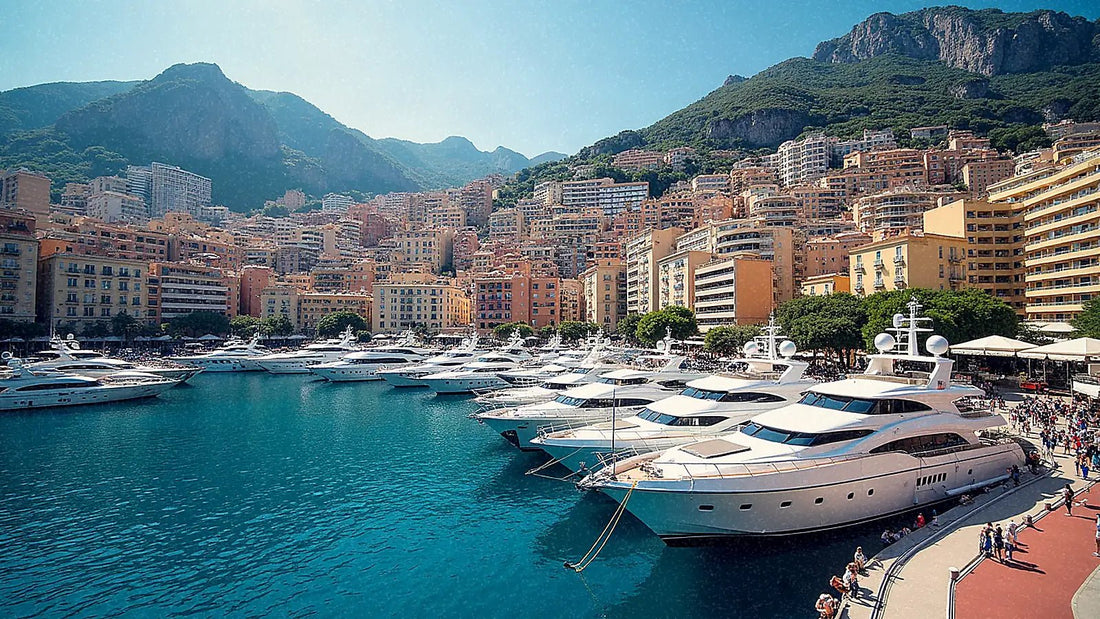
You're heading to Monaco and you only have one last-minute question: how many GB to buy so you don't get stranded or overpay for data you'll barely touch. This article is exactly about that. I won't repeat how to connect here — for the full range of options you have the internet in Monaco guide — here I'll give you the gig figure with solid reasoning, based on real app usage and what makes this tiny luxury patch between Nice and the Italian border unique.
The quick answer: few gigs, well chosen
For a day trip to Monaco, 1 GB is more than enough, and many people won't even use it all. For a weekend of two or three days taking photos, checking maps, and posting the odd story, 3 GB works great. Only if you're staying a full week or shooting a lot of video would I consider 5 GB.
Monaco is one of those destinations where the "just in case I'll grab a big bundle" logic doesn't make sense. It's a tiny country — barely over two square kilometers — incredibly expensive, and people spend little time there: most arrive from Nice in the morning, see Monte Carlo, the port, and the changing of the guard, and are back by the afternoon. You won't be lounging in an apartment binge-watching shows on mobile data; you'll be out and about, camera in hand, using very little.
My basic advice for the Principality is to go for the smallest package that gives you some wiggle room without wasting money. If you're torn between two sizes, pick the smaller one: topping up is easy and cheap, and running out in a place like this is no big deal. Before you buy, check out the general guide on how much data you need for travel, which gives you the framework for any destination: how much data do I need for travel. Here we narrow that down to the specific case of Monaco, which has its own billing traps.
Heads up: Monaco doesn't count as the EU (and this can cost you money)
Here's the nuance almost nobody tells you that can blow up your bill: Monaco is not part of the European Union or the European Economic Area. Even though it's surrounded by France, uses the euro, and you talk about it as if it's "more Europe," the famous "roam like at home" that you enjoy for free in France or Italy is not guaranteed in the Principality. Legally, it falls outside that regulation, so your carrier has no obligation to give you the data included in your local plan.
In practice, each company puts it in a different zone. Vodafone places it in Zone 7 (along with the Vatican and San Marino) and Orange in its "Destinos Plus Zone," with separate daily passes. Some offer promotions that cover it, but it depends on your specific plan and changes every season. To make matters worse, your phone jumps between French networks (Orange) and Monaco Telecom without you controlling it, and sometimes it latches onto the wrong network.
| Scenario | What happens in Monaco | Typical cost |
|---|---|---|
| Local EU plan | Monaco is NOT included in "roam like at home"; may be billed separately | Per MB surcharge or daily pass |
| Vodafone (Zone 7) | Depends on plan; sometimes a promo covers it | Variable: confirm beforehand |
| Orange (Destinos Plus Zone) | Daily or weekly pass outside the EU | Several € per day |
| Data via eSIM | Fixed rate bought before you leave | What you paid, no surprises |
Honest conclusion: call your carrier and ask what happens in Monaco before you travel. If they say it's included, perfect. If they say "it's a special zone," a data eSIM removes the uncertainty in one go. Here's what it is and how it works: what is an eSIM.
How much data your apps actually use
Before you decide how many gigs you need, it helps to have a realistic picture of where your data goes. People think "the internet" eats up a ton, but the truth is that the apps you use while walking around Monte Carlo — maps and messaging — use very little. What really drives up the bill is always the same thing: video. Watching or uploading video is the only thing that can drain a small plan in an afternoon.
| Activity | Approximate usage | Notes |
|---|---|---|
| Maps (Google Maps navigating) | 5–10 MB/h | Almost 0 if you download them in advance |
| WhatsApp (chats and voice messages) | 2–5 MB/h | Each photo is 1–3 MB |
| Social media (scrolling IG/TikTok) | 300–720 MB/h | This is what really adds up |
| Uploading a batch of 20 photos | 40–80 MB | Better to do it on hotel Wi-Fi |
| Video call (WhatsApp/FaceTime) | 200–600 MB/h | Lower resolution if you're running low |
| Music streaming (Spotify) | 40–150 MB/h | Download playlists before you head out |
| Video streaming (YouTube/Netflix) | 0.3–3 GB/h | The big data hog |
Notice the gap: a whole hour of navigating with maps uses about as much as two seconds of an HD video. That's why, for a day in Monaco using maps, WhatsApp, and the occasional photo, it's very hard to go over a few hundred megabytes. If you want the detailed numbers for each type of app, you can find them broken down here: data usage statistics by activity. With this table in mind, choosing the right plan size stops being a guessing game.
Monaco as a day trip: the most common scenario
Let's be real: most people don't "go to Monaco" — they take a day trip from Nice, Cannes, or some other town on the Côte d'Azur. You hop on the train or bus, half an hour later you're in Monte Carlo, spend the day between the casino, the yacht harbor, the gardens, and the Palace guard change at 11:55, and head back to your base in the evening. For that plan, 500 MB or 1 GB for the day is more than enough.
What would you use that data for during your day trip? Small, scattered things:
- The map so you don't get lost on the Monte Carlo hills (just a few MB if you download it beforehand).
- Checking train schedules and buying your return ticket.
- Sending photos on WhatsApp and posting a couple of Stories.
- Finding somewhere to eat without blowing your budget and reading a few reviews.
- The classic short video of a Ferrari parked in front of the Casino.
If Monaco is just one stop on a longer trip around France, don't overthink buying something specific: your data plan for the whole area will cover you for the day, as long as it includes the Principality.
That's the key detail. If your trip is the French Riviera and Monaco is just one afternoon, you might be better off with a regional plan that covers the whole route. But if you want to make sure the Principality is definitely included —without having to rely on whether your carrier puts it in some weird zone— you're safe with an eSIM for the destination itself. How to choose one: eSIM for Monaco. For a day trip, the smallest package is almost always the right answer.
How many GB based on your profile and trip length
This is the table that actually matters to you. Match how you use your phone with the number of days you'll be connected and you'll get a solid reference figure. Keep Monaco in context: long stays (15 or 30 days) are rare and are usually for people who live or work there, not tourists. For the average traveler, what really matters are the left-hand columns, and most of all the one for a single afternoon or day trip.
| Travel profile | 5 days | 10 days | 15 days | 30 days |
|---|---|---|---|---|
| Maps & WhatsApp traveler | 1 GB | 2 GB | 3 GB | 5 GB |
| Photos & social media | 3 GB | 5 GB | 8 GB | 15 GB |
| Digital nomad / remote work | 8 GB | 15 GB | 20 GB | 40 GB |
| Family sharing data | 8 GB | 15 GB | 25 GB | 50 GB |
Read it carefully. If you're in the first profile —maps, messaging, and the odd photo— you'll cruise with very little: in Monaco, almost no one in this group goes above 1 or 2 GB even over several days. The big jump comes from heavy social media video and, above all, remote work with its video calls and cloud backups. If you're going to share the connection with your family via a hotspot, add up everyone's usage and lean toward the higher end. For 90% of people reading this who are only visiting the Principality for a day, the most basic option will sort you out — no second thoughts needed.
The Grand Prix Factor (and Other Times the Network Gets Saturated)
There is one context where Monaco breaks all these figures: the Formula 1 Grand Prix at the end of May. During that weekend, the Principality's population multiplies, everyone is recording video at the same time, and mobile networks get so congested they crawl. It's not just that you'll use more data — which you will, because you won't stop recording and uploading clips — but the connection will be slow due to pure congestion, and having a generous plan gives you the margin to not run out halfway through.
If you're traveling for the GP and you're the type who records the laps and uploads them to social media, bump your estimate up to 5 GB or more even if it's just for a few days. Video is relentless: every high-quality clip you upload eats up what a full day of normal use would take. Something similar, though less extreme, happens at:
- The yacht harbor and cruise ship arrivals: lots of people concentrated, sharing the same cell tower, especially in peak summer season.
- Events and galas: the Principality lives off them, and the network feels it.
- The changing of the guard: same time, same square, hundreds of phones uploading the same video.
If you're coming off a cruise ship that's making a port call, keep in mind that onboard Wi-Fi is expensive and slow, so you'll be using your data on land. During those peaks, having a bit of a buffer of gigabytes keeps you from being stranded just when you most want to share the moment.
Calculate Your Own Usage Before You Leave
All the tables in the world are worth less than your own real data. And you have it in your pocket: your phone records how much data you use every month. The best way to get the right size isn't to guess, but to check your usage from last month and extrapolate it to your travel days. It's the most honest advice I can give you, because everyone uses their phone differently.
How to check it, in two minutes:
- On Android: Settings → Network & Internet → SIM/Data usage. You'll see the megabytes per app for the period.
- On iPhone: Settings → Mobile Data, then scroll down to the list of apps with their usage.
Look at what you spend per day on average and which apps are the biggest users. But adjust for the travel context: you'll probably use more maps and less of the video streaming platforms you'd use from your couch at home. Since Monaco is usually a visit of a few hours, calculate your typical daily spend and multiply it only by the days you'll be off Wi-Fi. You'll see the number that comes out is small. Doing that exercise once will serve you for any trip and will save you from buying huge packages out of fear. With your real figure in hand, you choose without hesitation.
How to Stretch Every Gigabyte in Monaco
With four adjustments, the small package I've recommended will last you twice as long. None of them will complicate your life, and they all activate in a moment. The idea is simple: spend data only on what really needs it and leave the rest for the hotel or café Wi-Fi.
- Offline maps: download the Monaco and Nice area on Google Maps over Wi-Fi before you leave. You'll navigate without using practically any data.
- Backups only on Wi-Fi: let your photos and phone backup upload at night at the hotel, not over data while you're out and about.
- Lower video quality: set social networks to standard resolution and turn off autoplay; that's where gigabytes slip away without you noticing.
- Data saver mode: activate it on your system and in apps like Instagram, YouTube, or Spotify. Download your music before you travel.
These habits make the difference between burning through 1 GB in a morning or reaching the end of your trip with data to spare. I have a full guide with more fine-tuned tricks to get the most out of your plan: how to save data on your trip. Just by applying the offline maps and standard video tips, you'll cut half of the typical daily tourist consumption.
What if you run out (and why that's actually better)
Let's tackle the classic fear: "What if I run out of data in the middle of my trip?" Calm answer: nothing happens. Running out is fixed in a minute with a top-up, while overbuying is money down the drain you'll never get back. That's why, between two sizes, the smaller one almost always wins.
When a data plan runs out, your phone doesn't get cut off and you don't get hit with surprise overage charges like the old roaming days: you simply buy another package or a top-up right from the app, on the spot, wherever you are. It takes less time than ordering a coffee. And if you've followed the advice to check your actual usage, this will almost never happen.
Buying extra "just in case" is the most expensive mistake in a destination like Monaco, where you don't use much data anyway. I'd rather sell you 1 GB that's more than enough than push 10 GB you'll never touch. Trust matters more than an inflated cart.
So the smart play is: start with the smallest package that covers your estimate, apply the savings tricks, and top up only if you really need to. It's cheaper, more flexible, and takes away the anxiety of counting megabytes. In a place where you spend a few hours and everything costs an arm and a leg, spending just what you need on data is plain common sense.
Frequently asked questions
The questions I get most about data and gigabytes for the Principality, answered straight to the point.
How many GB do I need for a day in Monaco?
1 GB is more than enough for a day trip, and 500 MB will probably do too. Between downloaded maps, WhatsApp, and a few photos, it's very hard to use more than that in a day of sightseeing around Monte Carlo.
Does Monaco count as free EU roaming?
No: Monaco is not in the EU or the EEA, so "roam like at home" isn't guaranteed. Many carriers bill it as a separate zone even though it's inside France. Check with your provider before you travel, or use eSIM data so you don't have to rely on that.
Will a France eSIM work in Monaco?
Often yes, because many France or Europe plans include Monaco since they use French networks. But don't take it for granted: check that the Principality appears in the plan's coverage before buying.
Will I use a lot of data if I go to the F1 Grand Prix?
Yes, quite a bit more than usual, especially if you record and upload video. The network also gets congested from the crowds. For that weekend, budget 5 GB or more even if it's just a few days, and upload clips over Wi-Fi when you can.
Can I rely on free Wi-Fi to save data?
For heavy tasks yes, but don't count on reliable Wi-Fi out on the street. Hotels, cafés, and some museums offer it; use those moments to upload photos and back things up. Walking around the city, you'll be using your data.
What do I do if I run out of data mid-trip?
Top up from the app in a minute and you're done. No cutoffs or surprise overage charges: you just buy another package on the spot. That's why it's better to start small and top up if needed than to overpay upfront.
How many GB for a weekend of photos and social media?
3 GB is plenty for two or three days of photos, stories, and the odd video. You'd only need more if you spend all day uploading high-quality video or sharing your connection with other people.
Conclusion
Monaco is the perfect example of a destination where less is more: expensive, tiny, and a short visit, there's no point lugging around a huge data package. For a day, 1 GB is enough; for a weekend, 3 GB; and only the Grand Prix or remote work justifies going up to 5 GB or more. Remember the key detail: the Principality is outside the EU, so don't assume your local plan covers it for free without checking. A data eSIM bought before you leave gives you a fixed rate, zero billing surprises, and guaranteed coverage at your destination. If you want to play it safe, take a look at our option for the Principality and pick the small size with confidence: eSIM for Monaco.